Roblox and Minecraft ask different things of a laptop. Roblox’s support page says its Windows app installs on 64-bit Windows 10 or 11, requires DirectX 10 feature-level support, and recommends at least 1GB of memory. Minecraft’s PC page sets a higher bar for Java. Its minimum is 8GB of memory with a discrete GPU or 12GB with integrated graphics, and it recommends 16GB. Decide which game the player uses most, then pick the laptop.
Six laptops follow. Four name an RTX GPU, one is a 14-inch gaming laptop with integrated Radeon graphics, and one is a general-use Windows laptop. We claim no frame rate for any of them, because neither game’s page gives one for these models.
Six Laptops for Roblox and Minecraft Compared
| Image | Product | Details | Check Price |
|---|---|---|---|
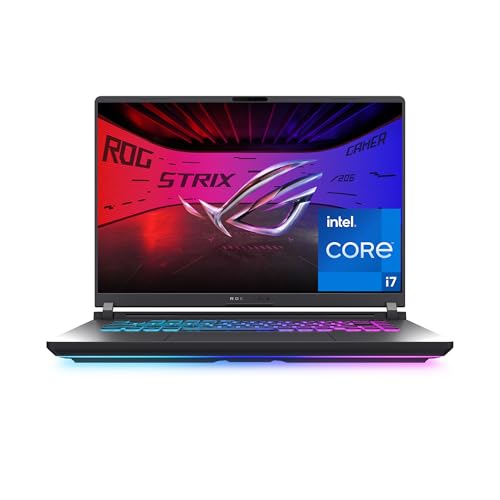 | ASUS ROG Strix G16 | Best fit: Minecraft Java with RTX 5060 graphics Processor: Intel Core i7-14650HX Graphics: NVIDIA GeForce RTX 5060 Memory and storage: 16GB DDR5, 1TB PCIe Gen 4 SSD Screen: 16-inch FHD+ 165Hz | Check Price on Amazon |
 | Acer Nitro V 15 | Best fit: Bedrock and minimum-spec Java with RTX 4050 Processor: Intel Core i5-13420H Graphics: NVIDIA GeForce RTX 4050 Memory and storage: 8GB DDR5, 512GB Gen 4 SSD Screen: 15.6-inch FHD IPS 165Hz | Check Price on Amazon |
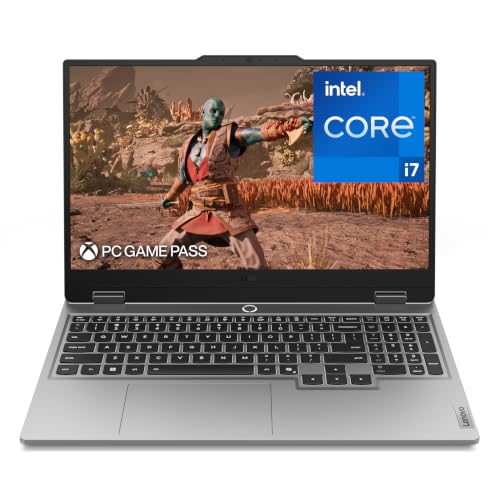 | Lenovo LOQ RTX 5050 | Best fit: 16GB and a 144Hz screen with RTX 5050 Processor: Intel Core i7-13650HX Graphics: NVIDIA GeForce RTX 5050 Memory and storage: 16GB and 1TB (title) Screen: 15.6-inch FHD IPS 144Hz | Check Price on Amazon |
 | Lenovo LOQ RTX 5060 | Best fit: A 15.3-inch RTX 5060 configuration Processor: Ryzen 7 250 Graphics: NVIDIA GeForce RTX 5060 Memory and storage: 16GB and 1TB (title) Screen: 15.3-inch WUXGA 165Hz | Check Price on Amazon |
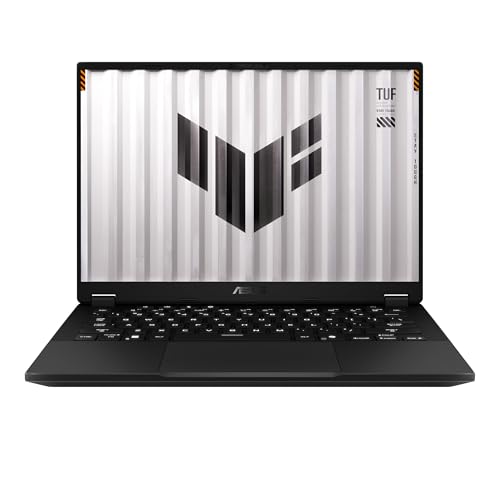 | ASUS TUF Gaming A14 | Best fit: 32GB of shared memory in a 14-inch laptop Processor: Ryzen AI Max+ 392 Graphics: Radeon 8060S integrated Memory and storage: 32GB LPDDR5X, 1TB PCIe Gen 4 SSD Screen: 14-inch WQXGA 165Hz | Check Price on Amazon |
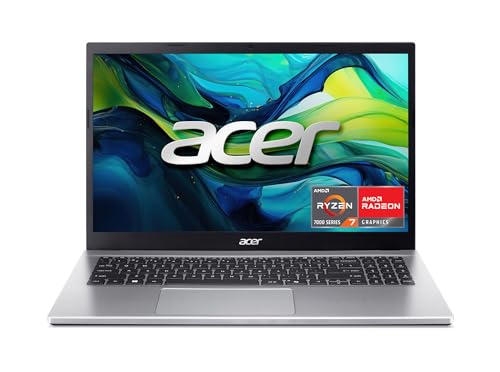 | Acer Aspire Go 15 | Best fit: Roblox and Bedrock with a general-use laptop Processor: AMD Ryzen 7 7730U Graphics: AMD Radeon Graphics Memory and storage: 16GB DDR4, 512GB PCIe Gen4 SSD Screen: 15.6-inch FHD IPS | Check Price on Amazon |
1. ASUS ROG Strix G16 — Best for Minecraft Java With RTX 5060 Graphics
Amazon’s bullets for the G16 name an Intel Core i7-14650HX, an RTX 5060 Laptop GPU, 16GB of DDR5-5600, and a 1TB PCIe Gen 4 SSD, with Windows 11 Home. Minecraft Java recommends 16GB and lists Windows 11 for its recommended setup. The G16 is the one laptop here whose bullets name both next to a named RTX GPU.
The 16-inch screen runs at 165Hz and has an ACR film that ASUS says enhances contrast and reduces glare. The title adds Wi-Fi 7. ASUS also describes a 360-degree RGB light bar that Stealth Mode turns off, plus a vapor chamber, tri-fan cooling and liquid metal on the chipset. Amazon’s listing gives no temperature or game result for these features.
Our Take Choose the Strix G16 for Java when you want the largest screen in this group and a named RTX GPU with 16GB. It is the only product here whose bullets name RTX graphics, 16GB and Windows 11 together.
- ASUS lists the RTX 5060 Laptop GPU, 16GB of DDR5-5600 and a 1TB PCIe Gen 4 SSD in the G16’s Amazon bullets.
- ASUS names Windows 11 Home in the G16’s bullets, the operating system Minecraft lists for its recommended Java setup.
- ASUS says the G16’s ACR film reduces glare on the 165Hz screen.
- Amazon gives no VRAM amount for the G16’s RTX 5060, and Minecraft Java asks for at least 2GB of VRAM.
- The G16’s title lists a 16-inch screen, larger than the 14-inch TUF Gaming A14 and the 15.6-inch Nitro V 15.
2. Acer Nitro V 15 — Best for Bedrock and Minimum-Spec Java With RTX 4050
Acer’s listing gives the Nitro V 15 a Core i5-13420H, an RTX 4050 Laptop GPU, 8GB of DDR5, and a 512GB PCIe Gen 4 SSD. Eight gigabytes is Bedrock’s recommended memory and the figure Minecraft Java lists as its minimum with a discrete GPU. Java’s 16GB recommendation is twice that.
The bullets list two DDR5 slots with a 32GB maximum, so a 16GB total sits inside the stated limit. They also list a Thunderbolt 4 port, Killer Gigabit Ethernet and Wi-Fi 6, and they describe a 15.6-inch FHD IPS 165Hz screen. Amazon’s title and bullets do not name an operating system.
Our Take Choose the Nitro V 15 for Bedrock or for Java at its minimum, and plan for more memory if Java’s 16GB recommendation is the goal. Confirm the cart says Windows before buying, since the listing does not.
- Acer lists a 32GB maximum across two DDR5 slots, double Minecraft Java’s 16GB recommendation.
- Acer’s bullets name a Thunderbolt 4 port for charging, data and video.
- The Nitro V 15’s 8GB matches Bedrock’s recommended memory and Java’s minimum with a discrete GPU.
- The Nitro V 15’s 8GB is half of Minecraft Java’s 16GB recommendation.
- Acer’s listing for the Nitro V 15 does not name an operating system.
3. Lenovo LOQ RTX 5050 — Best for 16GB and a 144Hz Screen With RTX 5050
Amazon’s title for this LOQ, model 83JE000XUS, names an RTX 5050, 16GB of memory, 1TB of storage and a 15.6-inch FHD IPS screen at 144Hz. The bullets name an Intel Core i7-13650HX, NVIDIA G-Sync, and Lenovo’s Hyperchamber Cooling with turbo fans and copper heat pipes. The graphics, memory and storage appear only in the title.
Lenovo’s bullets also describe a full backlit keyboard, an aluminum cover, and Rapid Charge Pro, which Lenovo says reaches 70% in under 30 minutes. The listing names no ports and no operating system.
Our Take Choose this LOQ over the Nitro V 15 when Java’s 16GB recommendation is the target at a 15.6-inch size. Check that the cart shows 16GB and Windows before buying.
- Lenovo’s bullets name the Core i7-13650HX and NVIDIA G-Sync.
- The LOQ’s title lists 16GB and 1TB, and 16GB equals Minecraft Java’s recommendation.
- Lenovo’s bullets describe Hyperchamber Cooling with turbo fans and copper heat pipes.
- Lenovo’s bullets say Rapid Charge Pro reaches 70% in under 30 minutes.
- The LOQ’s RTX 5050, 16GB and 1TB appear in Amazon’s title and in none of its bullets.
- Amazon’s listing for the LOQ names no ports and no operating system.
4. Lenovo LOQ RTX 5060 — Best for a 15.3-Inch RTX 5060 Configuration
The title of the RTX 5060 LOQ names an RTX 5060, a Ryzen 7 250, 16GB, 1TB and a 15.3-inch WUXGA 165Hz IPS display. Amazon’s only feature bullet is the single word “Laptop”, so no bullet backs any of those figures.
Amazon’s model field gives 83TN0002US and a one-year limited parts and labor warranty, and Amazon.com sells the New offer. A bare title cannot show which memory, storage or GPU ships in the box, so compare the cart with the title before buying.
Our Take Pick this LOQ only when the cart confirms the title’s RTX 5060, 16GB and 1TB. The Strix G16 has the same GPU and memory in its bullets.
- The LOQ’s title names RTX 5060 graphics, 16GB and 1TB, and 16GB equals Minecraft Java’s recommendation.
- Amazon’s model field gives Lenovo’s number 83TN0002US for matching against the cart.
- Amazon.com sells the New offer for this LOQ.
- Amazon’s only bullet for this LOQ is “Laptop”, so the title’s figures have no bullet behind them.
- Amazon’s listing for this LOQ names no operating system, ports or cooling.
5. ASUS TUF Gaming A14 — Best for 32GB of Shared Memory in a 14-Inch Laptop
ASUS’s bullets for the A14 name an AMD Ryzen AI Max+ 392 with Radeon 8060S integrated graphics, 32GB of LPDDR5X-8000 unified memory and a 1TB PCIe Gen 4 SSD, with Windows 11 Home. ASUS says the unified design allocates its memory dynamically between system RAM and VRAM. Minecraft Java asks for 12GB with integrated graphics and recommends 16GB, and 32GB is above both.
Minecraft’s graphics line asks for a Vulkan 1.3 GPU with at least 2GB of VRAM, and Amazon gives no VRAM figure for the Radeon 8060S. The 14-inch screen is 2.5K at 165Hz with a 3ms response time, and ASUS describes two 97-blade fans and a keyboard redesigned to increase airflow. The title adds Wi-Fi 6E.
Our Take Choose the A14 when you want a 14-inch screen and the most memory in this group. For Minecraft Java, the open question is the integrated graphics, not the memory.
- ASUS lists 32GB of LPDDR5X unified memory, double Minecraft Java’s 16GB recommendation.
- ASUS says the A14 allocates its unified memory dynamically between system RAM and VRAM.
- ASUS names Windows 11 Home in the A14’s bullets, the operating system Minecraft lists for its recommended Java setup.
- Amazon’s listing does not connect the Radeon 8060S to Minecraft Java’s Vulkan 1.3 and 2GB VRAM line.
- Amazon’s listing for the A14 names no ports.
6. Acer Aspire Go 15 — Best for Roblox and Bedrock With a General-Use Laptop
Acer’s bullets for the Aspire Go 15 name an AMD Ryzen 7 7730U, 16GB of memory, a 512GB SSD and a 15.6-inch 1080p IPS display. The title adds DDR4, AMD Radeon Graphics, Wi-Fi 6 and Windows 11 Home. Roblox recommends a laptop less than three years old with integrated video, and a new laptop with integrated Radeon graphics, 16GB and Windows 11 fits that wording.
Acer describes the display as suited to casual browsing and movies, and lists one full-function USB-C port, Wi-Fi 6 and HDMI 2.1. Amazon’s offer data names a marketplace seller, not Amazon.com, for the New offer. The title says AMD Radeon Graphics without a model, so Minecraft Java’s Vulkan 1.3 and 2GB VRAM line is unconfirmed.
Our Take Choose the Aspire Go 15 for a household that plays Roblox or Minecraft Bedrock and also needs an everyday Windows laptop. For Minecraft Java, confirm the graphics first.
- Acer’s bullets list 16GB, a 512GB SSD and a 1080p IPS display, and the title names Windows 11 Home.
- Acer’s bullets describe a full-function USB-C port for charging and connecting devices, plus HDMI 2.1.
- The Aspire Go 15’s 16GB equals Minecraft Java’s recommendation and far exceeds Roblox’s 1GB figure.
- Acer’s bullets describe the display for browsing and movies, not for gaming.
- Amazon’s title names AMD Radeon Graphics without a model, VRAM amount or Vulkan support.
Buying Guide
Pick the Minecraft edition first
Bedrock and Java have separate requirements on Minecraft’s PC page. Bedrock lists 4GB of memory as its minimum and 8GB as recommended, with Windows 10 version 19041.0 or higher. Java lists 8GB with a discrete GPU or 12GB with integrated graphics as its minimum, and recommends 16GB.
Roblox sits below both. Roblox recommends at least 1GB of memory and 300MB of storage on Windows 10 or 11, and every laptop here lists far more than either figure. Its support page also recommends a computer under five years old with a dedicated video card, or a laptop under three years old with an integrated one.
Match memory to the edition
Minecraft Java recommends 16GB. The Strix G16 and Aspire Go 15 list 16GB in their bullets, both LOQs list it in their titles, and the TUF A14 lists 32GB. The Nitro V 15 lists 8GB, which equals Java’s minimum with a discrete GPU and Bedrock’s recommendation.
Java asks for 12GB when graphics are integrated. The Aspire Go 15 and the TUF A14 use integrated Radeon graphics, and both list more memory than Java asks for. The Nitro V 15 has a discrete RTX 4050, so the 8GB figure applies to it.
Treat a GPU name and a VRAM figure as different facts
Minecraft Java’s minimum graphics line is a Vulkan 1.3 GPU with at least 2GB of VRAM. Its recommended line names an NVIDIA GeForce RTX 2060, AMD Radeon RX 5600 XT, Intel Arc A580 or Apple M2 Pro with 6GB of VRAM. The Strix, Nitro and both LOQs name RTX GPUs, but no Amazon listing here gives a VRAM amount or Vulkan support.
The integrated examples on Minecraft’s page name Intel, Apple and Qualcomm chips, not an AMD Radeon part. The TUF A14 and Aspire Go 15 therefore need their graphics checked against Minecraft’s line on the maker’s spec sheet before a Java purchase.
Check title-only details and the operating system
Both LOQs give their graphics, memory and storage only in the title. The RTX 5060 LOQ’s only bullet is “Laptop”, and the RTX 5050 LOQ’s bullets leave out those three figures. Confirm all three in the cart.
Roblox’s Windows app needs Windows 10 or 11. The Nitro V 15 and both LOQs name no operating system, while the Strix G16, TUF A14 and Aspire Go 15 name Windows 11 Home. Confirm Windows before buying any listing that does not.
Ask for a game result only from a game result
Minecraft’s requirements table attaches a 1080p target at 30 FPS to its minimum column and 60 FPS to its recommended column. The table gives those targets for its own reference hardware, so neither figure describes a laptop on this page.
No listing here gives a frame rate, render distance or mod result. A named component and a stated memory size are what Amazon’s listings support, and a buyer should treat anything beyond them as unconfirmed.
FAQ
Does Roblox need a gaming laptop?
Roblox’s support page lists 64-bit Windows 10 or 11, DirectX 10 feature-level support, 1GB of memory and 300MB of storage. Every laptop on this page lists more memory than Roblox does.
Roblox recommends a laptop under three years old with integrated video as one of its two hardware options. The Aspire Go 15 is the everyday Windows laptop here. Roblox’s memory figure is far lower than Minecraft Java’s.
How much memory does Minecraft Java recommend?
Minecraft’s PC page recommends 16GB for Java. Its minimum is 8GB with a discrete GPU or 12GB with integrated graphics.
The Strix G16 and Aspire Go 15 list 16GB, both LOQs list it in their titles, and the TUF A14 lists 32GB. The Nitro V 15’s 8GB equals the minimum for a discrete GPU, not the recommendation.
Which of these laptops name an RTX graphics card?
Amazon names an RTX 5060 for the Strix G16 and the second LOQ, an RTX 5050 for the first LOQ, and an RTX 4050 for the Nitro V 15. Only the Strix G16 states its GPU in a bullet next to 16GB and Windows 11.
A GPU name is not a VRAM figure. Minecraft Java names a Vulkan 1.3 and 2GB VRAM line that no listing here restates.
Is the 32GB TUF A14 the best Java choice?
The TUF A14 lists the most memory here, at 32GB, with Radeon 8060S integrated graphics. ASUS says that memory is allocated between system RAM and VRAM.
More memory does not confirm the graphics line. Choose the TUF A14 for its 32GB and 14-inch screen, and check the Radeon graphics against Minecraft’s Vulkan 1.3 and VRAM figure first.
Why does the RTX 5060 Lenovo LOQ need a cart check?
Its title names an RTX 5060, 16GB, 1TB and a 165Hz screen. Its only bullet is the word “Laptop”.
Compare the cart’s memory, storage and GPU with the title before buying. The listing gives no bullet that confirms any of them.
Bottom Line
For Minecraft Java, start with Minecraft’s memory and graphics lines, then read each listing’s bullets. The ASUS ROG Strix G16 names RTX graphics, 16GB and Windows 11 in its bullets, and the Lenovo LOQ RTX 5050 names 16GB and RTX graphics in its title. The Acer Aspire Go 15 is the everyday Windows laptop for Roblox or Bedrock. See the gaming laptop guide and school laptop guide for adjacent decisions.