An RTX 5050 label identifies the graphics chip, but it does not settle the screen, processor, memory, storage, cooling, or ports. All five listings name an RTX 5050. Their useful differences are a 16-inch WUXGA 165Hz panel with Thunderbolt 4, a 16:10 FHD+ 165Hz panel with tool-free access, a 15-inch 1920 x 1200 anti-glare screen, a 16-inch WQXGA 120Hz screen, and a 15.6-inch FHD 144Hz panel in a chassis of about 4.3 lb.
Start with the model code, then compare the screen and ports. The Acer Nitro V ANV16-I31-54PT is the only listing here that names Thunderbolt 4, HDMI 2.1, Ethernet, and USB-C charging. The other four name no ports at all, so confirm theirs with the maker before buying a dock or an external monitor.
RTX 5050 Laptops Compared
| Image | Product | Details | Check Price |
|---|---|---|---|
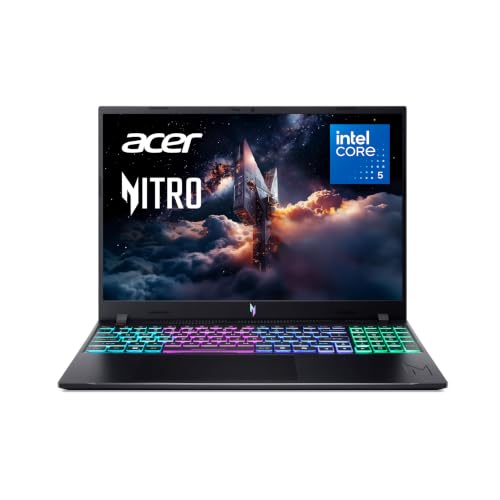 | Acer Nitro V ANV16-I31-54PT | Best fit: Thunderbolt 4, HDMI 2.1 and Ethernet Screen: 16-inch WUXGA IPS, 165Hz Processor and graphics: Core 5 210H, RTX 5050 Memory and storage: 8GB DDR5, 512GB Gen 4 SSD (not in the bullets) Listed connections: Thunderbolt 4, HDMI 2.1, Ethernet, USB-C charging | Check Price on Amazon |
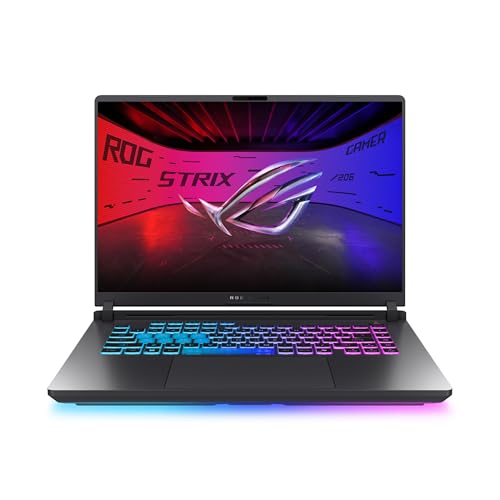 | ASUS ROG Strix G16 G615JHR-DS53 | Best fit: Tool-free RAM and SSD access Screen: 16:10 FHD+, 165Hz Processor and graphics: Core i5-14450HX, RTX 5050 Memory and storage: 16GB DDR5-5600, 512GB PCIe Gen 4 SSD Listed connections: No ports named in the listing | Check Price on Amazon |
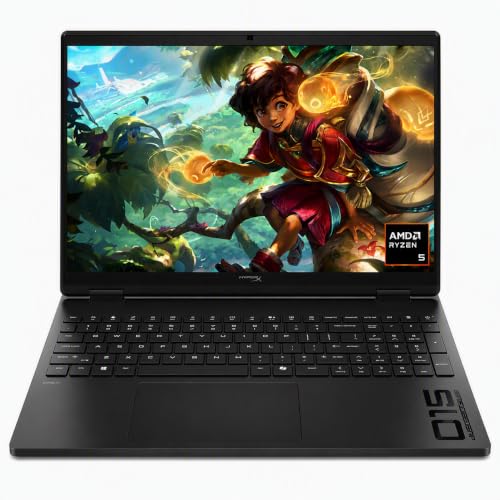 | HP OMEN 15 15-gb0099nr | Best fit: 15-inch 1920 x 1200, 165Hz screen Screen: 15-inch IPS anti-glare, 1920 x 1200, 165Hz Processor and graphics: Ryzen 5 240, RTX 5050 with 8GB GDDR7 Memory and storage: 16GB DDR5, 512GB PCIe Gen4 NVMe SSD Listed connections: No ports named in the listing | Check Price on Amazon |
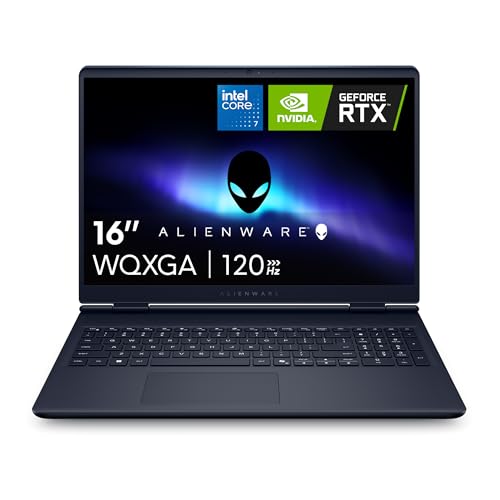 | Alienware 16 Aurora LAC16250-7193BLU-PUS | Best fit: WQXGA 120Hz screen Screen: 16-inch WQXGA, 120Hz, 300 nits Processor and graphics: Core 7 240H (title only), RTX 5050 Memory and storage: 16GB DDR5, 1TB SSD (not in the bullets) Listed connections: No ports named in the listing | Check Price on Amazon |
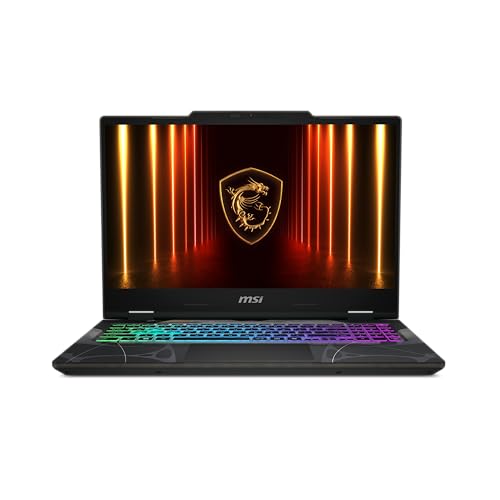 | MSI Cyborg A15 AI CYBORGA15B2074 | Best fit: About 4.3 lb, 15.6-inch screen Screen: 15.6-inch FHD, 144Hz Processor and graphics: Ryzen 7 260, RTX 5050 Memory and storage: 16GB DDR5, 1TB SSD (not in the bullets) Listed connections: No ports named in the listing | Check Price on Amazon |
1. Acer Nitro V ANV16-I31-54PT — Best for Thunderbolt 4 and Ethernet
The Acer Nitro V ANV16-I31-54PT suits a buyer who wants the ports named in the listing. Acer’s bullets list an RTX 5050 Laptop GPU, an Intel Core 5 210H, and a 16-inch 1920 x 1200 display at 165Hz that the title calls WUXGA IPS. The title also names 8GB DDR5 and a 512GB Gen 4 SSD, but the bullets give neither figure. Confirm the memory and storage on the product page before ordering, because a title can describe a seller’s configuration.
The port list is the longest on this page. One USB-C port runs USB 3.2 Gen 2 at up to 10 Gbps with DisplayPort, Thunderbolt 4, and USB charging up to 100W. Acer adds a USB 3.2 Gen 2 port with power-off charging, two USB 3.2 Gen 1 ports, an HDMI 2.1 port rated at 48 Gbps, an RJ-45 Ethernet port with a Killer E2600 controller, and a headphone and line-out jack. Acer describes cooling with two fans, two intakes, and two exhausts. Pair it with a dock, a wired network, or an HDMI display when those count as much as the graphics.
Our Take Choose the Nitro V when a Thunderbolt 4 port, HDMI 2.1, Ethernet, and a 165Hz 16-inch screen decide the purchase. Confirm the 8GB of memory before ordering, since only the title states it.
- Acer lists a 16-inch 1920 x 1200 screen at 165Hz, which matches the highest refresh rate among the five laptops.
- Acer states Thunderbolt 4, HDMI 2.1, Ethernet, DisplayPort over USB-C, and USB charging up to 100W, the only port list among the five listings.
- Acer describes the Nitro V’s cooling system as two fans, two intakes, and two exhausts.
- Acer’s title names 8GB DDR5, the least memory of the five, and its bullets do not repeat it, so the figure needs confirming.
- Acer’s bullets give no memory-slot count or maximum memory for the ANV16-I31-54PT.
2. ASUS ROG Strix G16 G615JHR-DS53 — Best Tool-Free Access Option
ASUS’s title and bullets agree on a Core i5-14450HX, an RTX 5050 Laptop GPU, 16GB of DDR5-5600, and a 512GB PCIe Gen 4 SSD, so the memory and storage do not rest on the title alone. The display is FHD+ at 165Hz, and the title adds 16-inch, 16:10, and 3ms. ASUS also lists an AGLR film that reduces glare and Dolby Vision HDR.
The distinctive line is the latch. Sliding it on the bottom half opens the RAM, SSD, and fans without a screwdriver, and a removable frame gives advanced users deeper access. For cooling, ASUS lists an end-to-end vapor chamber, tri-fan technology, and liquid metal on the chipset. It adds a MUX switch with Advanced Optimus and a 360-degree RGB light bar. No bullet names a port, so Thunderbolt, HDMI, Ethernet, and USB-C charging are unconfirmed for G615JHR-DS53.
ASUS’s title and bullets agree on a Core i5-14450HX, RTX 5050, 16GB DDR5-5600, and a 512GB PCIe Gen 4 SSD, with tool-free access to RAM, SSD, and fans.Our Take Pick the Strix G16 when tool-free access to RAM, storage, and fans is the deciding feature, with a 165Hz screen and 16GB of DDR5-5600. Confirm its ports with ASUS before buying dock hardware.
- ASUS lists 16GB DDR5-5600 and a 512GB PCIe Gen 4 SSD in both the title and the bullets, so the memory and storage do not rest on the title alone.
- ASUS lists an FHD+ 165Hz display with an AGLR glare-reducing film and Dolby Vision HDR.
- ASUS describes a latch for tool-free access to RAM, SSD, and fans, with a removable frame for deeper access.
- ASUS lists an end-to-end vapor chamber, tri-fan technology, liquid metal, a MUX switch, and Advanced Optimus.
- ASUS names no ports for G615JHR-DS53, so dock and monitor connections are unconfirmed.
3. HP OMEN 15 15-gb0099nr — Best 15-Inch 1920 x 1200 Screen
The HP OMEN 15-gb0099nr fits a buyer who wants the smaller 15-inch screen. HP’s bullets give a 1920 x 1200 IPS anti-glare display at 165Hz with 178-degree viewing angles, a Ryzen 5 240, an RTX 5050 with 8GB of dedicated GDDR7, 16GB DDR5, and a 512GB PCIe Gen4 NVMe M.2 SSD. The title says 2K and so does the screen bullet’s header, but the figure it gives is 1920 x 1200, so compare the screen by that resolution.
The title reads HP HyperX OMEN with the code 15-gb0099nr, while Amazon’s model field shows D5FW5UA#ABA, so match both codes on the product page. The other bullets list Wi-Fi 6, Bluetooth 5.4, an FHD camera with HDR auto-switch and dual digital microphones, AMD FreeSync Premium, and OMEN AI settings recommendations. No bullet names a port, a connection speed, Thunderbolt, or USB4.
HP’s bullets state a 1920 x 1200 IPS anti-glare screen at 165Hz, an RTX 5050 with 8GB GDDR7, 16GB DDR5, and a 512GB PCIe Gen4 SSD.Our Take Choose the OMEN 15 for the 15-inch 1920 x 1200 IPS screen at 165Hz and the stated 8GB of GDDR7 graphics memory. Confirm its ports with HP before buying a dock.
- HP gives a 1920 x 1200 resolution for its IPS anti-glare panel at 165Hz, so the screen can be compared by that resolution.
- HP states RTX 5050 graphics with 8GB dedicated GDDR7, a figure none of the other four listings gives.
- HP lists 16GB DDR5, a 512GB PCIe Gen4 NVMe M.2 SSD, Wi-Fi 6, Bluetooth 5.4, and an FHD camera.
- HP names no ports, connection speed, Thunderbolt, or USB4 capability for the OMEN 15, so its ports need confirming before a dock purchase.
- HP’s title says 2K while its screen bullet gives 1920 x 1200, so the screen should be compared by the bullet’s resolution.
- HP’s 15-inch screen is smaller than the 15.6-inch MSI and the three 16-inch models.
4. Alienware 16 Aurora LAC16250-7193BLU-PUS — Best WQXGA 120Hz Screen
Dell’s bullets for the Alienware 16 Aurora LAC16250-7193BLU-PUS describe a 16-inch WQXGA 120Hz display at 300 nits and an RTX 5050 Laptop GPU. The title adds a Core 7 240H, 16GB DDR5, a 1TB SSD, and Wi-Fi 7, none of which the bullets repeat, so confirm them on the product page. It is the only listing here that calls its panel WQXGA, and its 120Hz is below the 144Hz of the MSI and the 165Hz of the Acer, ASUS, and HP.
Dell describes a newly designed Cryo-Chamber structure that focuses airflow to the core components, and says the Aurora’s design gives advanced thermal support without a rear thermal shelf. The bullets also list 1 Year Onsite Service. No bullet names HDMI, USB-C, Ethernet, Thunderbolt, or USB4, so ask Dell for the port specification if an external display, dock, or wired network is part of the plan.
Dell’s bullets state a 16-inch WQXGA 120Hz, 300-nit display and an RTX 5050, and the title adds a Core 7 240H, 16GB DDR5, a 1TB SSD, and Wi-Fi 7.Our Take Consider the Alienware 16 Aurora for the WQXGA 120Hz, 300-nit screen and the 1TB SSD named in its title. Pick another model when you need a stated port layout or a higher refresh rate.
- Dell lists the only WQXGA screen here, a 16-inch panel at 120Hz with a stated 300-nit brightness.
- The Aurora’s title lists a Core 7 240H, 16GB DDR5, a 1TB SSD, and Wi-Fi 7, and the bullets do not repeat them, so they need confirming.
- Dell describes a newly designed Cryo-Chamber structure and says the Aurora’s design gives advanced thermal support without a rear thermal shelf.
- Dell’s bullets list 1 Year Onsite Service for the Aurora.
- Dell lists 120Hz for the Aurora, below the 144Hz of the MSI and the 165Hz of the Acer, ASUS, and HP.
- Dell names no HDMI, USB-C, Ethernet, Thunderbolt, or USB4 specification for LAC16250-7193BLU-PUS.
5. MSI Cyborg A15 AI CYBORGA15B2074 — Best Lightweight 15.6-Inch Option
MSI’s bullets describe the Cyborg A15 AI as a slim chassis of about 4.3 lbs with a 15.6-inch FHD 144Hz display, a Ryzen 7 260, and an RTX 5050. The title adds 16GB DDR5, a 1TB SSD, and Wi-Fi 6E, and Amazon’s size field repeats 16GB RAM and 1TB SSD, but no bullet states them. A third-party seller supplies the New offer, so those figures may be that seller’s configuration.
Amazon’s model field reads CYBORGA15B2074, while the title ends in B2HWEKG-074US, so confirm which code the product page shows. The bullets also describe translucent backlit keycaps, and Amazon’s item-weight field lists 4.29 lb, the lowest of the five. No bullet names a port, a USB-C version, HDMI, or Ethernet. Its 144Hz is lower than the three 165Hz screens, which suits a buyer who weighs carrying weight above refresh rate.
Our Take Pick the Cyborg A15 AI when low weight, a 15.6-inch 144Hz screen, and a Ryzen 7 260 decide the purchase. Confirm the memory, storage, and ports with the seller before ordering.
- MSI states about 4.3 lbs in its bullets, and Amazon’s item-weight field lists 4.29 lb, the lowest of the five.
- MSI’s bullets list a Ryzen 7 260 and an RTX 5050 with a 15.6-inch FHD 144Hz screen.
- MSI’s bullets describe translucent backlit keycaps, and the title lists Wi-Fi 6E.
- MSI’s 144Hz screen is below the 165Hz that Acer, ASUS, and HP list.
- MSI’s bullets name no port, USB-C version, HDMI, or Ethernet for CYBORGA15B2074.
- MSI’s bullets do not state the 16GB DDR5 and 1TB SSD that appear in the title and Amazon’s size field, and a third-party seller supplies the New offer.
Buying Guide
1. Start with the model code, not the GPU name
All five listings name an RTX 5050, but the rest of each machine differs. The codes are ANV16-I31-54PT for the Acer, G615JHR-DS53 for the ASUS, 15-gb0099nr for the HP, LAC16250-7193BLU-PUS for the Alienware, and CYBORGA15B2074 for the MSI. Each code sits beside a different processor, screen, and memory and storage line.
Acer names an Intel Core 5 210H, ASUS a Core i5-14450HX, HP a Ryzen 5 240, Alienware a Core 7 240H, and MSI a Ryzen 7 260. Match the processor, model code, screen, and memory together. A title that includes RTX 5050 does not settle any of them.
2. Compare the screens by size, resolution, and refresh rate together
Acer lists a 16-inch WUXGA screen at 165Hz, ASUS 16:10 FHD+ at 165Hz, HP a 15-inch 1920 x 1200 screen at 165Hz, Alienware a 16-inch WQXGA screen at 120Hz, and MSI a 15.6-inch FHD screen at 144Hz. WUXGA, FHD+, 1920 x 1200, WQXGA, and FHD name different resolutions. The 120Hz, 144Hz, and 165Hz figures differ as well.
Three listings share the 165Hz figure, but their panel sizes and wording differ. Alienware is the only WQXGA listing, and MSI is the only 15.6-inch listing. Read refresh rate together with resolution and screen size.
3. Treat ports as a separate decision
Acer is the only listing whose bullets name ports. They list Thunderbolt 4, DisplayPort over USB-C, USB charging up to 100W, HDMI 2.1, Ethernet, three more USB 3.2 ports, and a headphone and line-out jack. Acer states these connections for that model only, not for the other four.
The ASUS, HP, Alienware, and MSI listings name no ports. Their silence does not mean a port is missing, but it does not confirm Thunderbolt, USB4, HDMI, Ethernet, a USB-C transfer rate, or dock support either. Check the maker’s specification for the model code before buying one of them for a dock, display, or wired accessory. The gaming laptop guide gives wider context for laptop connections.
4. Check memory and storage against the bullets
Acer’s title lists 8GB DDR5 and a 512GB SSD, ASUS and HP list 16GB DDR5 with 512GB SSDs, and Alienware and MSI list 16GB DDR5 with 1TB SSDs. Only ASUS and HP state their memory and storage in the bullets. The Acer, Alienware, and MSI figures appear in the title or Amazon’s size field, and a seller can set a title.
ASUS is the only listing that describes access to its RAM and SSD. It says a bottom latch opens the RAM, SSD, and fans without a screwdriver. The Amazon text for the other four does not say how easy they are to open. The laptop docking-station guide is a separate step once the laptop’s own ports are confirmed.
5. Weigh each model’s gap against its strength
Alienware lists the only 120Hz panel, and MSI lists the only 144Hz panel. Acer, ASUS, and HP list 165Hz. A higher refresh rate does not make up for a different resolution, a different screen size, or missing port details, so do not use it as the only filter.
Port detail is the main gap for four of the five listings. Acer names its ports, while ASUS, HP, Alienware, and MSI do not. A buyer who needs known Thunderbolt, HDMI, Ethernet, or USB-C behavior should start with Acer or confirm the other models with the maker. Tool-free access, WQXGA, a 15-inch 1920 x 1200 screen, or low weight are the reasons to look at the other four.
FAQ
Which RTX 5050 laptop here lists Thunderbolt 4?
The Acer Nitro V ANV16-I31-54PT is the one that lists Thunderbolt 4. Acer’s bullets say its USB-C port runs USB 3.2 Gen 2 at up to 10 Gbps with DisplayPort, Thunderbolt 4, and USB charging up to 100W. They also list HDMI 2.1 and Ethernet.
The ASUS, HP, Alienware, and MSI listings name no ports. Their silence does not prove a port is absent, but it does not confirm compatibility with a dock, monitor, or wired network accessory.
Which pick has the highest stated refresh rate?
The Acer Nitro V, ASUS ROG Strix G16, and HP OMEN 15 each list 165Hz screens. Acer calls its panel 16-inch WUXGA, ASUS calls it 16:10 FHD+, and HP gives a 15-inch 1920 x 1200 IPS anti-glare panel.
MSI lists 144Hz and Alienware lists 120Hz. The shared 165Hz figure does not make the three panels equivalent, because their size and resolution labels differ.
Which listing has a 1TB SSD?
The Alienware 16 Aurora and MSI Cyborg A15 AI each name a 1TB SSD, and both do so in the title. Both also name 16GB DDR5, but Alienware pairs it with a 16-inch WQXGA 120Hz screen and MSI with a 15.6-inch FHD 144Hz screen.
The Acer, ASUS, and HP configurations list 512GB SSDs. ASUS and HP state theirs in the bullets, and ASUS alone describes tool-free storage access, so do not assume the same access on the other models.
Which RTX 5050 laptop here is the lightest?
The MSI Cyborg A15 AI is the lightest. MSI’s bullets call the chassis about 4.3 lbs, and Amazon’s item-weight field lists 4.29 lb for it, against 4.63 lb for the Acer, 5.34 lb for the HP, 5.49 lb for the Alienware, and 5.84 lb for the ASUS.
Amazon does not say whether those item weights count the laptop alone or the shipped package, so treat the gaps as a guide. Only MSI states a weight in its bullets.
Does every RTX 5050 listing here name the same ports?
No. Acer’s bullets name Thunderbolt 4, HDMI 2.1, Ethernet, three more USB 3.2 ports, and USB charging on its USB-C port. The ASUS, HP, Alienware, and MSI listings name no ports.
The GPU does not identify a laptop’s external connections. Confirm the maker’s port specification for the model code before buying a dock, display, cable, charger, or Ethernet accessory.
Bottom Line
The Acer Nitro V ANV16-I31-54PT is the strongest starting point for a buyer who needs a named Thunderbolt 4 port, HDMI 2.1, Ethernet, and a 16-inch 165Hz screen. The ASUS ROG Strix G16 adds tool-free access, the HP OMEN 15 gives a 15-inch 1920 x 1200 165Hz panel, the Alienware 16 Aurora lists a WQXGA 120Hz display, and the MSI Cyborg A15 AI is the lightest, at about 4.3 lbs.