Six laptops are compared here on the three things a home worker checks first: the webcam, the ports and the battery. The MacBook Air listing is the only one to give a camera in megapixels, 12MP, and it names two Thunderbolt 4 ports. The Lenovo V15 Gen 4 is the one listing that names an Ethernet port. The HP Laptop with Intel N150 is the only Windows laptop whose listing gives both a port list and a battery figure.
Every figure below comes from the Amazon listing for that laptop, and a battery figure keeps its “up to”. Where a listing says nothing about a camera resolution, battery hours or a port list, this page says so. In some listings the memory and storage appear only in the title, which may describe the seller’s own configuration.
For a home desk, compare the camera and the port list first, then check whether the screen size, operating system and battery figure fit where you work.Work-From-Home Laptops Compared
| Image | Product | Details | Check Price |
|---|---|---|---|
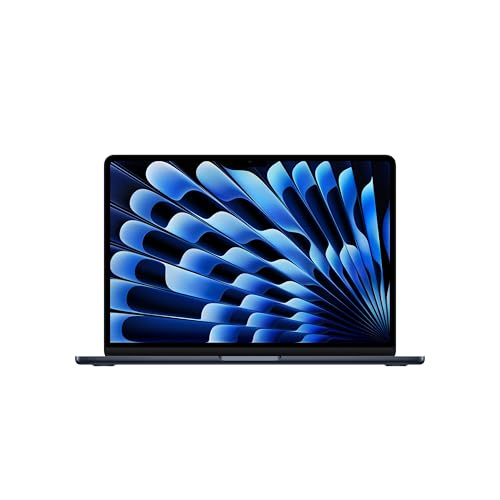 | Apple MacBook Air 13-inch M5 | Best fit: 12MP camera and up to two external displays Camera: 12MP Center Stage Ports: 2x Thunderbolt 4, MagSafe, headphone jack Battery: Up to 18 hours Display: 13.6-inch Liquid Retina | Check Price on Amazon |
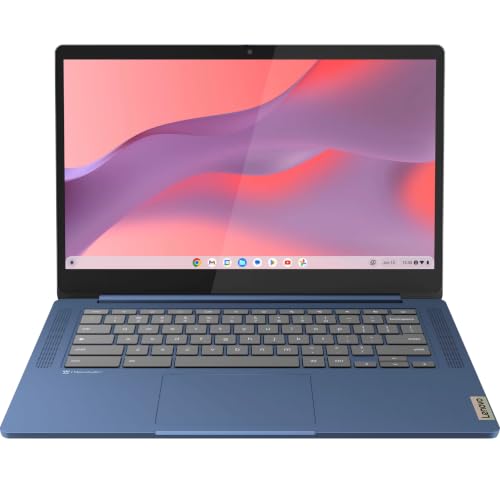 | Lenovo Flagship Chromebook | Best fit: Browser-based work with a webcam shutter Camera: 720p HD with privacy shutter Ports: USB-C, USB-A, microSD Battery: Not listed Display: 14-inch Full HD touch | Check Price on Amazon |
 | Lenovo V15 Gen 4 | Best fit: Wired Ethernet desk Camera: Webcam with shutter, no resolution listed Ports: USB-C, 2x USB-A, RJ-45 Ethernet, HDMI Battery: Not listed Display: 15.6-inch Full HD anti-glare | Check Price on Amazon |
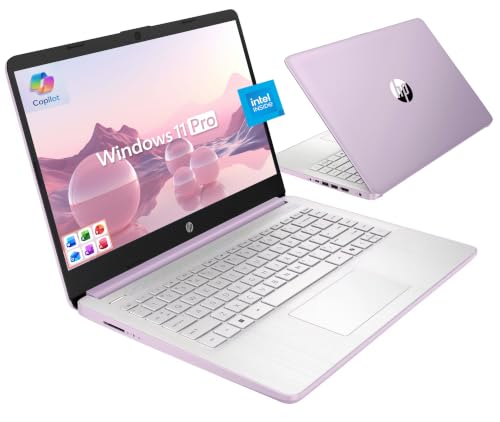 | HP Ultrabook 14 | Best fit: Bundle with accessories and Office Camera: 720p HD with dual-array mics Ports: Not listed Battery: Not listed Display: 14-inch anti-glare | Check Price on Amazon |
 | HP Laptop With Intel N150 | Best fit: Windows with ports and battery hours listed Camera: 720p HD with dual-array mics Ports: USB-C with DisplayPort 1.2, 2x USB-A, HDMI, SD Battery: Up to 11 hours of video playback Display: 14-inch HD anti-glare | Check Price on Amazon |
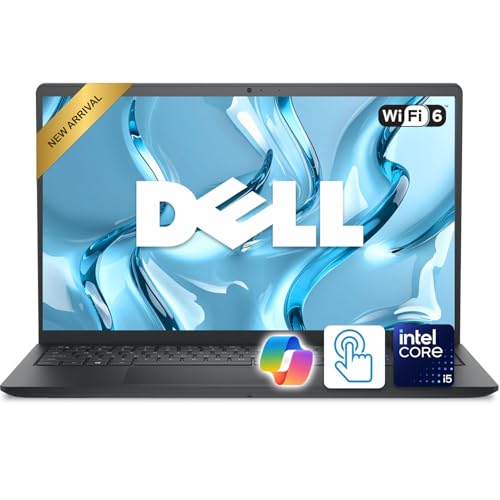 | Dell Inspiron 15 | Best fit: 15.6-inch touchscreen Camera: Integrated webcam, no resolution listed Ports: USB-C, USB-A, HDMI, SD, headset jack Battery: Not listed Display: 15.6-inch Full HD touch | Check Price on Amazon |
1. Apple MacBook Air 13-inch M5 — Best 12MP Camera and Two Thunderbolt 4 Ports
The MacBook Air is the only laptop here whose listing gives a camera in megapixels. It names a 12MP Center Stage camera that keeps you in frame on video calls, plus a three-microphone array. For the desk, the listing gives two Thunderbolt 4 ports, a MagSafe charging port, a headphone jack, Wi-Fi 7 and support for up to two external displays. The screen is a 13.6-inch Liquid Retina display.
The listing says up to 18 hours of battery life, the largest hour figure on this page. Its bullets do not say what workload that figure assumes, so use it to compare laptops and not to plan a workday. The model number is MDHE4LL/A, and the title gives 16GB unified memory and a 512GB SSD.
Our Take Choose the MacBook Air when the camera and two Thunderbolt 4 ports come first and your work apps run on macOS.
- The MacBook Air listing names a 12MP Center Stage camera that keeps you in frame on video calls, along with a three-microphone array.
- The MacBook Air listing gives two Thunderbolt 4 ports, MagSafe charging and a headphone jack, and says it supports up to two external displays.
- The MacBook Air listing says up to 18 hours of battery life, the largest hour figure on this page, which is useful for comparing laptops.
- The MacBook Air bullets give up to 18 hours without saying what workload that figure assumes, so it is not a figure to plan a workday around.
- The MacBook Air’s 13.6-inch screen is smaller than the 14-inch and 15.6-inch screens of the other five laptops.
2. Lenovo Flagship Chromebook — Best for Browser-Based Work With a Webcam Shutter
The Lenovo Flagship Chromebook suits work that happens in a browser. Its listing gives a 14-inch Full HD touchscreen and a 720p HD webcam with a privacy shutter and a dual-array microphone. The listing copy calls it Zoom ready, for online classes and remote learning. For ports it names one USB-C port, one USB-A port and a microSD reader, with Wi-Fi 6 and Bluetooth 5.1. It weighs 2.86 lb by the listing.
The listing gives no battery hours. Its processor bullet says only “designed for class-leading battery life”, which is not a figure to set beside the MacBook Air’s up to 18 hours or the HP N150’s up to 11. The title and a bullet give 4GB RAM, 64GB eMMC storage and a MediaTek Kompanio 520 processor. The model field reads “Newest Flagship Lenovo Chromebook” and not a Lenovo model number, so the specs here are the seller’s description.
Check that your employer’s tools run in a browser or as Chromebook apps before you buy.Our Take Consider the Chromebook when the work lives in a browser and a touchscreen and webcam shutter are useful. Choose a Windows laptop or a Mac when the job needs those apps.
- The Lenovo Flagship Chromebook listing gives a 14-inch Full HD touchscreen, a 720p webcam with a privacy shutter and a dual-array microphone.
- The Lenovo Flagship Chromebook listing names one USB-C port, one USB-A port, a microSD reader and Wi-Fi 6.
- The Lenovo Flagship Chromebook listing copy calls it Zoom ready for online classes and remote learning.
- The Lenovo Flagship Chromebook listing gives 4GB RAM and 64GB eMMC storage, the smallest memory and storage figures on this page.
- The Lenovo Flagship Chromebook listing gives no battery hours, and its processor bullet says only “designed for class-leading battery life”, which cannot be compared.
3. Lenovo V15 Gen 4 — Best for a Wired Ethernet Desk
The Lenovo V15 Gen 4 is the only listing here that names an Ethernet port: one RJ-45 port at 100/1000M. The port list also gives one USB-C port at 5Gbps, two USB-A ports at 5Gbps, HDMI 1.4b and a headphone and microphone jack. The listing gives a 15.6-inch Full HD anti-glare screen, a webcam privacy shutter, Wi-Fi 6, Bluetooth 5.3 and a numeric keypad, and a bullet names an AMD Ryzen 3 7320U processor.
The listing gives no webcam resolution and no battery hours. Only the title names 16GB LPDDR5 memory and 256GB storage, so treat them as possibly the seller’s configuration. The model field reads Lenovo V15 G4 AMN.
The Ethernet port helps only where a network cable reaches the desk.Our Take Choose the V15 when a wired Ethernet connection and a 15.6-inch screen with a webcam shutter count for more than touch or a battery figure.
- The Lenovo V15 Gen 4 listing names an RJ-45 Ethernet port, the only one named on this page, along with USB-C, two USB-A ports, HDMI 1.4b and a headphone and microphone jack.
- The Lenovo V15 Gen 4 listing gives a 15.6-inch Full HD anti-glare screen and a webcam privacy shutter.
- The Lenovo V15 Gen 4 listing names a numeric keypad.
- The Lenovo V15 Gen 4 listing gives no webcam resolution and no battery hours.
- Only the Lenovo V15 Gen 4 title names 16GB memory and 256GB storage, so treat them as possibly the seller’s configuration.
4. HP Ultrabook 14 — Best Bundle of Included Accessories
The HP Ultrabook 14 is a 14-inch Windows 11 Pro laptop sold as a bundle. Its listing gives an HP True Vision 720p HD camera with dual-array digital microphones and an anti-glare screen, and the copy calls it Zoom ready, for online classes and remote learning. A bullet names an Intel N150 processor, 16GB RAM and 128GB UFS storage. Wi-Fi 6 appears only in the title.
The bundle bullet lists a 500GB external drive, wireless earbuds, a USB extension cord, an HDMI cable, a mouse pad, a wireless mouse and Microsoft Office. The drive, earbuds and mouse come with the bundle and are not laptop specs. The listing gives no port list and no battery hours, so ask the seller to confirm the connections before you buy.
Our Take Choose the Ultrabook when the bundled accessories and Windows 11 Pro are wanted and the ports can be confirmed first. A buyer who needs a known port list should pick a laptop whose listing gives one.
- The HP Ultrabook 14 listing gives an HP True Vision 720p HD camera with dual-array digital microphones and an anti-glare 14-inch screen.
- The HP Ultrabook 14 bundle lists Microsoft Office, a 500GB external drive, wireless earbuds, a wireless mouse, a mouse pad, a USB extension cord and an HDMI cable.
- The HP Ultrabook 14 listing gives Windows 11 Pro, 16GB RAM and an Intel N150 processor.
- The HP Ultrabook 14 listing gives no port list and no battery hours, so ask the seller to confirm the connections before you buy.
- The HP Ultrabook 14 laptop itself has 128GB of UFS storage, and the 500GB drive is a separate accessory.
5. HP Laptop With Intel N150 — Best Windows Pick With Ports and Battery Hours Stated
The HP Laptop with Intel N150 is the only Windows laptop here whose listing gives both a port list and a battery figure. It names an HP True Vision 720p HD camera with temporal noise reduction and dual-array digital microphones, and the copy adds AI noise reduction for calls. The ports are USB-C at 10Gbps with DisplayPort 1.2, two USB-A ports at 5Gbps, HDMI 1.4b, a headphone and microphone jack and an SD card reader, with Wi-Fi 6 and Bluetooth 5.4.
The listing says up to 11 hours of video playback, which is a playback figure and not a calls figure. The screen is a 14-inch HD (1366 x 768) panel at 250 nits, and the bullets do not give the RAM. Storage is 128GB UFS plus a 500GB portable external hard drive in the bundle. The title ends with “Windows 11 Home S” while the bullet says Windows 11 Home, so confirm which edition ships if your work software does not come from the Microsoft Store.
Our Take Consider the N150 when you want a Windows laptop with a full port list and a battery figure, and confirm the Windows edition and the memory before you buy.
- The HP N150 listing gives a 720p HP True Vision camera with temporal noise reduction and dual-array digital microphones.
- The HP N150 listing names USB-C with DisplayPort 1.2, two USB-A ports, HDMI 1.4b, a headphone and microphone jack and an SD card reader.
- The HP N150 listing says up to 11 hours of video playback.
- The HP N150 screen is 1366 x 768, lower than the Full HD screens of the two Lenovo laptops and the Dell.
- The HP N150’s up to 11 hours is for video playback and not for video calls.
- The HP N150 bullets do not give the RAM.
6. Dell Inspiron 15 — Best 15.6-Inch Touchscreen
The Dell Inspiron 15 is the larger Windows touchscreen here. Its bullets give a 15.6-inch Full HD (1920 x 1080) IPS touchscreen with an anti-glare display, a full-size keyboard with a numeric keypad, an integrated webcam, stereo speakers, Wi-Fi 6 and Bluetooth. The ports are USB-C, USB-A, HDMI, an SD card reader and a headset jack. The bullets give a weight of about 3.66 lb.
The bullets give no webcam resolution, no battery hours and no port speeds. They name an Intel Core i5-1334U processor, and only the title names 32GB DDR5 RAM and a 512GB SSD, so treat those as possibly the seller’s configuration. The model field reads “Dell Inspiron 15” and gives no Dell model number.
Our Take Choose the Inspiron 15 when a 15.6-inch Full HD touchscreen and a standard port set come before Ethernet or a known webcam resolution.
- The Dell Inspiron 15 bullets give a 15.6-inch Full HD IPS touchscreen with an anti-glare display.
- The Dell Inspiron 15 bullets name USB-C, USB-A, HDMI, an SD card reader and a headset jack, with Wi-Fi 6 and Bluetooth.
- The Dell Inspiron 15 bullets list a full-size keyboard with a numeric keypad.
- The Dell Inspiron 15 bullets give no webcam resolution and no battery hours.
- The Dell Inspiron 15 bullets give a weight of about 3.66 lb, more than the 2.86 lb in the Lenovo Flagship Chromebook listing.
- Only the Dell Inspiron 15 title names 32GB RAM and a 512GB SSD, so treat them as possibly the seller’s configuration.
Buying Guide
1. Start with the webcam and microphones
Only the MacBook Air listing gives a camera in megapixels: a 12MP Center Stage camera with a three-microphone array. The Lenovo Chromebook, HP Ultrabook 14 and HP N150 listings give a 720p HD webcam with dual-array microphones, and the Chromebook adds a privacy shutter.
The Dell Inspiron 15 listing says only “integrated webcam”, and the Lenovo V15 Gen 4 listing names a webcam privacy shutter with no resolution. Treat an unlisted camera figure as unknown, and ask the seller before you buy if call quality is the reason for the purchase. Buyers who put a hardware shutter first can compare laptops with webcam shutters.
2. Build the desk from the port list
The MacBook Air listing gives two Thunderbolt 4 ports, MagSafe and a headphone jack, and says it supports up to two external displays. The HP N150 listing gives USB-C with DisplayPort 1.2, two USB-A ports, HDMI 1.4b, a headphone and microphone jack and an SD card reader. The Lenovo V15 Gen 4 names USB-C, two USB-A ports, HDMI 1.4b and Ethernet, and the Dell names USB-C, USB-A, HDMI, an SD card reader and a headset jack.
The Chromebook names one USB-C port, one USB-A port and microSD, and the HP Ultrabook 14 listing gives no port list. Among the Windows and Chromebook listings, only the HP N150 says its USB-C port carries DisplayPort. Check each USB-C port for video and charging before you plan a monitor or dock, and read the dual-monitor laptop guide and the Thunderbolt 4 dock guide.
3. Decide whether you need Ethernet
The Lenovo V15 Gen 4 is the only listing here that names an RJ-45 Ethernet port, at 100/1000M. The other five listings do not name an Ethernet port. A wired connection suits a fixed desk near the router, and business laptops with native RJ45 Ethernet covers that need in more depth.
Wi-Fi is named on every listing: Wi-Fi 7 on the MacBook Air, and Wi-Fi 6 on the Chromebook, V15, HP N150 and Dell, and in the HP Ultrabook 14 title. Router, distance and internet plan also shape a meeting, and a laptop listing cannot show them.
4. Compare battery figures by their wording
Two listings give hours. The MacBook Air says up to 18 hours of battery life, and the HP N150 says up to 11 hours of video playback. Both are ceilings, and neither says how long the laptop lasts on video calls with an external display attached.
The Chromebook, V15, HP Ultrabook 14 and Dell listings give no battery hours. The Chromebook’s processor bullet says only “designed for class-leading battery life”. A battery claim without a number cannot be compared, so leave those four out of any battery ranking.
5. Read the configuration and bundle details
The HP Ultrabook 14 and HP N150 listings both pair 128GB of UFS storage with a 500GB external drive. The external drive is a bundle accessory and not internal storage, so compare the two laptops on the 128GB.
Memory and storage appear in different places. The MacBook Air title gives 16GB and 512GB, the Chromebook title and a bullet give 4GB and 64GB, and the HP Ultrabook 14 title and a bullet give 16GB and 128GB. For the V15 (16GB, 256GB) and the Dell (32GB, 512GB), only the title says so. Treat title-only memory and storage as possibly the seller’s configuration, and match the model number and bullets before you buy.
FAQ
Which laptop has the best camera listing?
The MacBook Air, with a 12MP Center Stage camera and a three-microphone array. The Chromebook, HP Ultrabook 14 and HP N150 listings give a 720p HD webcam, the Dell says integrated webcam, and the V15 says webcam with shutter.
A resolution figure does not say how a call will look. Light, framing and the meeting app also shape the picture.
Do I need Ethernet to work from home?
Not always. The Lenovo V15 Gen 4 is the only listing that names an Ethernet port, and the other five do not name one.
A wired port helps at a fixed desk with a network cable. A laptop used in several rooms gains less from Ethernet.
Which laptop is clearest about external displays?
The MacBook Air. Its listing says it supports up to two external displays and gives two Thunderbolt 4 ports.
The HP N150 listing gives USB-C with DisplayPort 1.2 and HDMI 1.4b but no display count, and the other listings give no display count. Match the cable, dock and monitor inputs before you buy.
Is the external drive part of the HP laptops’ storage?
No. The HP Ultrabook 14 listing gives 128GB UFS storage plus a separate 500GB external drive, and the HP N150 listing gives 128GB UFS internal storage with a 500GB portable external hard drive.
Compare the two laptops on internal storage. The external drive is an accessory in the bundle.
Which laptop has the largest screen?
The Lenovo V15 Gen 4 and Dell Inspiron 15 both list 15.6-inch Full HD screens, and the Dell adds touch. The MacBook Air is 13.6 inches, and the Chromebook, HP Ultrabook 14 and HP N150 are 14 inches.
A larger screen comes with a larger laptop: the Dell’s bullets give about 3.66 lb, against 2.86 lb in the Chromebook listing.
Bottom Line
The MacBook Air 13-inch M5 is the pick when a 12MP camera, two Thunderbolt 4 ports and up to two external displays come first. Choose the Lenovo V15 Gen 4 for Ethernet, the HP Laptop with Intel N150 for a Windows laptop whose listing gives its ports and an 11-hour video figure, or the Dell Inspiron 15 for a 15.6-inch touchscreen. The Chromebook fits browser-only work, and the HP Ultrabook 14 fits a buyer who wants its bundled accessories.