The Acer Chromebook listings here run from 14 to 16 inches, and two of them state 360-degree convertible modes. Six Amazon listings are compared here: the Plus 514, the Plus 516, two Spin 314 configurations, the Chromebook 315 and the Plus Spin 714.
The model name does not settle the configuration. The two Spin 314 listings differ in storage type, and the wireless standard changes from Wi-Fi 7 on the Plus 514 to Wi-Fi 6E, 802.11ax or Wi-Fi 6 on the others. Check the display, camera, ports, memory and storage in the listing you are buying.
Pick the format first. The two Spin 314 listings state 360-degree convertible modes, and the Plus 514, Plus 516 and Chromebook 315 listings do not state any.Acer Chromebooks Compared
| Image | Product | Details | Check Price |
|---|---|---|---|
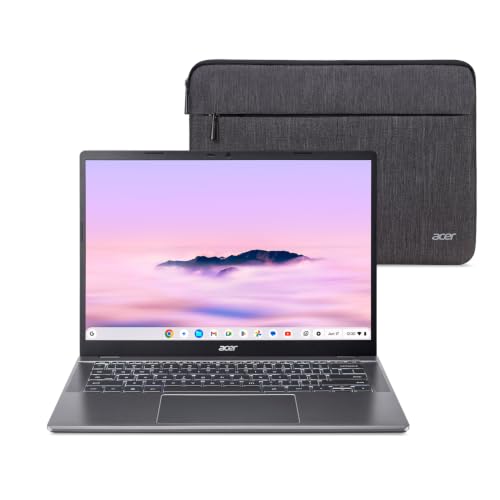 | Acer Chromebook Plus 514 | Best fit: 14-inch with Wi-Fi 7 Format: Laptop, no flip mode stated Display: 14-inch WUXGA touch matte Connectivity: 2x USB-C, 2x USB-A, HDMI 1.4 Battery: Up to 17 hours stated | Check Price on Amazon |
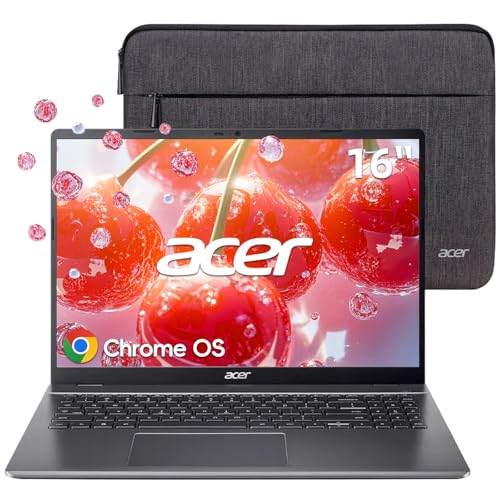 | Acer Chromebook Plus 516 | Best fit: 16-inch screen Format: Laptop, no flip mode stated Display: 16-inch WUXGA IPS, no touch stated Connectivity: 2x USB-C, 2x USB-A, HDMI 1.4 Battery: Up to 12.5 hours stated | Check Price on Amazon |
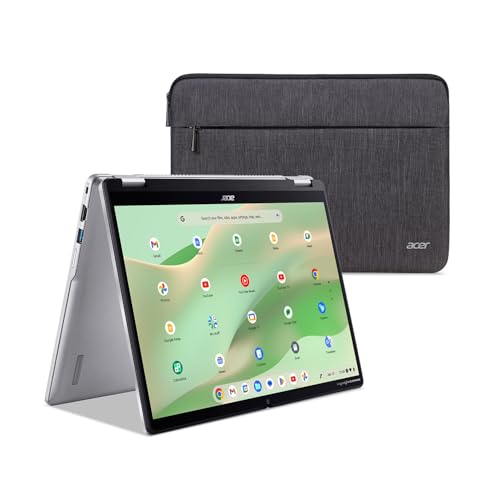 | Acer Chromebook Spin 314 CP314-2HN-30V1 | Best fit: Convertible with 128GB eMMC Format: 360-degree convertible Display: 14-inch WUXGA touch matte Connectivity: 1x USB-C, 2x USB-A, HDMI 1.4 Battery: Not stated | Check Price on Amazon |
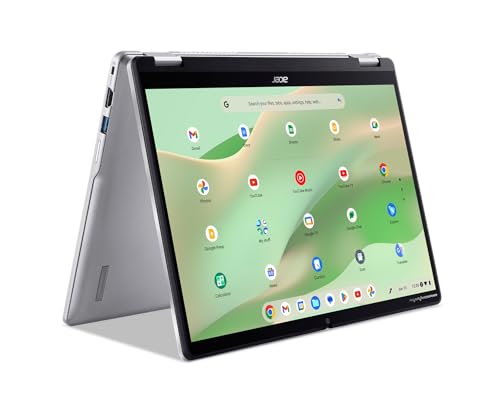 | Acer Chromebook Spin 314 CP314-2HN-318R | Best fit: Convertible with 128GB PCIe SSD Format: 360-degree convertible Display: 14-inch WUXGA touch Connectivity: 1x USB-C, 2x USB-A, HDMI 1.4 Battery: Not stated | Check Price on Amazon |
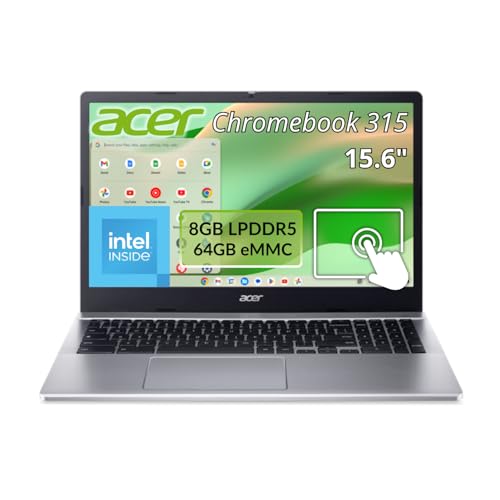 | Acer Chromebook 315 | Best fit: 15.6-inch touchscreen Format: Laptop, no flip mode stated Display: 15.6-inch Full HD IPS touch Connectivity: USB-C named, no port count Battery: 12 hours stated | Check Price on Amazon |
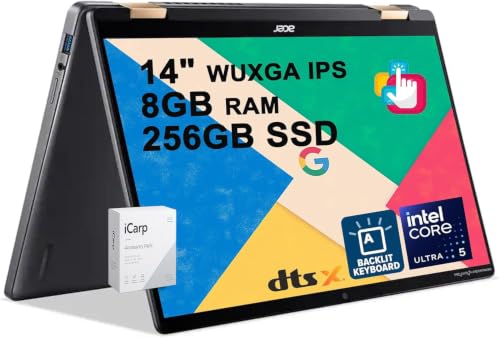 | Acer Chromebook Plus Spin 714 | Best fit: QHD webcam and Thunderbolt 4 Format: 2-in-1 touchscreen Display: 14-inch WUXGA IPS touch Connectivity: 2x USB-C Thunderbolt 4, USB-A, HDMI 1.4b Battery: Not stated | Check Price on Amazon |
1. Acer Chromebook Plus 514 — Best 14-Inch Pick With Wi-Fi 7 and a 256GB SSD
The Plus 514 listing names the CB514-5HT-33RD model, and the Amazon model field repeats it. The listing states a 14-inch WUXGA IPS touch display with a matte finish, a 16:10 shape, 300 nits and an anti-glare coating. It also states an Intel Core i3-1315U, 8GB LPDDR5 memory and a 256GB PCIe Gen4 SSD. The title gives the display as 1920 x 1080, while the bullets give 1920 x 1200.
The listing states Intel Wi-Fi 7, an FHD camera at 1920 x 1080 with a privacy shutter, two USB-C ports with DisplayPort and charging up to 65W, two USB-A ports and one HDMI 1.4 port. It gives battery life as up to 17 hours and adds that actual battery life may be lower. It does not state a convertible mode, which the Spin 314 listings do state.
Our Take Choose the Plus 514 for a 14-inch touch laptop with Wi-Fi 7 and 256GB of storage when a flip hinge is not needed. Choose a Spin 314 when the 360-degree modes are the deciding feature.
- The Chromebook Plus listing states a 14-inch WUXGA IPS touch display with a matte finish, 300 nits and an anti-glare coating.
- The Chromebook Plus listing names Wi-Fi 7 and an FHD camera with a privacy shutter.
- The listing gives the storage as a 256GB PCIe Gen4 SSD and the memory as 8GB of LPDDR5.
- For ports, the Chromebook Plus listing states two USB-C ports with DisplayPort and charging, two USB-A ports and HDMI 1.4.
- The Chromebook Plus listing does not state a convertible mode, while the Spin 314 listings state 360-degree modes.
- The listing’s 17 hours is a maximum, and the listing says actual battery life may be lower.
- The Chromebook Plus listing’s title gives a 1920 x 1080 display, while its bullets give 1920 x 1200.
2. Acer Chromebook Plus 516 — Best 16-Inch Screen
The Plus 516 has the largest screen in this comparison. The listing states a 16-inch WUXGA 1920 x 1200 IPS display with a 16:10 shape, an Intel Core i3-1315U, 8GB LPDDR5 memory and 128GB UFS storage. The memory and storage figures appear in both the title and the bullets.
The bullets state two USB-C 3.2 ports for charging, display output and data, two USB-A 3.2 ports, one HDMI 1.4 port, Wi-Fi 6E and Bluetooth. They give battery life as up to 12.5 hours and name a front-facing camera without a resolution. The Amazon model field reads only acer, so the listing gives no model code to match. Its color field reads No Touch ~ Gray, and the bullets do not state a touchscreen.
The 16-inch display sets the Plus 516 apart. No other listing here states a screen larger than 15.6 inches.Our Take Pick the Plus 516 when the 16-inch screen is the deciding feature and touch is not needed. Pick a Spin 314 when a 14-inch convertible is the deciding feature.
- The Chromebook Plus listing states a 16-inch WUXGA IPS display with a 16:10 shape.
- The listing names an Intel Core i3-1315U and 8GB LPDDR5 memory.
- For ports, the Chromebook Plus listing states two USB-C ports for charging, display output and data, two USB-A ports and HDMI 1.4.
- The Chromebook Plus listing states 128GB UFS storage, a different type and a smaller capacity than the Plus 514’s 256GB PCIe Gen4 SSD.
- The listing’s color field reads No Touch ~ Gray and its bullets do not state a touchscreen, while the other five listings state touch.
3. Acer Chromebook Spin 314 CP314-2HN-30V1 — Convertible With 128GB eMMC Storage
The Spin 314 CP314-2HN-30V1 listing names that model, and the Amazon model field repeats it. The bullets describe 360-degree convertible use modes, including tablet use and presenting or sharing the screen.
The bullets state a 14-inch WUXGA IPS matte display with Corning Gorilla Glass multi-touch that supports a USI stylus. They also state an Intel Core i3-N305, 8GB LPDDR5 memory, 128GB eMMC storage and Wi-Fi 6E. The camera is an FHD camera with a privacy shutter. The ports are one USB-C port (USB 3.2 Gen 1, DisplayPort and charging), two USB-A ports and one HDMI 1.4 port. The listing gives no battery figure.
The Spin 314 listings state 360-degree modes, a USI stylus and a 14-inch touch display, and the 30V1 pairs them with 128GB eMMC storage.Our Take Choose this Spin 314 for the 360-degree modes and stylus support. Choose the Plus 514 for Wi-Fi 7, a second USB-C port and a PCIe SSD. Choose the CP314-2HN-318R for the same hinge with a PCIe SSD.
- The Spin listing states 360-degree convertible modes for tablet use and for presenting or sharing the screen.
- The Spin listing describes a 14-inch WUXGA IPS matte display with Corning Gorilla Glass multi-touch and USI stylus support.
- The listing names Wi-Fi 6E and an FHD camera with a privacy shutter.
- The Spin listing states 128GB eMMC storage, while the Plus 514 listing states a 256GB PCIe Gen4 SSD.
- The Spin listing states one USB-C port, while the Plus 514 listing states two.
4. Acer Chromebook Spin 314 CP314-2HN-318R — Convertible With 128GB PCIe SSD Storage
The CP314-2HN-318R is a second Spin 314 listing. It states the same 14-inch WUXGA IPS display with Corning Gorilla Glass multi-touch and USI stylus support, the same Intel Core i3-N305, 8GB LPDDR5 memory, Wi-Fi 6E and 360-degree convertible modes as the 30V1. Its bullets state 128GB PCIe SSD storage where the 30V1 states 128GB eMMC. The title names CP314-2HN-318R, while the Amazon item model number field reads NX.KWGAA.002.
The bullets state an FHD camera with a privacy shutter, one USB-C port (USB 3.2 Gen 1, DisplayPort and charging), two USB-A ports and one HDMI 1.4 port. The listing gives no battery figure.
Our Take Choose the 318R for the Spin 314 hinge with a PCIe SSD. Compare the title’s CP314-2HN-318R name with the NX.KWGAA.002 part number before buying.
- The Spin listing states 128GB PCIe SSD storage, where the 30V1 listing states 128GB eMMC.
- The Spin listing states 360-degree convertible modes and a 14-inch WUXGA touch display with USI stylus support.
- The listing names Wi-Fi 6E and an FHD camera with a privacy shutter.
- The Spin listing states one USB-C port, while the Plus 514 listing states two.
- The Spin listing’s title names CP314-2HN-318R, while its item model number field reads the part number NX.KWGAA.002.
5. Acer Chromebook 315 — 15.6-Inch Touchscreen
The Chromebook 315 listing names the CB315-5HT-C66N model, and the Amazon model field repeats it. The title states an Intel N100, 8GB RAM, 64GB storage and ChromeOS. The bullets state a 15.6-inch 1920 x 1080 screen, a Full HD IPS touchscreen with a ComfyView matte finish, 8GB memory, 64GB flash storage and 12 hours of battery run time.
The title names Bluetooth and USB-C, and a bullet names IEEE 802.11ax wireless. The listing does not state a camera resolution or a USB port count.
Our Take Choose the Chromebook 315 for a 15.6-inch touch display when 64GB of storage is enough. Choose the Plus 516 for a 16-inch display with 128GB of storage, though its color field reads No Touch.
- The Chromebook listing states a 15.6-inch Full HD IPS touchscreen with a ComfyView matte finish.
- The Chromebook listing names an Intel N100, 8GB memory and ChromeOS.
- The listing gives 12 hours of battery run time.
- The Chromebook listing states 64GB flash storage, while the other five listings name 128GB or 256GB.
- The Chromebook listing does not state a camera resolution or USB port count, while the Plus 514 and both Spin 314 listings state both.
6. Acer Chromebook Plus Spin 714 — QHD Webcam and Thunderbolt 4 Ports
The Plus Spin 714 listing title calls it a 2-in-1 with a 14-inch WUXGA IPS touchscreen, an Intel Core Ultra 5 115U, 8GB RAM, a 256GB SSD and a backlit keyboard. The bullets state 100% sRGB color coverage, 2x USB-C Thunderbolt 4 ports, one USB-A 3.2 port, one HDMI 1.4b port, a QHD webcam, DTS Audio and Wi-Fi 6. The title names 8GB RAM and a 256GB SSD, and the bullets do not repeat them, so those figures may be a seller configuration.
The listing gives no model code or part number, and its title ends with the text ICP Acc w/Google AI. The listing gives no battery figure.
Our Take Choose the Spin 714 for a QHD webcam and two Thunderbolt 4 ports, and ask the seller to confirm the memory and storage. The Spin 314 listings give a model code.
- The Plus Spin listing states a 14-inch WUXGA IPS touchscreen with 100% sRGB color coverage and a QHD webcam.
- The Plus Spin listing states 2x USB-C Thunderbolt 4 ports, one USB-A 3.2 port and one HDMI 1.4b port.
- The listing names an Intel Core Ultra 5 115U and Wi-Fi 6.
- The Plus Spin listing gives no model code or part number.
- The Plus Spin bullets do not repeat the title’s 8GB RAM and 256GB SSD, and the figures may be a seller configuration.
Buying Guide
1. Start with the screen size and shape
The Plus 514, both Spin 314 listings and the Spin 714 listing state 14-inch WUXGA displays. The Chromebook 315 listing states a 15.6-inch Full HD display, and the Plus 516 listing states a 16-inch WUXGA display. The Plus 514, Plus 516 and both Spin 314 listings state a 16:10 shape.
Touch is stated for five of the six listings. The Plus 516 color field reads No Touch ~ Gray and its bullets do not state a touchscreen, so check the touch line in the listing before buying a Plus 516 if touch is needed.
2. Choose a flip hinge or a standard laptop
The two Spin 314 listings state 360-degree convertible modes, including tablet use and presenting or sharing the screen. The Plus 514, Plus 516 and Chromebook 315 listings do not state a convertible mode, although the Plus 514 and Chromebook 315 listings state touchscreens. The Spin 714 title calls it a 2-in-1, and its bullets give no hinge detail.
Both Spin 314 listings state USI stylus support, so match any stylus to the model before buying. The 2-in-1 laptop guide covers more convertible laptops with Thunderbolt or USB4 ports.
3. Compare storage and memory by listing
The Plus 514 listing states 8GB LPDDR5 memory and a 256GB PCIe Gen4 SSD. The Plus 516 listing states 8GB LPDDR5 and 128GB UFS, the CP314-2HN-30V1 listing states 128GB eMMC, and the CP314-2HN-318R listing states a 128GB PCIe SSD. The Chromebook 315 listing states 8GB memory and 64GB flash storage.
The Spin 714 title names 8GB RAM and a 256GB SSD, but its bullets do not, so treat those figures as a possible seller configuration and ask the seller to confirm them.
4. Compare cameras and wireless
The Plus 514 and both Spin 314 listings state an FHD camera or webcam, and the Spin 714 listing states a QHD webcam. The Plus 516 bullets name a front-facing camera with no resolution, and the Chromebook 315 listing does not state a camera resolution.
Wireless differs too. The Plus 514 listing states Wi-Fi 7, the Plus 516 and Spin 314 listings state Wi-Fi 6E, the Spin 714 listing states Wi-Fi 6, and the Chromebook 315 bullets name IEEE 802.11ax. The Chromebook Wi-Fi 6 guide covers more Chromebooks with Wi-Fi 6.
5. Match ports to your accessories
The Plus 514 and Plus 516 listings state two USB-C ports and two USB-A ports, and the Plus 514 listing adds DisplayPort over USB-C and charging up to 65W. Each Spin 314 listing states one USB-C port with DisplayPort and charging, two USB-A ports and HDMI 1.4. The Spin 714 listing states 2x USB-C Thunderbolt 4 ports, one USB-A 3.2 port and HDMI 1.4b. The Chromebook 315 listing names USB-C in its title with no port count.
A port name does not state which monitor modes work. Check the display, cable and any dock against the monitor’s own requirements.
FAQ
Is Chromebook Plus the same as every Acer Chromebook?
No. The Plus 514, Plus 516 and Spin 714 listings use the Chromebook Plus name. The Spin 314 and Chromebook 315 listings do not, and they state an Intel Core i3-N305 and an Intel N100, while the Plus 514 and Plus 516 state an Intel Core i3-1315U.
Compare the processor, storage and ports each listing states. The name alone does not state a configuration.
Which Acer Chromebook here has the largest screen?
The Plus 516 listing states a 16-inch WUXGA display. The Chromebook 315 listing states 15.6 inches, and the other four listings state 14 inches.
The 16-inch Plus 516 listing does not state touch, while the 15.6-inch Chromebook 315 listing does. Choose by whether touch is needed as well as by size.
Are the two Spin 314 listings different?
Yes. Both state a 14-inch WUXGA touch display, an Intel Core i3-N305 and 8GB LPDDR5 memory. The CP314-2HN-30V1 listing states 128GB eMMC storage, and the CP314-2HN-318R listing states a 128GB PCIe SSD.
The CP314-2HN-30V1 model field repeats its title code, and the CP314-2HN-318R model field gives the part number NX.KWGAA.002. Compare the storage type before choosing.
Which listing states the highest webcam resolution?
The Spin 714 listing states a QHD webcam. The Plus 514 and both Spin 314 listings state FHD cameras. The Plus 516 and Chromebook 315 listings do not state a camera resolution.
The Spin 714 listing says the QHD webcam, DTS Audio and Wi-Fi 6 make it suited to clear video calls. Webcam resolution is stated for four of the six listings.
Can these Chromebooks drive an external monitor?
The Plus 514 and both Spin 314 listings state DisplayPort over USB-C and HDMI 1.4. The Plus 516 listing states USB-C display output and HDMI 1.4. The Spin 714 listing states Thunderbolt 4 and HDMI 1.4b.
The listings do not state monitor resolutions or refresh rates. Check the monitor, cable and any dock against the monitor’s own requirements.
Bottom Line
The Acer Chromebook Plus 514 is the pick for a 14-inch touch display with Wi-Fi 7, a 256GB PCIe Gen4 SSD and two USB-C ports. Choose the Plus 516 for a 16-inch display, either Spin 314 for 360-degree convertible modes, the Chromebook 315 for a 15.6-inch touchscreen, or the Plus Spin 714 for a QHD webcam and two Thunderbolt 4 ports once its memory and storage are confirmed.