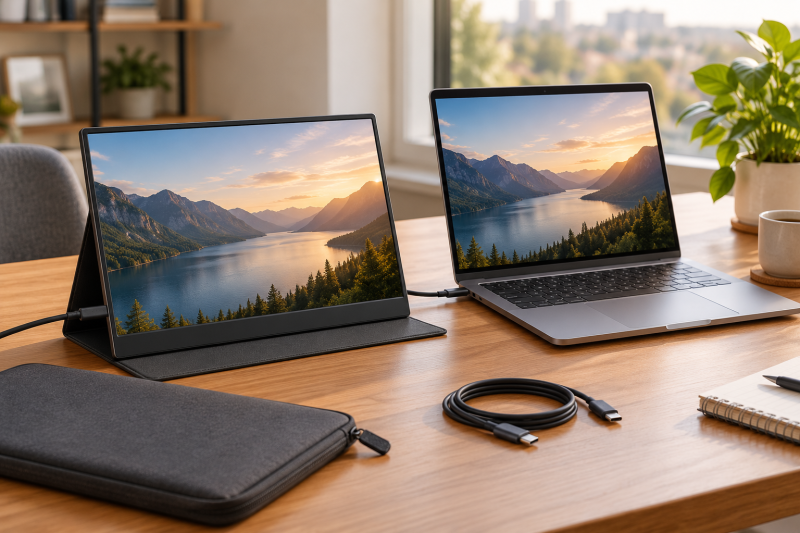
A 14-inch portable monitor is a compact second screen for a laptop bag, and the connection details decide whether it works with a given laptop. The listings on this page state a 14-inch screen and USB-C, with different resolutions, HDMI paths, mounting options, weights, and host conditions.
ViewSonic is a foldable unit with two 14-inch screens, and the remaining entries are single screens. MAFNKOU, Yxk, and SUPXJTAI name DisplayPort Alt Mode or Thunderbolt support for one-cable use, so check that your laptop’s USB-C port outputs video before ordering.
ViewSonic and Yxk list 1920 by 1200 panels, MAFNKOU lists 2160 by 1440 at 3:2, SUPXJTAI lists 3840 by 2560, and KYY lists 1080p. Among the single screens with a stated weight, Yxk lists under 1.1 pounds and KYY lists 1.1 pounds, while ViewSonic lists 2.6 pounds for its two screens.
Start with the laptop’s video output over USB-C, then compare resolution, stand or mount, and weight.| Image | Product | Details | Check Price |
|---|---|---|---|
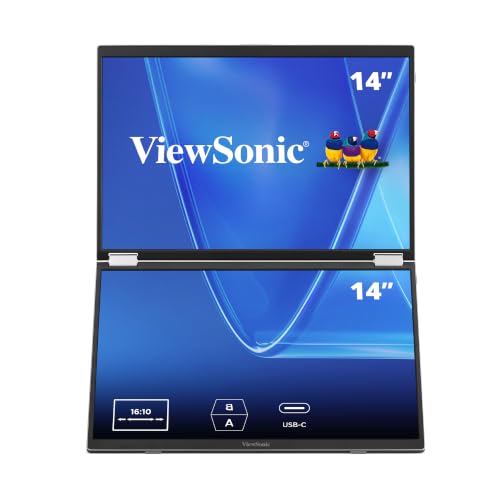 | ViewSonic VG1457 Dual Screen 14 Inch Monitor | Best fit: Two foldable screens Panel: Two 1920x1200 IPS Ports: Dual USB-C inputs, 65W PD Weight: 2.6 pounds Stand or mount: Protective case | Check Price on Amazon |
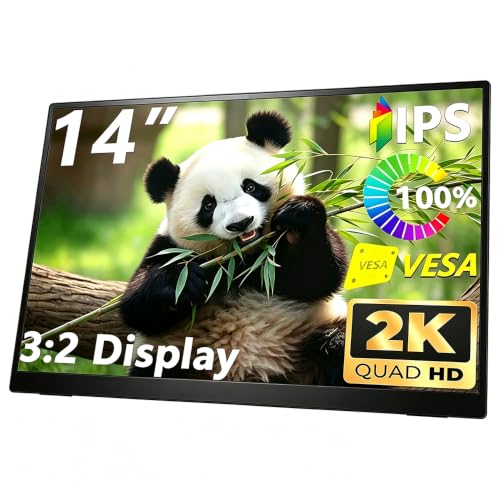 | MAFNKOU GY1256 14 Inch Portable Monitor | Best fit: 2K 3:2 with VESA Panel: 2160x1440 IPS, 3:2 Ports: Two USB-C, Mini HDMI Weight: Not listed Stand or mount: Kickstand, 75mm VESA | Check Price on Amazon |
 | KYY K5-3 14 Inch Portable Monitor | Best fit: 1.1 pounds with VESA Panel: 1080p IPS, 350 nits Ports: Two USB-C, Mini HDMI Weight: 1.1 pounds Stand or mount: 75mm VESA, smart cover | Check Price on Amazon |
 | Yxk Y140F1 14 Inch Portable Monitor | Best fit: 1200p under 1.1 pounds Panel: 1920x1200 IPS, 60Hz Ports: Two USB-C, HDMI Weight: Under 1.1 pounds Stand or mount: VESA kickstand | Check Price on Amazon |
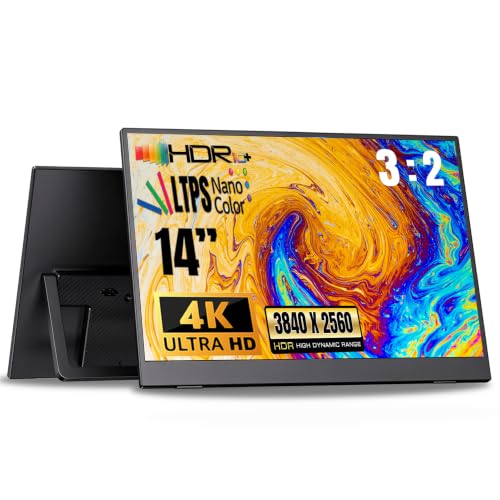 | SUPXJTAI PMXJT01 14 Inch 4K Portable Monitor | Best fit: 4K with built-in stand Panel: 3840x2560 LTPS, HDR Ports: USB-C, Mini HDMI Weight: 1.3 pounds in product details Stand or mount: Adjustable built-in stand | Check Price on Amazon |
1. ViewSonic VG1457 Dual Screen 14 Inch Monitor — Two Foldable Screens With 65W Power Delivery
ViewSonic lists two 14-inch 1920 by 1200 IPS displays in a foldable 16:10 unit that weighs 2.6 pounds. It lists dual USB-C inputs for two compatible devices, 65W two-way power delivery that can charge a connected laptop while both screens run, dual 2W speakers, and a protective case.
ViewSonic names no DisplayPort Alt Mode condition in its listing text. The two screens make it a different carry choice from the single-screen entries, since KYY lists 1.1 pounds and Yxk lists under 1.1 pounds.
Our Take Choose ViewSonic when you want two 14-inch screens in one unit and 65W power delivery to a connected laptop.
- A buyer who wants two screens gets them from ViewSonic’s listing of two 14-inch 1920 by 1200 IPS displays in one foldable unit.
- ViewSonic lists dual USB-C inputs for two compatible devices and 65W two-way power delivery that can charge a connected laptop.
- ViewSonic lists a protective case with the foldable unit.
- ViewSonic lists 2.6 pounds for the unit with two screens, a heavier carry than the single-screen entries.
- A buyer who wants one panel will find that ViewSonic’s listing is for one foldable unit with two screens.
2. MAFNKOU GY1256 14 Inch Portable Monitor — 2K 3:2 Panel With 75mm VESA
MAFNKOU lists a 14-inch 2160 by 1440 IPS panel at 3:2 with 100 percent sRGB, a 1500:1 contrast ratio, and 178-degree viewing angles. It lists two full-feature USB-C ports, Mini HDMI, an OTG port, a 3.5mm audio jack, and speakers.
MAFNKOU lists a wide integrated kickstand, portrait orientation, and 75 by 75mm VESA mounting. It says one USB-C cable can carry video and power when the connected device supports DisplayPort Alt Mode or Thunderbolt, that phones and laptops must support video output, and that Mini HDMI needs separate USB power. Amazon’s product details list a 12.2 by 8.85 by 0.7 inch body.
Our Take Pick MAFNKOU when you want a 2K 3:2 panel with a built-in kickstand and a 75mm VESA option, and your laptop supports video over USB-C.
- MAFNKOU lists a 2160 by 1440 IPS panel at 3:2 with 100 percent sRGB.
- MAFNKOU lists a wide integrated kickstand along with 75 by 75mm VESA mounting.
- MAFNKOU lists two full-feature USB-C ports and Mini HDMI, with an OTG port and speakers also listed.
- MAFNKOU ties one-cable use to the laptop. It says one USB-C cable can carry video and power when the device supports DisplayPort Alt Mode or Thunderbolt.
- A buyer using the Mini HDMI port needs separate USB power, according to MAFNKOU.
3. KYY K5-3 14 Inch Portable Monitor — 1.1 Pounds With 75mm VESA Mounting
KYY lists a 14-inch 1080p IPS panel with 350 nits, 1500:1 contrast, HDR, two full-function USB-C ports, a Mini HDMI port, a smart cover, and 75mm VESA mounting. KYY lists 1.1 pounds and 0.3 inches thick.
KYY says one USB-C cable is enough to extend a laptop display and names no DisplayPort Alt Mode condition. KYY also says the VESA stand is not included.
KYY lists 1080p, while ViewSonic, Yxk, MAFNKOU, and SUPXJTAI list higher-resolution panels.
Our Take Choose KYY when you want a 1.1-pound 1080p screen that can also mount on a 75mm VESA pattern.
- KYY lists 350 nits and 1500:1 contrast on its 1080p IPS panel.
- KYY lists a smart cover along with 75mm VESA mounting.
- KYY lists a weight of 1.1 pounds and a thickness of 0.3 inches.
- KYY lists 1080p, a lower resolution than the panels ViewSonic, Yxk, MAFNKOU, and SUPXJTAI list.
- KYY says the VESA stand is not included with the monitor.
4. Yxk Y140F1 14 Inch Portable Monitor — 1200p Listed Under 1.1 Pounds
Yxk lists a 14-inch 1920 by 1200 IPS display at 60Hz with HDR mode, two full-featured USB-C ports, HDMI, dual speakers, and a VESA kickstand. Yxk lists compatibility with Thunderbolt 3 and USB 3.1 DP Alt-Mode devices for its single-cable power and video, and says the monitor weighs under 1.1 pounds.
Yxk lists duplicate, extend, second-screen, and portrait display modes with a 178-degree viewing angle.
Yxk lists 1920 by 1200 IPS, a VESA kickstand, and a weight under 1.1 pounds.Our Take Pick Yxk when you want a 1200p screen listed under 1.1 pounds with a VESA kickstand, and your laptop supports DP Alt Mode over USB-C.
- Yxk lists a 1920 by 1200 IPS display and two full-featured USB-C ports.
- Yxk lists HDMI alongside its two USB-C ports, plus dual speakers and a VESA kickstand.
- Yxk says the monitor weighs under 1.1 pounds.
- Yxk lists compatibility with Thunderbolt 3 and USB 3.1 DP Alt-Mode devices for one-cable use. Check the laptop against that list.
- Yxk gives an upper limit of under 1.1 pounds rather than an exact weight.
5. SUPXJTAI PMXJT01 14 Inch 4K Portable Monitor — 4K Panel With Built-In Stand
SUPXJTAI lists a 14-inch 3840 by 2560 LTPS display with HDR, 100 percent sRGB, and 350 nits. It lists USB-C and Mini HDMI inputs, an adjustable built-in stand, and horizontal and vertical orientation. SUPXJTAI says the source must support USB-C DisplayPort Alt Mode or Thunderbolt 3 or 4, and lists smartphone compatibility for full-featured USB-C ports.
Amazon’s product details list a 12.74 by 8.04 by 0.32 inch body and 1.3 pounds. A feature bullet lists 1.1 pounds and 0.16 inches thin, so the listing gives conflicting weight and thickness figures.
Our Take Consider SUPXJTAI when you want a 4K-class 14-inch panel with an adjustable stand and your laptop supports the stated USB-C video mode.
- SUPXJTAI lists a 3840 by 2560 LTPS panel with HDR, 100 percent sRGB, and 350 nits.
- SUPXJTAI lists an adjustable built-in stand, vertical orientation, and Mini HDMI in addition to USB-C.
- Amazon’s product details give SUPXJTAI a 12.74 by 8.04 by 0.32 inch body and 1.3 pounds.
- SUPXJTAI says the source must support USB-C DisplayPort Alt Mode or Thunderbolt 3 or 4.
- SUPXJTAI’s feature bullet lists 1.1 pounds and 0.16 inches, and Amazon’s product details give different figures.
Buying Guide
1. Confirm the laptop’s display-output path
MAFNKOU says one USB-C cable can carry video and power when the device supports DisplayPort Alt Mode or Thunderbolt, Yxk lists compatibility with Thunderbolt 3 and USB 3.1 DP Alt-Mode devices, and SUPXJTAI names USB-C DisplayPort Alt Mode or Thunderbolt 3 or 4. ViewSonic and KYY name no such mode in their listings.
HDMI is a second path on the single-screen listings. MAFNKOU, KYY, and SUPXJTAI list Mini HDMI, and Yxk lists HDMI.
2. Choose the panel format
ViewSonic and Yxk list 1920 by 1200 panels, while MAFNKOU lists 2160 by 1440 at 3:2, SUPXJTAI lists 3840 by 2560, and KYY lists 1080p.
MAFNKOU lists 100 percent sRGB and a 1500:1 contrast ratio, SUPXJTAI lists 100 percent sRGB and 350 nits, and KYY lists 350 nits. Each figure is that listing’s own claim.
3. Compare the stand or mount role
MAFNKOU and KYY list 75mm VESA mounting. Yxk lists a VESA kickstand, MAFNKOU lists a wide integrated kickstand, KYY lists a smart cover, and SUPXJTAI lists an adjustable built-in stand.
ViewSonic is a different physical design. It is a foldable unit with two displays and a protective case, not a single panel.
4. Keep carry weight in the decision
Yxk lists under 1.1 pounds and KYY lists 1.1 pounds. Amazon’s product details list 1.3 pounds for SUPXJTAI and 2.6 pounds for ViewSonic, which has two screens.
MAFNKOU lists no weight, Yxk gives an upper limit rather than an exact weight, and SUPXJTAI’s feature bullet gives a different weight from its product details.
5. Use broader monitor guides for a wider search
The portable monitor guide is broader than a 14-inch size decision. Here the screen size stays fixed at 14 inches.
The USB-C monitor guide helps compare the wider USB-C market. Check each listing’s host condition for one-cable setup.
FAQ
Can every USB-C laptop drive these monitors with one cable?
Not necessarily. MAFNKOU says one USB-C cable can carry video and power when the device supports DisplayPort Alt Mode or Thunderbolt, Yxk lists compatibility with Thunderbolt 3 and USB 3.1 DP Alt-Mode devices, and SUPXJTAI names USB-C DisplayPort Alt Mode or Thunderbolt 3 or 4.
ViewSonic and KYY name no such mode in their listings, so check the laptop maker’s port details for video output. Where the laptop’s USB-C port does not output video, MAFNKOU, KYY, SUPXJTAI, and Yxk list an HDMI or Mini HDMI port as another path.
Which option has two screens?
ViewSonic VG1457 lists two 14-inch 1920 by 1200 IPS displays in one foldable unit.
ViewSonic lists 2.6 pounds, against 1.1 pounds for KYY.
Which monitors list 1200p?
ViewSonic and Yxk list 1920 by 1200 panels. MAFNKOU lists 2160 by 1440, SUPXJTAI lists 3840 by 2560, and KYY lists 1080p.
Resolution is one comparison point. Port type, panel claims, stand, and weight also differ.
Which monitor lists VESA mounting?
MAFNKOU and KYY list 75mm VESA mounting, and Yxk lists a VESA kickstand. SUPXJTAI lists an adjustable built-in stand.
KYY says the VESA stand is not included.
Which monitor lists a 3:2 panel?
MAFNKOU lists a 14-inch 2160 by 1440 IPS panel at 3:2, with 100 percent sRGB and a 1500:1 contrast ratio. SUPXJTAI’s 3840 by 2560 also works out to 3:2, though its listing does not state the ratio.
MAFNKOU also lists two full-feature USB-C ports, Mini HDMI, a wide integrated kickstand, and 75 by 75mm VESA mounting. It says one USB-C cable can carry video and power when the device supports DisplayPort Alt Mode or Thunderbolt.
Bottom Line
Choose the laptop connection first, then the panel and stand format. ViewSonic VG1457 is the pick for two foldable screens, KYY K5-3 lists 1.1 pounds with 75mm VESA mounting, and MAFNKOU GY1256 lists a 2K 3:2 panel with a 75mm VESA option.