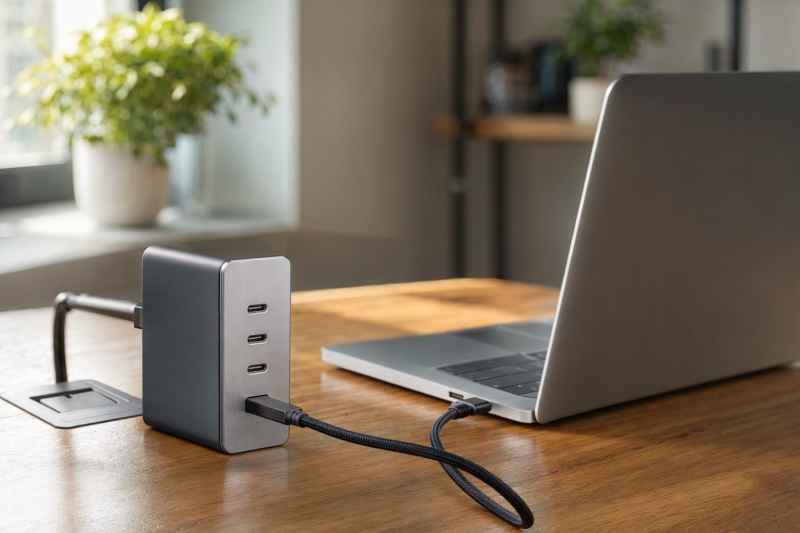
A 140W USB-C charger is useful only when a single USB-C port is documented at that level and the connected device, cable, and charging mode can support it. Total wattage is not the same as one-port output, and a charger with several sockets may divide power differently as more devices are attached.
The six picks below all state a 140W maximum from at least one USB-C port. They range from Apple’s single-port adapter to multi-port GaN chargers from Anker, UGREEN, and MINIX. Choose the number of ports and the documented one-port limit first, then confirm what the laptop and cable can accept.
A 140W label is a charger capability, not a promise that every USB-C device will draw 140W.140W USB-C Chargers Compared
| Image | Product | Details | Check Price |
|---|---|---|---|
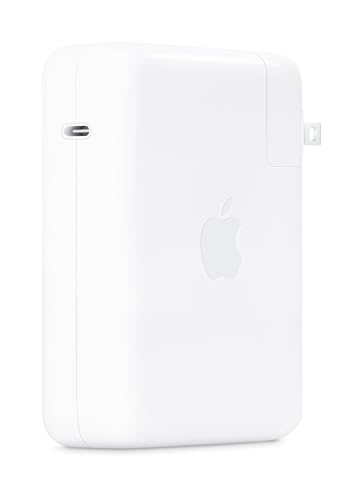 | Apple 140W USB-C Power Adapter | Best fit: Single-device Apple charging Ports: 1x USB-C Single-port maximum: 140W Maker output: 28V/5A | Check Price on Amazon |
 | Anker 140W 4-Port Charger A2697 | Best fit: Four-device desk Ports: 3x USB-C + 1x USB-A Single-port maximum: 140W on C1 or C2 Maker output: 28V/5A on C1/C2 | Check Price on Amazon |
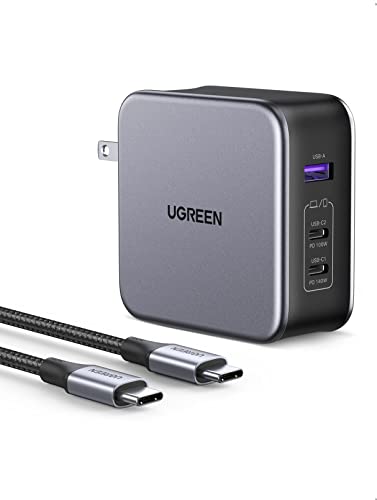 | UGREEN Nexode 140W GaN | Best fit: Three-port travel charger Ports: 2x USB-C + 1x USB-A Single-port maximum: 140W on C1 Maker output: 28V/5A on C1 | Check Price on Amazon |
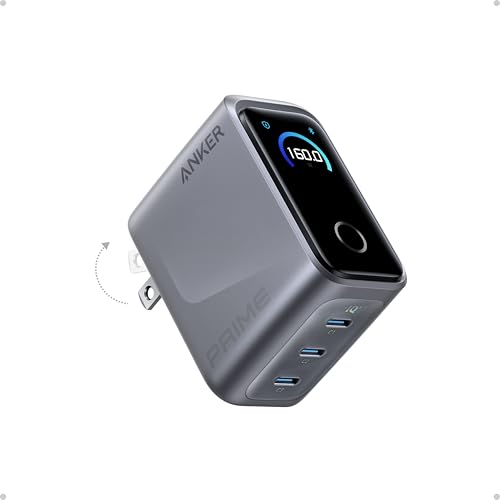 | Anker Prime 160W 3-Port Charger A2687 | Best fit: Smart display and three USB-C ports Ports: 3x USB-C Single-port maximum: 140W Maker output: 160W total | Check Price on Amazon |
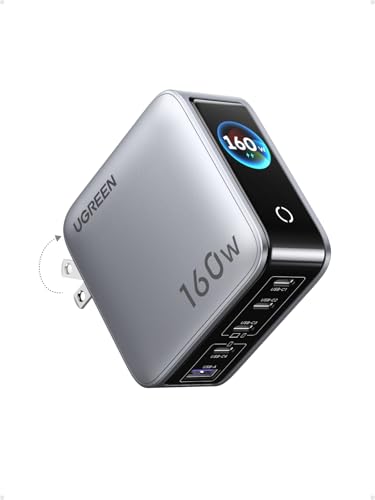 | UGREEN Nexode Pro 160W | Best fit: Five-port shared desk Ports: 4x USB-C + 1x USB-A Single-port maximum: 140W on C1/C2 Maker output: 160W total | Check Price on Amazon |
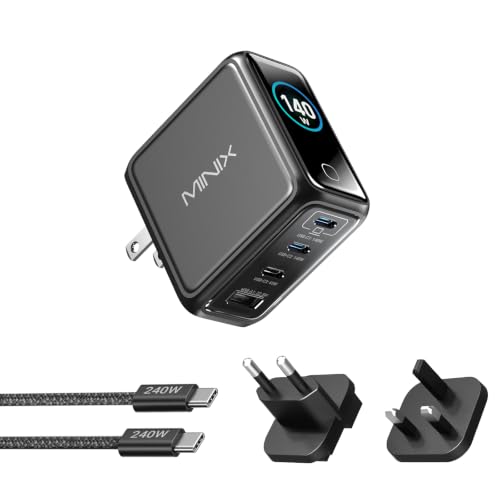 | MINIX P140 Pro | Best fit: Travel kit with interchangeable plugs Ports: 3x USB-C + 1x USB-A Single-port maximum: 140W on C1/C2 Maker output: 28V/5A on C1/C2 | Check Price on Amazon |
1. Apple 140W USB-C Power Adapter — Best Single-Port Apple Adapter
Apple’s 140W USB-C Power Adapter is the straightforward choice when one high-power USB-C output is all that is needed. Apple’s support page describes the same adapter that the Amazon listing sells. Apple specifies 28V DC at 5A, which is 140W, and lists one USB-C port. There is no shared-port allocation to interpret because it is a single-output adapter.
That simplicity is its main benefit and its limit. It cannot replace a multi-port desk charger for a laptop, phone, and tablet at the same time. It also cannot make a connected device accept 140W. Use a cable and device designed for the required charging level, and treat the adapter’s 140W figure as its stated maximum output rather than a guaranteed draw from every computer.
Our Take Choose the Apple adapter when a single laptop is the job and an uncomplicated one-port specification is more useful than extra sockets. Choose one of the multi-port options below when accessories must charge from the same outlet.
- Apple specifies 28V/5A, a direct 140W maximum for its single USB-C port.
- One port avoids shared-output decisions when charging one compatible laptop.
- Apple’s support page and the Amazon listing name the same adapter.
- One USB-C port cannot also charge a phone or tablet from the same adapter.
- A connected device and cable determine whether 140W charging is possible.
2. Anker 140W 4-Port Charger A2697 — Best Four-Device Anker Choice
Anker’s A2697 is the strongest fit when the charger needs to serve several devices without giving up a documented high-power laptop port. Its exact listing says either of two USB-C sockets reaches 140W maximum. Anker’s A2697 product page specifies USB-C1 and USB-C2 at 28V/5A, 140W maximum, alongside three USB-C ports and one USB-A port overall.
The four-port design adds flexibility, but it changes the decision from a simple one-device adapter to a power-allocation question. The listing says it can charge four devices, yet that does not mean each port receives its individual maximum simultaneously. Reserve C1 or C2 for the compatible laptop that needs the highest stated one-port capability, then review the manufacturer’s multi-device allocation information for the remaining devices.
A2697 has two documented 140W-capable USB-C ports, but total four-device use is a separate allocation decision.Our Take Pick A2697 for a desk that needs a 140W-capable laptop port and room for three more devices. It is the cleaner multi-device option when two high-power USB-C ports and four total sockets matter more than the Prime’s three USB-C port layout.
- Anker documents 28V/5A and 140W maximum on both USB-C1 and USB-C2.
- Three USB-C ports and one USB-A port support a mixed laptop-and-accessory desk.
- Anker’s page and the Amazon listing both name the A2697.
- Two 140W-capable ports give more high-power placement choice than a single-port adapter.
- Four connected devices require checking the product’s shared-power allocation rather than assuming four maximum outputs.
- The charge rate depends on the connected laptop and the cable rating.
3. UGREEN Nexode 140W GaN — Best Three-Port 140W Choice
The UGREEN Nexode 140W GaN is a focused three-port alternative. The exact listing says that a single port delivers 140W, and UGREEN’s Nexode page specifies USB-C1 at 28V/5A, 140W maximum. Its port set is two USB-C connections and one USB-A connection, which is enough for a laptop plus a pair of smaller accessories without turning the charger into a five-port desk hub.
UGREEN’s one-port statement is the important number for a buyer searching this category. The listing also describes multi-device use, but that is not the same as claiming 140W from every active socket. A laptop that needs the highest available output belongs on C1 when used alone or according to the maker’s power-sharing guidance; the other ports are useful only within the product’s stated allocation.
The relevant Nexode number is 140W maximum on USB-C1; the total behavior changes when additional devices share the charger.Our Take Choose the UGREEN Nexode 140W when three ports are enough and you want an explicit 28V/5A specification for the primary USB-C output. It is a simpler shared charger than the five-port Nexode Pro below.
- UGREEN states USB-C1 at 28V/5A and 140W maximum for a compatible one-device setup.
- Two USB-C ports and one USB-A port cover a laptop and two smaller accessories.
- The Amazon listing states the single-port 140W capability, not only a total wattage.
- Only C1 carries the 140W maximum that UGREEN documents.
- Extra connected devices change the power-sharing question and should not be assumed to receive maximum output.
- The charger does not establish the input limit of a connected laptop.
4. Anker Prime 160W 3-Port Charger A2687 — Best Smart-Display 140W Option
The Anker Prime A2687 is for a buyer who values a smart display and three USB-C ports while retaining a 140W single-port claim. The exact listing says 140W single-port output and identifies a 160W three-port Anker Prime charger. Anker’s A2687 page confirms the 160W total output and describes 140W PD 3.1 fast charging on a single port.
Its 160W total is useful context, but it must not be read as three 140W ports at once. The manufacturer treats one-port, two-port, and three-port use as separate modes. That makes the display a convenience for monitoring the charger, not a substitute for checking the connected laptop, cable, and chosen port. Buyers who only need one laptop connection can keep the Apple adapter’s simpler one-port boundary in mind.
Our Take Choose Anker Prime when the on-device display and three USB-C-only layout suit the desk. Choose A2697 instead when a USB-A port and four total sockets count for more than the display.
- Anker documents 140W PD 3.1 fast charging from a single port.
- Three USB-C ports suit a desk built around USB-C cables and accessories.
- The 160W total provides a stated shared-power ceiling for the product.
- The exact listing includes a smart display for visible charging-status information.
- Its 160W total should not be confused with simultaneous 140W output from all three ports.
- There is no USB-A port for an older cable without an adapter.
5. UGREEN Nexode Pro 160W — Best Five-Port 140W Option
The UGREEN Nexode Pro 160W serves the shared desk that genuinely needs more connections. The exact listing says it has five ports and that C1 and C2 each support up to 140W maximum PD. UGREEN’s Nexode Pro series page likewise identifies a 140W maximum single-port output for the Nexode Pro 160W. The listing’s port count is four USB-C ports plus one USB-A port.
Five ports are valuable only when the power allocation fits the collection of devices. The 160W total ceiling means there is a defined shared budget, not an invitation to add every accessory and expect each to retain its one-port maximum. Put the laptop that needs high power on the specified C1 or C2 path, then let the product’s published allocation table determine what remains for other devices.
Our Take Pick the Nexode Pro when a laptop, phone, tablet, and accessories need one charging point and you are willing to plan the shared output. The three-port Nexode is a better fit when the desk needs fewer simultaneous connections.
- The listing states C1 and C2 each support up to 140W maximum PD output.
- Four USB-C ports plus one USB-A port support a broad mix of desk devices.
- UGREEN identifies the Nexode Pro 160W as a 140W-max-single-port product.
- A 160W total budget cannot provide every active port’s maximum output simultaneously.
- The laptop’s charge rate depends on its supported input and cable.
- More ports require more careful power-allocation planning than a one-port adapter.
6. MINIX P140 Pro — Best Travel-Kit 140W Option
The MINIX P140 Pro combines a travel-oriented accessory set with a documented high-power port pair. Its exact listing says USB-C1 and USB-C2 provide 140W maximum PD 3.1 charging. MINIX’s P140 Pro page lists USB-C1 and C2 at 28V/5A, 140W maximum, and gives the unit four ports: three USB-C and one USB-A.
MINIX also states interchangeable US, EU, and UK plugs, which is the meaningful differentiator for a buyer who moves between compatible mains outlets. That does not change USB-C power rules. The maker lists specific combined-output modes, so multi-device travel use needs the same allocation check as any other multi-port charger. Reserve a stated 140W-capable USB-C port for the compatible laptop when that capability is the objective.
Our Take Choose the P140 Pro when interchangeable plugs and four ports fit the travel kit. Choose A2697 when the same desk needs a different four-port split and two documented 140W-capable USB-C ports.
- MINIX specifies USB-C1 and C2 at 28V/5A and 140W maximum.
- Three USB-C ports and one USB-A port cover a mixed laptop and accessory kit.
- Interchangeable US, EU, and UK plugs are a documented travel-focused feature.
- Combined-output modes limit what several connected devices can receive at the same time.
- The included travel hardware does not determine a laptop’s supported charging input.
Buying Guide
1. Start with the one-port specification
The first question is not whether the charger says 140W somewhere on its box. Find the exact USB-C port that is documented at 140W. Apple specifies its single port at 28V/5A. Anker A2697 documents C1 and C2 at that level, UGREEN Nexode documents C1, and MINIX documents C1 and C2.
This prevents a total-output number from being mistaken for a one-port maximum. The Anker Prime and UGREEN Nexode Pro have 160W totals, but their useful qualifying fact is the stated 140W single-port capability. A total wattage is a shared ceiling, not an automatic per-port promise.
2. Confirm the laptop and cable can use the power
A charger can advertise a 140W maximum without making every laptop charge at that level. The connected computer has its own supported input limit, and the cable must be appropriate for the required USB-C power delivery. The charger, cable, and device must all support the needed charging path.
Apple’s adapter page gives a clear 28V/5A output figure, while the other makers publish the same boundary for particular USB-C ports. The USB-C cable guide and USB-C charging-wattage guide can help frame the cable and device questions. The adapter, cable, and device must agree before selecting a charger solely from its maximum label.
3. Count ports only after choosing the laptop path
The Apple adapter has one USB-C port. The UGREEN Nexode has three total ports, Anker Prime has three USB-C ports, A2697 and MINIX P140 Pro have four ports, and Nexode Pro has five. The right port count is the number of devices that must charge together, not the biggest count available.
More ports make allocation more important. A laptop that needs the highest stated capability should use the designated 140W port, then smaller accessories can use the remaining ports within the published shared modes. The best USB-C chargers guide is useful for broader categories, but the exact model’s allocation table is decisive for the one charger in front of you.
4. Separate one-port maximum from simultaneous use
The A2697, Anker Prime, Nexode Pro, and P140 Pro are all multi-port chargers. Their high one-port number answers the laptop question, while their total or combined-output tables answer the shared-desk question. Read both figures before assuming a laptop keeps its maximum output after another device is connected.
This is especially important when a laptop, tablet, phone, and power bank all share one outlet. A 160W total is a shared ceiling under documented modes; it does not mean two active ports each provide 140W. For laptops that draw 100W or less, our 100W USB-C charger guide covers smaller chargers.
5. Choose travel features by the trip you plan
For a fixed desk, the Apple adapter or a multi-port charger can be selected mainly from its ports and allocation. For travel, plug hardware, size, and the need to charge several devices also count. MINIX P140 Pro’s interchangeable US, EU, and UK plugs are a product-specific travel feature, rather than a general property of 140W chargers.
Travel does not remove the compatibility check. The destination mains outlet, the device’s power input, the cable, and the charger must all suit the plan. Travel does not eliminate device compatibility, so choose a charger whose documented ports and plug setup fit the trip rather than treating a 140W label as a complete international charging solution.
FAQ
Will a 140W USB-C charger charge every laptop at 140W?
No. The 140W figure is the charger’s stated maximum for a particular USB-C port. The laptop controls the input it supports, and the cable must support the required charging path.
For example, Apple specifies its adapter at 28V/5A and the other makers specify 140W on particular ports. The matching device and cable determine the delivered level, so a lower laptop input limit stays lower even with a 140W-capable charger.
Does 160W total mean two 140W ports can run at full power together?
No. A 160W total is the whole charger’s shared budget. Anker Prime and UGREEN Nexode Pro have stated 140W single-port capabilities, but their total number limits what multiple active devices can receive together.
Read the maker’s two-port and three-port allocation information before setting up a shared desk. Single-port maximum and multi-port combined output are different specifications.
Which port should I use for a 140W-capable laptop?
Use the port the maker identifies at 140W: C1 on UGREEN Nexode, C1 or C2 on Anker A2697 and MINIX P140 Pro, and C1 or C2 according to the UGREEN Nexode Pro listing. Apple has only one USB-C port.
If other devices are connected, recheck the product’s allocation modes. The correct high-power port may deliver less when the charger is sharing its total output, so do not select a spare socket by appearance alone.
Is a one-port charger better than a multi-port charger?
It is better when one compatible laptop is the only device that needs power and the buyer wants the clearest output boundary. Apple’s adapter is simple because its one port is specified at 28V/5A.
Multi-port products are better when several devices genuinely need the same outlet. Choose the fewest ports that solve the actual setup, because each added device makes shared-power rules more important.
What makes the MINIX P140 Pro useful for travel?
MINIX lists interchangeable US, EU, and UK plugs, alongside three USB-C ports, one USB-A port, and two 140W-capable USB-C ports. That is a defined product feature for a travel kit that has to cover compatible outlets in more than one region.
It is a multi-port charger with combined-output modes. Interchangeable plugs help with the outlet, but they do not change a laptop’s input limit or the cable requirement.
Bottom Line
The Apple 140W USB-C Power Adapter is the clearest one-device choice because Apple specifies its sole USB-C port at 28V/5A. Choose Anker A2697 for a four-port desk with two documented 140W-capable USB-C ports, UGREEN Nexode Pro 160W for five-port sharing, or MINIX P140 Pro for its documented interchangeable plug kit.