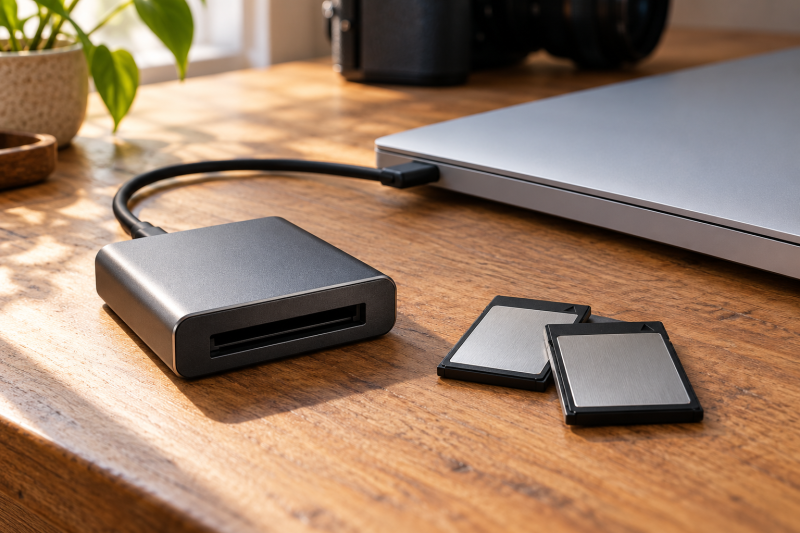
CFexpress Type B cards fill up fast on a high-resolution camera, and the card reader decides how quickly those files reach your computer. The seven readers below all take CFexpress Type B cards and list a USB4 or Thunderbolt interface. Whether you connect to thunderbolt 3 laptops or another workstation, check that your computer’s ports match the interface the reader lists.
The readers differ most in four extras: the operating systems they name, the software, the accessories, and the card types. Match those details to your computer and camera first, and compare listed speeds second.
Match the reader’s port to your computer’s port before you compare anything else.Comparison of CFexpress Type B Readers
| Image | Product | Details | Check Price |
|---|---|---|---|
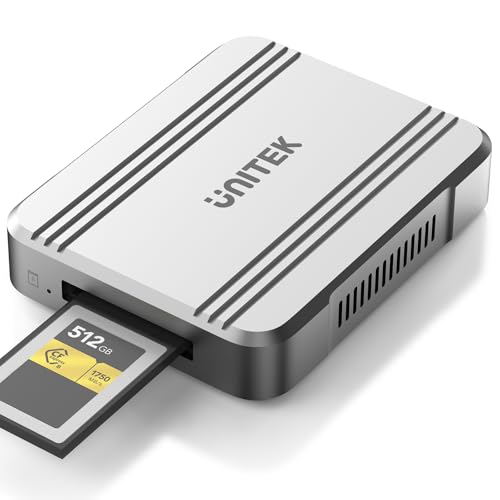 | Unitek R1023A | Best fit: USB4 Type B reader Listed details: CFexpress 4.0 Type B; USB4; 40Gbps | Check Price on Amazon |
 | SABRENT CR-U4XB | Best fit: Stated 3500MB/s and detachable cable Listed details: USB4; 40Gbps; up to 3500MB/s; detachable USB-C cable | Check Price on Amazon |
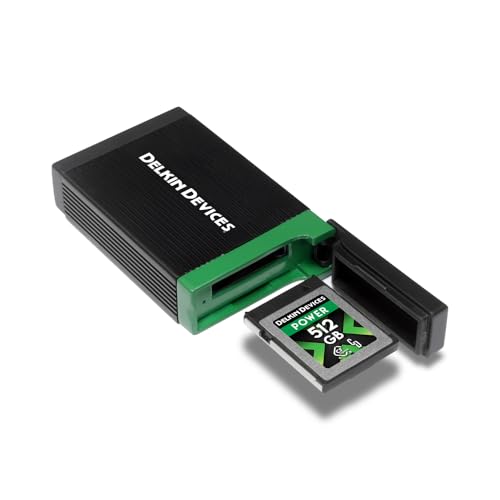 | Delkin Devices DDREADER-60 | Best fit: Windows and Mac desk ingest Listed details: USB4; 40Gbps; Thunderbolt compatible; built-in card storage | Check Price on Amazon |
 | CHIPFANCIER 2in1-CFA/CFB-CardReader | Best fit: One Type A and Type B reader Listed details: Type A and Type B; USB 4.0 Gen 2; 40Gbps | Check Price on Amazon |
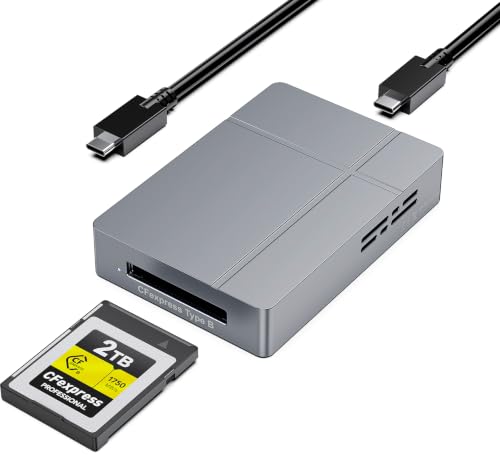 | Rocketek USB4 Type B Reader | Best fit: Straightforward USB4 Type B option Listed details: USB4; Type B; 40Gbps | Check Price on Amazon |
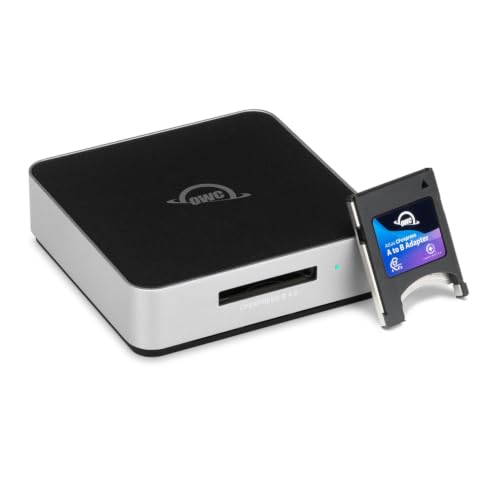 | OWC OWCTCCFXB4RDR | Best fit: Stated 5000MB/s and included adapter Listed details: USB4; 40Gb/s; up to 5000MB/s; Type B to Type A adapter | Check Price on Amazon |
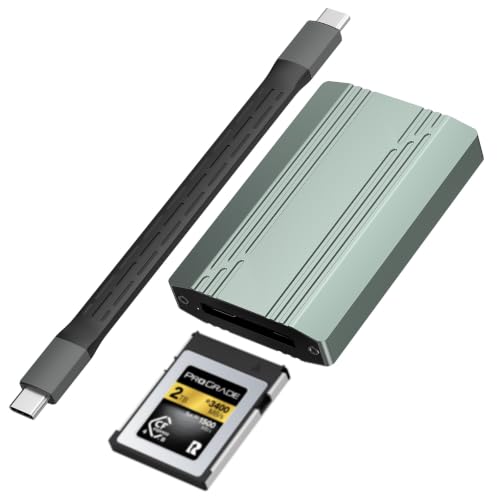 | Synccrons USB4 Type B Reader | Best fit: Basic USB4 Type B reader Listed details: USB 4.0; Type B; 40Gbps | Check Price on Amazon |
1. Unitek R1023A — Studio Offload Evaluator
The Unitek R1023A is a plain card reader for CFexpress 4.0 Type B media, so check that your camera cards use that format before anything else. Unitek lists a USB4 interface with a claimed 40Gbps rate for moving files to your computer. That rate is a ceiling, and you only get it when your computer has a USB4 port that can run at the same speed.
If you plan to connect the R1023A through one of the best Thunderbolt 4 docking stations, confirm that the dock supports the listed USB4 40Gbps rate. The listing names CFexpress 4.0 Type B and USB4, so use those two stated labels to match the reader with your card and host port before you build a workflow around it.
[accent]Check that your computer has a USB4 port before you order.[/accent]Our Take Buy the R1023A if your computer has a USB4 port that can run the stated 40Gbps and you just want a Type B reader.
- The stated 40Gbps USB4 rate gives you one number to match against your computer’s port.
- The slot targets CFexpress 4.0 Type B cards, which suits a camera that records to that format.
- As a USB4 reader for CFexpress 4.0 Type B cards, it makes port and media compatibility the first checks.
- Reaching the stated rate depends on your computer having a compatible USB4 port.
2. SABRENT CR-U4XB — Field Media Manager
Offloading away from a desk means the reader has to work with the camera or laptop you already carry, and the SABRENT CR-U4XB lists features for that. It has a CFexpress Type B slot and a USB4 interface rated for 40Gbps and speeds up to 3500MB/s. The manufacturer specifies an aluminum alloy construction and a detachable USB-C cable, and it states bus-powered OTG use with cameras, laptops, and cages.
If you replace the cable with one from the best usb c cables, check that it meets the requirements for the stated up to 3500MB/s speeds. SABRENT names cameras, laptops, and cages as supported, so work out how you will mount the reader before you travel. Then decide whether the aluminum alloy body suits your bag.
[accent]Test bus-powered OTG with your own camera or laptop before you travel.[/accent]Our Take Buy the CR-U4XB if you offload away from a desk and want bus-powered OTG and a detachable USB-C cable, and check that the cable suits your setup.
- The aluminum alloy construction is a stated physical fact you can plan around.
- The detachable USB-C cable connects to cameras and laptops directly.
- Bus-powered OTG is listed, so the reader draws its power from the connected device.
- Your computer has to accept the up to 3500MB/s transfer speeds before you see them.
- How the reader mounts to a camera cage is not described, so check it before you rely on it.
3. Delkin Devices DDREADER-60 — Plug-and-Play Planner
The Delkin Devices DDREADER-60 reads CFexpress Type B memory cards over a USB4 interface specifying 40Gbps. The manufacturer notes that it is Thunderbolt compatible, with an aluminum build and built-in card storage. Delkin and CHIPFANCIER are the two readers here that name operating systems, and Delkin names Windows, Mac, and Android. Plug and play is a stated feature, so try it on your own computer before a job depends on it.
If you are comparing it with the thunderbolt 3 sd card readers, remember that it targets CFexpress Type B, so your camera has to use that format. The Thunderbolt compatible design needs a matching port on your computer. Check that the aluminum build fits the case you carry, and check your computer’s operating system version against the Windows, Mac, and Android claim.
[accent]Check your operating system version against the stated Windows and Mac compatibility.[/accent]Our Take Buy the DDREADER-60 if you work on Windows, Mac, or Android and want card storage built into the reader.
- Built-in card storage helps you keep physical media organized during production.
- The reader is stated as Thunderbolt compatible with a USB4 40Gbps interface.
- Windows, Mac, and Android compatibility is stated, so you can match it to your computer.
- Delkin names Windows, Mac, and Android, so check any other operating system on your own.
- The Thunderbolt compatible design needs a matching port on your computer.
4. CHIPFANCIER 2in1-CFA/CFB-CardReader — Multi-Format Ingest User
If you shoot on both CFexpress Type A and Type B, the CHIPFANCIER 2in1-CFA/CFB-CardReader has a slot for each. It uses a USB 4.0 Gen 2 interface that lists 40Gbps for moving files to your computer. The manufacturer states compatibility with Windows, Mac, Linux, and Android, including Linux, while Delkin names Windows, Mac, and Android. Check which card types your cameras use before you choose it.
When you set up a transfer station with the CHIPFANCIER 2in1-CFA/CFB-CardReader, the USB 4.0 Gen 2 interface needs a matching port on your computer. If you store offloaded files on one of the best portable ssds, confirm that your computer can handle the combined interface bandwidth, given the 40Gbps specification. Check your computer’s manual to see what its ports support before you start large transfers.
[accent]Inspect your camera media to confirm it uses Type A or Type B formats.[/accent]Our Take Buy this reader if you shoot both CFexpress Type A and Type B and your computer supports the stated USB 4.0 Gen 2 interface.
- Slots for both CFexpress Type A and Type B cover both card formats in one reader.
- Compatibility with Windows, Mac, Linux, and Android is stated, including Linux for a mixed-computer setup.
- Your laptop needs a port that runs the USB 4.0 Gen 2 protocol.
- The listing centers on Type A, Type B, USB 4.0 Gen 2, and 40Gbps, so prioritize those stated needs.
5. Rocketek USB4 Type B reader — Specification Matcher
The Rocketek USB4 Type B reader provides a slot for CFexpress Type B camera media and lists a USB4 connection rated at 40Gbps. Your desktop or laptop needs a matching USB4 port to use it at that rate. Its stated Type B slot and 40Gbps USB4 interface make it a direct specification-led choice.
The reader reaches the stated USB4 40Gbps rate only through a path that supports it. If you route your files through the best usb c hubs, check whether the hub supports the bandwidth needed to maintain 40Gbps. Plan its desk position around the cable run from the USB4 port to the destination drive.
[accent]Check whether a basic USB4 reader covers your offloading needs.[/accent]Our Take Buy the Rocketek reader if you want a Type B reader with a USB4 port and the listed 40Gbps is all you need to go on.
- The USB4 connection has a 40Gbps rate, which is the baseline for planning your offload.
- The dedicated CFexpress Type B slot matches the card format of a camera that records to Type B.
- The stated 40Gbps USB4 interface still depends on a matching computer port and the rest of the transfer path.
- Its title emphasizes the Type B slot and USB4 connection, while OWC also names an adapter and Innergize.
6. OWC Atlas OWCTCCFXB4RDR — Software Interface Analyst
The OWC Atlas OWCTCCFXB4RDR quotes up to 5000MB/s over a USB4 connection that lists 40Gb/s. It offloads CFexpress Type B media and comes with a Type B to Type A adapter. OWC states compatibility with Thunderbolt, USB4, and USB hardware interfaces. Check that your computer can run the OWC Innergize software tool and can support the up to 5000MB/s data rate.
The OWC Atlas OWCTCCFXB4RDR claims Thunderbolt, USB4, and USB support for different offloading environments. If your files go to one of the best thunderbolt 4 nvme enclosures, confirm that the whole chain can sustain the 40Gb/s specification. The included adapter converts the card format, so check your camera media to see whether you will use it.
[accent]Check your computer against the up to 5000MB/s figure before you count on it.[/accent]Our Take Buy the Atlas if you want OWC’s Innergize software and the Type B to Type A adapter, and first check that Innergize runs on your computer.
- The included Type B to Type A adapter gives you a physical option for a different memory card format.
- Stated compatibility with Thunderbolt, USB4, and USB gives you more than one connection route to plan.
- OWC states support for Innergize, a stated software feature you can check before buying.
- Your computer has to accept up to 5000MB/s transfers before you see that speed.
- Operating system support for the OWC Innergize software isn’t stated, so check yours.
7. Synccrons USB4 Type B reader — Dedicated Port Checker
The Synccrons USB4 Type B reader has a single slot for CFexpress Type B camera cards and lists a USB 4.0 interface rated at 40Gbps. Your host computer needs a compatible USB 4.0 port to use it. Its stated Type B format and 40Gbps USB 4.0 interface make port matching the central selection step.
The reader depends on the 40Gbps USB 4.0 connection for moving media. No connecting accessories are listed, so check the cable requirements yourself. Decide where the reader will sit on your desk before you buy.
[accent]Check that your laptop or desktop has a USB 4.0 port.[/accent]Our Take Buy the Synccrons reader if you want a reader with one Type B slot and your computer has the stated USB 4.0 40Gbps interface.
- The USB 4.0 connection has a 40Gbps data rate for offloading your camera media.
- The dedicated slot reads CFexpress Type B, the high-speed card format.
- The listed USB 4.0 40Gbps interface asks buyers to match the reader with a compatible computer port.
- Check on your own whether your operating system recognizes this device.
Buying Guide
Evaluating CFexpress Type B Reader Interface Specifications
Start with the port on your computer. Every reader here names USB4 or Thunderbolt compatibility, so your computer needs a matching port to use it. Check your computer’s manual for the port type before you pick a reader.
The data rate sets the ceiling for offloading. A reader with a 40Gbps specification reaches it only when your computer takes in data at that rate, and Unitek, Rocketek, and Synccrons name that USB4 figure with a Type B slot while Delkin explicitly adds Thunderbolt compatibility. Compare the listed rate with your computer’s port, because a compatible connector alone does not establish the same data capability. If you need a separate lead, match it against the best Thunderbolt 4 cables before assuming it carries the reader’s stated connection. That comparison helps you avoid a mismatched transfer path.
OWC is the only reader here that lists both up to 5000MB/s and 40Gb/s, while SABRENT lists up to 3500MB/s beside its 40Gbps USB4 connection. Those figures describe the sellers’ stated products in different units, so select the reader by the port, card type, and stated extras first instead of trying to convert one title into an exact transfer result.
Assessing Form Factor and Material Construction Features
Think about how the reader will travel and sit on your desk. SABRENT specifies an aluminum alloy construction and Delkin an aluminum build. Check the stated material against your bag or desk, and don’t assume durability or drop resistance that the product page doesn’t state.
Delkin also includes built-in card storage. Built-in card storage may help if you carry loose cards that you want to keep organized during an offload.
The form factor matters when a reader sits beside a computer for every card swap. Delkin calls out an aluminum build and card storage, and SABRENT names aluminum alloy plus a detachable cable. Choose the stated physical feature you will actually use, because the other reader titles do not give comparable material or storage detail.
Understanding Included Cable and Accessory Options
SABRENT is the one reader here with a detachable USB-C cable. For the other readers, treat the cable as something to confirm. Confirm what cable comes in the box before you plan your first offload.
OWC includes a Type B to Type A adapter. Match the adapter to your media, because it helps only if you use the card format it converts. Its listing also names USB4, Thunderbolt, and USB compatibility, plus an up-to-5000MB/s figure and OWC Innergize support. That combination gives a post-production buyer several stated reasons to compare it with the simpler USB4 Type B readers. Don’t assume an adapter is included when the product page doesn’t mention one.
The two accessories solve different stated needs. SABRENT’s detachable USB-C cable is part of its USB4 reader listing, while OWC names a CFexpress Type B to Type A adapter beside USB4, Thunderbolt, and USB compatibility. Buyers who need both a cable choice and a card-format adapter should confirm which of the two they need before assuming one reader supplies the other.
Verifying Operating System and Software Compatibility
CHIPFANCIER names Windows, Mac, Linux, and Android, and Delkin names Windows, Mac, and Android. Check your operating system version against those names. For a reader that names no operating system, confirm support before you rely on it.
OWC states support for its Innergize software. Check that Innergize runs on your computer if you want to use it, and don’t assume it works on every platform.
Planning for Power Delivery and Bus-Powered Operation
SABRENT states bus-powered OTG for cameras, laptops, and cages. Check that your camera or laptop can supply the power, because a bus-powered reader draws it from the device it is plugged into.
For readers that don’t state how they get power, find out whether a separate power cable is needed or the USB4 connection supplies everything. Settle the power question before you buy.
FAQ
What does a 40Gbps specification mean for my workflow?
A 40Gbps specification is the maximum theoretical data rate of the reader’s USB4 or Thunderbolt connection, so it is a ceiling and not a promise. Your computer’s ports have to be rated for it too, so check your manual to see whether they can take in data at 40Gbps.
The speed of an actual offload depends on more than the reader. Check the sustained write speed of your destination drive against a 40Gbps connection. The cards, the reader, the cable, and the drive each limit the result, and the reader alone does not guarantee it.
Do I need a specific cable to connect a USB4 card reader?
Yes, use a cable that matches the reader’s USB4 or Thunderbolt interface. SABRENT includes a detachable USB-C cable, and for the other readers you should check whether a cable is included or has to be bought separately. A third-party cable should meet the data specification the reader needs.
If you connect the reader to other devices, confirm that your cabling supports the speeds the reader states, for example, the USB4 40Gbps specification named by Unitek or the up-to-5000MB/s figure named by OWC. Check your setup before you start an offload.
Can I use these readers with multiple operating systems?
Only some of them say so. CHIPFANCIER names Windows, Mac, Linux, and Android, and Delkin names Windows and Mac, while the other readers here name no operating system. Check the platform you use against the listed specifications of the reader.
In a mixed environment, test the reader on each computer you use. If you rely on OWC Innergize, check that it is available for every operating system you plan to use, and try Delkin’s plug and play feature on your own machines.
What physical features should I look for in a dedicated reader?
Look for the features your workspace needs. SABRENT and Delkin state an aluminum build, Delkin has built-in card storage, and SABRENT includes a detachable cable. Check the dimensions and layout against your desk, and don’t assume material quality that isn’t listed.
OWC includes a Type B to Type A adapter. Check whether your camera media needs that conversion before you count the adapter as a benefit.
Will a CFexpress Type B reader work with my specific camera media?
It does if your cards are CFexpress Type B, and CHIPFANCIER also takes Type A. Check your cards’ format before you buy, and don’t assume compatibility across different memory card generations.
For post-production work, check that the reader’s listed specifications suit the files your camera produces. If you plan to rely on bus-powered OTG, test it with your own storage cards and transfers, and check your camera manual for the card type.
Bottom Line
Pick the reader by what your computer and camera can use. Every reader here handles CFexpress Type B, so the choice comes down to ports, cables, operating systems, and extras. CHIPFANCIER suits shooters with Type A and Type B cards, SABRENT suits field work with bus-powered OTG and a detachable cable, OWC suits buyers who want Innergize and an adapter, and Delkin suits Windows, Mac, and Android users who want built-in card storage. Unitek, Rocketek, and Synccrons all name a USB4 interface, so port matching is the starting point for comparing their respective listings.