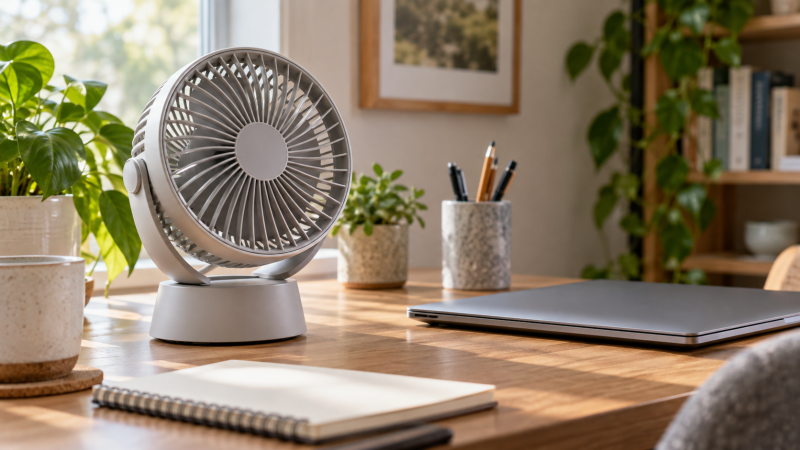
A small desk fan can move air across the face and upper body without occupying the floor space of a pedestal fan. It may make a warm home office feel more comfortable, but it does not lower room temperature and should not be aimed at a laptop as a substitute for clear vents, internal cooling, or a purpose-built cooling pad.
The eight fans here divide evenly between plug-in USB models and rechargeable battery models. Plug-in fans run without battery aging but consume a USB power source and add a cable. Rechargeable models can move around the desk or continue during a short outage, though their runtime falls at higher speeds. Noise claims are maker measurements and may not use the same distance or test method.
The SWEETFULL S36 is the best overall desk fit because it has exact dimensions, a 0.61lb weight, four speeds, a stated 5.2m/s maximum, 360-degree tilt, a removable cover, and simple USB power. The Gaiatop AF-02A is the best rechargeable option, with six speeds and up to 20 hours claimed. Choose the Coolhill ZH27 when you want 120-degree oscillation more than the smallest footprint.
| Image | Product | Details | Check Price |
|---|---|---|---|
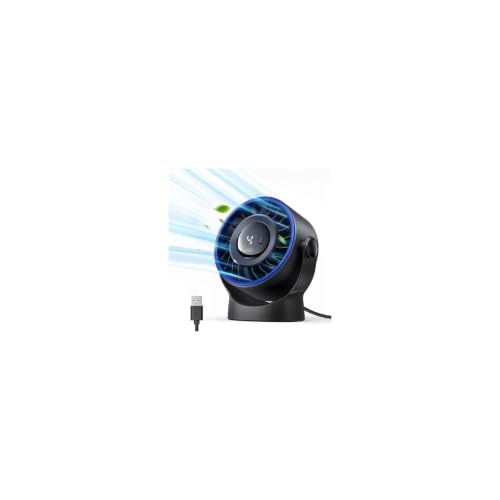 | SWEETFULL S36 | Size: 5.67 x 2.60 x 6.06 inches Weight: 0.61lb Speeds: 4; up to 5.2m/s stated Adjustment: 360-degree tilt Power: USB; no battery | Check Price on Amazon |
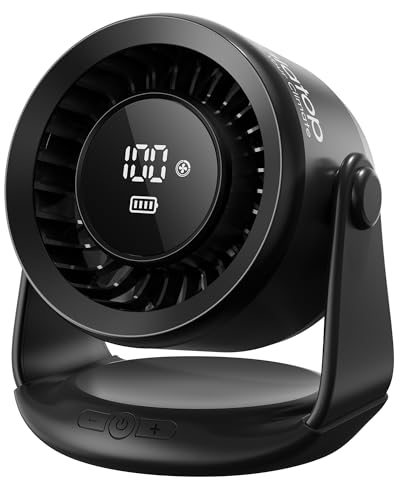 | Gaiatop AF-02A | Speeds: 6; up to 5.2m/s stated Adjustment: 110-degree tilt Runtime: Up to 20 hours claimed Charging: USB-C Display: Battery and speed | Check Price on Amazon |
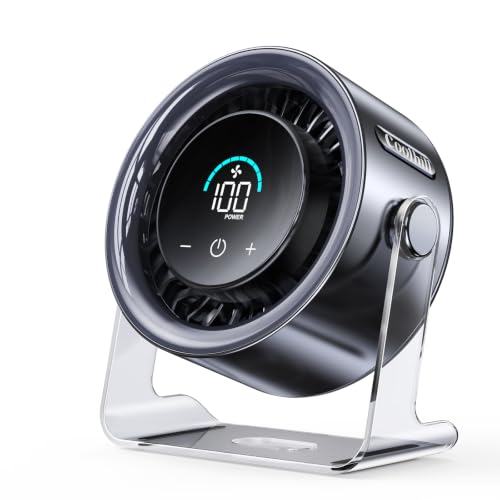 | Coolhill ZH27 | Speeds: 100 levels Adjustment: 120-degree oscillation Air speed: Up to 6m/s stated Battery: 3000mAh; 3 to 10 hours claimed Charging: USB-C; about 2.5 hours stated | Check Price on Amazon |
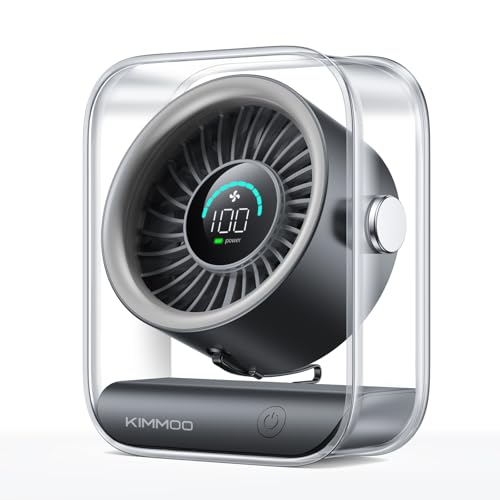 | KIMMOO ZH28 | Size: 5.5 x 3.11 x 6.58 inches Weight: 0.92lb Speeds: 100 levels Runtime: 8.5 hours claimed Charging: 5V/2A; 2.5 hours stated | Check Price on Amazon |
 | Koonie F461 | Speeds: 3 Adjustment: 220-degree pivot; folding Air speed: Up to 16ft/s stated Power: USB-C; no battery Dimensions: Not stated | Check Price on Amazon |
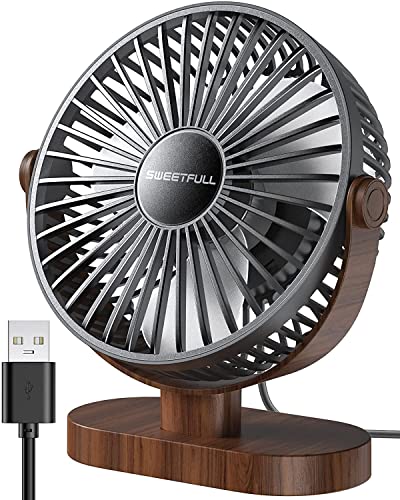 | SWEETFULL MWH-001 | Airflow area: 5.8 inches stated Weight: 10oz Speeds: 3 Adjustment: 360-degree tilt Power: USB; 4.7-foot cable; no battery | Check Price on Amazon |
 | TriPole KW37 | Diameter: 4.5 inches Speeds: 3 Adjustment: 360-degree vertical pivot Power: USB-A; 0.8A demand; 5V/1A recommended Cable: 4.9 feet | Check Price on Amazon |
 | WHATOOK HL008 | Speeds: 100 levels Adjustment: 180 degrees Selected battery: 2000mAh stated in title variant Runtime: 10 hours for 2000mAh variant claimed Display: Battery level | Check Price on Amazon |
Quick Picks
- Best overall: SWEETFULL S36 for four speeds, 360-degree tilt, a removable cover, and published size and weight.
- Best rechargeable: Gaiatop AF-02A for six speeds, USB-C charging, a battery display, and up to 20 hours claimed.
- Best oscillating pick: Coolhill ZH27 for 120-degree oscillation, a 3000mAh battery, and 100 speed steps.
- Best fine-grained control: KIMMOO ZH28 for 100 levels, exact dimensions, a battery display, and a stated 2.5-hour recharge.
- Best folding plug-in fan: Koonie F461 for a slim body, 220-degree pivot, and USB-C power without a battery.
- Best simple compact value: SWEETFULL MWH-001 for three speeds, a 5.8-inch airflow area, 360-degree tilt, and removable cover.
1. SWEETFULL S36 — Best Overall
SWEETFULL lists the S36 at 5.67 x 2.60 x 6.06 inches and a weight of 0.61lb, so it is easy to place beside a laptop or external keyboard. The fan has seven curved blades, a brushless motor, and four speed settings, with a stated maximum air speed of 5.2m/s.
The manufacturer specifies a head tilt of 360 degrees, so it can direct air upward from a low shelf or across the desk from the side. You can remove the rear cover to clean the blades and interior once the fan is unplugged. Regular dust removal helps preserve airflow and reduce debris blowing toward the workstation.
The fan is rated to take power through a 4.9-foot USB cable and has no internal battery. It can run from a suitable USB charger, computer port, or power bank. Noise is claimed as low as 25dB, but higher speeds and desk vibration will be louder. With published measurements, cleaning access, and four-step control, it is the clearest all-round choice.
Best for: A compact fixed desk that has USB power and needs adjustable personal airflow.
Pros
- Four speeds with 5.2m/s maximum stated
- Exact size and 0.61lb weight
- 360-degree tilt and removable rear cover
Cons
- No battery for cable-free use
- Noise claim applies to the quietest operating condition
2. Gaiatop AF-02A — Best Rechargeable
The Gaiatop AF-02A provides tactile plus and minus controls for six speed settings. The display shows battery level and current speed, which tells you more than a simple low-battery light. A dual-stage airflow system and seven blades give a stated maximum of 5.2m/s.
The internal battery charges by USB-C and claims up to 20 hours. At 30% remaining charge, the fan automatically lowers speed to extend operation. The automatic reduction is useful for runtime, but the airflow you selected may not stay constant near the end of the battery.
Gaiatop specifies the head tilts through 110 degrees. Noise is stated as low as 35dB. Amazon lists dimensions and weight, while battery capacity and recharge time are absent from the supplied details. Choose it for long claimed runtime and simple six-step control rather than verified compactness.
Best for: All-day cable-free desk use with clear battery and speed feedback.
Pros
- Six speeds and battery/speed display
- Up to 20 hours claimed
- USB-C charging and 110-degree tilt
Cons
- Automatically reduces speed below 30% charge
- Battery capacity and charge time not stated
3. Coolhill ZH27 — Best Oscillating Pick
The Coolhill ZH27 is the only product here with a manufacturer-specified 120-degree oscillation. Oscillation can spread air across a wider workstation or alternate between face and upper body instead of creating one constant stream. Coolhill claims a maximum air speed of 6m/s.
Coolhill specifies that you can adjust speed from 1 to 100. A short press jumps among 1, 20, 40, 60, 80, and 100, while a long press steps through the intermediate levels. The digital display shows speed. A 28dB noise claim is stated without a test distance or speed.
The 3000mAh battery is rated to run for a claimed 3 to 10 hours and charges in about 2.5 hours according to the manufacturer. USB-C power also supports plugged-in operation from a compatible source. The title mentions wall mounting, but the detailed bullets do not explain mounting hardware, so this guide treats it as a desktop fan.
Best for: A desk where oscillation and broad airflow are higher priorities than maximum battery duration.
Pros
- 120-degree oscillation
- 100 speed levels and digital display
- 3000mAh battery with 3- to 10-hour claim
Cons
- Amazon lists size and weight
- Wall-mount hardware is not described
4. KIMMOO ZH28 — Best Fine-Grained Control
The KIMMOO ZH28 has 100 speed settings across a stated motor range of 2000 to 2900 RPM. Fine control can help find a low airflow that does not dry the eyes or disturb papers. The LED display shows both speed and battery status.
KIMMOO lists the dimensions at 5.5 x 3.11 x 6.58 inches and 0.92lb, making it compact but heavier than the SWEETFULL S36. You can aim the airflow with flexible positioning and 90-degree rotation. A dual guard protects the blades, though children and pets should still be kept away from the cable and controls.
Battery runtime is claimed at 8.5 hours, with a 2.5-hour recharge from a 5V/2A adapter. Noise at speed 1 is stated as 35dB. The “200% power boost” phrase has nothing in the supplied data to measure it against, so the specifications to compare are the control range, size, runtime, and charging requirement.
Best for: Users who want precise speed selection and a display in a measured portable body.
Pros
- 100 speed levels with LED display
- Exact dimensions and weight
- 8.5-hour runtime and 2.5-hour charge claimed
Cons
- 35dB claim is only for speed 1
- Requires a suitable 5V/2A charging source
5. Koonie F461 — Best Folding Plug-In Fan
The Koonie F461 folds into a slim, flat shape and is rated to pivot through 220 degrees. With that wide adjustment range, it can stand in a triangle position, aim up from a lower shelf, or flatten for storage. Rubber pads stabilize the base and reduce vibration.
The manufacturer specifies three speeds: low, medium, and high. Maximum airflow is claimed at 16ft/s, and the acoustic design is claimed at 30dB. Those figures are not tied to one clearly stated test condition, so they are best treated as the maker’s own figures, not as numbers to compare directly with other brands.
This fan has no battery and must remain connected through USB-C. Going without a battery avoids battery wear and keeps the body slim, but placement depends on cable reach and a power source. Amazon lists dimensions and weight, while the supplied details do not state cable length, removable-cover access, or required current.
Best for: A fixed desk that benefits from a fan that folds flat and has a very wide pivot range.
Pros
- 220-degree pivot and folding body
- Three simple speeds
- USB-C power with no battery maintenance
Cons
- Cable length not stated
- Cannot run unplugged
6. SWEETFULL MWH-001 — Best Simple Compact Value
The SWEETFULL MWH-001 is rated at a weight of 10oz and provides a 5.8-inch airflow area. One button cycles through low, medium, and high speeds, so there is no display or fine-grained menu to work through. The anti-slip base helps reduce movement and transferred vibration.
The manufacturer specifies a head tilt from 0 through 360 degrees. The front cover comes off for blade and grille cleaning, which is an advantage over fans with no stated service access. Noise is claimed below 25dB, though the manufacturer data does not identify the corresponding speed or measurement distance.
Power comes from an included 4.7-foot USB cable, and there is no battery. It can use a compatible laptop port, charger, power bank, or car adapter. Amazon lists overall dimensions, while the listed airflow area and low weight show it is a straightforward mini fan.
Best for: A simple three-speed USB fan where low weight and easy cleaning are priorities.
Pros
- 10oz stated weight and 5.8-inch airflow area
- 360-degree tilt
- Removable cover and 4.7-foot cable
Cons
- No battery
- Amazon lists complete outer dimensions
7. TriPole KW37 — Best Power-Specified USB Pick
TriPole specifies a 4.5-inch diameter, three speeds, and a 360-degree vertical pivot for the KW37. The wide base has four silicone pads meant to resist tipping and reduce vibration. The control button sits at the rear, which keeps the front clean but may be less convenient against a wall.
TriPole includes a 4.9-foot cable ending in USB-A. TriPole states that the fan needs 0.8A and recommends a 5V/1A source if the third speed does not work. The stated requirement is useful because low-current hubs or ports may power the fan at lower speeds but fail at maximum.
The cover detaches for cleaning. There is no battery or sound-level figure, and Amazon lists a weight. The KW37 is the safer selection when you want clear power requirements and a basic plug-in fan, instead of relying on an unspecified computer port.
Best for: A USB-A desk setup where the power source can supply 5V/1A.
Pros
- Clear 0.8A demand and 5V/1A recommendation
- Three speeds and 360-degree pivot
- Detachable cover and silicone base pads
Cons
- No battery; Amazon lists a stated weight
- Rear control can be awkward near a wall
8. WHATOOK HL008 — Best Variant-Sensitive Battery Pick
WHATOOK specifies 100 speed levels, with levels 1 to 20 described as quieter and levels 50 to 100 intended for higher airflow. The head adjusts through 180 degrees and can stand on a desk or hang from a suitable support. A low-light display reports remaining battery.
The title mentions both 5000mAh and a Purple 2000mAh variant. The detailed bullet clarifies 2000mAh for 10 hours and 5000mAh for 25 hours, but the selected title ends with “Purple, 2000 mAh.” You should therefore expect the 2000mAh version unless the checkout selection explicitly says otherwise.
The fan can operate while charging and has small grille gaps. Amazon lists physical dimensions, while weight, charge time, input requirement, and sound level are not stated. A one-year replacement promise is described. Choose it only after confirming battery capacity and included charging hardware on the selected variant.
Best for: A buyer who wants 100-step control and confirms the exact battery variant before ordering.
Pros
- 100 speed levels and battery display
- 180-degree adjustment
- Can operate while charging
Cons
- Title mixes 5000mAh and 2000mAh variants
- Size, weight, charging input, and sound level not stated
Buying Guide: Choosing a Desktop Fan for a Home Office
Decide between plug-in and rechargeable power
A plug-in fan provides continuous operation without battery aging, but its cable and power source limit placement. Rechargeable fans can move around the desk and continue briefly during outages, but their maximum-speed runtime may be far shorter than the headline figure.
Match the required USB voltage and current. TriPole calls for 0.8A and recommends 5V/1A, while KIMMOO specifies 5V/2A charging. A low-power hub can disconnect, throttle, or fail to run a fan at high speed.
Measure the fan and its tilt envelope
Published dimensions describe only the body in one position. A tilting head, oscillation sweep, rear cable, and control access require extra clearance. KIMMOO measures 5.5 x 3.11 x 6.58 inches, while SWEETFULL S36 is 5.67 x 2.60 x 6.06 inches.
Leave space behind and above the grille for intake and pivot. Keep papers, curtains, hair, and loose cables away from both sides. Do not wedge the fan between a hot laptop exhaust and a wall.
Choose direct tilt or oscillation
Direct tilt sends air to one fixed area and usually takes less side clearance. Oscillation spreads the breeze across a wider zone. Coolhill states 120-degree oscillation, and you need to keep that sweep clear.
For solo laptop work, a fixed low setting aimed across the upper body may be less distracting than repeated oscillation. Avoid directing constant air into the eyes, microphone, loose papers, or sensitive recording equipment.
Treat noise ratings as rough guidance
The listed values range from below 25dB to 35dB, but brands may measure at different speeds, distances, and rooms. The most useful comparison is noise at the airflow setting actually used.
Desk resonance can make motor and blade vibration louder. Put the fan on a stable surface with intact rubber feet, keep it from touching the laptop or monitor stand, and test for microphone pickup during calls.
Compare speed steps with practical control
One hundred steps sound precise, but reaching a preferred level should be quick. Coolhill uses short-press jumps plus continuous adjustment, while KIMMOO provides a broad numbered range. Simple three- or four-speed fans offer faster repeatable control.
Choose enough range to find a gentle work setting and a short high-airflow setting. Maximum speed can blow papers, increase noise, drain batteries quickly, and dry the eyes.
Read battery runtime carefully
Runtime is normally longest at minimum speed. Coolhill states 3 to 10 hours, KIMMOO 8.5 hours, and Gaiatop up to 20 hours. WHATOOK ties 10 or 25 hours to different battery variants.
Check capacity, charge time, input, and use-while-charging support separately. Standby or low-speed figures do not predict high-speed runtime, and automatic speed reduction can change airflow before the battery is empty.
Keep fan and laptop cooling roles separate
A desk fan cools the person and circulates nearby air. It does not ensure that a laptop’s processor, battery, or internal components remain within limits. Keep laptop intake and exhaust vents unobstructed and follow the computer maker’s placement guidance.
Do not aim the fan so it pushes dust, paper fibers, or hot exhaust back into the laptop. If the computer overheats, diagnose its vents, workload, surface, room temperature, and internal cooling rather than relying on a personal fan.
Prioritize safe grille and stable placement
Small grille gaps and a stable base reduce accidental contact, but every powered fan still needs distance from children, pets, hair, and dangling cords. Place it on a flat surface where the base cannot overhang.
Inspect the cable, connector, grille, and battery housing. Stop using a fan with cracks, scraping blades, swelling, unusual heat, odor, or intermittent power. Do not operate it near spills.
Plan cleaning access
Dust on the grille and blades reduces airflow and can increase imbalance. SWEETFULL and TriPole explicitly provide removable covers. Always unplug the fan and switch off battery power before cleaning.
Follow the maker’s cover-removal instructions, keep liquid away from the motor, and reinstall every guard before operation. Never run the blades exposed to test them.
Related Warm-Desk Guides
A fan should complement, not obstruct, the laptop setup. Compare laptop stands, USB-C hubs, USB-C docking stations, and laptop chargers when routing power and preserving vent clearance.
For the desk environment, see guides to desk cable management, monitor arms, wireless charging desk mats, and rolling file cabinets. Each affects fan placement or airflow.
Frequently Asked Questions
Can a desk fan cool a laptop?
It may move cooler room air near the laptop, but it is not a substitute for unobstructed vents or the computer’s internal cooling system. Air aimed from the wrong direction can push hot exhaust or dust back toward an intake.
Use the fan for personal comfort. Address laptop overheating through proper placement, maintenance, workload review, and manufacturer guidance.
Is it safe to power a fan from a laptop USB port?
Only if the port can provide the fan’s required voltage and current. TriPole states a 0.8A need and recommends 5V/1A for reliable high-speed operation.
A powered USB adapter may be preferable to loading a laptop or unpowered hub. Stop if the port disconnects, the connector heats, or the fan behaves erratically.
How quiet should a fan be for video calls?
Published decibel figures are difficult to compare without identical tests. Motor tone, airflow turbulence, desk vibration, distance, and microphone processing all affect what callers hear.
Test the fan at the intended position and speed in a recorded call. Move it farther from the microphone or reduce speed if noise gating cuts speech or airflow reaches the mic.
Is an oscillating fan better for one person?
Oscillation spreads air and avoids a constant stream on one spot, but it uses more clearance and periodically blows across papers or microphones. A fixed fan gives more consistent personal airflow.
Choose based on desk layout and sensitivity to direct air. Coolhill is the only pick here with explicit powered 120-degree oscillation.
How often should a desk fan be cleaned?
Clean it when visible dust builds up or airflow becomes weaker or noisier. Frequency depends on pets, room dust, open windows, and daily runtime.
Unplug and switch off the fan first. Use only the maker’s approved cleaning method, keep liquid out of the motor, and reinstall the grille before operation.
Final Verdict
The SWEETFULL S36 is the best overall desktop fan for a warm home-office desk. It has a compact body with published measurements, four useful speeds, 360-degree tilt, a removable cover, USB power, and a stated 5.2m/s maximum without battery upkeep.
Choose the Gaiatop AF-02A for long claimed rechargeable runtime, the Coolhill ZH27 for 120-degree oscillation, or the KIMMOO ZH28 for exact sizing and 100-step control. The TriPole KW37 is the clearest plug-in choice when USB power specifications are a priority. Whichever fan fits, leave its intake and sweep clear and keep it from becoming a substitute for proper laptop ventilation.