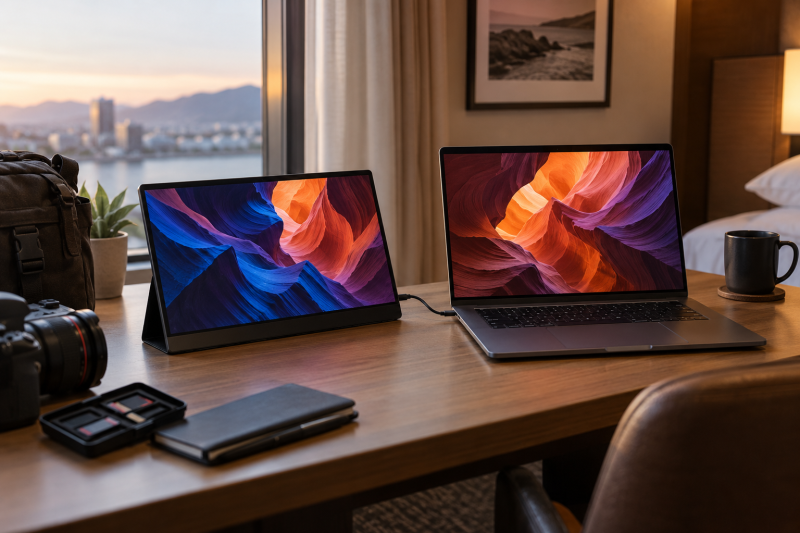
An OLED portable monitor can make a laptop-based photo review station more useful when a shoot moves between locations. It gives you a second display for selecting images, checking contrast, or keeping editing controls separate, without adding a full desk monitor to the kit.
The important limit is that OLED, 4K, and a wide-gamut number on a listing are not the same thing as a calibrated review workflow. These six models are portable second-screen options with different panel sizes, resolutions, and touch features.
For mobile photo review, connection reliability and usable scaling matter as much as the panel claim.OLED Portable Monitors Compared
| Image | Product | Details | Check Price |
|---|---|---|---|
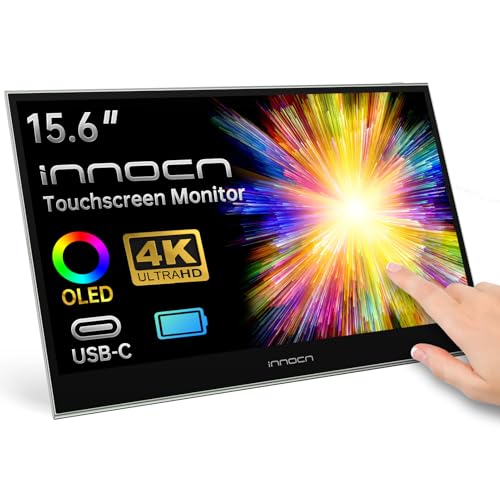 | INNOCN E15K1U-C4 | Best fit: 4K OLED touch review with internal battery power Panel: 15.6-inch 3840 by 2160 OLED, listed 100% DCI-P3 Touch: 10-point touchscreen Power: Built-in 5000mAh battery, listed up to 4 hours Connection: USB-C and mini HDMI | Check Price on Amazon |
 | Acer ProDesigner PE160W | Best fit: Color-focused 16:10 mobile photo review Panel: 16-inch 1920 by 1200 OLED, listed 95% DCI-P3 Color claim: Factory calibrated to Delta E below 2, Calman Verified Weight: 1.43 lb Connection: Two USB-C ports and full-size HDMI | Check Price on Amazon |
 | ViewSonic VX1655-4K-OLED | Best fit: 4K OLED screen Panel: 4K UHD OLED Touch: See listing Connection: See listing | Check Price on Amazon |
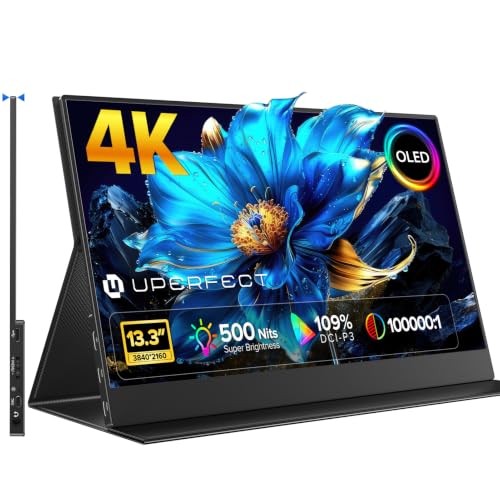 | UPERFECT M133J03 | Best fit: Compact 4K OLED option Panel: 13.3-inch 4K OLED, listed 109% DCI-P3 Touch: See listing Connection: See listing | Check Price on Amazon |
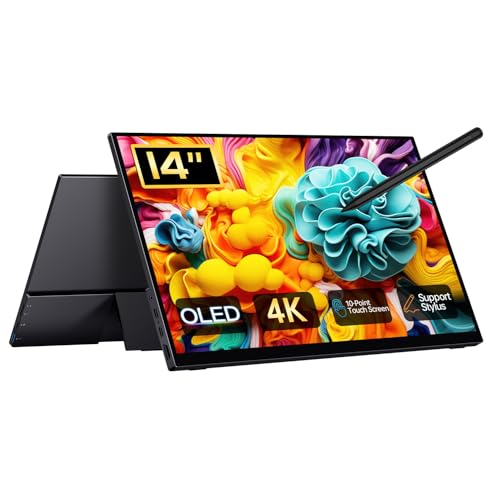 | Qunub BU14TO | Best fit: 14-inch high-resolution pick Panel: 14-inch 3840 by 2400 OLED Touch: See listing Connection: See listing | Check Price on Amazon |
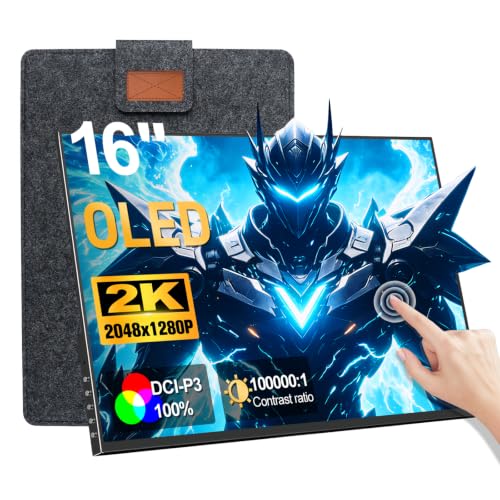 | JUNEBOX Mon-215-fhd | Best fit: 120Hz touch OLED option Panel: 16-inch 2K OLED, 120Hz Touch: Touchscreen Connection: See listing | Check Price on Amazon |
1. INNOCN E15K1U-C4 15.6-inch 4K OLED Touch Portable Monitor — Best All-Around 4K OLED Photo Screen
INNOCN lists the E15K1U-C4 with a 15.6-inch 3840 by 2160 OLED panel, 10-point touch, 100% DCI-P3, USB-C, and mini HDMI. The combination suits a detail-oriented second screen for image selection, side-by-side comparison, and touch-based zooming.
Its built-in 5000mAh battery is listed for up to four hours, which can reduce cable clutter during short reviews. The 100,000:1 contrast ratio and gamut figure remain listing specifications, not a calibration result, so final color decisions still need a repeatable color-management setup.
Our Take Buy the INNOCN if you need 4K, OLED, touch, and short-session battery power in one mobile panel. It is strongest when touch zooming and cable-free review matter enough to justify a dense 4K interface.
- Lists 4K OLED, 10-point touch, and two video connection types.
- 5000mAh internal battery supports short reviews away from wall power.
- Listed gamut and contrast do not establish calibration accuracy.
- 4K scaling needs a deliberate setup on a 15.6-inch screen.
2. Acer ProDesigner PE160W 16-inch 16:10 OLED Portable Monitor — Best Color-Focused 16:10 Pick
The Acer ProDesigner PE160W listing identifies a 16-inch 1920 by 1200 OLED portable monitor with a 16:10 aspect ratio and 95% DCI-P3. The taller shape gives a photo browser, adjustment panel, or contact sheet more vertical room than a 16:9 screen at the same width.
Acer lists factory calibration to Delta E below 2, Calman verification, and an individual test report in the box. Those claims make it the most color-focused replacement, while two USB-C ports and full-size HDMI offer practical connection choices. Verify that the chosen laptop USB-C port supplies the display signal and power arrangement the monitor expects.
Our Take Buy the Acer if your mobile photo workflow benefits from a 16:10 canvas and documented factory-calibration claims. Its WUXGA resolution trades 4K detail for more relaxed interface scaling on a 16-inch screen.
- 16:10 WUXGA layout adds vertical room while keeping controls readable.
- Listing includes Delta E below 2 calibration and Calman verification.
- Two USB-C ports and full-size HDMI provide useful field connection choices.
- 1920 by 1200 shows less fine detail than the listed 4K models.
- Confirm USB-C video and power support on the laptop before travel.
3. ViewSonic VX1655-4K-OLED 4K UHD OLED Portable Monitor — Best 4K OLED Screen
ViewSonic lists the VX1655-4K-OLED as a 4K UHD OLED portable monitor. The panel is a practical fit for viewing a full photo alongside controls or metadata, particularly when the laptop screen is already occupied by a file browser.
It is still a compact panel, so how well it works for you depends on operating-system scaling, desk position, and the viewing distance you can keep during a shoot. Use the extra resolution for image detail, not as a reason to crowd every panel onto one display.
Our Take Buy the ViewSonic if a larger screen is your first priority in a 4K OLED. A 16-inch display can be more comfortable for a longer review session than a smaller travel panel, provided your bag and power setup can accommodate it.
- Lists a 16-inch 4K UHD OLED panel.
- More room for image and metadata views.
- A larger portable panel takes more bag space.
- Small 4K controls still depend on scaling.
4. UPERFECT M133J03 13.3-inch 4K OLED Portable Monitor — Best Compact 4K OLED Option
UPERFECT lists a 13.3-inch 4K OLED portable monitor with 109% DCI-P3 and 500 nits. Its smaller panel suits a compact camera bag and can work well as a sharp image-review companion where desk space is limited.
The tradeoff is physical control size. A 4K desktop on 13.3 inches needs thoughtful scaling, so this model suits image inspection and reference viewing better than a touch-heavy palette full of small buttons.
Our Take Buy the UPERFECT if compact carry weight counts for more than a roomy work surface. It makes the most sense as a sharp review display beside a laptop, not as a replacement for a bigger editing monitor.
- 13.3-inch size suits a small travel setup.
- Lists 4K OLED and 500 nits.
- 4K controls may be very small at this size.
- Gamut figures are listing claims, not a test.
5. Qunub BU14TO 14-inch 4K OLED Portable Monitor — Best 14-inch High-Resolution Pick
Qunub lists a 14-inch 3840 by 2400 OLED portable monitor with 100% DCI-P3 and a 100,000:1 contrast ratio. The taller pixel count can be appealing for a narrow editing desk where a 16:10 application layout needs a little more vertical detail.
This model is for a buyer who values a middle ground between 13.3-inch portability and 15.6-inch workspace. Confirm the practical panel dimensions and connection instructions in the listing before assuming its resolution alone makes it a better field screen.
Our Take Buy the Qunub if you want a 14-inch compromise for mobile review. It has more physical room than the smallest option without committing to a full 15.6- or 16-inch panel.
- 14-inch size balances travel and workspace.
- Lists a 3840 by 2400 OLED panel.
- Resolution needs scaling on a compact panel.
- Listing specifications are not measured results.
6. JUNEBOX Mon-215-fhd 16-inch OLED Touchscreen Monitor — Best 120Hz Touch OLED Option
JUNEBOX lists a 16-inch OLED touchscreen with 2K resolution, 120Hz refresh, and speakers. It is the outlier in this list, a photo-review screen that can also serve as a side display you control by touch for video controls or an image-rating workflow.
Its 2K resolution is less dense than the 4K models, which can make user-interface controls easier to see and tap at the same physical size. Pick it for touch and refresh features rather than expecting the same pixel-level detail from it as from a 4K panel.
Our Take Buy the JUNEBOX if your workflow mixes photo review with touch controls or responsive preview windows. A buyer focused only on dense image detail should compare the 4K options first.
- Lists OLED, touch, and 120Hz refresh.
- 2K can keep controls more readable than 4K.
- Not the highest listed resolution here.
- Touch support still depends on the host setup.
Buying Guide
Treat calibration as a separate decision
OLED and a wide-gamut listing claim do not make a display calibrated. A portable monitor can be an excellent review companion, but critical color work still needs a managed workflow: the same color settings, a controlled brightness target, and a monitor profile you understand.
Brightness consistency and viewing conditions affect what you see when you compare images away from a fixed desk. Avoid making final delivery calls from a panel viewed in direct sun or at an arbitrary brightness. Use the portable screen for selection and detail checks unless you have validated the complete color path.
Match resolution to physical size and scaling
4K on 13.3 or 14 inches means dense detail, but only after the operating system scales menus and controls to a usable size. A high-resolution panel helps you inspect fine detail, e.g., a retouching artifact, while an unscaled desktop can leave you reaching for tiny targets.
A larger portable screen has more physical room for a photo browser and a companion panel. The ViewSonic VX1655-4K-OLED is the better pick when longer review sessions count for more than the smallest packed size.
Build a dependable field connection
A full-featured USB-C port is not guaranteed on every laptop. Check whether the specific port carries video and whether the monitor needs extra power. A neat one-cable desk is convenient, but it should not be the reason you discover a display incompatibility on location.
HDMI plus power can be a sensible fallback when a camera workstation already uses USB-C for storage or charging. Pack the required cable and power adapter, and test the whole kit before a shoot. Our USB-C monitor guide covers the host-side questions in more depth.
Frequently Asked Questions
Is an OLED portable monitor good enough for photo editing?
It can be useful for review, sorting, and a second editing view. The panel technology alone does not verify color accuracy, so you should not treat the screen as a reference for final color without a controlled color-management workflow.
Use it to make a laptop workspace more comfortable, then confirm critical output on the display and environment you trust for delivery. A portable OLED is a tool in the workflow, not proof that the workflow is color-managed.
Should I choose 4K or 2K for mobile photo review?
Choose 4K for dense detail and 2K for more relaxed interface scale. At compact sizes, 4K makes inspection easier but depends heavily on scaling, while 2K can leave editing controls easier to read.
The best choice depends on what stays on the display. Pick 4K for detail and a large preview, or a lower-density model when the screen will mostly show controls, ratings, notes, or a secondary application.
Does USB-C carry power and video for these monitors?
Sometimes, but the answer is specific to the laptop port, cable, and monitor. USB-C can support several different functions, so a charging port or USB data port does not automatically provide display output.
Read both product manuals before relying on a single cable, and bring a tested alternative for a location job. A portable monitor stand can also help keep the screen stable once the connection is sorted.
Bottom Line
The INNOCN E15K1U-C4 is the broadest 4K OLED, touch, and battery-powered option in this group. Choose the Acer ProDesigner PE160W for a taller 16:10 workspace with documented factory-calibration claims, or the UPERFECT M133J03 when compact packed size comes first. In every case, verify the host connection and keep listing claims separate from a managed color workflow.