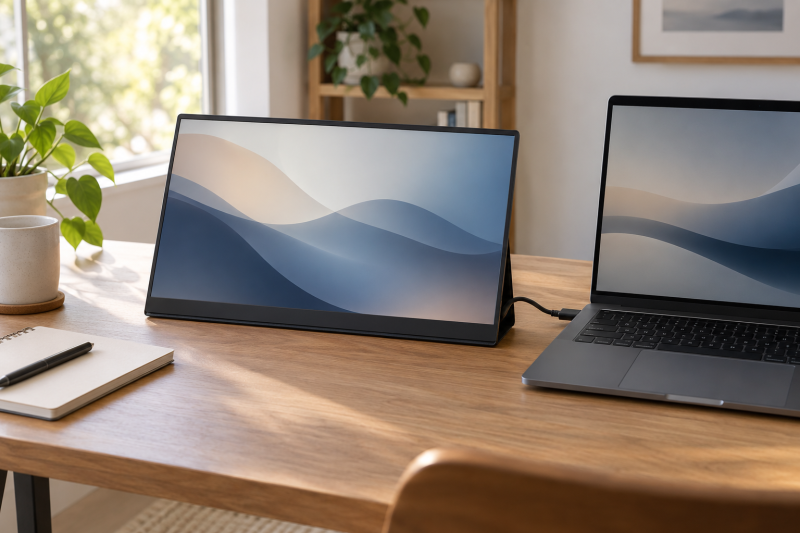
A touch-enabled portable monitor can give a laptop desk a separate place for the controls you use most, e.g., a timeline. The useful question is whether the monitor accepts touch in the connection and operating-system setup you actually use.
This guide compares six 15.6-inch touch portable monitors whose Amazon US listings identify USB-C or HDMI connectivity. They are best treated as compact second displays for a desk, not as replacements for a calibrated main monitor.
A touch screen earns its space when it keeps a repeat control panel off the laptop display.Portable Touchscreen Monitors Compared
| Image | Product | Details | Check Price |
|---|---|---|---|
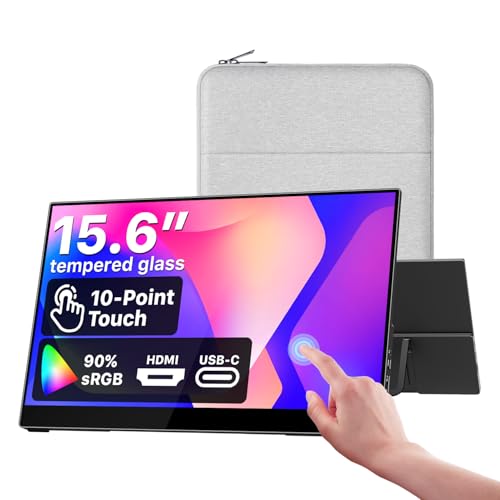 | cocopar Y156FH7LHT | Best fit: Simple laptop tool palette Panel: 15.6-inch 1080p, listed 90% sRGB Touch: Touchscreen Connection: USB-C, HDMI | Check Price on Amazon |
 | Viyivwine PDM-15T | Best fit: Faster touch-side screen Panel: 15.6-inch 2880 by 1620, 100Hz Touch: 10-point touch Connection: USB-C, HDMI | Check Price on Amazon |
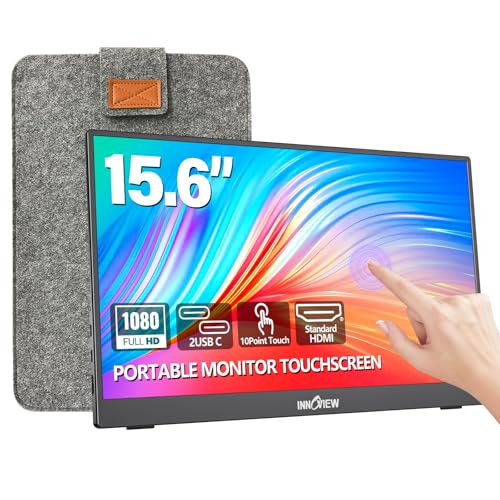 | InnoView INVPM001 | Best fit: Basic touch screen with stand Panel: 15.6-inch 1080p, 60Hz Touch: 10-point touch Connection: USB-C, HDMI | Check Price on Amazon |
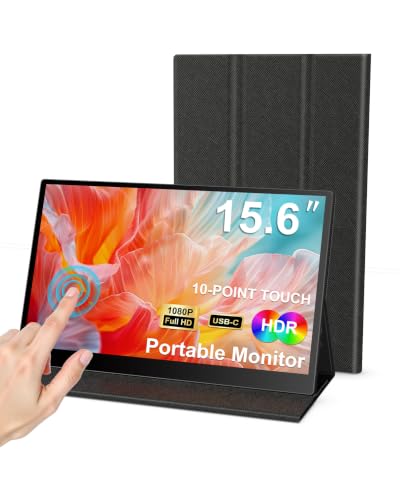 | KOOFORWAY SXMFPT21501 | Best fit: Minimal FHD touch option Panel: 15.6-inch FHD Touch: 10-point touch Connection: See listing | Check Price on Amazon |
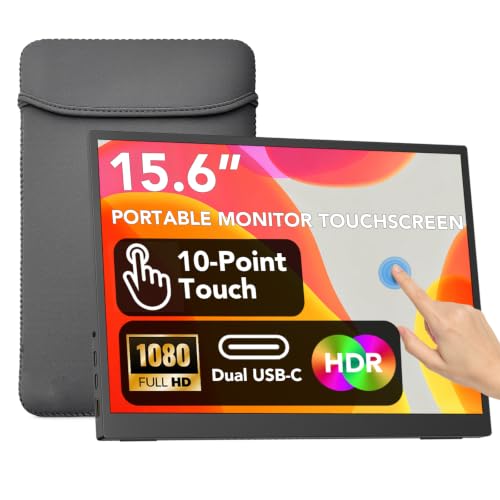 | IBW 15T | Best fit: IPS-labeled touch display Panel: 15.6-inch 1080p FHD IPS Touch: Touchscreen Connection: USB-C | Check Price on Amazon |
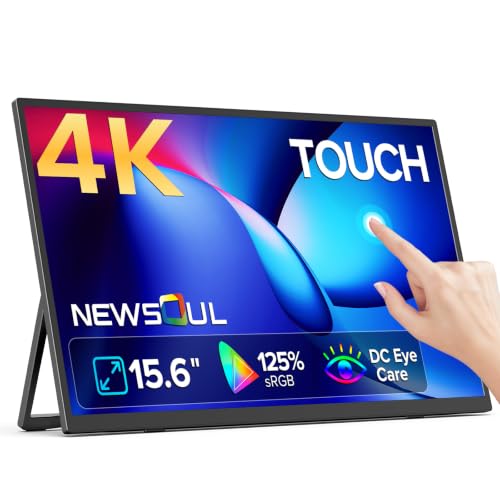 | Newsoul PM157064 | Best fit: 4K tool palette Panel: 15.6-inch 3840 by 2160, listed 125% sRGB Touch: Touchscreen Connection: See listing | Check Price on Amazon |
1. cocopar Portable Monitor Touchscreen 15.6-inch 1080p FHD 90% sRGB — Best Simple Laptop Tool Palette
The cocopar listing combines a 15.6-inch 1080p touch display with USB-C, HDMI, speakers, and VESA mounting. The mix is practical when the second screen sometimes travels with a laptop and sometimes sits beside it on an arm.
Its listing calls out 90% sRGB, but that alone does not establish color accuracy or calibration. Use it for tool palettes, reference windows, or notes before trusting it for final color decisions.
Our Take Buy the cocopar if you want an uncomplicated laptop tool palette. The listed USB-C and HDMI options let you plan around different hosts, and VESA compatibility suits a more permanent desk.
- Listing includes USB-C, HDMI, and VESA mounting.
- 1080p suits ordinary palette and annotation work.
- Listed gamut is not a calibration result.
- Touch behavior still depends on the host connection.
2. Viyivwine 15.6-inch 100Hz Portable Monitor Touchscreen — Best for a Faster Touch-Side Screen
Viyivwine lists a 100Hz 2880 by 1620 touch display with 10-point touch, USB-C, HDMI, a sleeve, and a built-in stand. A higher listed refresh rate is useful to notice when the palette screen also carries scrolling panels or a preview window.
The listing’s 1200:1 contrast figure describes a product claim, not a measured comparison with the other screens. Choose it because the connection, stand and refresh rate suit your desk, rather than treating one number as a quality ranking.
Our Take Buy the Viyivwine if a faster listed panel is part of your brief. Its compact 2880 by 1620 panel makes the listing a clearer choice than a basic duplicate.
- Lists a 100Hz panel and 10-point touch.
- Includes both USB-C and HDMI in the stated connections.
- Higher resolution can need deliberate scaling.
- The listed stand may not suit every monitor height.
3. InnoView INVPM001 15.6-inch Touchscreen Portable Monitor — Best Basic Touch Screen with a Stand
InnoView’s listing specifies a 15.6-inch 60Hz 1080p touch monitor with 10-point touch, USB-C, HDMI, a protective sleeve, and a built-in stand. With a familiar set of parts, it is a sensible comparison point for a laptop user who needs touch more than high refresh.
The relevant question is whether your laptop can carry display, power, and touch data over the USB-C path you intend to use. If not, plan the HDMI and power arrangement before assigning this screen a permanent desk role.
Our Take Buy the InnoView if you want an uncomplicated touch extension with a stand rather than a chase for top specifications. It makes the most sense when 60Hz is enough for the app controls you keep beside the laptop.
- Lists 10-point touch and a built-in stand.
- USB-C and HDMI widen host options.
- Listed refresh rate is 60Hz.
- Connection planning matters for touch support.
4. KOOFORWAY SXMFPT21501 15.6-inch FHD Touchscreen — Best Minimal FHD Touch Option
KOOFORWAY lists a 15.6-inch FHD 1080p monitor with 10-point touch. It is the plainest entry in the group, which can be an advantage when the job is simply putting a touchable mixer, shortcut pad, or annotation canvas beside the laptop.
Before buying, inspect the listing’s included-cable and power details rather than assuming any USB-C cable will carry the display and touch connection. A known-good full-featured cable is a more useful desk accessory than an extra resolution claim.
Our Take Buy the KOOFORWAY if you want a straightforward FHD touch surface and the listing’s included setup fits your laptop. It has less stated differentiation than the picks above, so it suits a comparison that rests mainly on price.
- Lists FHD resolution and 10-point touch.
- A simple fit for a dedicated control surface.
- Listing states fewer distinguishing features.
- Cable capability needs checking before setup.
5. IBW 15T 15.6-inch 1080p FHD IPS Touchscreen — Best IPS-Labeled Touch Display
The IBW 15T listing identifies a 15.6-inch 1080p FHD IPS touch portable monitor with USB-C. An IPS panel label can be useful for a side display viewed from an angle, though the listing label does not replace a measured viewing-angle test.
It fits a compact laptop workstation where the display stays nearby and has a stable utility role. Confirm that the USB-C connection supports the display mode your laptop exposes before making touch controls part of a production routine.
Our Take Buy the IBW if you want a simple USB-C touch extension and an IPS label as a comparison point for angled desk viewing. Keep your expectations tied to the exact ports and host support you can verify.
- Listing identifies an IPS FHD panel.
- USB-C connection suits compact desks.
- USB-C capability varies by laptop port.
- No standalone calibration claim belongs here.
6. Newsoul PM157064 15.6-inch 4K Portable Touchscreen — Best for a 4K Tool Palette
Newsoul lists a 15.6-inch 3840 by 2160 touchscreen with 125% sRGB. More pixels can make a small screen useful for dense editing controls, but whether those controls remain comfortably touchable depends on operating-system scaling.
It is the specialist option for people who want a sharper reference or detail view beside a laptop. It is not automatically the best palette screen, because a 4K desktop at this size can demand more careful scaling than a 1080p panel.
Our Take Buy the Newsoul only if 4K is part of your workflow. For a panel full of large touch controls, the simpler 1080p screens can be easier to operate and less demanding to configure.
- Lists 4K resolution in a compact format.
- Could suit a dense reference or detail panel.
- Small 4K controls need deliberate scaling.
- Listing gamut is not a color-accuracy result.
Buying Guide
Verify the USB-C path before choosing a screen
USB-C is a connector, not a complete capability statement. A laptop port may carry power, data, DisplayPort video, or some combination of those functions. A touch monitor needs the display path and a way for touch input to return to the host, so check the laptop manual and the monitor listing before assuming one cable covers both jobs.
If your laptop has a limited USB-C port, HDMI plus separate power may still give you a useful second screen, but it changes cable routing and can change touch behavior. Test the exact host, cable, and monitor arrangement while you can return the hardware, especially if your workflow depends on pen-like annotation or multitouch gestures.
Choose pixel density for the controls you touch
1080p at 15.6 inches is often the easier choice for oversized timeline controls, call buttons, and shortcut panels. It gives those elements physical room without forcing aggressive operating-system scaling. The cocopar Y156FH7LHT and InnoView INVPM001 fit that practical pattern.
4K at 15.6 inches makes more sense for a compact detail view, a high-resolution reference image, or an application that benefits from more workspace. Scaling is not an afterthought. If the controls become too small for comfortable touch use, the higher resolution can make the tool palette less useful rather than more useful.
Plan the physical desk position
Touch use changes the ergonomics of a second monitor. Put the display close enough that repeated reaches do not turn into shoulder movement, and use a stand or arm that stops the screen sliding when you tap it. A screen used mainly for glances can sit farther away than one used for sliders and annotations.
VESA mounting and a built-in stand solve different problems. A travel desk benefits from a folding stand and a protective sleeve, while a permanent tool palette benefits from repeatable placement. If you already use a monitor arm, verify the mounting pattern and weight support instead of buying a screen around a generic compatibility assumption.
Frequently Asked Questions
Will any USB-C laptop port make a touchscreen monitor work?
No. USB-C ports differ in video and data support, and the monitor’s exact connection method affects the result. A port that supplies charging or ordinary data may not provide the display signal a portable monitor needs.
Check the laptop’s technical documentation, then compare it with the monitor listing’s port instructions. If your laptop needs HDMI for video, plan for any separate USB connection or power connection that the touch display requires.
Is a 4K portable monitor better for a tool palette?
Not always. A tool palette’s usefulness depends on physical control size as well as pixel count. At 15.6 inches, 1080p can keep buttons and faders easier to hit, while 4K can provide space for dense reference work.
Use a 4K model when your software benefits from a sharper detail view and you are comfortable adjusting scaling. Use a 1080p option when the screen will mostly hold touch controls, notes, or a simple secondary window.
Can a portable touch display replace a main editing monitor?
Usually it is better treated as a second display. A portable panel’s listed gamut or resolution is not a calibration certificate, and small screens constrain how much timeline or image detail you can comfortably evaluate.
For a full desktop layout, pair it with a properly positioned main monitor and reserve the touch screen for controls, notes, or a reference view. See our portable monitor stands guide if the screen needs a more stable desk position, or our USB-C monitor guide when the main display needs laptop charging too.
Bottom Line
For a straightforward touch-enabled laptop side screen, start with the cocopar Y156FH7LHT. Pick the Viyivwine PDM-15T if you want its listed 100Hz panel, or the Newsoul PM157064 when a compact 4K detail display is the goal. Before choosing any of them, verify the laptop’s video-capable USB-C or HDMI route and the touch connection it needs.