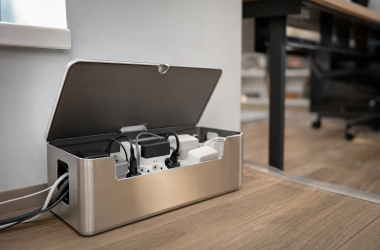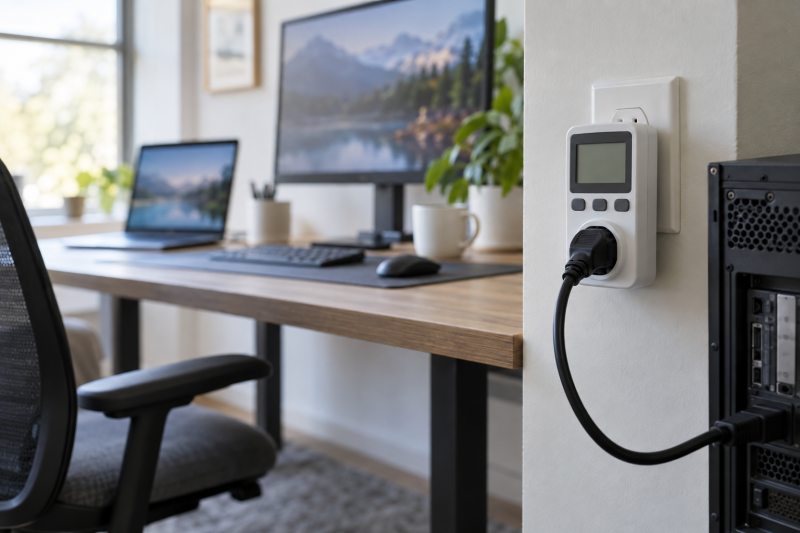
A plug-in outlet meter answers a pre-UPS question. What is this desk drawing from the wall? It does not replace a UPS runtime calculation or an electrical inspection, but it can show the changing load from a computer, displays, speakers, chargers, and accessories over a normal work session.
This guide compares six Amazon US outlet meters with active New offers. Choose by outlet layout, range, cord arrangement, and warning behavior, since they decide whether the meter is practical for the equipment you use.
Measure the load at the wall before choosing a UPS capacity or assuming a power strip tells the full story.Outlet Power Meters Compared




1. MECHEER Watt Meter — Corded Display Placement
MECHEER lists a plug-in watt meter with seven display modes for readings including watts, kilowatt-hours, voltage, amps, frequency, power factor, and cost. Its 13-inch, 16AWG extension cable can put the display where you can see it when the wall outlet sits behind a desk or rack.
The listing also describes adjustable overload protection from 0 to 3680W. The protection is a listed device feature, not proof that it is the right plan for every circuit. Use the meter to observe one load at a time and keep its stated range in mind when connecting equipment.
Our Take Buy the MECHEER if a direct plug-in meter would disappear behind furniture. The short cord makes routine checks easier, and the listed screen modes cover the baseline readings a workstation inventory needs.
- Listed 13-inch extension moves the display forward.
- Seven listed modes include watts and kilowatt-hours.
- One outlet measures one connected load path.
- Listed overload range still needs checking against the job.
2. kuman KW47-US — Simple Seven-Mode Meter
kuman lists the KW47-US with seven monitoring modes for power, voltage, current, frequency, power factor, energy, and cost, plus minimum and maximum readings. These readouts suit a straightforward check of a desktop system when you want to see whether its active load changes during exports, charging, or normal idle work.
The listing also states power-off memory and an overload setting that you configure before use. Those features are useful only if the meter is set up deliberately. Record the device or power strip being measured, then compare like-for-like sessions instead of treating one brief reading as a complete power profile.
Our Take Buy the kuman if you want a conventional one-outlet meter with the core readouts. It is a sensible fit when you want a simple screen and do not need a cord or two-outlet arrangement.
- Lists power, energy, voltage, current, and power-factor readings.
- Listing states power-off memory.
- No extension cable is listed.
- Overload setting needs configuring before use.
3. KETOTEK KTEM01 — Eleven-Mode Backlit Meter
KETOTEK lists eleven monitoring modes on the KTEM01, including watts, kilowatt-hours, voltage, frequency, amps, power factor, minimum and maximum power, cost, and elapsed time. A backlit LCD is also listed, which can make a meter behind a dim desk easier to read without adding a separate light.
Its listed adjustable overload range is 0 to 3680W. More modes do not make an uncertain measurement more accurate, but they do give you more ways to document a session. Use the same mode and interval when comparing one workstation configuration against another.
Our Take Buy the KETOTEK if the extra display modes and backlight make readings easier at your desk. It is a feature-rich single-outlet option, not a replacement for measuring separate loads independently.
- Lists eleven monitoring modes.
- Backlit LCD is listed for display visibility.
- Single outlet limits separate-device comparison.
- Listed range is not an electrical-system assessment.
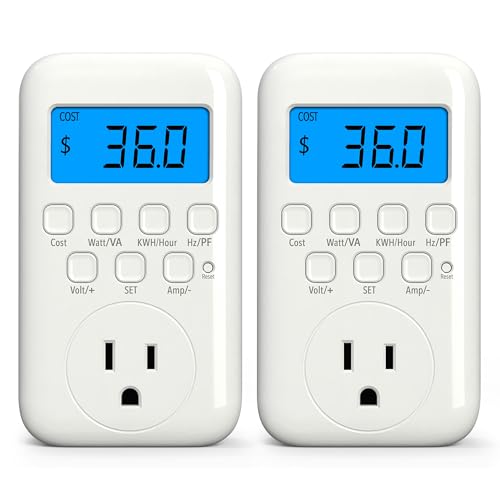
4. HBN U167J 2 Pack — Two Outlets to Measure
HBN sells the U167J as a two-pack of meters rather than one dual-outlet meter. Each unit lists nine modes for watts, VA, kilowatt-hours, time, frequency, power factor, voltage, current, and cost. Two meters can be more useful than one when you need to compare a computer setup with a second monitor chain at the same time.
The stated input limit is 125VAC, 15A, and 1875W. Treat that limit as a reason to identify the connected device and circuit before plugging it in. Two separate meters also mean two readings to label carefully, especially when a workstation has similar-looking power bricks.
Our Take Buy the HBN if two independent outlet measurements are more useful to you than having every feature in one device. The two-pack lets you observe two separate desk loads concurrently, at two different wall positions if needed, which the single-outlet meters in this list would need a second purchase to match.
- Two meters support two separate measurements.
- Lists VA alongside watts and energy.
- Requires tracking which meter belongs to which load.
- Listing states a 125VAC, 15A, 1875W limit.
5. SURAIELEC WMA02A — Wide Voltage Range
SURAIELEC lists the WMA02A with a 90 to 250VAC and 0 to 16A range, plus up to 3680W. The listing also calls out a 0.1W resolution and 90-day data memory. Those listed details make it a candidate where a longer observation history is more useful than just seeing an instant watt number.
The range does not establish suitability for every regional outlet or appliance. Confirm the supply and the connected device before use. For a desk, the practical benefit is the ability to compare an ordinary workday with a heavier day without starting every note from zero.
Our Take Buy the SURAIELEC if you want a meter with a listed wide input range and longer memory. It makes the most sense when you want to revisit measurements over time rather than only check a one-off load.
- Lists 90 to 250VAC and 0 to 16A ranges.
- Listing states 90-day data memory.
- One outlet still represents one load path.
- Supply compatibility needs confirming first.
6. Briidea Two-Outlet Meter — Two Devices Independently
Briidea lists a two-outlet power meter with independently monitored outlets, a 14AWG extension cord, and modes for watts, voltage, current, frequency, kilowatt-hours, time, and power factor. This layout is relevant when two devices share the same wall area but you want separate readings without carrying two standalone meters.
The listing states a 1200W warning feature. It does not say what your workstation should consume. Use the two outlets to distinguish a computer from a display chain or speaker system, then keep any high-draw equipment within the limits printed for the device and circuit.
Our Take Buy the Briidea if two independent readings at one location are the goal. The integrated cord and outlet layout can simplify a crowded desk, but its listed warning is not a substitute for circuit planning.
- Two outlets are listed as independently monitored.
- 14AWG extension cable is listed.
- Listed warning is 1200W.
- Does not show the load of an entire circuit.
Buying Guide
Measure the load you are actually trying to size
A single outlet meter measures the equipment downstream of that outlet. Put it between the wall and the computer, power strip, display chain, or other defined load you want to understand. If a UPS will protect several devices, measure the group in the configuration you expect to run, rather than adding unrelated readings from different days.
Watts and kilowatt-hours answer different questions. Watts show the load at a moment, while kilowatt-hours accumulate energy over time. Use the first to see how an export, charge cycle, or display wake-up changes the desk. Use the second to compare repeatable work sessions, with the same devices connected.
Choose the physical layout before extra screen modes
A direct plug-in meter can be hard to see behind a desk. A short extension, such as the one listed for MECHEER, can make the display accessible. The convenience counts for more than an extra screen mode if you will otherwise avoid taking readings because the outlet is blocked by furniture.
Two independent loads need two measuring paths. The HBN two-pack lets you meter separate loads simultaneously, while the Briidea lists two independently monitored outlets in one body. Decide whether you need two physical positions or one shared wall location before choosing between them.
Treat listed limits as boundaries, not performance proof
Voltage, current, and watt limits belong in the setup check. The HBN listing states 125VAC, 15A, and 1875W, while the SURAIELEC listing states a broader voltage and current range. Read the exact labeling for the meter and your equipment before connection. A product listing does not establish the condition of a room circuit.
Do not turn a meter reading into a runtime promise. UPS runtime depends on its battery condition, conversion behavior, connected load, and other factors. Use an outlet meter to build a better starting estimate, then compare the UPS manufacturer guidance and test the completed setup safely if the decision is important.
Frequently Asked Questions
Can a plug-in meter tell me which part of my desk uses the most power?
It can help if you measure one defined device or power strip at a time. A computer, monitor chain, and speaker system can be checked separately when their plugs can be isolated. Write down the setup and the task running during each reading so the figures remain comparable.
For a whole desk, meter the shared power strip after you understand the individual large loads. The combined reading is useful for planning, but it does not automatically identify which device changed between measurements.
Should I use watts or kilowatt-hours for a UPS decision?
Start with watts for the active load you expect the UPS to carry. Look at a normal work state and any heavier state you expect, such as a render or a charging cycle. Watts tell you more about the immediate load than an energy total alone.
Kilowatt-hours are useful for documenting consumption over a session. They are not a direct UPS-runtime result. Use them alongside the UPS documentation and the actual connected load rather than treating a meter screen as a runtime calculator.
Is a two-outlet meter the same as measuring two separate circuits?
No. Two independently monitored outlets can separate two connected device loads, but they are still connected through the meter’s own supply path. They do not map or inspect the building circuits behind the wall outlet.
Use a two-outlet design when your aim is a cleaner comparison between two desk devices. If you need to evaluate electrical circuits or installation safety, that is a different job from appliance-level monitoring.
Bottom Line
For a blocked wall outlet, MECHEER Watt Meter is the practical first comparison because of its listed extension cable. For two separate desk loads, HBN U167J 2 Pack provides two meters. For two independent outlets at one location, Briidea Two-Outlet Meter is the relevant fit.