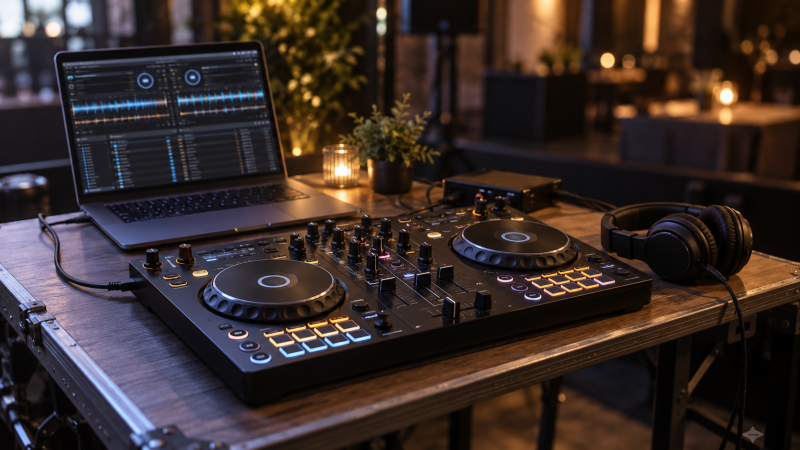
A laptop can hold the music library, but mixing with a trackpad is awkward when you need to cue the next song and move a fader at the same time. A portable USB DJ controller puts two decks, a mixer and hands-on controls in front of the computer. The smallest box is not always the best choice. You need a layout that fits your bag, an audio route for both the audience and your headphones, and software you can actually use.
These six exact Amazon US listings had active New offers at research time. They range from slim travel units to a larger two-deck board. None is a standalone player, and each needs a compatible host and DJ software. Streaming access, included software and phone support can change, so verify current terms before buying.
Choose the controller around your actual setup: laptop ports, DJ app, headphones, speaker connection and carrying space. A controller with a built-in audio interface can make cueing simpler, but it does not supply a PA system.Portable USB DJ Controllers Compared
| Image | Product | Details | Check Price |
|---|---|---|---|
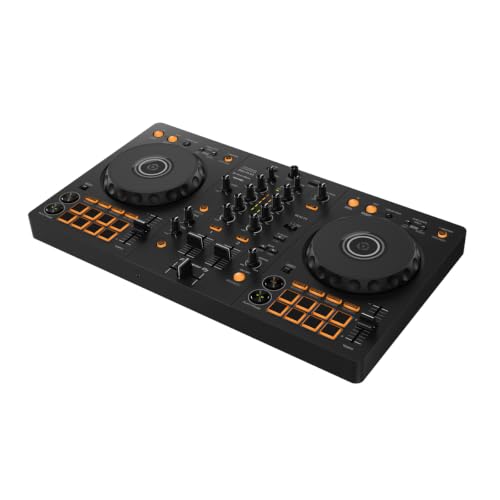 | Pioneer DJ DDJ-FLX4 | Decks: 2 Pads: 16 performance Audio: Built-in sound card listed Best fit: Main learning rig | Check Price on Amazon |
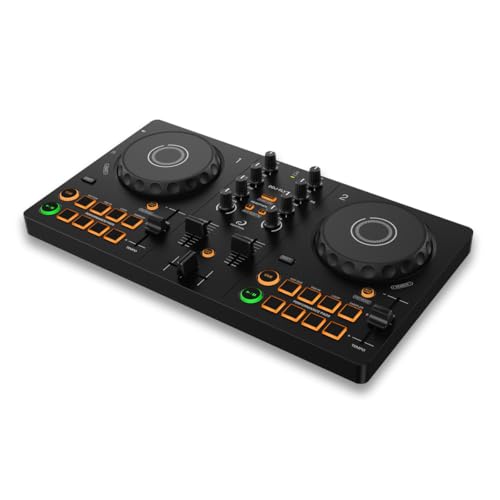 | AlphaTheta DDJ-FLX2 | Decks: 2 Power: USB-C bus power Output: 3.5 mm external Best fit: Compact USB-C start | Check Price on Amazon |
 | Hercules DJControl Starlight | Decks: 2 Audio: Built-in cue/main interface Software: Serato DJ Lite listed Best fit: Small bag with cueing | Check Price on Amazon |
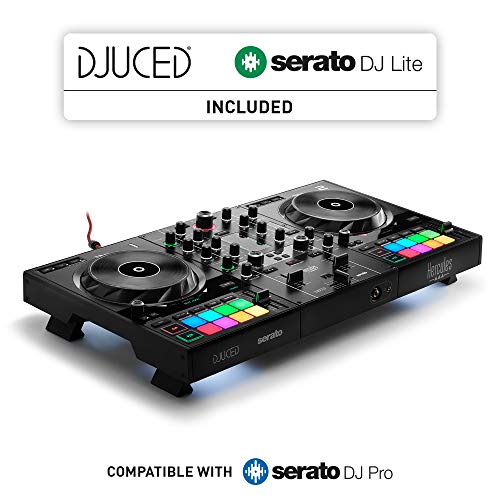 | Hercules DJControl Inpulse 500 | Decks: 2 Pads: 16 backlit Audio: Interface + hardware inputs Best fit: Roomier performance | Check Price on Amazon |
 | Numark Party Mix II | Decks: 2 Audio: Headphone + 3.5 mm main Extra: Built-in lights Best fit: Casual small event | Check Price on Amazon |
 | Numark DJ2GO2 Touch | Decks: 2 Audio: Headphone + 3.5 mm main Shape: Low profile Best fit: Ultra-slim travel | Check Price on Amazon |
1. Pioneer DJ DDJ-FLX4 — Best Room-to-Grow Two-Deck Control
The DDJ-FLX4 listing describes a two-channel, two-deck controller with sixteen performance pads for hot cues, pad effects, beat jump and samples. It suits a beginner who wants to learn on a familiar full controller layout rather than on a miniature emergency backup. The Smart Fader feature is described as helping match volume, bass and tempo across a transition. Smart Fader can help someone start, but learning manual beatmatching is still useful when software assistance is unavailable.
Pioneer DJ says this listing connects to computers and mobile devices and has a built-in sound card. Check the current supported app, operating-system version and connection method for the exact host you will carry. The listing mentions Bluetooth as an option. For a laptop set, confirm the wired USB path and the audio outputs before relying on any wireless claim. A larger surface takes more bag space than the Starlight or DJ2GO2 Touch, so measure the case rather than assuming every “portable” controller travels equally well.
Our Take Choose DDJ-FLX4 when the portable rig is your main learning and performance setup, not just a tiny spare. Carry its wider control surface if you will use the pads and full mixer layout.
- Two-deck, two-channel layout.
- Sixteen performance pads listed.
- Built-in sound card claimed.
- Larger to carry than the slim boards.
- Software and host support need checking.
2. AlphaTheta DDJ-FLX2 — Best Small USB-C Start
AlphaTheta positions the DDJ-FLX2 as its compact entry point for two-channel mixing. The exact listing names USB-C bus power, Smart Fader and a 3.5 mm external-speaker output. It says the controller can work with a phone, tablet or computer through compatible DJ apps. For a laptop rig, USB-C bus power means one less separate supply to pack, but the laptop must still have a suitable port or adapter and enough power for the complete setup.
The listing also describes using the host’s own speaker or an external output. The host-speaker option is useful while practicing, yet a live event needs a dependable audience feed and a separate cueing plan. Check the current rekordbox or djay compatibility, what functions are available without a paid tier, and whether your chosen laptop app exposes headphone cueing as expected. The Smart Fader is an aid to transitions, not evidence that every track pair will mix itself.
Our Take Pick DDJ-FLX2 for a light USB-C laptop kit when you want a conventional two-deck starting layout without carrying a larger board. Verify the software and audio route before the first event.
- USB-C bus power listed.
- Compact two-channel layout.
- 3.5 mm external output listed.
- App features depend on current support.
- Check the exact cueing path before a gig.
3. Hercules DJControl Starlight — Best Bag-Friendly Cueing
The Starlight is a small Hercules controller that lists Serato DJ Lite and a built-in sound card for headphone pre-listening and speaker output. The sound card is more important than the base lighting, because hearing the next track privately while sending the current one to speakers is a core DJ workflow. It also lists bass/filter control, cue modes, looping, effects, sampling and pressure-sensitive jog wheels. The controls are useful within a compact layout, though they are not the same physical size as the controls on a larger two-deck board.
Its RGB and strobe effects may suit a casual room, but they do not replace a speaker or lighting system. Check the actual output sockets and cable you need for the venue. Also confirm that your laptop runs a supported version of Serato and that the features you want are included in the Lite tier. A small controller can be easier to carry yet harder to make precise fader movements on, especially in a dark crowded setup.
Our Take Choose Starlight when a small bag is important but you still need headphone pre-cueing and a separate speaker feed. Treat the lights as optional decoration, not the buying reason.
- Compact travel-oriented body.
- Built-in sound card and cueing listed.
- Serato DJ Lite included in listing.
- Small controls may feel crowded.
- Light effects do not improve the audio route.
4. Hercules DJControl Inpulse 500 — Best Larger Performance Layout
The Inpulse 500 is the larger Hercules option here, with a listed two-deck USB controller, built-in audio interface and hardware input mixer. The listing names sixteen backlit pads, touch-detecting jog wheels and dedicated loop controls. If the laptop rig is also the regular home practice setup, having more physical separation between controls can make deliberate cueing and transitions easier than on a very slim board.
The seller describes retractable feet that raise the controller above the table. The raised height can help with cable routing and small spills, but it is not waterproofing. Check how the extra height, case and cables fit the travel bag. The listing mentions Serato and DJUCED, so confirm the exact current software tier and mappings for your laptop. The built-in interface and hardware inputs can be useful for a more complex setup, but only if you actually need those connections. Otherwise the extra bulk may not earn its place.
Our Take Pick Inpulse 500 if you can carry a larger board and will use its roomy controls and audio connections. For a lightweight backup rig, the smaller Hercules or Numark choices are easier to pack.
- Built-in audio interface listed.
- Sixteen pads and touch-detecting jog wheels.
- Hardware input mixing described.
- Raised-feet design listed.
- More space and carrying weight to plan for.
- Verify the software tier before relying on it.
5. Numark Party Mix II — Best Casual Party Setup
Numark lists Party Mix II as a USB two-deck controller with a built-in audio interface, two jog wheels and a simple mixer section. It includes Serato DJ Lite according to the offer text. There are performance-pad modes for cue points, loops, effects and samples, plus filter knobs and pitch sliders. The pads, filter knobs and pitch sliders are a practical mix of beginner controls for a small get-together, where setting up quickly is more important than matching the layout used in clubs.
The built-in LED light show is the obvious visual hook, but check the speaker and headphone outputs first. The listing describes a 3.5 mm main output and headphone output, and you still need the right cable or mixer input to reach the actual speakers. Streaming-service claims depend on subscriptions and Serato’s current integrations. Do not assume tracks from every service can be stored locally or played without an internet connection at the venue.
Our Take Choose Party Mix II for casual laptop DJing when the basic audio route and pad modes cover the job. The lights may be fun, but they should not outrank cueing or cable fit.
- USB two-deck layout with audio interface.
- Headphone and 3.5 mm main outputs listed.
- Multiple pad modes.
- Light show is not a substitute for PA gear.
- Streaming access depends on current terms.
6. Numark DJ2GO2 Touch — Best Ultra-Slim Travel Board
The DJ2GO2 Touch is a deliberately small option, and the listing calls it a two-channel Serato DJ Lite USB controller for Mac and Windows with a low-profile body. It has a crossfader, pitch faders and touch-capacitive jog wheels. Numark also names cue, loop and sample pad modes. It can serve a laptop DJ who needs a compact practice surface or a backup that takes little room beside the computer.
Its built-in interface lists 3.5 mm headphone and main outputs, which is important because a tiny board without a cueing path would be much less useful. Check the output cable and gain staging with the actual venue system. The listing mentions mapping to other DJ software, but do not assume every Serato control has an identical mapping elsewhere. Small faders and jog wheels are a deliberate portability tradeoff. A performer who scratches or makes frequent manual tempo adjustments may prefer more physical room.
Our Take Pick DJ2GO2 Touch when the controller must disappear into a laptop bag while still offering separate cue and main outputs. Accept the smaller controls as the price of that portability.
- Very low-profile travel shape.
- Separate headphone and main outputs listed.
- Two decks and touch jog wheels.
- Less physical room for precise movements.
- Other software mappings need checking.
- No standalone playback.
Buying Guide: Build the Whole Portable DJ Signal Path
Start with the software you will open on the laptop
A controller’s buttons send commands to DJ software and do not determine which music library or subscription the software accepts. Check the exact supported version of Serato, rekordbox, djay or DJUCED for your laptop operating system. Then verify whether cue points, effects and streaming integrations work in the included tier. A claim that a controller supports a service is not a promise that your current subscription, region or offline setup will work at an event.
Practice one complete two-deck transition with the intended software. Load tracks, set a cue point, send one deck to headphones and move the crossfader. If any step is missing, identify whether the limitation is the controller, software tier, audio settings or cabling. The compact USB MIDI keyboard guide covers a different job. A keyboard controller is not a DJ mixer.
Plan separate cue and audience outputs
For DJing beyond a practice mix, headphone pre-cueing lets you prepare the next track privately while the audience hears the current one. A built-in audio interface is useful only when it exposes an output arrangement compatible with your headphones and speaker feed. Check the exact sockets, cable type and the input expected by the venue mixer or powered speakers. The listing’s word “sound card” alone is not enough to design the whole chain.
Do a sound check at the actual destination if possible. Set safe output levels, play both decks, monitor the next track and test a cable disconnect. A portable controller does not drive passive speakers directly. If you need personal monitoring for recording or preparation at home, the closed-back tracking-headphone guide covers choosing headphones, a separate decision from DJ cueing and not an endorsement of any DJ cue setup.
Pack for the real table and travel route
Measure controller width, depth and cable clearance alongside the laptop, charger and headphone plug. A shallow board can still become awkward if its connectors exit toward the table edge. The Starlight and DJ2GO2 Touch prioritize travel size. Inpulse 500 gives more hand room but asks for a larger case. Use the product’s current dimensions and an actual bag measurement, since this comparison does not establish dimensions for every exact offer.
Finally, pack a tested USB cable and audio cable that match the chosen controller and host. DDJ-FLX2 explicitly lists USB-C, while the other listings use USB wording that should not be turned into an assumption about the port shape. A hub may help if the laptop has too few ports, but test it under the intended power and audio load before a set. Keep local music available if your performance would otherwise depend on venue Wi-Fi.
Frequently Asked Questions
Do these USB DJ controllers play music without a laptop?
No standalone media playback is established for any of these six exact offers. They are controllers for DJ software running on a compatible laptop or other supported host. A built-in audio interface sends sound from that software to outputs, and it is not a built-in music library or independent player.
Some listings name phone or tablet support, but that still means an external host and a compatible app. Check the exact device, software tier and power path before planning a set without a laptop. Do not infer standalone operation from the presence of jog wheels or a screen in promotional imagery.
Why do I need a headphone output if the laptop already has one?
The useful question is whether your setup can send one track to headphones while another plays to the audience. A controller with separate headphone and main outputs often makes that workflow easier. The Starlight, Party Mix II and DJ2GO2 Touch explicitly describe cue or headphone routes, but you still need to configure the DJ software correctly.
A laptop headphone jack by itself may duplicate the audience mix instead of providing a separate cue channel. Test the actual software audio settings and outputs before an event. Do not buy an adapter based solely on a connector photo. Confirm whether it carries the cue signal you need.
Is a smaller controller always better for travel?
Only if it leaves enough room to perform the tasks you repeat. Small jog wheels and faders save bag space but can make fine movements more difficult. The DJ2GO2 Touch is a travel-first option here, while a larger DDJ-FLX4 or Inpulse 500 may feel less cramped if you perform on it for hours.
Think of the complete kit rather than controller dimensions alone. A laptop power supply, headphones, output cables, case and perhaps a hub all travel with it. Measure the packed setup and rehearse on the size you intend to carry.
Bottom Line
Start with software compatibility and separate cue/main audio, then choose the physical size you can carry and play confidently. DDJ-FLX4 and Inpulse 500 offer more room to work. DDJ-FLX2, Starlight and DJ2GO2 Touch suit travel. Party Mix II suits a casual event where its basic outputs and controls are enough. Every choice still needs a current offer, working laptop app and tested speaker connection before it is ready for a live set.