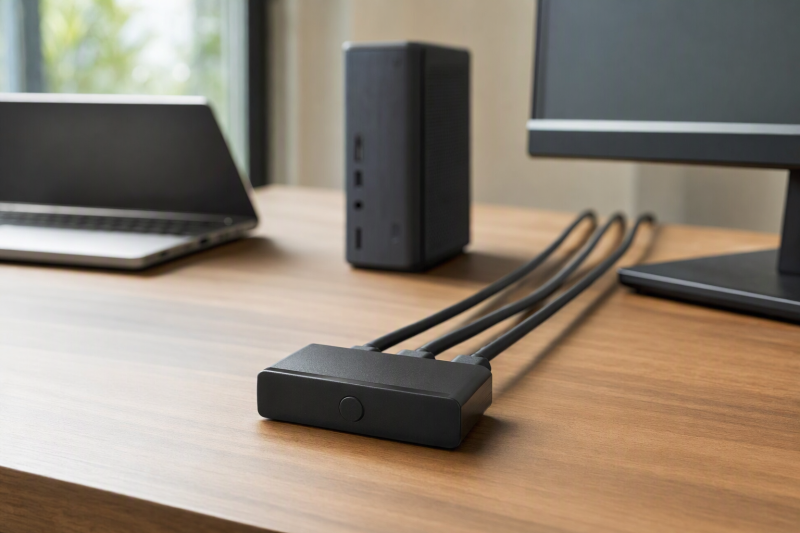
When a laptop, desktop and game console all need the same monitor, an HDMI switch saves you from repeatedly pulling cables. A three-in, one-out box selects one source and feeds one screen. It does not share a keyboard or mouse, duplicate the picture to multiple monitors, or create additional display outputs. Separate KVM and splitter products cover those jobs.
The choices range from a manual two-source 4K60 button to five-input remote-controlled units and a three-input option rated for 4K120. Count the devices you will actually connect, then match the monitor’s refresh mode, desk cable run and preferred way to switch.
An HDMI switch changes which source appears on one display. It does not transfer USB peripherals. Choose a KVM if the keyboard and mouse must follow the same button press.HDMI Switches Compared
| Image | Product | Details | Check Price |
|---|---|---|---|
 | Anker 2x1 | Inputs: 2 Video: 4K60 stated Control: Button Best fit: Two nearby sources | Check Price on Amazon |
 | UGREEN 5x1 | Inputs: 5 Video: 4K60 stated Control: Remote + button Best fit: Many desk sources | Check Price on Amazon |
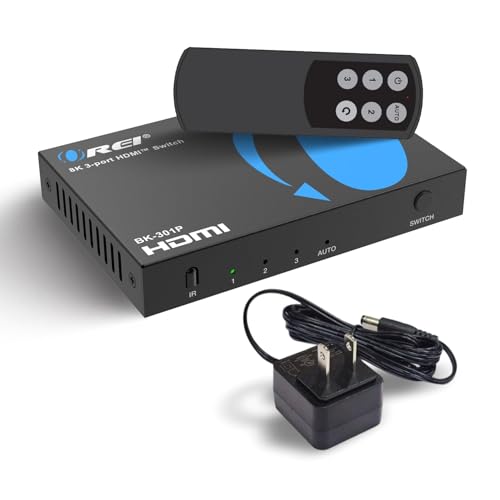 | OREI 8K 3x1 | Inputs: 3 Video: 4K120 stated Control: Remote/manual Best fit: High-refresh trio | Check Price on Amazon |
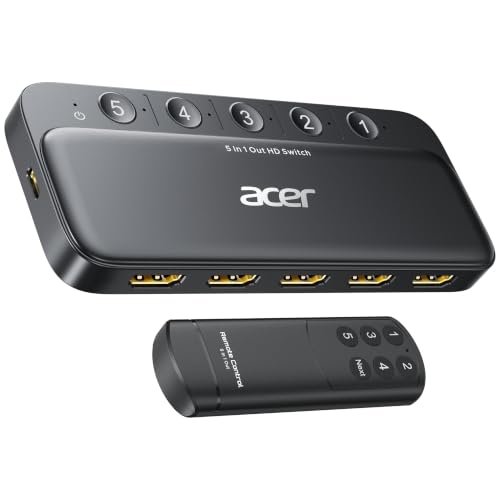 | Acer 5x1 | Inputs: 5 Video: 4K60 stated Control: Remote + button Best fit: Five-source alternative | Check Price on Amazon |
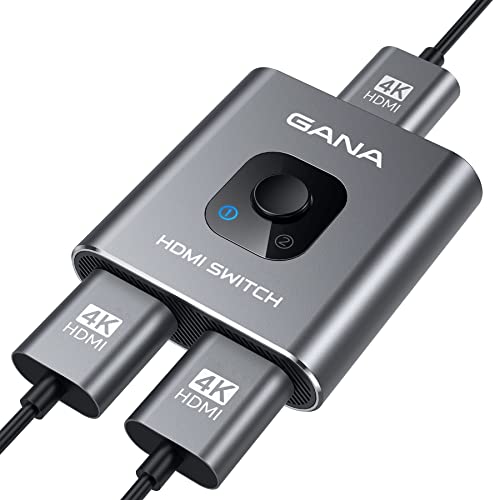 | GANA Bidirectional | Inputs: 2 in switch mode Video: 4K60 claimed Control: Button Best fit: Manual two-way layout | Check Price on Amazon |
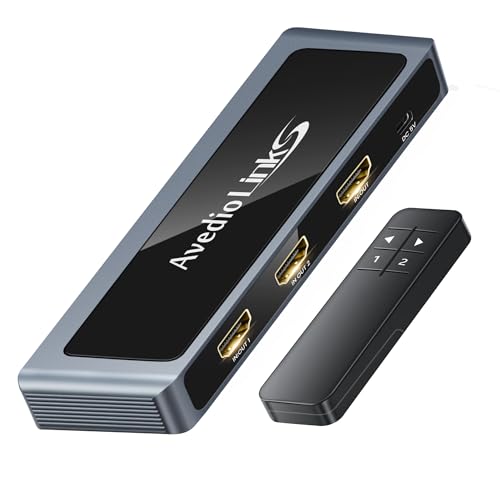 | 8K Bidirectional 2x1 | Inputs: 2 in switch mode Video: 4K120 claimed Control: Remote + button Best fit: Compact high refresh | Check Price on Amazon |
1. Anker 2×1 — Best Simple Two-Source Switch
Anker’s compact two-input, one-output switch is the straightforward choice for a laptop and one other HDMI source sharing a desk monitor. The checked listing states 4K at 60 Hz, a single manual button, and explicitly says there is no automatic source detection. One device is visible at a time, which helps if you want a deliberate, predictable change instead of having the monitor jump when a sleeping source wakes.
The caveat is cable length. Anker says both input and output HDMI leads should be under 3.3 feet with 30 AWG, with a combined length below 6.5 feet, to guarantee its stated 4K60 result. The cable limit is tight for a tower PC under a desk. Its listing also says no HDMI CEC. Do not buy it expecting the monitor remote to select the input, and do not buy it for a conference room that needs long cable runs. The checked package lists the switch and guide. Confirm any cable needs separately.
Our Take Buy this switch for a clean manual two-source desk, provided both source and monitor cables can be kept short enough for the claimed 4K60 mode.
- Simple button-selected 2×1 path.
- 4K60 stated.
- No surprise auto switching.
- Very short 4K60 cable guidance.
- No CEC.
- Only two sources.
2. UGREEN 5×1 — Best Five-Input Remote Choice
UGREEN gives a crowded desk five HDMI inputs and one output. Its listing states 4K60 over an 18 Gbps HDMI 2.0 path, with a handheld IR remote and a manual button. Port LEDs show which source is active. Five inputs suit a laptop, console, media player and other fixed devices when the switch can sit out of reach behind the monitor. The seller says switching is manual or by remote, not automatic.
Its USB power cable is included, but the power adapter, HDMI cables and remote battery are not. Budget those pieces, because the seller says the box needs a power source in normal use. UGREEN gives cable guidance of up to nine feet for the input and output cables at 4K60 and explicitly excludes ARC/eARC. The listed VRR and high-refresh modes at lower resolutions were not bench-verified here. Treat them as product claims to test with the actual monitor and source.
Our Take Buy this UGREEN for five fixed inputs with both remote and button control. It needs extra power and cables, so budget for the whole wiring plan.
- Five input ports.
- Remote and button switching.
- 4K60 stated.
- No adapter, HDMI cables or remote battery.
- No ARC/eARC.
- Automatic selection not supported.
3. OREI 8K 3×1 — Best Three-Source High-Refresh Option
This OREI three-input, one-output HDMI 2.1 switch lists 48 Gbps, 8K60 and 4K120. Those stated modes may suit a high-refresh monitor shared by a desktop, a laptop and a console, if the source, display and cables also support them. It includes a remote and power adapter. The listing names VRR and ALLM, but those modes and wake switching were not independently verified.
The Amazon title mentions manual and automatic switching, while an OREI three-port maker page describes a similar configuration without auto switching. The checked listing does not establish which maker model it matches, so do not depend on auto switching without confirmation from the exact purchased unit. Plan the purchase around the remote or manual selector. For 4K120, match the monitor input and use suitable HDMI 2.1 cables. A 48 Gbps label on the box alone does not validate the whole path.
Our Take Buy this OREI for three inputs and a stated 4K120 route. Treat automatic switching as unconfirmed.
- Three inputs with 4K120 claim.
- Remote and power adapter listed.
- Auto-switch claim is uncertain.
- High-refresh result needs capable cables and monitor.
4. Acer 5×1 — Best Five-Input Button-and-Remote Alternative
Acer’s checked listing describes five inputs to one monitor, 4K60, a remote and on-device buttons. It is a functional alternative to the UGREEN box when five sources are genuinely in use. LEDs identify the selected port, and the copy says automatic switching is not supported. Manual selection may be preferable at a shared desk where computers wake and sleep independently.
The package includes a USB-A-to-USB-C power cable, but no power adapter, remote battery or HDMI cables. The seller caps the total HDMI cable length at 10 feet for its 4K60 claim, which is different from a cap that applies to one cable at a time. Map the whole run from source to monitor before buying. Its statements on HDCP 2.3, HDR and surround audio remain listing claims, not guarantees for any particular laptop or screen. A five-input box is unnecessary if you will only ever switch two sources.
Our Take Buy this Acer as a second five-source choice with both control methods. The limit on total cable length is its biggest practical constraint.
- Five inputs, remote and buttons.
- 4K60 stated.
- 10-foot total cable limit stated.
- Power adapter, battery and HDMI cables absent.
5. GANA Bidirectional — Best Manual Two-Way Layout
GANA’s metal box has three HDMI sockets and a physical button. In switch mode it takes two sources to one display. In the other direction it can select one source to either of two displays, but only one display works at a time. The box is flexible for a desk rearrangement, not a substitute for a mirrored 1×2 splitter. Its listing states up to 4K60 with suitable HDMI 2.0 cables.
The seller says no external power is needed and asks for no more than three meters of total HDMI cable for its 4K claim. Its feature copy also lists 3.4 Gbps bandwidth, a number that is not enough by itself to establish a full-bandwidth 4K60 4:4:4 path. Treat the resolution as an attributed claim and test the exact image mode if sharp desktop text is a priority. There is no included HDMI cable or remote. For a simple 1080p office monitor, the bandwidth ambiguity may make less difference than the convenient two-way socket layout.
Our Take Buy this GANA as the manual choice that needs no external power, when a two-way arrangement is genuinely useful. Verify the exact 4K60 color mode rather than trusting the headline.
- Works as 2×1 or one-at-a-time 1×2.
- No power adapter required.
- Never drives two displays at once.
- Bandwidth copy is ambiguous for full-quality 4K60.
- Short total cable guidance.
6. 8K Bidirectional 2×1 — Best Compact 4K120 Claim
This bidirectional two-input/one-output selector lists a 48 Gbps HDMI 2.1 path and up to 4K120 or 8K60. In the reverse direction it can choose one of two displays, not feed both simultaneously. It includes a remote and USB-C power cable, unlike GANA’s purely manual option. For a single high-refresh monitor shared by two sources, the layout is useful on paper, though the listing does not establish independent lab performance.
The seller advises an HDMI 2.1 cable no longer than two meters for 4K120, and says some sources require USB-C power when HDMI power is insufficient. It does not include HDMI cables. The 4K144, VRR and Dolby Vision claims in the copy are not promises for every console, GPU, monitor and cable combination. Decide whether two inputs are enough. If a third source is coming soon, choosing the OREI three-input option avoids replacing the box.
Our Take Buy this switch as a compact high-refresh two-source candidate with remote control, and test the exact cable and power conditions at your own desk.
- 4K120/48 Gbps stated.
- Remote and USB-C power cable included.
- Two-way socket use.
- Only two inputs.
- Two-meter 4K120 cable guidance.
- USB-C power may be needed.
Buying Guide: Count Sources Before Bandwidth
Separate an HDMI switch from a KVM or splitter
An HDMI switch chooses one of several HDMI sources for one screen. A 2×1 model handles, for example, a laptop and desktop. A 5×1 handles five connected boxes. Bidirectional models can reverse the socket direction, but their “one to two” mode generally selects one display at a time. It does not mirror to both displays. If you need the same image on several screens simultaneously, buy a splitter designed for that job.
Video selection is not peripheral sharing. None of these picks is claimed to move a keyboard, mouse or USB webcam between computers. Our dual-monitor KVM guide covers that larger workflow. If you already have a monitor with two useful inputs, its built-in input menu may be enough. An external switch makes sense when access is awkward, there are too many sources, or you need remote selection.
Match refresh, cable distance and power
The source, switch, both HDMI leads and display input must all support the desired mode. The 4K60 Anker, UGREEN, Acer and GANA listings are aimed at ordinary high-resolution desks. The OREI and generic HDMI 2.1 listings add 4K120 or higher claims, but actual gaming and text clarity depend on color format and compatible cables too. Our HDMI 2.1 cable guide covers that part of the path.
Cable limits differ sharply by seller. Anker’s claimed 4K60 requires a 6.5-foot combined run. Acer lists 10 feet total. UGREEN describes up to nine feet on each input/output side. The generic 8K box calls for no more than two meters for 4K120. Check the exact source position, not just the cable you plan to buy. If the device also needs USB or AC power, include that outlet in the desk map before mounting the switch behind a monitor.
Choose the control method you will actually use
A physical button is simple when the box is within reach. Anker and GANA are manual choices. UGREEN and Acer combine button and remote control, and the two HDMI 2.1 listings mention remotes. IR remotes need a usable line of sight and may need a battery not supplied in the package. Port LEDs help identify the selected source when several look identical.
Do not assume automatic source sensing. Anker, UGREEN and Acer explicitly say no auto switching. The OREI Amazon title mentions it, but related maker information is inconsistent, so this article does not promise that function. If automatic selection or preserving the display state is essential to a work setup, verify it from the exact model manual before ordering and test sleep and wake on both computers after setup.
Frequently Asked Questions
Will an HDMI switch share my keyboard and mouse too?
No. The switches here select a video source and are not KVMs. The HDMI connection can carry picture and embedded audio to the monitor, but it does not switch a USB keyboard, mouse, webcam or dock between computers. A separate USB sharing switch is possible, but then you operate two controls unless the setup is coordinated.
For one-button sharing of video and peripherals, look for a KVM with the exact host inputs and display outputs your desk needs. Check whether the laptop has HDMI or must first convert from USB-C, and whether charging is also required. A simple HDMI switch solves a smaller and often cheaper problem.
Can a bidirectional switch show one source on two screens at once?
Not the GANA or generic bidirectional picks here. Their reverse direction selects one of two displays at a time. The unused output is not another copy of the source. Seller titles may say “splitter” or “one to two,” but the feature bullets say that only one display is active in that mode.
For simultaneous copies of one laptop signal, choose a powered HDMI splitter. For two different pictures, use separate supported display outputs or a suitable docking path. Device direction and number of active outputs are more important than the word “bidirectional” on a listing.
Why does a 4K120 monitor show only 4K60 through a switch?
The switch may be rated for 4K60 rather than 4K120, or one cable or input may not support the required mode. Anker, UGREEN, GANA and Acer list 4K60. The two HDMI 2.1 listings are the 4K120 candidates. A label on a single component does not prove the negotiated end-to-end timing.
Check the selected monitor HDMI port, source output mode, cable rating and length, and the exact switch’s power needs. Remove the switch temporarily and connect the source directly to get a baseline. If 4K120 works directly but not through the switch, test each cable separately before blaming the monitor or computer.
Bottom Line
For two nearby 4K60 sources, choose Anker 2×1 to keep selection deliberate. For a crowded desk, choose UGREEN 5×1 for five inputs and a remote. If the monitor needs a stated 4K120 route and three sources, OREI 8K 3×1 is the stronger layout on paper, with auto switching unconfirmed. Count the cables and power pieces before choosing any of them.