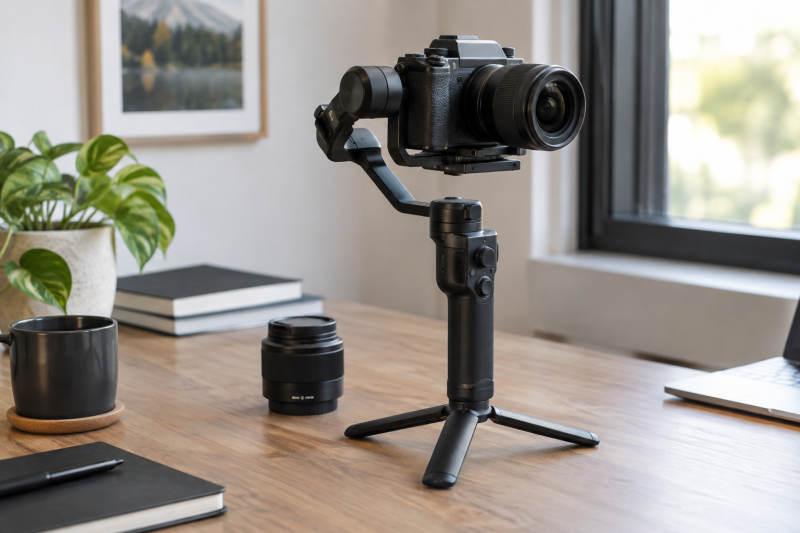
A gimbal’s payload rating is a starting limit, not a promise that your camera will balance or clear every motor. The relevant load is the camera as you will shoot it: lens, battery, plate, cage, filter, microphone, cables and any focus motor. Before buying, check the assembled weight, physical clearance, balance travel and camera-control support separately.
Weigh the finished camera rig, then prove that its shape and controls fit the exact gimbal model.Build the camera configuration first
Write down the exact camera body, lens and every accessory that will stay mounted during a take. Use the lens at its usual focal length and shooting orientation. A bare-body weight from a camera spec sheet can leave out the battery, card, plate, cage, receiver and the lens that dominates the balance. Weigh the assembled rig on a reliable scale if you own the parts, or add the manufacturers’ published component weights when planning before purchase.
Compare that total with the gimbal maker’s tested payload, not an unverified marketplace headline. DJI’s RS 4 support page lists a tested payload of 3 kg for that specific model. DJI’s RS 4 Mini page lists 2 kg for the Mini. The two models are different gimbals, so do not carry one rating over to the other. Keep enough room for the accessories you intend to add, rather than buying to the last gram on paper.
Weight is only one axis of fit. A long or front-heavy lens can require more fore-aft travel than the camera plate provides. A cage can move the camera’s mounting point. A tall viewfinder or side cable can strike a roll or tilt arm. Staying under the quoted payload ceiling does not solve any of those problems.
Check the maker’s camera-and-lens list
Look up the gimbal maker’s exact compatibility entry for your camera body, lens and gimbal. DJI’s Ronin compatibility pages identify supported camera/lens configurations and list control features and cable requirements separately. The RS 4 Mini beginner guide includes mounting and balancing instructions. A camera family in a marketing sentence does not replace a model-specific entry.
If your exact lens is missing, do not assume the gimbal is unusable, because the published list may not cover every possible combination. But do not describe an unlisted combination as officially supported either. Check its dimensions and mass against the gimbal’s physical room, ask the maker for guidance, or try the exact rig with a return path before treating it as a proven fit.
Keep stabilization fit distinct from electronic control. A camera can balance and record normally while the gimbal’s record button, autofocus trigger or focus motor cannot control it. The compatibility entry may specify a USB cable, Bluetooth mode, firmware version or supported function subset. Buy a control cable only after confirming the exact camera/gimbal pairing and connector route, because a cable that plugs in does not establish feature support.
Dry-fit the complete rig
With the gimbal powered off, mount the camera using the specified plate and follow the maker’s balancing sequence. Check fore-aft, vertical, roll and pan balance as the manual directs. The camera should settle in place without the motors having to correct for a badly placed load. Do not skip an axis because an auto-tune routine can spin the motors later.
Move the assembly gently through the intended tilt and roll angles before switching on. Watch for the lens, rear screen, cage, mic receiver and any cables touching an arm. Check the motion with the camera facing up, down and toward the side if the shot requires those positions. A setup that clears the arms when filming level and forward can still hit at a low angle or in a vertical orientation.
Zoom lenses add a second check. Extending the barrel can shift the center of gravity and change clearance. If you plan to zoom during a take, test both ends of the zoom range and use the manufacturer’s guidance on rebalancing or supported lens combinations. A marketing example that works with one 24 to 70 mm lens does not prove all lenses of that nominal range behave alike.
Route cables with a loose service loop so the camera isn’t pulled and no cable touches a moving arm. Attach a wireless receiver or monitor where you can include its mass and cable path in the balance. If moving the accessory after balancing changes the rig, balance again. Do not ask stronger motors to compensate for an avoidable configuration change.
Check handling and accessories, not just the camera
The gimbal’s grip, battery and control layout must suit the way you shoot. A heavier gimbal can support a larger rig but adds weight you carry in your hand, so judge the whole handheld setup. A compact unit can be easier to carry yet provide less physical room for a cage or large lens. Our mirrorless camera gimbal guide compares available gimbals by use case. Use this fit check to narrow the ones that can handle your camera package.
If you need native vertical shooting, a focus motor, video transmission or a briefcase handle, verify the exact accessory compatibility and whether the required part is included in the selected kit. DJI’s Ronin accessories compatibility list shows that even items in one ecosystem do not fit every gimbal. A combo kit name is not a substitute for the contents list and compatibility matrix.
For a working shoot, perform a short rehearsal with your lens, recording media and accessories. Confirm motor tuning, full intended motion, record control if needed, and that a cable cannot catch as the arms rotate. This rehearsal is a setup check to do on your equipment, not an assertion about results from a generic camera package.
Frequently asked questions
Is a gimbal compatible if my camera is under its payload rating?
Not automatically. The rating concerns load, while balance travel, lens length, cage clearance and cable routing determine whether the assembled rig can move. Check the exact camera/lens entry where available and dry-fit the complete configuration.
If you need record or focus control from the gimbal, check that separately. Physical stabilization and electronic communication are different features.
Do I need to rebalance when I change lenses or zoom?
A lens swap changes mass and center of gravity, so rebalance before shooting. A zoom that extends its barrel may shift balance too. Test the zoom range you intend to use and follow the maker’s guidance for the chosen combination.
Even a lighter lens can require a different plate position. Do not rely on the previous lens’s marks unless the complete camera configuration is the same.
Can I add a cage or wireless receiver after balancing?
You can add supported accessories, but their weight and placement belong in the balance process. A cage can shift the mounting position, and a receiver and cable can hit an arm or pull during movement. Install the final configuration before the balance and motion checks.
If an accessory is not part of the original gimbal kit, verify its attachment and any maker compatibility guidance. Do not assume every item using the same clamp or screw size is safe in every position.
Bottom line
Match the gimbal to the finished camera package. Confirm weight, balance travel, clearance and electronic controls independently, then rehearse the moves you will shoot before treating a match on the specification sheet as a working setup.