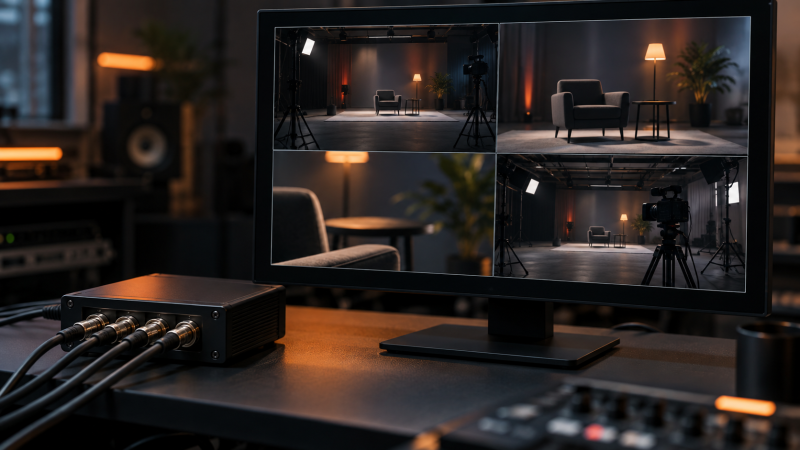
Four SDI cameras and one spare monitor do not automatically make a useful multiview station. The box between them must accept each feed’s SDI rate, arrange the views clearly and output a format the monitor can display. List the camera signals and monitor inputs before choosing a multiviewer. A four-input unit cannot handle a 12G-SDI feed if its inputs stop at 3G or 6G.
These five multiviewers include compact HD and UHD units, a configurable standalone quad processor, an openGear card and a simpler box with an HDMI output. They are monitoring tools, not production switchers or recorders. Latency and mixed-format behavior on a live camera wall are not independently verified here.
Match every input format and the monitor output first, and compare overlays and layouts only after the signal path is proven.SDI Multiviewers Compared
| Image | Product | Details | Check Price |
|---|---|---|---|
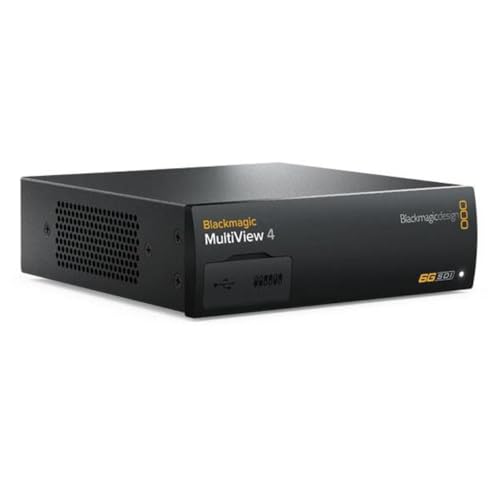 | Blackmagic MultiView 4 | Inputs: 4 x 6G-SDI Monitor output: HD / Ultra HD SDI + HDMI Layout: Four views Buyer fit: UHD / mixed-format desk | Check Price on Amazon |
 | Blackmagic MultiView 4 HD | Inputs: 4 x SD/HD/3G-SDI Monitor output: HD-SDI + HDMI Layout: Four views Buyer fit: HD-only flypack | Check Price on Amazon |
 | Decimator MD-Quad | Inputs: 4 x 3G/HD/SD-SDI Monitor output: Linked SDI + HDMI Layout: Quad or selected input Buyer fit: Mixed-rate standalone box | Check Price on Amazon |
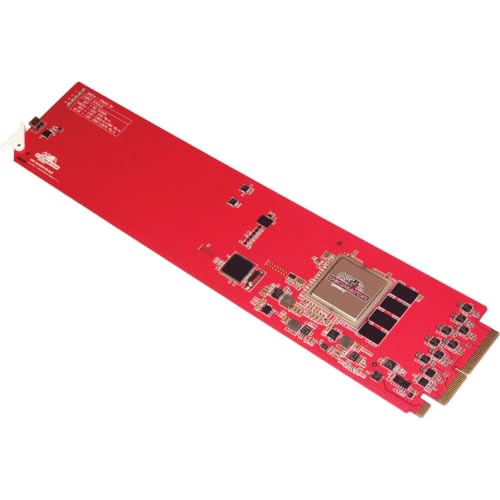 | Decimator MC-DMON-Quad | Inputs: 4 x 3G/HD/SD-SDI Monitor output: SDI; confirm rear module Layout: Custom layouts Buyer fit: Existing openGear rack | Check Price on Amazon |
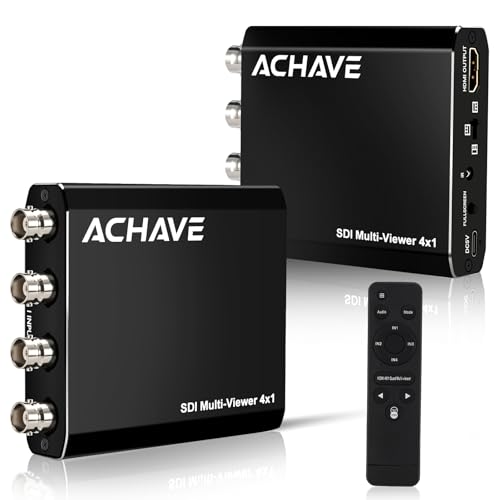 | ACHAVE SDI Multi-Viewer | Inputs: 4 x 3G/HD-SDI listed Monitor output: HDMI Layout: Quad / PiP / fullscreen Buyer fit: Simple HDMI monitor | Check Price on Amazon |
1. Blackmagic MultiView 4 — Best for Four UHD-Capable Feeds
Blackmagic documents four independent 6G-SDI inputs with per-input frame re-synchronization. They can mix SD, HD and Ultra HD formats up to 2160p30, while the unit sends a combined view to an HD or UHD display through SDI or HDMI. The larger model is the sensible choice when the production has moved beyond all-HD feeds but still needs only four windows. The manufacturer specifies four SDI loop outputs as well, useful when feeds must continue downstream.
Do not read “UHD-capable” as “any 4K camera.” A 12G-SDI 2160p60 output exceeds the listed 6G input rate. Set the camera to a supported format or use a confirmed conversion path. The source formats can differ, but the operator still needs to choose a combined output format the monitor accepts. Test that output with the exact screen before an event.
Labels and audio meters help an operator tell a program camera from a spare angle. Blackmagic describes Ethernet/USB setup and an optional Teranex Mini Smart Panel for front controls. That panel is not included in the exact Amazon offer. If several people run the desk, document the window labels and display format so the next operator can restore the view after a power change.
Our Take MultiView 4 is the strongest selected match for four UHD-capable camera feeds. Its 6G ceiling is the boundary to check before plugging in a newer 12G camera.
- Four independent 6G-SDI inputs.
- HD and UHD monitoring outputs.
- Per-input re-sync and SDI loop outputs documented.
- Not a native 12G-SDI input path.
- Front-panel option is a separate accessory.
2. Blackmagic MultiView 4 HD — Best for a Compact HD Desk
The smaller MultiView 4 HD takes four independent SD/HD/3G-SDI feeds and combines them for an HD-SDI or HDMI monitor. Blackmagic documents independent frame re-synchronization, custom labels and audio meters. It makes sense for a portable flypack or a lecture control desk whose cameras and display are all HD. There is no advantage in buying the 6G model solely for a 1080p monitor if UHD feeds are not planned.
The “HD” suffix marks a different unit. This unit is not the 6G model above, and its combined output remains HD. Confirm the exact feed standard. 3G-SDI covers common 1080p60 formats but does not accept 2160p. If a PTZ camera can output either 4K or 1080p, set it explicitly to the supported SDI mode before rehearsal.
Blackmagic lists USB configuration for this model and an included 12V supply. Do not assume the larger model’s Ethernet setup, loop outputs or PoE+ power also apply here. Map the four input cables and use labels the operator recognizes from the show rundown. A neat quad view does little good if the feed names are reversed.
The 4 HD and the 6G MultiView 4 are different units. Choose by the actual SDI input format, not by the layout of four views that both units share.Our Take MultiView 4 HD is the straightforward choice when all four cameras and the monitor are HD. Move to the 6G model only for an actual UHD signal or output requirement.
- Four independent HD feeds on one display.
- HD-SDI and HDMI outputs documented.
- Labels, audio meters and input re-sync.
- No 6G/12G-SDI input capability.
- USB-only configuration in the manufacturer spec.
3. Decimator MD-Quad — Best Standalone SDI/HDMI Processor
The exact MD-Quad offer lists four auto-detecting 3G/HD/SD-SDI inputs and linked SDI and HDMI outputs. It can show a quad split or select one input, with a selectable output format. Seller bullets also describe low-latency buffering for non-synchronous inputs. It is a good fit when a small production needs a standalone box feeding both a professional SDI monitor and an ordinary HDMI screen.
Decimator’s MD-QUAD documentation separates older hardware from version 3. The Amazon title and bullets do not prove which serial-number family will arrive, so do not assume every version-3 layout or test-pattern feature. Confirm the delivered unit’s revision and manual before planning a custom layout. The listed linked outputs are a stronger purchasing reason than an unverified version-specific feature.
Mixing camera frame rates can be convenient, but “non-synchronous” is not a promise of zero delay. If the operator is pulling focus or matching a live action cue, test the display chain with the actual cameras and monitor. Decide whether the chosen SDI and HDMI outputs must show the same view, and practice changing from quad to a selected feed during a rehearsal.
Our Take MD-Quad suits a four-camera HD setup that needs linked SDI and HDMI monitoring. Ask which hardware generation the exact offer supplies before budgeting around extra functions.
- Four auto-detecting 3G/HD/SD-SDI inputs.
- Linked SDI and HDMI outputs.
- Quad split or selected-input view.
- Amazon offer does not establish hardware revision.
- Delay must be tested for timing-critical monitoring.
4. Decimator MC-DMON-Quad — Best for an Existing openGear Rack
The MC-DMON-Quad is a four-channel 3G/HD/SD-SDI multiviewer card for openGear. Decimator describes custom layouts, on-screen source IDs and audio meters, tally inputs and openGear DashBoard control. It belongs on this list because a studio with an existing openGear frame may want monitoring in the rack rather than another standalone power brick and desk box.
It is not a drop-in replacement for a freestanding converter. Check the frame’s available slot, compatible rear module and the monitor connection. Decimator says the DR1-10B1G rear module is sold separately. The exact Amazon offer does not establish whether a rear module or frame is in the box. Get that answer before ordering, along with the needed SDI cabling.
The card accepts four formats independently, according to Decimator, but still needs an output format appropriate for the downstream display. If you need tally and labels, test them with the facility’s control system rather than assuming they appear automatically. An openGear installation pays off when it is part of an already managed rack. For a one-off field monitor, the requirements for a chassis and a rear module can make it the wrong tool.
Our Take MC-DMON-Quad is a rack decision, not a portable bargain. Verify the frame, slot and separately sold rear module before comparing it with standalone boxes.
- Four independent 3G/HD/SD-SDI inputs.
- Custom layouts and monitoring overlays documented.
- openGear DashBoard control.
- Requires a compatible openGear frame.
- Rear module is separately sold by Decimator.
5. ACHAVE SDI Multi-Viewer — Best Simple HDMI Monitor Route
This ACHAVE offer describes four SDI inputs feeding one HDMI monitor. Its bullets list quad split, side-by-side, picture-in-picture and fullscreen among ten layouts, plus a front-panel button and infrared remote. It is a simple fit when the requirement is to see several HD cameras on an ordinary display, not to send an SDI multiview feed onward to a professional monitor.
The title mentions 3G/HD-SDI and “4K30,” but those phrases do not establish a native 4K SDI input. Treat 3G/HD-SDI as the stated input boundary and ask the seller which exact output formats and input combinations work. Likewise, a multi-viewer with input switching is not a production switcher. It does not make a clean, timed program feed or add recording. Use an actual switcher or hardware encoder for those jobs.
The listing says the unit uses DC 5V and includes a USB power cable, HDMI cable and IR remote. Confirm that an adequate power source is available at the monitor. Before relying on the unit in a live room, test four feeds together, power cycling, layout recall and how quickly it returns to a selected source. Its appeal as a simpler unit depends on the actual behavior matching the claimed layout list.
Read the input and output claims separately. A “4K30” phrase does not turn a 3G-SDI input into 12G-SDI.Our Take ACHAVE is the selected bare-bones route to an HDMI display with several HD feeds. Buy it for a proven four-way view, not for an ambiguous 4K phrase or assumed switching functions.
- Four SDI inputs and one HDMI output listed.
- Several useful view layouts.
- Front button and IR remote control.
- Native 4K input is not established.
- No SDI multiview output in the exact listing.
- Live latency and layout recovery untested.
Buying Guide
1. Map the entire signal chain
Start with the actual SDI rate and frame rate at every source. A 1080p60 camera can fit a 3G-SDI input, while 2160p30 generally calls for 6G and 2160p60 for 12G. The number on the camera box is not enough. The configured output mode is what the multiviewer receives. Include any wireless camera link or converter in the map, with its own format limit.
Then map the combined output to the display. Check whether the monitor takes HDMI, HD-SDI or 6G-SDI and at which resolution and refresh rate. Blackmagic MultiView 4 can send HD or UHD views, whereas MultiView 4 HD is HD-only. A multiviewer may accept mixed camera formats while still generating one chosen output format. Connect the exact monitor in a rehearsal and watch for a blank screen or unsupported-mode warning.
2. Decide how the operator will read the views
A four-way grid is useful only when each quadrant can be identified quickly. Put camera names, audio bars and tally overlays on the requirement list if the operator needs them. The Blackmagic and Decimator units document some of these aids. Check how they are configured on the selected model. If the display sits far from the operator, a tiny label may not be enough. Choose a larger screen or a different layout rather than adding more feeds to an unreadable wall.
Separate monitoring from switching and recording. Showing four cameras on one HDMI output is not the same as selecting a clean program feed. A multiview output may include borders and meters that are meant for crew eyes, not viewers. Keep the production switcher, streaming encoder and recorder in their defined roles. Rehearse the handoff: who watches the multiview, who changes the program, and which screen shows what the audience receives?
3. Check timing and installation needs
Input re-synchronization helps different sources appear together, but it does not prove zero latency. If the view guides critical focus pulls or a precise action cue, measure the delay from the camera to the final monitor. Include any HDMI conversion and wireless hop in that test. For general shot awareness, a little delay may be acceptable. For timing-critical shading, it may not be.
Form factor can change the true cost. A standalone box needs power and cable space. An openGear card needs a compatible chassis, free slot and appropriate rear module. The Blackmagic 4 HD comes with a 12V supply, while Decimator sells the MC-DMON-Quad rear module separately. Make a complete parts list before comparing the five Amazon offers. A low card price is irrelevant if the required rack does not exist.
FAQ
Can a 3G-SDI multiviewer show a 4K camera?
Only if the camera can output a supported HD or 3G-SDI mode, or if a verified converter changes the signal before the multiviewer. A 3G input should not be assumed to accept native 2160p. The ACHAVE listing’s “4K30” wording does not by itself specify a 4K-capable SDI input.
Check the camera’s configured output and the multiviewer’s input table, then connect them in an actual test. If you need native UHD monitoring, the 6G-SDI Blackmagic MultiView 4 is the relevant product here, up to its documented 2160p30 limit.
Do I need SDI output if the display has HDMI?
Not necessarily. An HDMI-only multiview output can feed a nearby television or computer monitor. An HDMI output alone may be enough for a compact crew desk. Verify the display’s supported resolution and frame rate, and keep the HDMI cable run appropriate for the installation.
SDI output is useful if the monitor is farther away, already wired through a professional patch field, or the combined view must be routed elsewhere. Decimator MD-Quad and the two Blackmagic units provide both SDI and HDMI paths. Confirm whether the outputs show the required combined view before building a cable plan around them.
Is an openGear card cheaper than a standalone box?
Only if the compatible frame and rear connection are already available or useful for several devices. Decimator’s MC-DMON-Quad card is designed for that environment, and the manufacturer says its DR1-10B1G rear module is sold separately. A bare card cannot sit on a desk and drive a monitor by itself.
Price the complete installed system, including the chassis, rear module, power, cables and any control setup. A standalone Blackmagic MultiView 4 HD may be the simpler purchase for one four-camera flypack, even when a card’s headline price looks lower.
Bottom Line
Blackmagic MultiView 4 is the pick for four mixed SD/HD/UHD feeds up to 6G-SDI, and MultiView 4 HD is the pick for a simpler HD desk. Decimator MD-Quad offers a standalone path with both SDI and HDMI, and MC-DMON-Quad belongs in an existing openGear rack. ACHAVE SDI Multi-Viewer is the basic candidate for an HDMI monitor. Buy for the actual signal path and operator view, not the largest format number in a marketplace title.