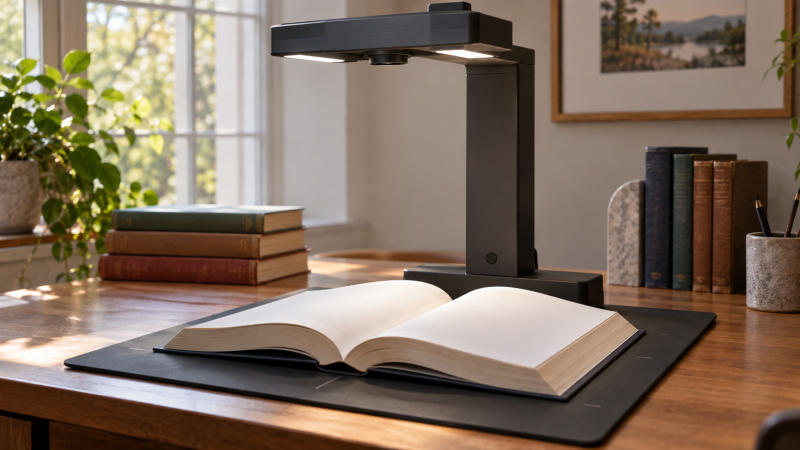
An overhead scanner captures an open book without pressing its spine against glass. The open-book design makes it useful for a thick reference volume, a fragile binding or a page you need to consult repeatedly. Check the usable area for an open book, not only the A3 claim for flat sheets. Curved-page correction, lighting and OCR software can affect the result more than a headline camera megapixel count.
These five scanners were selected from Amazon US listings with active New offers; availability can change. They cover high-resolution archive work, OCR-heavy office use, a ScanSnap workflow, portable laser-assisted capture and an A3 alternative. No model recovers unreadable gutter text. Test the exact book thickness, page gloss, language and computer before committing a large collection to one scanner.
Choose by the open book’s actual footprint and curve, then inspect a sample page at the gutter before trusting automated correction or OCR.Overhead Book Scanners Compared
| Image | Product | Details | Check Price |
|---|---|---|---|
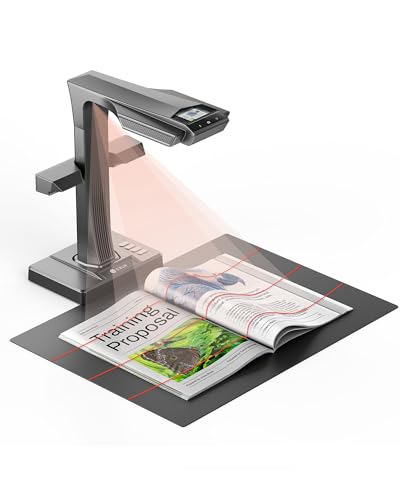 | CZUR ET MAX | Listed capture: 38MP Book correction: Laser-assisted curve flattening Page size: Check flat versus bound limits Buyer fit: Detailed reference archive | Check Price on Amazon |
 | IRIScan Desk 6 Pro | Listed capture: 13MP native / 21MP extrapolated listing Book correction: Curved-page and finger-removal tools Page size: A3 flat area listed Buyer fit: OCR-heavy reference work | Check Price on Amazon |
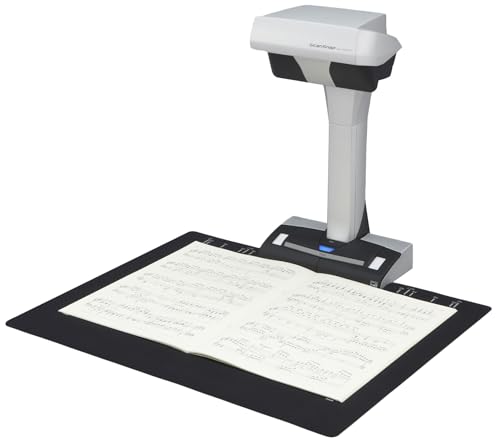 | ScanSnap SV600 | Listed capture: Overhead contactless Book correction: Software book-image workflow Page size: Check exact material dimensions Buyer fit: ScanSnap document organization | Check Price on Amazon |
 | CZUR Aura Pro | Listed capture: Overhead book and A3 document Book correction: Three laser lines and software flattening Page size: Material smaller than A3 listed Buyer fit: Portable book capture | Check Price on Amazon |
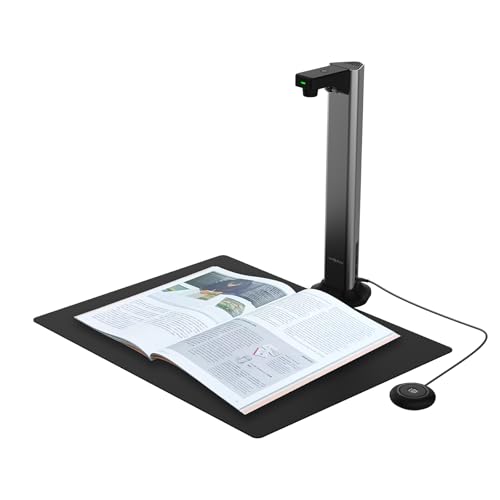 | VIISAN DL16 | Listed capture: 16MP / up to 300 DPI seller-listed Book correction: Auto flattening in offer title Page size: A3 overhead listed Buyer fit: Large bound references | Check Price on Amazon |
1. CZUR ET MAX — Best Detailed Reference Archive
The ET MAX exact offer advertises a 38MP overhead capture system with laser-assisted curved-page correction. Its listing also names automatic page detection, cropping, OCR and HDMI output. The ET MAX is the high-detail choice when you intend to revisit diagrams, footnotes or small reference text after scanning. The megapixel figure is a listed sensor/output claim, not a measurement of readable detail at the page gutter.
CZUR describes a fast per-page cycle and many OCR languages, but they are controlled workflow claims. Hand placement, page turning, software processing and proofing still take time. Check whether the open book fits the scanner’s supported book area. A flat A3 sheet rating need not describe a thick bound spread. If the page has a glossy coating, place the scanner and its lights to minimize reflection before judging curve correction.
The HDMI port can help show a live scan area on a suitable display. It is not a substitute for checking the computer’s file output and OCR results. For detailed image review, a calibrated photo-editing monitor may make defects easier to notice, though the monitor cannot restore text lost during capture. Keep original image files until the corrected and searchable copies have been checked.
Our Take Choose ET MAX when fine page detail and software curve handling are central to the job. Verify a sample of your thickest and glossiest books before treating its seller speed or OCR numbers as production results.
- 38MP and laser-assisted correction listed.
- OCR and automatic page tools described.
- HDMI preview route advertised.
- Headline speed excludes manual page handling and proofreading.
- Bound-book area must be checked separately from flat A3 coverage.
2. IRIScan Desk 6 Pro — Best OCR and A3 Workflow
IRIScan Desk 6 Pro’s exact offer identifies an A3 overhead book and document scanner with curved-page and finger-hiding software tools. Its title states 13MP. One feature describes a 21MP extrapolated capture. The extrapolated figure is not the same as 21MP native sensor resolution. IRIS also offers OCR and searchable document exports. The OCR and export tools make the model interesting when a researcher needs text search in many captured references, not just image files.
The software is as important as the camera. Check current Windows or Mac compatibility and the included Readiris license for the exact package. IRIS’s product information describes multiple export formats, but text recognition accuracy will change with print quality, language, page curve and handwritten notes. Run a sample chapter through OCR and compare it to the image before deleting any original scans.
An overhead scanner can also behave like a USB document camera for a live desk demonstration, but a live feed and an archival scan are different output jobs. Confirm that the software mode you need allows the required resolution and file format. If the book must remain open without hands in the image, test its binding and any approved page support instead of trusting finger removal to fix every shot.
Read 13MP native and 21MP extrapolated as different figures. Judge sample page legibility and OCR rather than the larger number alone.Our Take Choose Desk 6 Pro when searchable files and Windows/Mac desktop software are a priority. Its correction tools need a trial on a bound book, especially with text near the spine.
- A3 flat-area offer and book mode.
- Curved-page and finger-removal tools listed.
- OCR and multiple export formats described.
- Extrapolated figure should not be mistaken for native sensor pixels.
- Software and OCR suitability depend on host and source material.
3. ScanSnap SV600 — Best Established ScanSnap Route
The exact SV600 listing names an overhead contactless book and document scanner. Its feature bullets describe scanning books, magazines and loose items without cutting or flattening their bindings, plus detecting multiple small documents in one capture and cropping them separately. Ricoh’s current SV600 information confirms the model’s contactless overhead purpose. The SV600 is a fit for a person already using the ScanSnap software and file organization routine.
The SV600 is not the newest model and does not lead on megapixel count. Its listed advantages are more about handling and workflow. Verify current operating-system support and installer availability for your computer before ordering an older model. If you archive to an external SSD for photographers, store both raw captures and corrected exports in a backed-up folder structure. A fast drive is not a backup by itself.
Contactless does not mean hands-off. A thick reference book may spring closed or hide inner margins, and glare may show on its paper. Test how much book support is acceptable for the material. Do not force a delicate binding open to satisfy software correction. If preservation is the first priority, consult the collection’s handling rules before using any scanner or page weight.
Check current ScanSnap software support for the exact computer, then test the largest bound book you will actually capture.Our Take Choose SV600 for an established ScanSnap overhead workflow and a mix of books and small loose documents. Do not assume older software support or perfect gutter correction without testing the specific edition.
- Contactless overhead design confirmed.
- Multi-document detection listed.
- Fits an existing ScanSnap file routine.
- Current desktop software support needs checking.
- Old or tightly bound pages may need careful positioning.
4. CZUR Aura Pro — Best Portable Curved-Book Setup
This exact Aura Pro offer describes a portable overhead scanner using three laser lines and software correction for curved book pages. It lists documents smaller than A3 and supplemental side lights intended to help with glossy paper. Unlike a document camera built for flat paper, its named workflow for flattening book pages makes it a better candidate for a carried set of reference volumes or temporary workspace.
The listing gives a fast page timing, but the full job includes opening, centering and turning each page, then checking the corrected image. Side lighting can reduce some reflections without eliminating them for every coating. Test glossy plates or photographs under the actual light setup before choosing automatic settings. Also confirm the current macOS or Windows version against CZUR’s software requirements for this exact model.
Aura Pro doubles as a desk lamp according to its seller, but the lamp is secondary to the archive decision. If a portable USB-C monitor will be used to inspect pages away from the main desk, check that the host laptop can run the scanner and display at the same time. Scanner capture still depends on its approved host connection and software, not merely on power to the lamp.
Our Take Choose Aura Pro when portability and processing for curved books count for more than the highest listed resolution. Test the software on your host and inspect both pages of a thick spread before committing to a large batch.
- Three-line laser and software flattening listed.
- Portable book-scanner form.
- Supplemental side lights described.
- Actual bound-book coverage must be verified.
- Seller page-time claim omits handling and review.
5. VIISAN DL16 — Best Seller-Listed A3 Alternative
The DL16 exact offer identifies an A3 overhead book scanner with a 16MP camera and a seller-stated capture limit of up to 300 DPI. Its title advertises automatic page flattening and OCR, while the retrieved feature bullets emphasize books, large documents and lighting. That evidence is thinner than the detailed correction documentation for some other models here, so treat the flattening behavior as an offer claim to verify with a sample.
Anti-glare LED lighting is listed, which can help with uneven shadows on large pages. It cannot guarantee clean images of glossy illustrations or deeply curved gutters. Check the exact A3 coverage with an open book, not just a flat poster. If several page types will be archived, try text-heavy, illustrated and glossy samples. Compare the exported files at full size rather than judging only the preview.
This model is a sensible alternate only if its Windows or Mac software works with the host and the seller’s support path is acceptable. Copy files to a portable SSD for transport if needed, but maintain a separate verified backup and clear file names. OCR errors in a searchable PDF should be corrected or marked. A keyword search that misses a name can make an archive less useful than its images suggest.
Our Take Consider DL16 as a large-page alternative after testing its seller-listed correction and OCR claims. For a critical archive, choose the model whose exact sample scans are easiest to inspect and correct.
- 16MP and A3 overhead capture listed.
- Anti-glare lighting described.
- Automatic flattening claimed in exact offer title.
- Flattening details are less documented in retrieved bullets.
- OCR quality and software fit need direct testing.
Buying Guide
1. Measure the open book, not the flat sheet
An A3 specification can refer to a flat document. A thick open book uses the capture area differently, with a raised gutter, uneven page heights and margins that may extend beyond the scan mat. Measure the largest spread you need, including the binding curve. Confirm the scanner’s published book area, and if that detail is absent, arrange a sample scan or a return path before buying.
Protect the material while you test. Do not force a fragile spine flat just to satisfy software. Use only page weights or supports permitted by the collection owner, then check that the chosen support does not cover text. A document-camera setup may show a page to an audience, but archival capture also needs repeatable framing, usable resolution and file handling.
2. Judge correction and OCR from examples
Curve flattening is a software result, not a universal repair. Print near the spine can be blurred, shadowed or physically hidden, and no correction can reconstruct text never captured. Scan a dense page, a spread with images and a glossy page. Compare raw image, corrected export and any searchable PDF at full size. Keep the raw capture when possible.
OCR language count is not OCR accuracy. Fonts, diacritics, aged paper and marginal notes can produce errors even when the language is supported. Verify a small sample of names, dates and technical terms against the book. A 4K photo-editing monitor can make review comfortable, but proofing remains a human task.
3. Plan host software and storage
Check the actual Windows or macOS release before choosing hardware. Several scanners rely on vendor desktop software for book correction and OCR, and an older device may need a specific installer. A USB cable and camera preview do not prove that export formats or automated page handling work on the current host. Install the approved software and finish a short end-to-end trial during the return period.
Keep a recoverable archive, not just a stack of PDFs. Store the original image, corrected image and OCR output with a consistent book/page naming scheme. Back up the master set separately from the working drive. A USB4 external SSD for photographers can speed local file handling, but redundancy and a checked restore count for more than peak transfer speed.
FAQ
Will an overhead scanner damage a tightly bound book?
It can reduce the need to press a book flat against glass, but it cannot make any handling automatically safe. The book still has to open enough for the scanner to see the pages, and page supports must suit the collection’s conservation rules. Never force a rare or brittle binding open to reach a scanner’s ideal angle.
Try the thickest typical volume under supervision and inspect whether text at the inner margin remains visible. If the binding cannot safely open far enough, consider a specialist conservation scanning service instead of relying on software to invent hidden content.
Does a 38MP scanner guarantee better text than a 13MP model?
No. Camera resolution is only one part of the result. Lens quality, focus, page curvature, light placement and software processing affect legibility. IRIScan Desk 6 Pro’s offer also distinguishes its 13MP title from a 21MP extrapolated feature figure. Extrapolation is not extra native sensor detail.
Compare the same small text and diagrams on sample pages, especially near the gutter. Choose the export that preserves the detail you need after correction and OCR, not simply the highest figure on the box.
Can I make a searchable PDF without checking the OCR?
The software may create one automatically, but an unreviewed OCR layer can misread names, page numbers and technical terms. Search can then miss passages that are visible in the image. Scan a short representative section and compare its recognized text with the page.
Keep the original page image alongside the OCR output. For exact quotations or archival indexing, proofread or flag uncertain passages before sharing the document as a reliable reference.
Bottom Line
CZUR ET MAX is the high-detail curve-correction choice. IRIScan Desk 6 Pro emphasizes OCR and A3 office use, while ScanSnap SV600 serves an existing ScanSnap workflow. CZUR Aura Pro travels more easily, and VIISAN DL16 is an A3 alternative whose correction claims need closer proof. A sample of your own bound material is the decisive test.