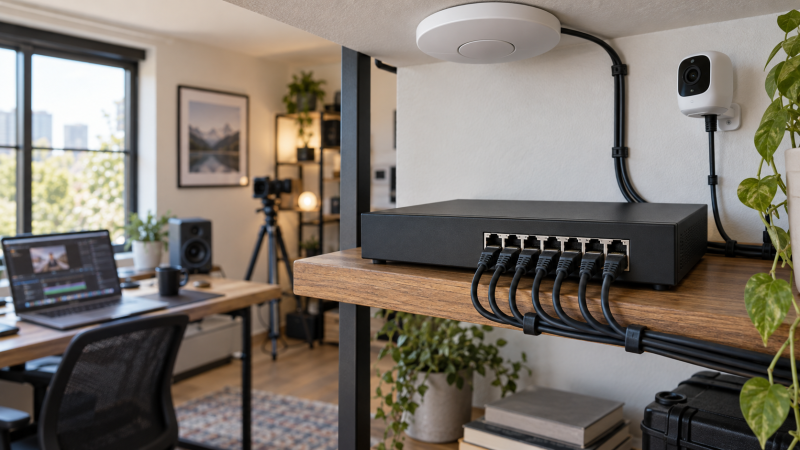
A small studio can use one Ethernet run to carry data and power to an access point, an IP camera or another compatible device. You also get the ability to inspect ports and configure network segments with a managed PoE switch. Count powered ports and the switch’s total PoE budget separately. Eight powered sockets do not mean eight devices can each draw their maximum at once.
These five managed PoE switches cover a quiet eight-port NETGEAR, two Omada layouts, a multi-gig Zyxel option and a higher-budget easy-managed switch. Their management depth, count of powered ports and power sources differ. Check each connected device’s IEEE PoE requirement and peak watts, then decide whether you need Omada, Nebula or standalone control.
Add the maximum PoE draw of the devices you will connect, then compare that sum with the switch’s total budget and the standard supported on each powered port.Managed Studio PoE Switches Compared
| Image | Product | Details | Check Price |
|---|---|---|---|
 | NETGEAR GS308EP | RJ45 ports: 8 gigabit PoE ports: 8 PoE+ Total budget: 62W Management: Easy Smart / VLAN Buyer fit: Modest-power all-port PoE | Check Price on Amazon |
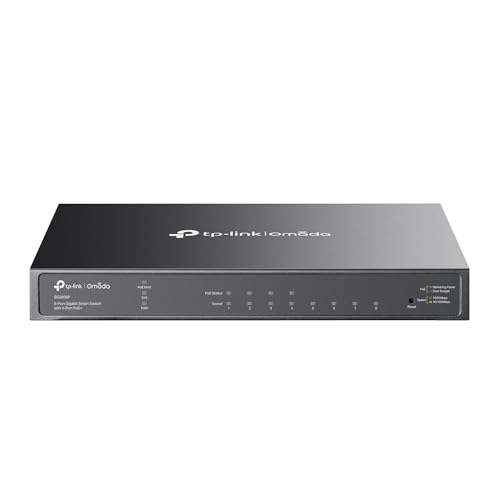 | TP-Link SG2008P | RJ45 ports: 8 gigabit PoE ports: 4 PoE+ Total budget: 62W Management: Omada or standalone Buyer fit: Four powered studio endpoints | Check Price on Amazon |
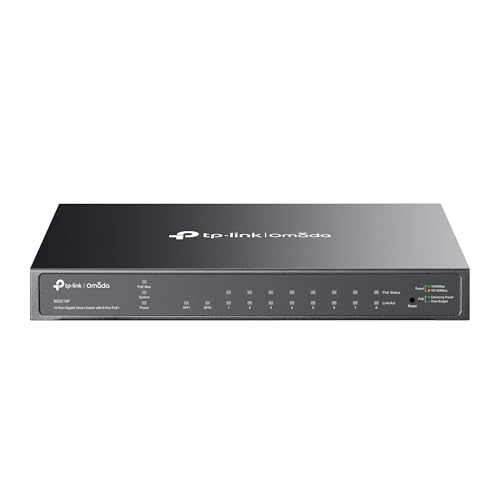 | TP-Link TL-SG2210P V3 | RJ45 ports: 8 gigabit + 2 SFP PoE ports: 8 PoE+ Total budget: 61W Management: Omada or standalone Buyer fit: SFP uplink and more powered ports | Check Price on Amazon |
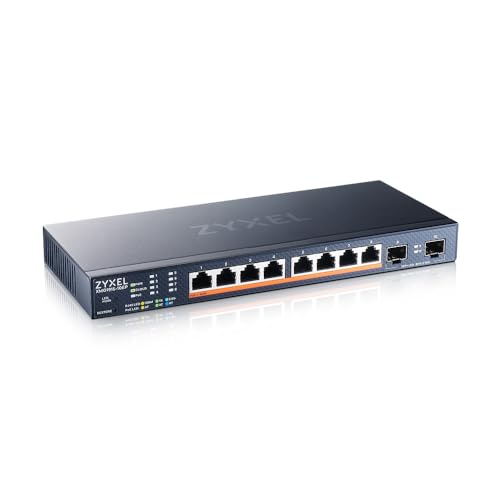 | Zyxel XMG1915-10EP | RJ45 ports: 8 x 2.5GbE + 2 SFP+ PoE ports: 8 PoE++ Total budget: 130W manufacturer-rated Management: Standalone or Nebula Buyer fit: Multi-gig PoE++ studio edge | Check Price on Amazon |
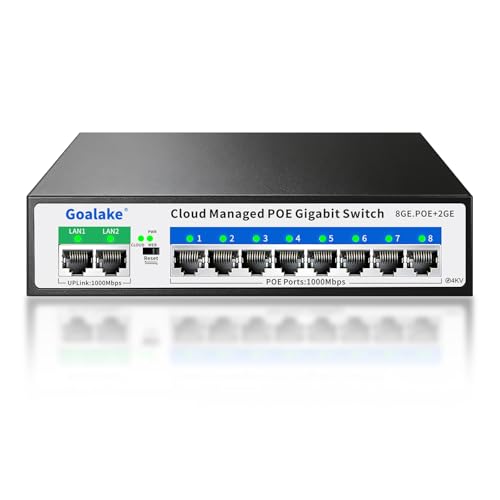 | Goalake 10-Port Easy Managed PoE+ | RJ45 ports: 8 PoE + 2 uplinks PoE ports: 8 PoE+ Total budget: 120W seller-listed Management: Easy Smart / VLAN Buyer fit: Higher aggregate PoE load | Check Price on Amazon |
1. NETGEAR GS308EP — Best Simple Eight-Port PoE
NETGEAR rates the GS308EP for eight gigabit PoE+ ports with a 62W total power budget. Its listing and manufacturer information describe an Easy Smart interface for VLANs, QoS and port monitoring. A fanless metal chassis is a good fit near a microphone or editing desk, where a switch fan would be unwelcome. The GS308EP is a simple switch with local control, not a reason to adopt a new cloud management system.
Eight powered ports are useful for several low-draw endpoints, but NETGEAR’s 62W aggregate limit is the buying constraint. A few cameras or access points that each consume close to their permitted PoE+ maximum could exhaust the budget before all ports are used. Put their manufacturer watt figures on one list. An Ethernet-equipped USB-C monitor can carry data through a network adapter, but it does not become a PoE-powered screen because the switch supplies PoE.
The interface is described as Easy Smart, not as an enterprise routing or controller platform. If you need a managed switch already integrated with Omada, look at the SG2008P. If the studio will soon require 2.5GbE or 10GbE for a shared editing NAS, this gigabit-only selection may be the wrong core switch even though it powers cameras well.
Our Take Choose GS308EP when all eight ports may need power but their combined demand fits below 62W. Plan the power budget first, because the port count alone is misleading.
- Eight gigabit PoE+ ports.
- Fanless design listed.
- Easy Smart VLAN and port controls.
- 62W is a shared total, not a per-port allowance.
- Gigabit-only RJ45 speed.
2. TP-Link SG2008P — Best Four-Port Omada Setup
TP-Link’s SG2008P has four gigabit PoE+ ports and four non-PoE gigabit ports, with a 62W total PoE budget in the exact listing. It can operate in Omada SDN or standalone mode. The four powered ports fit a studio with a few access points or IP cameras and other devices, such as a computer or NAS, that only need data.
Do not buy it expecting PoE on all eight RJ45 sockets. Label the four powered ports on a wiring sheet before mounting it. The manufacturer documents Omada integration, but controller compatibility and firmware generation need checking for the particular site. With this model, the studio keeps one management workflow if it already uses Omada switches and access points. If not, standalone web management can avoid a controller dependency.
The 62W total may suffice for four light devices, yet a single high-draw camera can leave little budget for the other devices. Check the camera’s PoE class and peak budget. A USB-C 2.5GbE adapter connected to the workstation will negotiate only a gigabit link at this switch, so keep faster storage traffic on a separate suitable network path if needed.
Map the four PoE sockets and four data-only sockets before routing cables through a shared studio wall.Our Take Buy SG2008P for up to four PoE endpoints when Omada or simple standalone control is a fit. It is the wrong eight-port pick if more than four devices need power.
- Omada and standalone management modes listed.
- 62W budget spread across four PoE+ ports.
- Four data-only gigabit ports for ordinary devices.
- Half the RJ45 ports have no PoE.
- No multi-gigabit RJ45 uplink.
3. TP-Link TL-SG2210P V3 — Best Omada Switch with SFP
This exact V3 offer lists eight gigabit PoE+ RJ45 ports, two gigabit SFP slots and a 61W shared PoE budget. Those SFP slots can serve a compatible fiber or other supported transceiver uplink while leaving the eight copper ports for studio devices. They are not 10GbE SFP+ sockets. Verify the module and link speed against TP-Link’s V3 documentation before ordering an uplink part.
It also lists Omada SDN integration and standalone management. The eight powered ports may look like a straightforward upgrade from the SG2008P, but its total available PoE watts are almost the same. Choose it if you need more separate low-draw devices or an SFP uplink, not as a way to run eight high-watt cameras. A USB-C 10GbE adapter on an edit workstation will not make this gigabit switch a 10GbE path.
SFP means more choices and more configuration work. Confirm whether the studio’s upstream network is copper or fiber, which module is supported and whether the management mode you want is available on the exact firmware. A simpler NETGEAR GS308EP may suit a single-room network that does not need an SFP run.
Our Take Choose TL-SG2210P V3 for Omada management plus two gigabit SFP uplinks and several modest-draw powered devices. Do not mistake its extra ports for a larger total power budget.
- Eight RJ45 PoE+ ports and two gigabit SFP slots.
- Omada and standalone modes listed.
- 61W total limits simultaneous high-draw PoE devices.
- Gigabit SFP is not a 10GbE uplink.
- Module compatibility needs checking.
4. Zyxel XMG1915-10EP — Best Multi-Gig PoE++ Studio Edge
Zyxel specifies eight 2.5GbE PoE++ RJ45 ports, two 10G SFP+ uplinks and a 130W total PoE budget for the XMG1915-10EP. Its Amazon US listing returned an active New offer for this exact model. This is the distinct choice when a studio needs faster network links for an access point or camera while keeping power delivery and basic management in one switch. The manufacturer lists up to 60W on each 802.3bt port, but the 130W shared budget cannot supply eight such loads at once.
The listing describes a fanless chassis and either standalone web management or Zyxel Nebula cloud control. Check the exact firmware and management features required by your site before adopting the cloud workflow. If you only need gigabit data and a modest power budget, the NETGEAR GS308EP avoids paying for unused multi-gig ports and SFP+ uplinks.
Use the two SFP+ sockets only with compatible 10G modules and an end-to-end link plan; their presence does not accelerate a gigabit workstation port. A USB document camera in a desk demonstration setup still connects to its host by USB, not by PoE. Count the powered network devices and their peak draw before choosing this switch.
Eight 60W-capable PoE++ ports share a 130W total budget. Size the connected devices by their simultaneous draw, not by the per-port ceiling.Our Take Choose XMG1915-10EP when the studio needs 2.5GbE PoE++ and a documented 10G SFP+ uplink path. Its 130W budget is stronger than the gigabit Omada options here, but still requires a combined-load check.
- Eight 2.5GbE PoE++ ports and two 10G SFP+ uplinks.
- 130W shared PoE budget in Zyxel’s datasheet.
- Standalone or Nebula management listed.
- Cannot provide 60W to all eight ports simultaneously.
- SFP+ modules and matching 10G equipment need separate planning.
5. Goalake 10-Port Easy Managed PoE+ — Best Seller-Listed 120W Budget
Goalake’s exact offer advertises eight gigabit PoE+ ports, two additional gigabit uplinks and a 120W total PoE budget. The listed management features include VLANs, QoS and port controls. Its seller-stated budget exceeds the 61W to 62W gigabit options, but trails Zyxel’s manufacturer-rated 130W. The 120W figure is a listing claim, not a result of our own load test.
The ten-port count is not ten PoE ports. Its two uplinks are data connections, and the eight PoE ports still have per-port and total limits. Sum the endpoints’ maximum draw and leave margin. If stable, centrally managed firmware support is more important to you than a higher advertised watt figure, compare the more documented TP-Link Omada models first.
The seller also advertises an extended-distance mode. Do not assume it preserves full gigabit speed or suits the planned camera run without checking the exact mode limits and cable. A wired editing dock may have a faster LAN port than this switch can provide, so keep network speed distinct from PoE wattage.
Our Take Consider this Goalake offer only when the planned PoE devices require more shared watts than the established 61W to 62W options provide. Verify its management and power claims against the delivered hardware.
- Eight PoE+ and two separate uplink ports advertised.
- 120W total budget stated in the listing.
- VLAN and QoS management features listed.
- Power and management claims are seller-supplied, not independently tested here.
- No multi-gigabit RJ45 uplink listed.
Buying Guide
1. Budget powered devices before counting ports
PoE standard and total budget are separate tests. Record each device’s IEEE 802.3af or 802.3at requirement and its maximum power draw. Add the draws for the devices that can run together, then compare with the switch’s shared budget. A switch rated by its manufacturer at 62W with eight PoE+ sockets cannot deliver 30W to all eight simultaneously.
Leave practical headroom for additions and startup behavior. If a camera or access point’s power needs are unclear, read its manual instead of assuming a figure for average use. Zyxel rates each XMG1915-10EP port for up to 60W PoE++, but specifies a 130W total budget across the switch. Do not use passive PoE gear or proprietary adapters as though they were interchangeable IEEE endpoints.
2. Choose the management system you will maintain
A VLAN requires configuration at both switch and upstream network. A menu of managed-port settings does not, by itself, isolate a camera from the editing PC. Decide which VLAN IDs, trunks, DHCP scopes and firewall rules the studio will use. Test a camera and an Ethernet-connected dock on the intended ports before relying on the layout.
Omada and Nebula are ecosystem decisions. Existing controllers can make updates and port inventory easier, but check the exact model and firmware generation. A small single-room studio may prefer basic local management. Keep switch credentials, firmware update procedure and a backup configuration with the network documentation.
3. Keep power and data-speed plans distinct
Four picks have gigabit RJ45 data ports; Zyxel adds 2.5GbE and 10G SFP+. A workstation with a 5GbE USB-C adapter cannot exceed the switch port’s negotiated speed. If shared editing media demands faster LAN throughput, design the NAS and workstation uplink separately before buying a PoE edge switch. TP-Link specifies the TL-SG2210P V3’s SFP slots as gigabit, not 10GbE.
PoE is not a backup battery. If a power cut must not interrupt an IP camera or access point, protect the switch and its upstream router according to the combined load. The workstation UPS guide covers load and shutdown planning, but a switch’s own AC draw plus its delivered PoE watts also need to be included.
FAQ
Can I power eight PoE+ cameras from an eight-port 62W switch?
Only if the eight cameras’ combined maximum demand fits within the manufacturer’s 62W total rating and each port supports the camera’s required standard. Eight PoE+ ports are possible connections, not eight independent 30W supplies.
Check every camera’s power specification and whether other devices, such as an access point, share the budget. If the total does not fit, a higher verified aggregate budget or fewer devices is needed. Do not rely on nominal idle draw alone.
Does a managed switch automatically isolate studio cameras?
No. The switch must be configured for the desired VLANs or port isolation, and the upstream router or firewall must handle traffic between those segments as planned. A menu item named VLAN is not proof of a working security boundary.
Test which devices can reach the camera network after setup. Keep a recovery route to switch management if a port is placed on the wrong VLAN. Document the working configuration before making production changes.
Will an SFP slot give my editing workstation a 10GbE link?
Not by itself. TP-Link documents gigabit SFP slots for the TL-SG2210P V3, while Zyxel specifies two 10G SFP+ uplinks on the XMG1915-10EP. Check the module, cable and device at the other end; an SFP+ label on one switch does not make a gigabit workstation link run at 10GbE.
For a high-speed NAS workflow, use equipment that explicitly supports the required link rate end to end. An external USB4 SSD may be better for a local scratch disk, but it does not change the speed negotiated by an Ethernet link.
Bottom Line
NETGEAR GS308EP is the simple all-powered-port choice for a modest load. SG2008P and TL-SG2210P V3 serve different Omada port plans. Zyxel XMG1915-10EP adds 2.5GbE PoE++ and 10G SFP+ uplinks. The Goalake offer has a higher seller-stated budget than the gigabit options but needs careful claim verification.