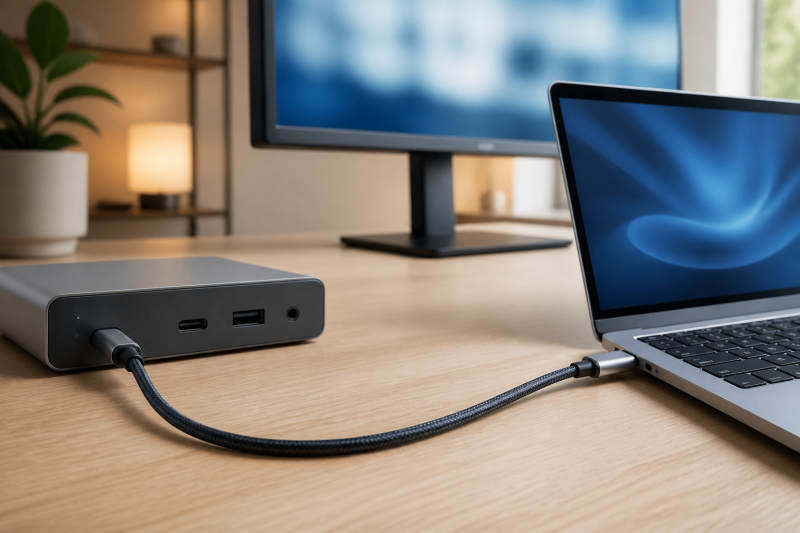
The best USB4 80Gbps cable for most desk setups is the Cable Matters USB-IF Certified 80Gbps USB4 Cable. Its 4.9-foot length gives a dock or monitor more breathing room than a short patch cable, while Cable Matters documents USB-IF certification, up to 80Gbps data, and up to 240W USB PD 3.1 charging. Buy it only when the complete link can use that class of cable. A USB-C connector alone does not establish an 80Gbps host path, a display route, or a 240W charging contract.
For a short direct connection, choose UGREEN’s 3.3-foot model. Silkland gives you certified options at 4 and 5 feet, while Cable Matters’ 2-meter braided option is for a longer fixed desk route. If your computer tops out below this cable class, a compatible cable can still connect, but it will use the lower common mode. Our Thunderbolt 4 cable guide is the better starting point when the host is limited to that generation.
Quick picks
- Cable Matters USB-IF Certified 80Gbps USB4 Cable: Best all-around choice when you want a certified cable with useful desk reach.
- UGREEN USB4 80Gbps 240W Cable: Best for a short direct laptop-to-dock or laptop-to-storage connection.
- Silkland USB4 80Gbps 240W Cable: Best if a 4-foot USB-IF-certified cable fits the route.
- Silkland USB-IF Certified USB4 80Gbps Cable: Best if you need a 5-foot certified middle length.
- Cable Matters 80Gbps Premium Braided USB4 Cable: Best for a 2-meter cable run where the stated braided construction counts.
| Image | Product | Details | Check Price |
|---|---|---|---|
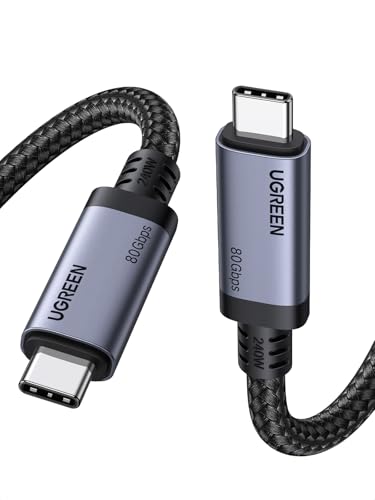 | UGREEN USB4 80Gbps 240W Cable | Length: 3.3 ft / 1 m Cable role: USB4 Gen 4, 80Gbps Power path: Up to 240W USB PD 3.1 | Check Price on Amazon |
 | Silkland USB4 80Gbps 240W Cable | Length: 4 ft Cable role: USB4 80Gbps, USB-IF certified Power path: Up to 240W USB PD 3.1 | Check Price on Amazon |
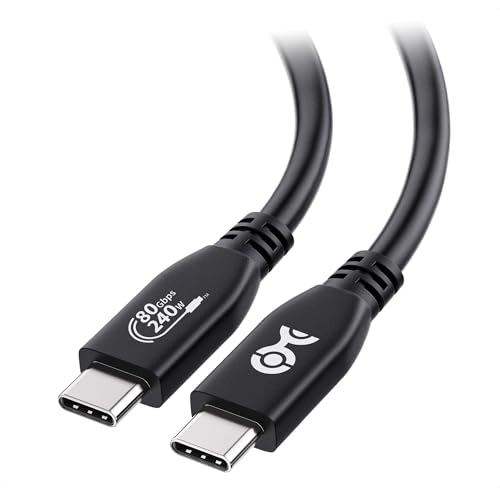 | Cable Matters USB-IF Certified 80Gbps USB4 Cable | Length: 4.9 ft Cable role: USB4 80Gbps, USB-IF certified Power path: Up to 240W USB PD 3.1 | Check Price on Amazon |
 | Silkland USB-IF Certified USB4 80Gbps Cable | Length: 5 ft Cable role: USB4 80Gbps, USB-IF certified Power path: Up to 240W USB PD 3.1 | Check Price on Amazon |
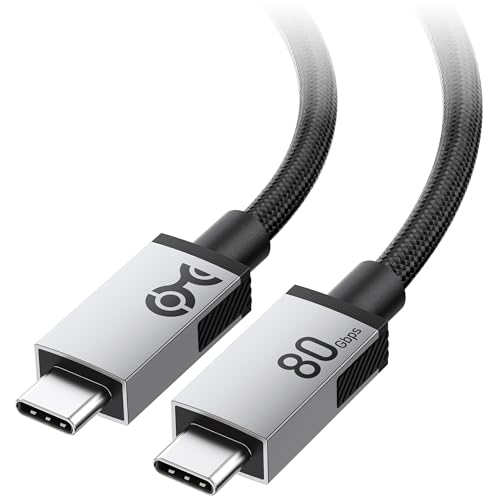 | Cable Matters 80Gbps Premium Braided USB4 Cable | Length: 6.6 ft / 2 m Cable role: USB4 80Gbps, braided Power path: Up to 240W USB PD 3.1 | Check Price on Amazon |
1. UGREEN USB4 80Gbps 240W Cable — Best for a short direct link
UGREEN’s 3.3-foot cable is the pick when the computer sits near the dock, monitor, or fast external device. UGREEN lists its 1-meter USB-C 4 Gen 4 cable with an 80Gbps data rating and USB Power Delivery 3.1 support. That short length is useful when a long loop would sit on the desk or place strain on a connection, but it gives you less freedom to move the computer away from the destination.
The cable belongs in a direct, high-capability route where the host and the connected device document the required mode. UGREEN also lists backward compatibility with older Thunderbolt and USB paths, so a lower-generation connection can remain usable. It does not make the older host behave like an 80Gbps host. Keep display claims separate from data claims. An external display still needs a compatible host video path and a supported input route.
Our Take
Pick UGREEN when one meter is actually enough and the goal is a tidy direct connection. Choose a longer cable below if the monitor arm, dock shelf, or tower position means the cable will be pulled tight.
- UGREEN lists an 80Gbps USB-C 4 Gen 4 data rating for the one-meter model family.
- UGREEN lists USB Power Delivery 3.1 support, so the cable can participate in a qualified higher-power charging path.
- The 3.3-foot length keeps a direct connection compact when the devices sit close together.
- A one-meter cable can be too short when a desk route includes a monitor arm, under-desk dock, or standing desk movement.
- The cable cannot raise an older host, dock, display path, or charger above its own supported mode.
2. Silkland USB4 80Gbps 240W Cable — Best 4-foot certified option
Silkland’s 4-foot option is the neat middle ground when a one-meter cable will not reach but a longer cable would be excess. Silkland’s first-party product page identifies the exact 4-foot selection as a USB-IF-certified USB4 80Gbps variant. Its Amazon title identifies the matching ASIN as a 4-foot, 240W cable. The confirmed length and charging rating make it the right fit for a dock on the far side of a laptop stand or a small desktop where the cable needs a little slack.
USB-IF certification is a reason to prefer this model when you want the maker’s stated certified variant rather than a connector-shaped lookalike. It is not a blanket approval for every computer and display arrangement. The final display result remains conditional on the host, the display engine, the dock or adapter if present, the monitor input, and the chosen resolution and refresh setting.
Our Take
Silkland’s four-foot cable is the certified pick for buyers who have measured a roughly four-foot route. Do not choose it for a long cable-management path just because the stated link rating matches the rest of the list.
- Silkland identifies the exact four-foot option as a USB-IF-certified USB4 80Gbps variant.
- The four-foot run leaves more placement room than a short direct patch cable.
- The matching Amazon title identifies this ASIN as a 240W cable for a qualified USB Power Delivery path.
- Its stated certification does not prove that an unrelated dock, monitor, or host can use every advertised mode.
- Four feet can still be short for a floor-standing computer or a dock mounted below the desktop.
3. Cable Matters USB-IF Certified 80Gbps USB4 Cable — Best for a longer certified run
Cable Matters makes the strongest all-around case because its exact 4.9-foot cable combines the useful length with a manufacturer-stated USB-IF certification. Cable Matters rates it for up to 80Gbps data transfer and up to 240W charging. The same maker page describes DisplayPort Alt Mode video maximums, but labels those display results as device-dependent. That distinction is important when you are connecting through a dock, adapter, or monitor rather than a simple storage device.
At just under five feet, this cable works well for a laptop on a stand with a dock placed beside the display, or for storage that needs to reach a separate shelf. It remains short enough to avoid treating every desk as a long-cable installation. If the host is Thunderbolt 4, USB4 at a lower rate, or another compatible older path, expect the negotiated connection to follow that lower capability.
Our Take
We would buy this one first for a certified cable with practical desk reach. Its limitation is not the cable itself, but the need to check every other part of an ambitious display or charging route.
- Cable Matters documents USB-IF certification for this exact 4.9-foot USB4 cable.
- The maker lists up to 80Gbps data transfer and up to 240W USB Power Delivery charging.
- The 4.9-foot length gives a dock or external drive useful reach without moving to a two-meter route.
- Cable Matters describes its video maximums as device-dependent, so they are not a universal monitor guarantee.
- A slower host path will negotiate a lower mode even when the cable has a higher stated ceiling.
4. Silkland USB-IF Certified USB4 80Gbps Cable — Best 5-foot certified option
The 5-foot Silkland cable earns its place for a route that is only slightly longer than the Cable Matters 4.9-foot pick but where you specifically want Silkland’s exact listed USB-IF-certified variant. Silkland’s product page identifies this five-foot version as a USB4 80Gbps cable with USB-IF certification and 240W PD 3.1 charging. The maker also describes higher display bandwidth, but that is a capability of a compatible full path, not a specification you can transfer to every monitor setup.
This cable is a sensible middle-length choice for a laptop-to-dock connection that crosses behind a display stand. Its product page describes a braided nylon exterior and aluminum shell. Those construction details distinguish it from a plain jacket choice, but they do not remove the need to avoid sharp bends, excessive pull, or a route that exceeds the available length.
Our Take
Choose the five-foot Silkland when the route and the exact certified variant fit better than the shorter or longer alternatives. Buyers with a simple storage path may get the same practical result from a less demanding cable class.
- Silkland documents the exact five-foot version as a USB-IF-certified USB4 80Gbps cable.
- The maker lists up to 240W USB PD 3.1 charging for a compatible charging chain.
- The five-foot length suits desk routes that need more slack than a short patch cable provides.
- Higher display-bandwidth language still depends on the specific host, display, dock, adapter, and selected mode.
- The stated five-foot length is not enough to safely bridge a large room or a cable run that must travel around furniture.
5. Cable Matters 80Gbps Premium Braided USB4 Cable — Best 2-meter braided cable
Cable Matters’ 6.6-foot, or 2-meter, braided cable is the length-first pick. The manufacturer calls this exact product an 80Gbps Premium Braided USB4 Cable and lists up to 80Gbps transfer capability, up to 240W USB PD 3.1 charging, and device-dependent DisplayPort Alt Mode video maximums. The extra length helps when the host and display are not side by side, such as a desktop tower below the table or a dock placed away from the laptop.
The tradeoff is simple. A long cable is useful only when the route needs it. Extra cable on a compact desk can make a connection harder to manage, and a long route still should not be stretched, pinched, or bent tightly at the connector. The braided jacket and aluminum connector housings are manufacturer-described construction features, not a claim that this cable survives conditions that the maker has not specified.
Our Take
Pick this Cable Matters model when two meters solves a placement problem. For a laptop beside a dock, the shorter options are easier to route and carry the same need for a qualified complete link.
- Cable Matters identifies this exact cable as a 6.6-foot or two-meter braided USB4 product.
- The maker lists up to 80Gbps data capability and up to 240W USB PD 3.1 charging.
- The longer run can reach a desktop tower, monitor shelf, or remote dock without an extension path.
- Extra cable length can create clutter when the computer and destination already sit close together.
- DisplayPort Alt Mode video ratings remain device-dependent according to Cable Matters.
How to choose a USB4 80Gbps cable
Start with the host and destination
Before selecting a cable, read the exact computer specification and the documentation for the dock, display, storage device, or other destination. A USB-C socket is not enough information. USB4 Version 2.0, Thunderbolt, standard USB data, native display output, and charging are different parts of a connection. The cable links them, but it cannot add a capability that the computer or destination does not expose.
Use a cable in this class when the high-speed route is a genuine requirement, such as compatible external storage or a qualified high-bandwidth display chain. If the computer and device only share a lower mode, a compatible 80Gbps cable can still be a sensible durable purchase, but paying for its top rating will not create a faster negotiated connection. Match the cable to the narrowest documented part of the route.
Treat video, data, and charging as separate questions
One cable can carry these functions, yet they do not automatically arrive together. For video, confirm the host’s documented display capability and the monitor’s input path. A cable maker’s stated display ceiling is normally conditional, and a dock or adapter can introduce its own matrix. If the monitor uses HDMI, read the adapter and display documentation too. Our USB-C to HDMI 2.1 adapter guide covers that separate conversion decision.
For charging, check the charger output, the cable’s rated Power Delivery path, and the laptop’s accepted input. A 240W cable does not make a 240W charger appear, and it does not make a laptop accept more than its documented limit. USB Power Delivery negotiation selects a mutually supported level. That negotiation is why a high-rated cable can connect and charge a laptop at a lower level without being defective.
Measure the route before deciding on length
Cable length is a practical choice, not a badge of quality. A short one-meter cable suits a laptop next to a dock or drive. Four to five feet gives more room behind a monitor stand or along a desk edge. A two-meter cable helps when the destination sits below the desk or away from the computer.
Measure the actual path with a tape measure, including: – The distance needed for a laptop stand or monitor arm movement – A relaxed bend at both connectors – The route around the desk, not straight through it
If a cable will be taut, choose a longer supported option rather than relying on connector strain. A longer cable is not automatically better when it only leaves a loop to manage.
Read the exact product and variation
The Amazon title, seller, and available variation can change. Confirm the ASIN, product name, and length against the manufacturer page before placing an order. When a product family has several lengths, do not assume the specification of one variation applies to another without the maker stating that it does. Confirming the exact variation is especially important for a high-speed route, because the cable is one part of a negotiated system rather than an isolated accessory.
For a related shopping route, compare the next cohort page on USB4 cables with 240W charging when charging headroom is the main buying job rather than the 80Gbps link class.
Frequently asked questions
Will an 80Gbps USB4 cable make my laptop faster?
No. It can support a higher-capability connection only when the computer and destination document a compatible path. A lower-generation host or device can negotiate a lower mode instead.
Does a 240W cable charge every laptop at 240W?
No. The charger, cable, and laptop negotiate a mutually supported USB Power Delivery level. Check the laptop maker’s accepted input and the charger’s stated output before treating 240W as relevant.
Can I use one of these cables for a monitor?
Possibly, but verify the host video path, the monitor input, and any dock or adapter in between. The cable maker’s maximum video language is conditional and does not establish a universal display configuration.