
A 240W USB-C cable states only the cable’s own power ceiling. It cannot add Extended Power Range support, which USB-IF calls EPR, to a charger, to one source port, to a receiving device, or to the active USB Power Delivery contract. A 100W ceiling therefore does not prove that the cable is faulty. One owner in the chain may support only Standard Power Range, which USB-IF calls SPR, or the 100W number may be an instantaneous reading rather than the negotiated contract.
The broad Thunderbolt 4 maximum-power comparison explains when 100W and 240W appear as platform ceilings, and the USB Power Delivery explainer covers the protocol itself. This page starts from your observed 100W limit and works through each owner in one exact charging chain.
Treat every part of the path as a separate owner
USB-IF says USB PD Revision 3.1 raised the maximum from 100W to 240W. The earlier 100W range used up to 20V and 5A. EPR added fixed 28V, 36V, and 48V levels for ceilings up to 140W, 180W, and 240W. Every one of those figures is a limit in the standard, not a promise for a particular USB-C connection.
The current USB Power Delivery specification sets strict entry conditions for EPR mode. An EPR source must be attached to an EPR sink through an EPR cable. The sink requests EPR entry, and the source confirms the sink and cable capabilities before it enters that mode. The same specification says an EPR source stays in SPR when the attached cable is not EPR capable.
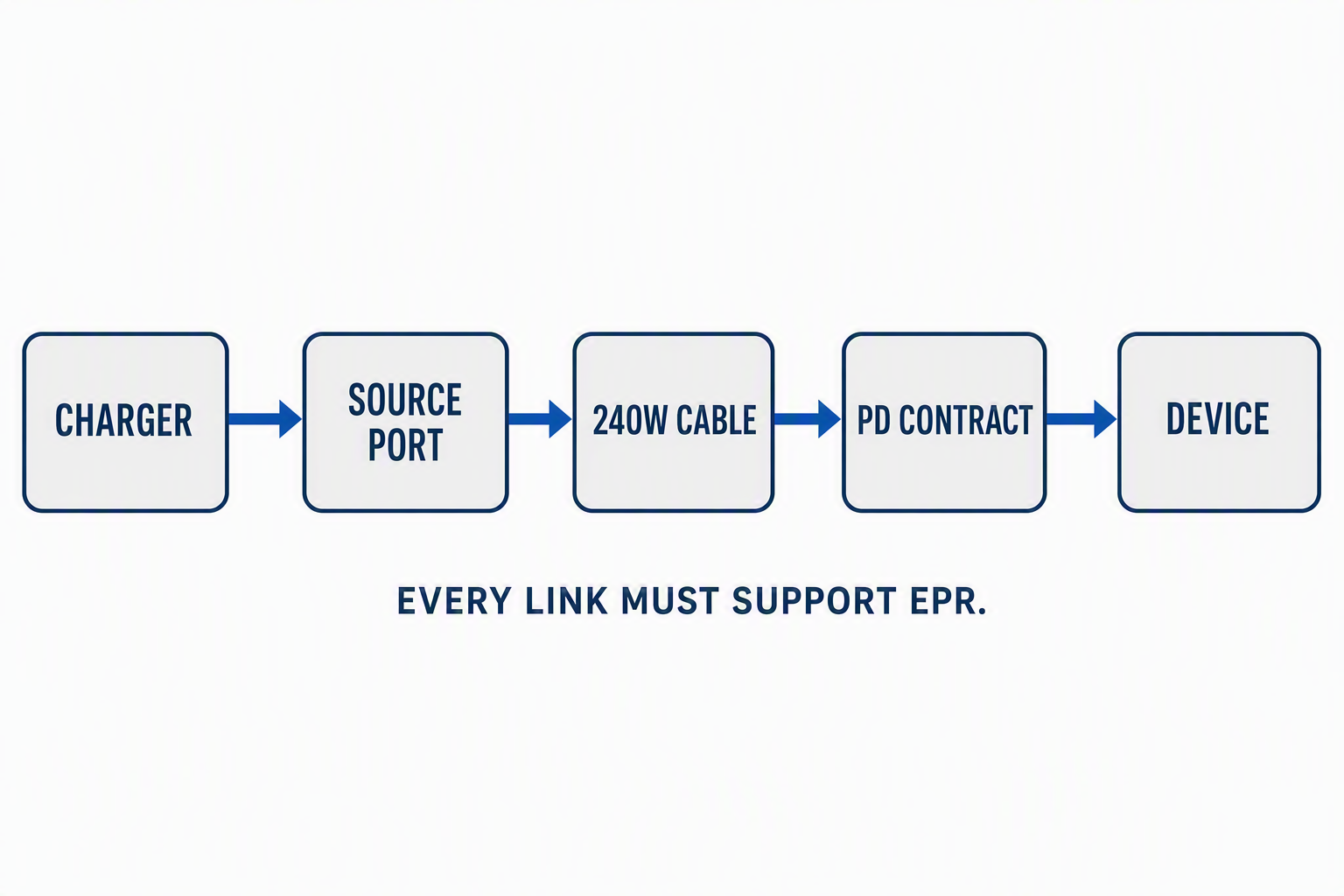
The path runs in this order:
- The charger must provide the required profile and enough total power.
- The exact source port must advertise the required voltage and current in the connection state you use.
- The cable must support EPR and the required current and voltage.
- The receiving device must accept the required profile on the exact input port.
- The source and device must negotiate an explicit contract for that profile.
The charger and source port need separate records. A dock can have a large internal power supply while its host port has a lower output ceiling. The source record must also name every other active charger port and the charger’s sharing state.
Classify the chain before changing a component
The starting chain has to be frozen before you fill the table. You need the charger model, the power supply model when it is separate, the exact source connector, every other active charger port, the cable mark, the receiving device, and the exact input connector. Take the first reading without moving anything, then change one condition at a time. A different charger port needs a new source record, and a different USB-C input needs a new sink record. Keeping the identifiers together stops a successful check on one connector from being transferred to another.
Each owner gets one evidence row, and a blank row stays unknown.
| Owner | Proof required | Failure state | Next bounded check |
|---|---|---|---|
| Charger | Exact model, total output, and rules for one or several active ports | The charger cannot supply the required profile or divides its available power | Disconnect other loads and read the maker’s profile table for the chosen output |
| Source port | Voltage and current profiles for the exact connector | The chosen port stops at SPR or does not offer the sink’s required EPR profile | Match the physical port to its manual entry and keep the same port for every check |
| Cable | Exact identity plus a 240W mark or a current certification record | The cable is marked 60W, has no verifiable rating, or is damaged | Read the cable and package markings and replace only an unknown or failed record for the next check |
| Receiving device | Exact model, input port, and accepted voltage and current profiles | The device supports only SPR or does not accept the source’s EPR profile | Read the device maker’s charging specification for that exact port |
| Active contract | Named contract field with voltage and current, or unknown when no such field is available |
The connection remains in SPR, or a watt-only reading cannot identify the contract | Record the tool, field, connection state, voltage, current, and time without changing the chain |
USB-IF’s cable and connector guidance requires certified USB-C to USB-C cables to carry a 60W or 240W power mark. The same page states that a certified cable does not add capabilities to the connected products. A 240W mark therefore identifies the cable category only when the cable or its certification record is verified. It does not prove that the source offers 28V, 36V, or 48V, that the sink accepts one of those profiles, or that EPR entry succeeded.
Compare published profiles without calling them a live contract
One exact source and one exact sink show how the comparison works. UGREEN’s manual for the Revodok Max 2131, model U715, lists a 180W DC input for the dock. The dock’s upstream host port has a separate output table:
- 5V at 3A
- 9V at 3A
- 15V at 3A
- 20V at 4.8A
- 28V at 5A
UGREEN caps that port at 140W. The 180W number belongs to the dock’s input, so it cannot stand in for the laptop output. Multiplying 20V by 4.8A identifies a published 96W profile. Multiplying 28V by 5A identifies the published 140W profile. Neither calculation proves which profile is active.
Anker lists exact USB-C1 input profiles for the Anker 737 Power Bank, model A1289. The list contains 5V at 3A, 9V at 3A, 15V at 3A, 20V at 5A, and 28V at 5A, with a stated 140W maximum. The UGREEN source port and Anker sink therefore have one published EPR overlap at 28V and 5A.
The overlap proves only that the two specification tables contain the same profile. The cable still needs an EPR record, the source must be in the correct port and sharing state, the sink must request EPR entry, and the negotiation must accept that request. The two records do not contain 36V or 48V profiles, so a 240W cable cannot turn this bounded example into a 180W or 240W path.
Keep the contract separate from the power reading
USB-IF defines an explicit contract as the agreement reached through USB PD negotiation. A valid contract record therefore needs the negotiated voltage and current, not only a rounded watt figure.
A watt value shown by Windows, a charger display, or an inline meter can describe power at one moment. A lower instantaneous value does not prove that the contract is lower, and a peak value does not prove sustained charging behavior.
The separate Windows charging-wattage procedure covers the job when you need an operating-system observation. The observation label, the tool, the field, and the condition all belong with the number. If the tool exposes only watts, the value is an instantaneous power reading. If it exposes a named PD voltage and current contract field, copy both values and the field name. If no contract field exists, the active contract stays unknown.
Do not open a cable, probe exposed conductors, or use an unverified meter as standards evidence. Product manuals and USB-IF records establish capabilities. A properly identified observation can establish state for one unchanged setup.
Stop at the first unsupported owner
The first question is which profile the exact receiving device requires. If the device manual caps its USB-C input at 100W, the 240W cable has unused headroom and no EPR fault is established. If the device accepts 28V at 5A but the exact source port stops at 20V, the source port is the first unsupported owner. If the source and sink both list 28V at 5A but the cable is marked 60W or has no verifiable identity, the cable is the first unsupported owner.
When the charger, source port, cable, and sink records all support the required EPR profile but the named contract field remains in SPR, the documents have not isolated a failed part. The same charger, port, cable, device, and connection state stay in place, and the contract is recorded as unresolved. Do not choose a replacement from the 100W number alone.
The record stops at the first owner whose exact evidence does not establish the required profile. Every later owner stays unknown until the earlier row is proved.