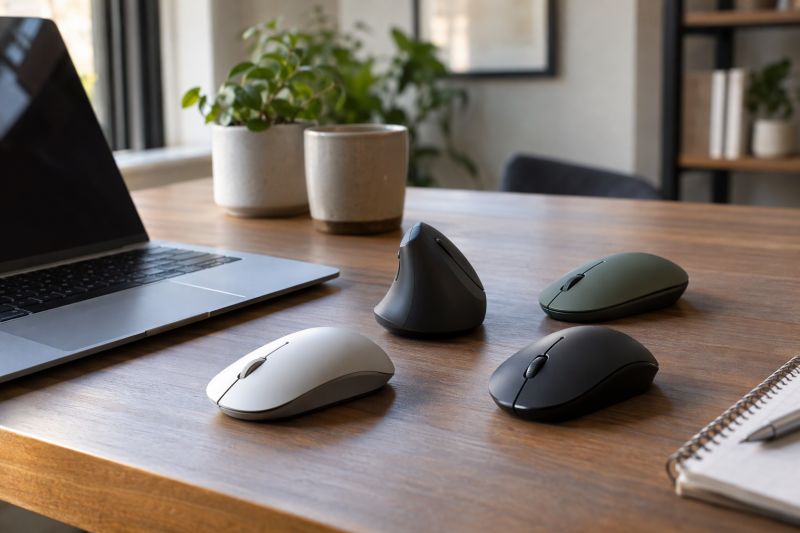
A mouse sold for small hands is not automatically a comfortable one. Button position, body height and the angle of your wrist can affect comfort as much as length does, and a vertical body changes the hand position altogether.
Start with the hand size each maker or listing states, then pick a shape and a connection that suit your laptop.| Image | Product | Best fit | Shape | Connection | Power | Limit | Check Price |
|---|---|---|---|---|---|---|---|
 | Logitech Signature M550 | Everyday scrolling | Contoured, small/medium | Bluetooth or Logi Bolt | AA, up to 2 years | AA battery, not rechargeable | Check Price on Amazon |
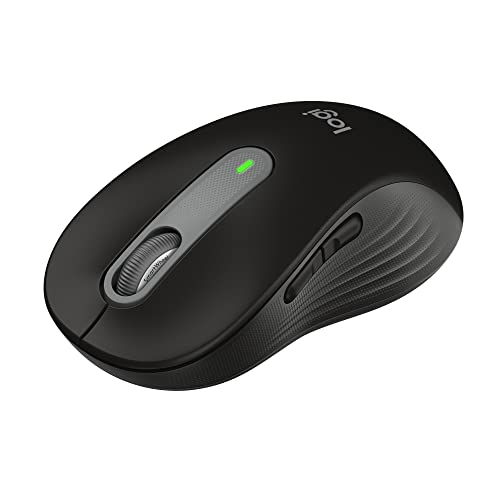 | Logitech Signature M650 | Side-button shortcuts | Contoured, small/medium | Bluetooth or Logi Bolt | AA, up to 2 years | Options+ named for Windows and macOS | Check Price on Amazon |
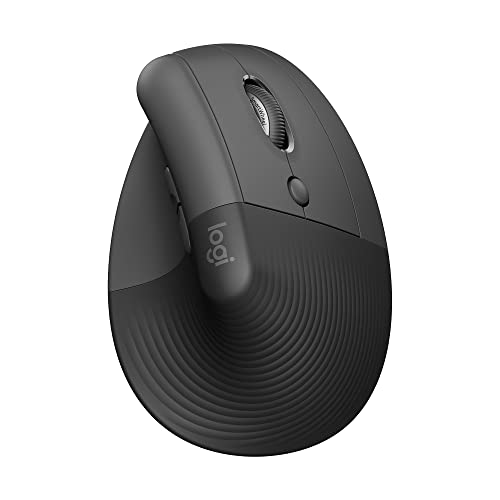 | Logitech Lift Vertical | Right-hand vertical grip | 57-degree, small/medium | Bluetooth or Logi Bolt | Up to 2 years (listing) | Right-handed model | Check Price on Amazon |
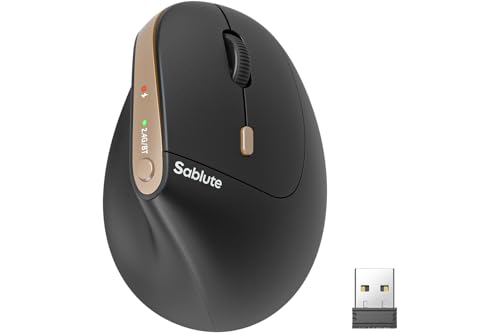 | SABLUTE MAM3 | Rechargeable vertical grip | 57-degree, small/medium | Bluetooth or 2.4GHz USB-A receiver | Rechargeable, 800 mAh | USB-A receiver | Check Price on Amazon |
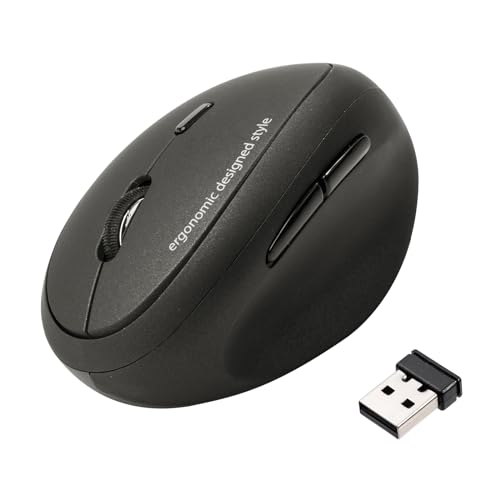 | SANWA GMAERGW17 | Simple vertical receiver | Vertical, small/medium | 2.4GHz receiver | Not listed | Side buttons unsupported on Mac | Check Price on Amazon |
1. Logitech Signature M550 — Contoured Mouse for Small-to-Medium Hands
Logitech recommends the Signature M550 for small-to-medium hands and the M550 L for large hands. The Amazon listing is the Rose color and its size field reads Small / Medium, so it is the smaller version. Logitech’s page describes a contoured shape, a soft thumb area and rubber side grips that keep the hand in place.
Logitech says SilentTouch reduces 90% of click sounds, and its page lists Bluetooth Low Energy or a Logi Bolt USB receiver for Windows, macOS, Linux, iPadOS and Android. The Amazon listing states up to two years of battery life from the single AA battery in the box. Logitech says SmartWheel switches between line-by-line and fast scrolling.
Size: Logitech sells the M550 for small-to-medium hands and the M550 L for large hands as separate models.Our Take Choose the M550 when you want a contoured mouse of conventional shape that connects over Bluetooth or a Logi Bolt receiver and uses a replaceable AA battery.
- Logitech recommends the M550 for small-to-medium hands and sells the M550 L for large hands.
- The M550 connects over Bluetooth Low Energy or a Logi Bolt USB receiver, according to Logitech.
- Logitech says SilentTouch on the M550 reduces 90% of click sounds.
- The Amazon listing states up to two years of battery life from the AA battery included with the M550.
- Anyone who wants an upright grip should note that the Amazon listing describes the M550 as contoured, not vertical.
- Buyers who prefer charging over USB should note that the M550 uses a replaceable AA battery, not a built-in rechargeable one.
2. Logitech Signature M650 — Contoured Mouse With Customizable Side Buttons
Logitech recommends the Signature M650 for small-to-medium hands, the M650 L for large hands and the M650 L Left for left-handed users. The Amazon listing is the black M650 and its title names small-to-medium hands. Logitech’s page describes the same contoured shape, soft thumb area and rubber side grips as the M550.
The Amazon listing says the side buttons can be set to shortcuts such as back, forward or copy and paste through Logitech Options+, which it names for Windows and macOS. Logitech’s page lists Bluetooth Low Energy or a Logi Bolt USB receiver, and the listing states up to two years of battery life from one AA battery.
Side buttons: The Amazon listing names Logitech Options+ on Windows and macOS for assigning shortcuts.Our Take Pick the M650 when you want the contoured small-to-medium shape and assignable side shortcuts on a Windows or macOS computer.
- Logitech recommends the M650 for small-to-medium hands and sells the M650 L for large hands.
- The Amazon listing says the M650 side buttons can be customized with Logitech Options+.
- The M650 connects over Bluetooth Low Energy or a Logi Bolt USB receiver, according to Logitech.
- The Amazon listing states up to two years of battery life from one AA battery in the M650.
- The Amazon listing names Options+ for Windows and macOS and does not name another system for customizing the M650 side buttons.
- The M650 runs on one replaceable AA battery, not a built-in rechargeable one.
3. Logitech Lift Vertical — Vertical Mouse for Small-to-Medium Right Hands
The Amazon listing calls the graphite Logitech Lift a fit for small-to-medium right hands, and Logitech’s page also names small-to-medium hands and offers Lift Left separately. Logitech describes a 57-degree angle it calls a handshake position, a softly textured grip and a thumb rest.
The listing title names Bluetooth or an included Logi Bolt USB-A receiver and says 4 of the 6 buttons are customizable. The listing also describes whisper-quiet clicks, a SmartWheel and up to two years of battery life, and it says Lift was designed and tested to criteria set by ergonomists.
Our Take Consider the Lift if you are right-handed and want an upright 57-degree grip with a choice of Bluetooth or an included receiver.
- The Amazon listing describes the Lift as a fit for small-to-medium right hands.
- Logitech describes a 57-degree angle and a thumb rest for the Lift.
- The Lift listing title names Bluetooth or an included Logi Bolt USB-A receiver as connection choices.
- The Lift listing title says 4 of the 6 buttons are customizable.
- Left-handed buyers need Lift Left, a separate Logitech model, because the graphite listing is for right hands.
- The Logi Bolt receiver named in the Lift listing title is USB-A.
4. SABLUTE MAM3 — Rechargeable Vertical Mouse
SABLUTE says the MAM3 is optimized for small to medium hands and notes that people with large hands may find the grip less comfortable. Its page gives the body as 2.91 x 4.13 x 2.40 inches and 2.82 ounces, with a 57-degree vertical angle and a seven-button silent layout.
SABLUTE lists a rechargeable 800 mAh battery rated for up to 80 hours of continuous use, a USB charging cable and a USB-A receiver in the box, plus Bluetooth and 2.4GHz connections. The Amazon listing describes switching among three devices and four DPI settings from 800 to 2400. It also says a first vertical mouse might take a few days to get used to and suggests 3 to 7 days of use.
Our Take Choose the MAM3 when you want a vertical mouse you charge over USB, with Bluetooth, a USB-A receiver and a small-to-medium fit.
- SABLUTE states that the MAM3 is optimized for small to medium hands.
- SABLUTE lists a rechargeable 800 mAh battery and a USB charging cable with the MAM3.
- The Amazon listing describes connecting the MAM3 to three devices over Bluetooth and the USB receiver.
- The Amazon listing gives the MAM3 four DPI settings, from 800 to 2400.
- A first vertical mouse might take a few days to get used to, according to the Amazon listing for the MAM3.
- SABLUTE lists a USB-A receiver in the box with the MAM3, alongside Bluetooth.
5. SANWA GMAERGW17 — Vertical Mouse With a 2.4GHz Receiver
The Amazon listing sells the SANWA GMAERGW17 as a vertical mouse for small-medium hands with a rounded body, a 2.4GHz wireless connection and 5 buttons. It gives the size as 4.29 x 3.35 x 1.57 inches and the weight as 0.18 pounds. Every SANWA figure here comes from the Amazon listing.
The listing gives 800, 1200 and 1600 DPI settings and blue LED tracking. It places back and forward buttons near the thumb but says they will not work on Mac and that the mouse is not fully compatible with Apple products. Its operating-system list names Windows 10, 8.1, 8, 7, XP and Vista and macOS 10.12 to 10.14, and does not name Windows 11. The listing does not name a battery type or the receiver’s plug.
Our Take Consider the SANWA for a basic 2.4GHz vertical mouse on a Windows computer, after checking the operating-system list in the listing.
- The Amazon listing describes the SANWA as a vertical mouse for small-medium hands.
- The Amazon listing gives the SANWA three DPI settings, 800, 1200 and 1600.
- The Amazon listing places the SANWA back and forward buttons near the thumb.
- The Amazon listing gives the SANWA size as 4.29 x 3.35 x 1.57 inches.
- Mac buyers should note that the Amazon listing says the SANWA back and forward buttons will not work on Mac.
- The operating-system list in the Amazon listing does not name Windows 11, a gap for any buyer on that system.
Buying Guide: Finding a Mouse for Smaller Hands
Measure fit as well as size
A small-to-medium recommendation is a starting point. Compare the dimensions below with a mouse you already use, and check whether your fingers reach the wheel and side buttons without stretching.
SABLUTE’s page gives the MAM3 as 2.91 x 4.13 x 2.40 inches, while the SANWA Amazon listing gives 4.29 x 3.35 x 1.57 inches. The two figures come from different sources, so measure the mouse you own the same way before comparing them.
Choose a contoured or vertical grip
Logitech’s pages describe a contoured shape for the M550 and M650, while the Lift, MAM3 and SANWA are vertical designs.
Logitech’s page for the Lift and SABLUTE’s page for the MAM3 both give a 57-degree angle. The SANWA listing does not give an angle, so compare the vertical models by hand size and button reach.
Check Bluetooth and receivers
Logitech’s pages list Bluetooth Low Energy or a Logi Bolt USB receiver for the M550 and M650, and the Lift listing title names an included Logi Bolt USB-A receiver. SABLUTE lists Bluetooth and 2.4GHz connections for the MAM3 with a USB-A receiver in the box.
The SANWA listing describes a 2.4GHz wireless connection and does not name the receiver’s plug. On a USB-C-only laptop, check the plug type before ordering and plan for an adapter.
Compare buttons and software
The M650 Amazon listing names Logitech Options+ for customizing the side buttons on Windows and macOS. The Lift listing title says 4 of its 6 buttons are customizable.
The SANWA listing says its back and forward buttons will not work on Mac. Check software and operating-system support for the shortcuts you plan to use.
Consider power
The M550 and M650 Amazon listings state up to two years from one AA battery. SABLUTE lists the MAM3 with a rechargeable 800 mAh battery rated for up to 80 hours of continuous use.
The Lift listing states up to two years of battery life without naming the battery type, and the SANWA listing does not name a battery type. Check the listing for the battery you prefer before ordering.
Frequently Asked Questions
How do I know whether a mouse fits my hand?
Measure your hand and compare the mouse dimensions with a model you already find comfortable. Hand length alone does not describe finger reach, palm shape or grip style.
Each Amazon listing or maker page for these five mice names small-to-medium hands. Each statement narrows the field but cannot confirm an individual fit.
Is a vertical mouse better for every small hand?
No. A vertical body changes hand position, and its height and button placement can differ from a conventional mouse. SABLUTE’s listing says a first vertical mouse might take a few days to get used to and suggests 3 to 7 days of use.
Logitech’s page for the Lift and SABLUTE’s page for the MAM3 both give a 57-degree angle, so compare how each one feels in your hand.
Can I connect these mice without a USB receiver?
Logitech’s pages list Bluetooth Low Energy for the M550 and M650. The Lift listing title names Bluetooth, and SABLUTE lists Bluetooth for the MAM3. The SANWA listing describes a 2.4GHz wireless connection and does not name Bluetooth.
For a receiver-based setup, check the laptop’s ports. SABLUTE lists a USB-A receiver for the MAM3 and the Lift listing title names a USB-A Logi Bolt receiver, so check the port type if your laptop has only USB-C sockets.
Do the side buttons work on a Mac?
It depends on the model. The M650 Amazon listing names Logitech Options+ on Windows and macOS, while the SANWA listing says its back and forward buttons will not work on Mac.
Check each listing’s operating-system list for the shortcuts you want before relying on a side button for daily navigation.
Which of these mice use a rechargeable battery?
SABLUTE lists a rechargeable 800 mAh battery and a USB charging cable for the MAM3. The M550 and M650 Amazon listings state up to two years from one AA battery.
The Lift listing states up to two years of battery life and does not name the battery type, and the SANWA listing does not name one either.
How We Compared
See our guides to ergonomic mice and gaming mice for other shapes, including lightweight gaming mice.