Mini-LED monitors share a backlight type, but their resolution modes and connection limits differ more than that label suggests. LG’s page lists the 27GM950B-B with 5K at 165Hz or QHD at 330Hz plus 90W USB-C, while the Amazon listing for the TCL 27P3A gives native QHD at 260Hz with no USB-C input named. Choose the resolution and refresh mode before the brightest HDR figure.
For OLED alternatives, see OLED gaming monitors with USB-C. For laptop display connections, see USB-C hubs with HDMI 2.1.
Mini-LED Monitor Comparison
| Image | Product | Details | Check Price |
|---|---|---|---|
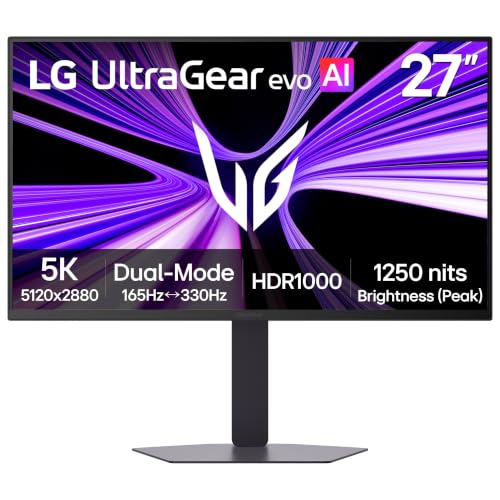 | LG 27GM950B-B | Best fit: 5K 165Hz and 90W USB-C Panel: 27-inch Hyper Mini LED Resolution: 5120 x 2880 or 2560 x 1440 Refresh: 165Hz 5K; 330Hz QHD Connections: DP 2.1; HDMI 2.1; USB-C 90W | Check Price on Amazon |
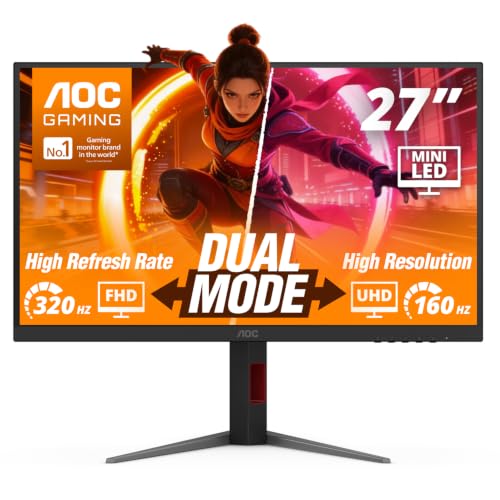 | AOC U27G4XM | Best fit: 4K dual-mode with USB hub Panel: 27-inch Mini-LED; 1152 zones Resolution: 3840 x 2160 or Full HD Refresh: 160Hz 4K; 320Hz Full HD Connections: HDMI 2.1; DP 1.4; USB 3.2 hub | Check Price on Amazon |
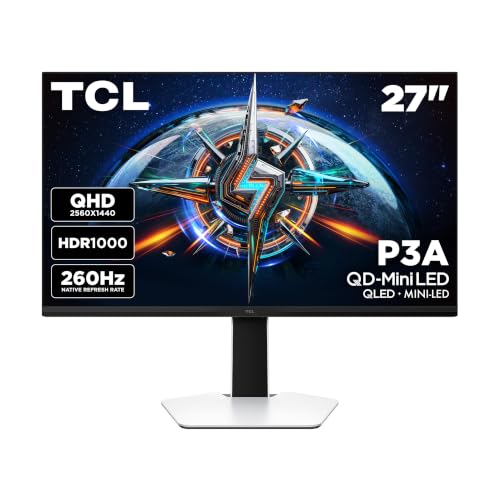 | TCL 27P3A | Best fit: 260Hz QHD Mini-LED Panel: 27-inch QD-Mini LED Resolution: 2560 x 1440 Refresh: 260Hz native Connections: 2x HDMI; 1x DisplayPort | Check Price on Amazon |
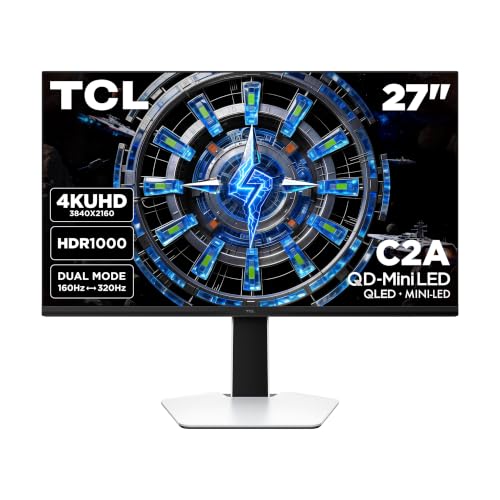 | TCL 27C2A | Best fit: 4K 160Hz or Full HD 320Hz Panel: 27-inch QD-Mini LED Resolution: 3840 x 2160 or 1920 x 1080 Refresh: 160Hz 4K; 320Hz Full HD Connections: Not named on Amazon listing | Check Price on Amazon |
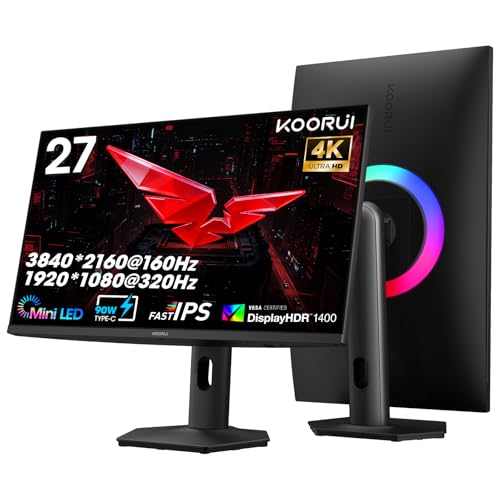 | KOORUI S2741LM | Best fit: 4K dual-mode with USB-C 90W Panel: 27-inch QD-Mini LED; 1152 zones Resolution: 3840 x 2160 or 1920 x 1080 Refresh: 160Hz 4K; 320Hz Full HD Connections: 2x HDMI 2.1; DP 1.4; USB-C 90W | Check Price on Amazon |
1. LG 27GM950B-B — Best 5K and USB-C Pick
LG’s page describes a 27-inch 5120 x 2880 Hyper Mini LED display at 165Hz, or QHD at 330Hz through its dual mode. LG lists 9,216 LEDs and DisplayHDR 1000. The Amazon listing adds up to 1250 nits peak brightness and up to 99% DCI-P3, and names tilt, height, swivel and pivot adjustment in its title.
LG’s page also lists DisplayPort 2.1 (UHBR20), HDMI 2.1 and USB-C with 90W power delivery. LG’s footnotes say the 330Hz QHD mode needs a graphics card that supports it, and reaching 330Hz over DisplayPort needs DisplayPort 2.1 support.
LG lists 5K 165Hz or QHD 330Hz plus DisplayPort 2.1, HDMI 2.1 and 90W USB-C.Our Take Pick LG for 5K detail or a 90W USB-C laptop connection. Pick AOC or the TCL 27C2A when a 4K and Full HD dual mode better matches the computer driving it.
- LG lists 5K at 165Hz for detail and QHD at 330Hz as its speed mode, both on one monitor.
- LG’s page lists DisplayPort 2.1 and HDMI 2.1 inputs plus USB-C with 90W power delivery for a laptop connection.
- LG lists 9,216 LEDs and the Amazon listing gives up to 1250 nits peak brightness, two figures to check against other models.
- LG’s speed mode is QHD rather than the Full HD mode that the AOC U27G4XM, TCL 27C2A and KOORUI S2741LM listings give.
- LG’s footnotes say the 330Hz QHD mode needs a graphics card that supports it, a requirement on the buyer’s computer.
2. AOC U27G4XM — Best 4K Dual-Mode USB Hub Pick
The Amazon listing for the AOC U27G4XM describes a 27-inch 4K Mini-LED panel with 1,152 local dimming zones, 160Hz at 4K and Full HD at 320Hz. It also gives 1ms GtG, VESA-certified DisplayHDR 1000 and G-SYNC Compatible support.
The listing names HDMI 2.1, DisplayPort 1.4, a USB 3.2 hub and headphone output, and height, swivel, pivot and tilt adjustment. It does not name a USB-C input or charging figure.
The AOC listing combines 4K 160Hz and Full HD 320Hz with HDMI 2.1, DisplayPort 1.4 and a USB 3.2 hub.Our Take Choose AOC for a 4K and Full HD mode pair and a USB hub the listing names. Choose LG or KOORUI when the listed 90W USB-C laptop connection is essential.
- The AOC listing pairs a 4K 160Hz mode with a Full HD 320Hz mode on a panel with 1,152 zones.
- The AOC listing names a USB 3.2 hub alongside HDMI 2.1 and DisplayPort 1.4 video inputs.
- The AOC listing names four stand adjustments: height, swivel, pivot and tilt.
- The AOC listing does not state a USB-C input or laptop power delivery, a laptop connection that LG and KOORUI both list.
- AOC’s speed mode is Full HD, where LG’s page lists QHD at 330Hz.
3. TCL 27P3A — Best 260Hz QHD Pick
The Amazon title calls the TCL 27P3A a 27-inch 2560 x 1440 QD-Mini LED monitor, and the listing gives a 260Hz native refresh rate. The listing also gives HDR1200, 1ms GTG, FreeSync Premium, an LD1196 local-dimming system, a Fast IPS panel and four crosshair options.
The listing names two HDMI inputs and one DisplayPort. It does not name a USB-C, USB hub or charging figure.
The TCL listing gives native QHD 260Hz, HDR1200 and 1ms GTG with two HDMI inputs and one DisplayPort.Our Take Pick TCL P3A when native QHD at 260Hz is the goal.
- The TCL listing gives native 2560 x 1440 at 260Hz, the refresh figure behind this monitor’s QHD pick.
- The TCL listing names HDR1200 as the 27P3A’s HDR level, along with 1ms GTG response and FreeSync Premium support.
- The TCL listing names two HDMI inputs and one DisplayPort, three video inputs in total.
- The TCL listing does not name a USB-C input, USB hub or laptop-power specification.
- The TCL listing gives the 27P3A one resolution, where the AOC, TCL 27C2A, KOORUI and LG list two modes.
4. TCL 27C2A — Best TCL 4K Dual-Mode Pick
The Amazon title calls the TCL 27C2A a 27-inch 4K UHD QD-Mini LED gaming monitor with Dual Mode, and the listing gives UHD at 160Hz or Full HD at 320Hz. It also gives HDR1000, 1ms response, FreeSync Premium, LD1196 local dimming and the TCL Halo Control System.
The Amazon listing does not name ports, USB-C or stand adjustment for the 27C2A. The AOC and KOORUI listings name their connections in more detail.
The TCL listing gives the 27C2A a 4K 160Hz mode, a Full HD 320Hz mode, HDR1000 and 1ms response.Our Take Choose the 27C2A for TCL’s 4K and Full HD mode pair. Choose AOC when a USB hub is required, or KOORUI when the 90W USB-C figure is required.
- The TCL listing gives a 4K mode at 160Hz and a Full HD mode at 320Hz on one monitor.
- The TCL listing names HDR1000, 1ms response and FreeSync Premium for the 27C2A.
- The TCL listing does not name ports or stand adjustment for the 27C2A, while the AOC and KOORUI listings name their connections.
- The TCL listing does not name a USB-C or charging figure for the 27C2A.
5. KOORUI S2741LM — Best 4K Dual-Mode With USB-C 90W
The Amazon listing for the KOORUI S2741LM describes a 27-inch 4K QD-Mini LED panel with 1,152 zones, 160Hz in UHD and 320Hz in Full HD. It gives VESA DisplayHDR 1400, 300,000:1 static contrast, 98% DCI-P3, 99% Adobe RGB and 1ms response time.
The listing gives a laptop-power figure, as LG’s page does. It names two HDMI 2.1 ports, one DisplayPort 1.4 (for 2K 200Hz), two USB-A ports, USB-B and USB-C with 90W power delivery, video and data. It also names 130mm height adjustment, plus or minus 90 degrees of swivel, tilt and 100 x 100mm VESA compatibility. AetherDisplay is the seller.
The KOORUI listing gives 4K 160Hz or Full HD 320Hz, 1,152 zones and USB-C with 90W power delivery.Our Take Choose KOORUI when a 4K and Full HD mode pair and 90W USB-C are both required. Choose LG when its 5K 165Hz or QHD 330Hz mode is the stronger display fit.
- The KOORUI listing gives 4K at 160Hz and Full HD at 320Hz, along with 1,152 zones.
- The KOORUI listing names USB-C with 90W power delivery, video and data for a laptop connection.
- Beyond USB-C, the KOORUI listing names two HDMI 2.1 ports, one DisplayPort 1.4, two USB-A ports and USB-B.
- The KOORUI listing names three stand adjustments, 130mm of height plus swivel and tilt.
- KOORUI’s speed mode is Full HD, where LG’s page lists a QHD mode at 330Hz.
- The Amazon offer for the S2741LM comes from AetherDisplay rather than KOORUI or Amazon.com.
Buying Guide
1. Pick the resolution mode first
LG’s page lists 5K 165Hz or QHD 330Hz. The AOC, TCL 27C2A and KOORUI listings give 4K 160Hz or Full HD 320Hz. The TCL 27P3A listing gives QHD only, with a 260Hz native refresh rate.
Choose the native work resolution first. Then decide whether a lower-resolution competitive mode suits the source computer and games you use.
2. Verify refresh rate through the actual input
The AOC listing gives HDMI 2.1 and DisplayPort 1.4 for 4K 160Hz, while LG’s page lists DisplayPort 2.1 and HDMI 2.1, and LG’s footnotes tie the 330Hz mode to DisplayPort 2.1 support.
A headline maximum does not apply to every cable and port. Use the port-specific limit from the maker or the listing, especially when moving between a laptop, console and desktop.
3. Keep USB-C video and USB-C power separate
LG’s page and the KOORUI listing each give USB-C with 90W power delivery. The AOC listing names a USB 3.2 hub but no USB-C, and the TCL listings name no laptop charging.
A USB hub does not prove laptop charging. When a one-cable desk is the reason to buy, match the USB-C input and the power figure.
4. Use zone count and HDR as model-specific facts
The Amazon listings for the AOC and KOORUI each give 1,152 local dimming zones. LG’s page lists 9,216 LEDs, and the TCL listings name LD1196 local dimming. The Amazon listings give HDR1000 for the AOC and TCL 27C2A, HDR1200 for the TCL 27P3A and HDR1400 for the KOORUI, and LG’s page gives HDR1000 for the LG.
The Amazon listing gives up to 1250 nits peak brightness for the LG, and none of the other four models give a peak figure. Compare the zone, LED, HDR and nit statement for each model rather than treating Mini-LED as one specification.
5. Check stand movement when the display shares a desk
The AOC listing names height, swivel, pivot and tilt, and LG’s Amazon title names the same four. The KOORUI listing names 130mm height adjustment, swivel and tilt. The TCL listings for the 27P3A and 27C2A name no stand movement.
Check for 130mm height adjustment, a 100 x 100mm VESA mount, pivot or USB-C input on the model you buy, even when resolution and refresh labels look similar.
FAQ
Which Mini-LED monitor has 90W USB-C?
LG’s page for the 27GM950B-B and the Amazon listing for the KOORUI S2741LM both give USB-C with 90W power delivery. LG pairs it with 5K 165Hz or QHD 330Hz, and KOORUI pairs it with 4K 160Hz or Full HD 320Hz.
No other listing on this page gives a USB-C power figure. The AOC listing’s USB 3.2 hub is not described as a laptop-power connection.
Which models have a 4K 160Hz mode?
The Amazon listings for the AOC U27G4XM, TCL 27C2A and KOORUI S2741LM all give 4K at 160Hz. Each also gives a Full HD 320Hz mode.
LG’s page instead lists 5K at 165Hz and QHD at 330Hz, so its dual mode pairs a higher resolution with a QHD speed mode.
Does every input reach the maximum refresh rate?
Not always. LG’s footnotes say reaching 330Hz over DisplayPort needs DisplayPort 2.1 support, and the KOORUI listing ties its single DisplayPort 1.4 to 2K 200Hz. Read the per-input line before choosing a cable.
The AOC listing names HDMI 2.1 and DisplayPort 1.4 for 4K 160Hz. When a listing gives no connector-specific maximum, do not assume the top mode applies to every input.
Which Mini-LED model has only a QHD mode?
The Amazon listing for the TCL 27P3A gives 260Hz native at 2560 x 1440, and the other four models list two modes. LG’s page lists QHD at 330Hz, but only as the second mode of its 5K monitor.
Choose the TCL 27P3A when native 260Hz QHD is the deciding fact.
Which models list height, swivel, pivot and tilt?
The Amazon listing for the AOC U27G4XM names height, swivel, pivot and tilt, and LG’s Amazon title names the same four. The KOORUI listing names height, swivel and tilt, though its title also says Vertical Adjustment.
The TCL listings name no stand movement. A buyer who needs a particular adjustment should choose a monitor whose listing names it.
Bottom Line
Choose LG 27GM950B-B for the 5K 165Hz and QHD 330Hz modes and 90W USB-C that LG lists. Choose AOC U27G4XM for the 4K and Full HD modes and USB 3.2 hub in its Amazon listing. Choose TCL 27P3A for the native QHD 260Hz that its listing gives, or KOORUI S2741LM for the 4K dual mode and 90W USB-C in its listing.