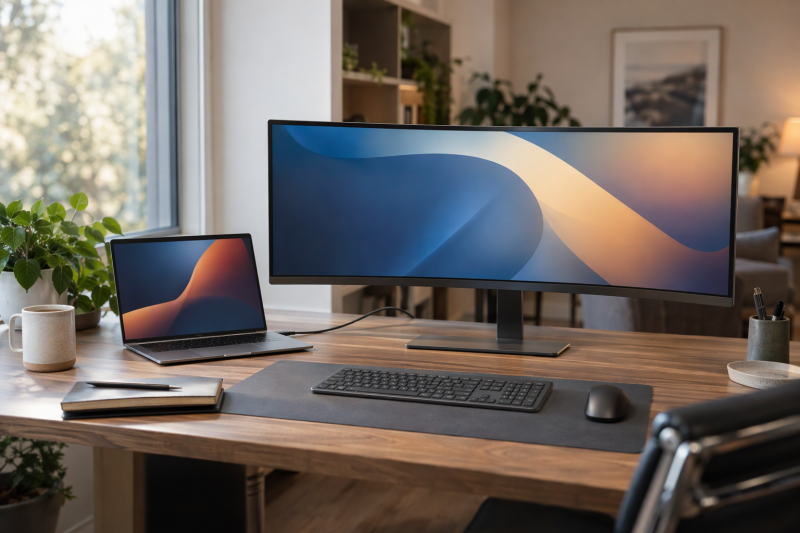
A 34-inch 21:9 curved monitor can hold two full-size windows side by side. Four things separate the five below: the ports each maker lists, whether USB-C carries power to a laptop, the curve radius, and how the stand adjusts. Pick the computer connection first and the curve second.
| Image | Product | Best fit | Resolution | Refresh | Connections | Stand and extras | Check Price |
|---|---|---|---|---|---|---|---|
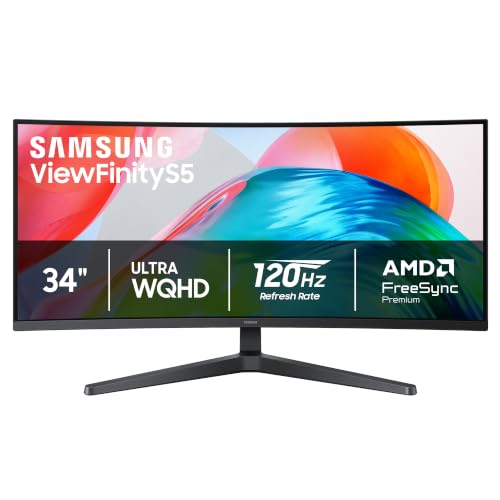 | Samsung ViewFinity S5 S55GH | 1800R screen with Eye Saver Mode | Ultrawide QHD, 21:9 | 120Hz | HDMI and DP (Amazon) | Eye Saver Mode, FreeSync Premium | Check Price on Amazon |
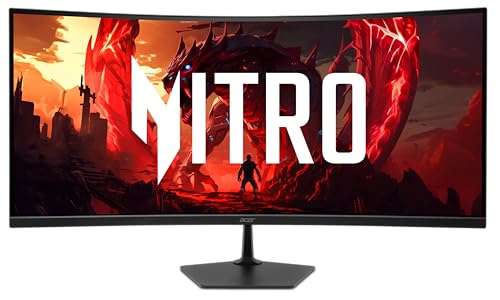 | Acer Nitro EDA340CUR | Two HDMI 2.1 ports plus DisplayPort | 3440 x 1440, 1500R | Up to 120Hz | 2x HDMI 2.1, 1x DisplayPort 1.4 | Tilt, VESA 100 x 100mm | Check Price on Amazon |
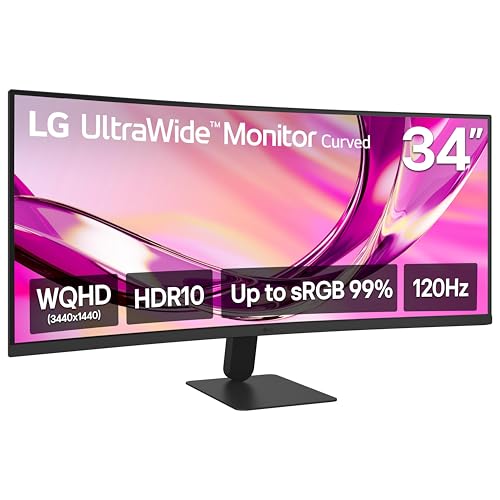 | LG 34U60ZB-B | Reader Mode and split-screen layouts | 3440 x 1440, 1800R | 120Hz | 1x HDMI 2.0, 1x DisplayPort 1.4 | Tilt per LG, DisplayPort cable included | Check Price on Amazon |
 | Dell S3425DW | USB-C 65W laptop charging | 3440 x 1440, 1800R | Up to 120Hz | USB-C 65W, 2x HDMI 2.1, 2x USB-A | Height-adjustable, 2x 5W speakers | Check Price on Amazon |
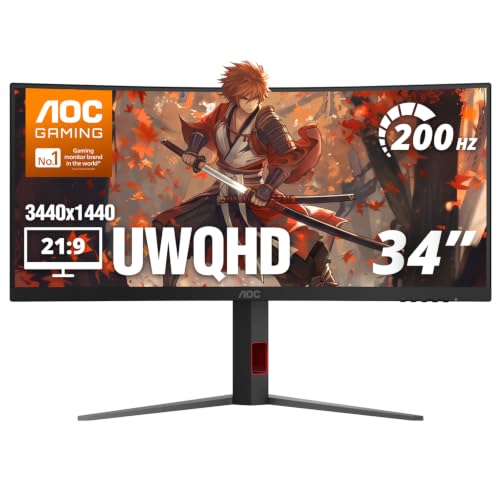 | AOC CU34G4H | 200Hz over DisplayPort | 3440 x 1440, 1500R | 200Hz DP, 100Hz HDMI | 1x DisplayPort 1.4, 2x HDMI 2.0, audio out | 130mm height adjustment, swivel | Check Price on Amazon |
1. Samsung ViewFinity S5 S55GH 34-Inch — Best for an 1800R Screen With Eye Saver Mode
Samsung’s product page for model LS34H550GANXZA lists a 34-inch Ultrawide QHD curved screen with an 1800R curve, a 120Hz refresh rate, AMD FreeSync Premium and Eye Saver Mode. The Amazon listing also names a 21:9 aspect ratio, HDR10, more than 1 billion colors, and HDMI and DP ports. Neither Samsung’s page nor the Amazon listing gives a pixel count, only the name Ultrawide QHD.
The Amazon listing says Eye Saver Mode is TÜV certified and reduces blue light and flicker. Samsung’s page names Eye Saver Mode and gives no certification detail. The Amazon listing also describes a Game Mode that adjusts color and contrast.
Limit: Amazon’s bullets list HDMI and DP and say nothing about USB-C power delivery, a USB hub or a KVM switch.Our Take Choose the ViewFinity S5 for a plain 1800R ultrawide screen when the laptop or desktop already has an HDMI or DisplayPort output.
- Samsung lists an 1800R curve and Ultrawide QHD for the LS34H550GANXZA, a fit for a computer that already has an HDMI or DisplayPort output.
- Samsung lists a 120Hz refresh rate and AMD FreeSync Premium for the ViewFinity S5.
- The Amazon listing for the Samsung ViewFinity S5 names HDR10 and more than 1 billion colors.
- The Amazon listing says Eye Saver Mode on the Samsung is TÜV certified, a detail Samsung’s own page does not give.
- The Amazon listing for the Samsung ViewFinity S5 does not name USB-C power delivery or a USB hub.
- Neither Samsung nor its Amazon listing gives a pixel count for the ViewFinity S5 beyond the name Ultrawide QHD.
2. Acer Nitro EDA340CUR 34-Inch — Best for Two HDMI 2.1 Ports Plus DisplayPort
The Amazon listing is the only source for Acer’s figures. It describes a 3440 x 1440 1500R curved display with a refresh rate of up to 120Hz, a 1ms (VRB) response time and 99% sRGB. The listed inputs are two HDMI 2.1 ports and one DisplayPort 1.4, and an HDMI cable is included.
The listing also names AMD FreeSync Premium, a blue-light filter, a tilt range of -5 to 20 degrees and VESA 100 x 100mm mounting. It does not name a USB-C port, a height adjustment or an audio output.
Limit: The Amazon bullets name HDMI 2.1 and DisplayPort inputs and do not name a USB-C port or laptop power delivery.Our Take Acer’s Nitro fits a desk that plugs in a desktop and a second HDMI source and does not need USB-C charging.
- The Amazon listing for the Acer Nitro lists two HDMI 2.1 ports and one DisplayPort 1.4, enough inputs for a desktop and a second HDMI source.
- An HDMI cable is included with the Acer Nitro, according to the Amazon listing.
- The Nitro’s Amazon listing states 3440 x 1440 resolution and 99% sRGB.
- The Nitro’s Amazon listing names VESA 100 x 100mm mounting and a -5 to 20 degree tilt.
- One Amazon bullet for the Acer Nitro names the model EDA343CUR while the title and model field say EDA340CUR.
- Amazon lists tilt only for the Acer Nitro and does not name a height adjustment.
- The Acer Nitro’s 1500R curve is tighter than the 1800R curve that Samsung, LG and Dell list.
3. LG 34U60ZB-B 34-Inch — Best for Reader Mode and Split-Screen Layouts
LG’s page for the 34U60ZB-B lists a 3440 x 1440 VA panel with an 1800R curve, 120Hz refresh, 5ms GtG response, 3,000:1 contrast, up to 99% sRGB and HDR10. It lists 250 cd/m² typical brightness, one HDMI 2.0 port, one DisplayPort 1.4 port and an included DisplayPort cable. LG’s page does not list a headphone jack, but the Amazon listing names one.
LG’s page lists Reader Mode, Flicker Safe and the LG Switch app, and the Amazon listing says LG Switch can split the screen into up to 11 layouts. LG’s spec table marks height, swivel and pivot adjustment as No and tilt as Yes. The Amazon bullets mention height adjustability, so look at LG’s stand specs before counting on it.
Limit: LG’s page lists one HDMI and one DisplayPort input and no USB-C port.Our Take Choose LG for document work on an 1800R screen with Reader Mode, a DisplayPort cable in the box and a computer that has HDMI or DisplayPort.
- LG’s page for the 34U60ZB-B lists HDMI 2.0, DisplayPort 1.4 and a DisplayPort cable in the box.
- LG lists Reader Mode and Flicker Safe for the 34U60ZB-B.
- The Amazon listing says the LG Switch app can split the screen into up to 11 layouts.
- LG lists a 3440 x 1440 screen with an 1800R curve and 120Hz refresh.
- LG’s page marks height adjustment as No while the Amazon bullets mention height adjustability, so LG’s stand specs are the ones to check.
- LG lists 250 cd/m² typical brightness, below the 300 cd/m² that Dell and AOC list.
- LG’s page does not list a USB-C port next to its one HDMI and one DisplayPort input.
4. Dell S3425DW 34-Inch — Best for USB-C 65W Laptop Charging
Dell’s page for the S3425DW lists a curved 1800R VA panel at 3440 x 1440 with up to 120Hz, 3,000:1 contrast, 99% sRGB, 95% DCI-P3 and 300 nits. Its USB-C upstream port carries DisplayPort 1.4 Alt Mode and up to 65W of power delivery, and a 1.8m USB-C cable is included. Dell also lists two HDMI 2.1 ports, two USB-A downstream ports and a USB-C downstream port with up to 15W.
Dell’s page lists two 5W speakers, a height-adjustable stand with 5.12 inches of travel, a -5 to 21 degree tilt and ComfortView Plus blue-light reduction to 35% or less. The Amazon title says 2x10W speakers, but Dell’s page gives 2 x 5 W and is the maker’s figure. The Amazon listing is for the Ash White color.
Limit: Dell lists up to 65W on the USB-C port, so compare that figure with the laptop charger’s rating.Our Take Dell’s S3425DW is the one to pick when a laptop should connect to the desk through a single USB-C cable and the monitor should also supply USB ports.
- Dell lists the S3425DW’s USB-C port with DisplayPort 1.4 Alt Mode and up to 65W power delivery.
- Dell lists two USB-A downstream ports and a USB-C downstream port with up to 15W on the S3425DW.
- Dell’s page lists a height-adjustable stand for the S3425DW with 5.12 inches of travel.
- Dell lists 99% sRGB, 95% DCI-P3 and 3,000:1 contrast for the S3425DW’s VA panel.
- Dell’s page lists two 5W speakers for the S3425DW, but the Amazon title says 2x10W.
- The Amazon listing for the Dell S3425DW is for the Ash White color.
- Dell lists up to 65W on the S3425DW’s USB-C port, so a laptop with a larger charger rating needs a check.
5. AOC CU34G4H 34-Inch — Best for 200Hz Over DisplayPort
AOC’s page for the CU34G4H lists a 34-inch 3440 x 1440 curved VA panel with a 1500R radius, a 200Hz maximum refresh rate, 1ms GtG and 0.3ms MPRT response, 2,500:1 contrast and 300 cd/m² brightness. Its inputs are two HDMI 2.0 ports and one DisplayPort 1.4, plus one audio output. AOC lists its color gamut as NTSC 85% and gives no sRGB figure.
AOC lists 130mm of height adjustment, a -3 to 21 degree tilt and 28 degrees of swivel each way. AOC’s page names 200Hz as the maximum without naming an input, and the Amazon listing says that rate runs over DisplayPort 1.4 while HDMI 2.0 runs at 100Hz.
Limit: The Amazon listing gives 200Hz for DisplayPort 1.4 and 100Hz for HDMI 2.0, and AOC’s page does not list a USB-C port.Our Take AOC’s CU34G4H suits a desk that connects by DisplayPort and wants a stand that raises, tilts and swivels.
- AOC’s page lists 130mm of height adjustment, a tilt range and swivel for the CU34G4H.
- The Amazon listing says the AOC CU34G4H runs 200Hz over DisplayPort 1.4.
- AOC’s page lists two HDMI 2.0 ports, one DisplayPort 1.4 port and an audio output for the CU34G4H.
- AOC lists 0.3ms MPRT and 1ms GtG response for the CU34G4H.
- The Amazon listing says the AOC CU34G4H runs HDMI 2.0 at 100Hz rather than 200Hz.
- AOC’s page for the CU34G4H does not list a USB-C port among its HDMI and DisplayPort inputs.
- AOC lists its color gamut as NTSC 85% and gives no sRGB figure for the CU34G4H.
Buying Guide: Choosing a 34-Inch Curved Work Monitor
Start with the computer connection
Dell’s page and Amazon listing both name a USB-C port, and Acer’s Amazon listing does not name one. Dell lists USB-C with up to 65W of power delivery and DisplayPort 1.4 Alt Mode, so a compatible laptop can use one cable for video and charging. The Samsung, Acer, LG and AOC listings and pages name HDMI or DisplayPort inputs, and a laptop without a matching output needs a dock or adapter.
Acer’s Amazon listing names two HDMI 2.1 ports and one DisplayPort 1.4. AOC lists two HDMI 2.0 ports and one DisplayPort 1.4, and LG lists one HDMI 2.0 and one DisplayPort 1.4. Check the video output on the computer against the inputs before choosing.
Choose the curve by viewing preference
Samsung, LG and Dell list an 1800R curve, and Acer’s Amazon listing and AOC’s page list 1500R. A 1500R radius is the tighter bend. Neither radius is better for work in general, and desk depth and viewing distance change how each looks.
Acer’s Amazon listing and the LG, Dell and AOC pages list 3440 x 1440, and Samsung’s page lists Ultrawide QHD. The curve radius does not change the resolution, so settle the curve by desk depth and use ports and stand to break the tie.
Read refresh figures with the input attached
AOC’s page lists 200Hz as its maximum, and its Amazon listing ties 200Hz to DisplayPort 1.4 and 100Hz to HDMI 2.0. Samsung, LG and Dell list up to 120Hz, and Acer’s Amazon listing says up to 120Hz.
Refresh rate is a separate figure from color coverage, brightness and charging. A document-heavy desk can weigh USB-C 65W, a height-adjustable stand or sRGB coverage before the largest refresh number.
Compare the panel features that support work
Dell lists 99% sRGB, 95% DCI-P3, 3,000:1 contrast and 300 nits. LG lists up to 99% sRGB, 3,000:1 contrast and 250 cd/m² typical brightness. AOC lists 2,500:1 contrast, 300 cd/m² and NTSC 85%, and Acer’s Amazon listing gives 99% sRGB.
Samsung’s Amazon listing names HDR10 and more than 1 billion colors. Each color figure comes from a maker page or an Amazon listing, and none is an independent measurement, so check any exact color-management need separately.
Keep audio, stand and control needs distinct
Dell’s page lists two 5W speakers, AOC’s page lists an audio output, and LG’s Amazon listing names a headphone jack. The Samsung and Acer Amazon listings do not mention an audio output.
AOC lists 130mm of height adjustment, and Dell lists a height-adjustable stand with 5.12 inches of travel. No Samsung, Acer, LG, Dell or AOC page or Amazon listing names a KVM switch, so two-computer keyboard and mouse switching needs a separate KVM.
FAQ
Which monitor can charge a laptop?
Dell lists USB-C with up to 65W of power delivery for the S3425DW. A compatible laptop can charge and send video over that one port, and the laptop’s charger rating shows whether 65W is enough.
Acer’s Amazon listing does not name a USB-C port, and the Samsung Amazon listing and the LG and AOC pages list none. Dell’s USB-C port is in addition to the HDMI inputs it lists.
Which monitor lists the most video inputs?
Acer’s Amazon listing and AOC’s page each list two HDMI ports and one DisplayPort, with HDMI 2.1 on the Acer and HDMI 2.0 on the AOC. Dell lists two HDMI 2.1 ports plus a USB-C port that carries DisplayPort 1.4 Alt Mode.
LG’s page lists one HDMI and one DisplayPort. Compare the port versions and the cables, not only the socket count.
Is 1500R or 1800R better for work?
A 1500R curve is tighter than an 1800R curve. Acer’s Amazon listing and AOC’s page list 1500R, and Samsung, LG and Dell list 1800R. Desk depth and viewing distance decide which bend is comfortable.
Acer’s Amazon listing and the LG, Dell and AOC pages list a 3440 x 1440 screen, and Samsung’s page lists Ultrawide QHD, so resolution does not decide between the five.
Does 200Hz require a certain input?
The Amazon listing for the AOC CU34G4H says 200Hz runs over DisplayPort 1.4 and HDMI 2.0 runs at 100Hz. AOC’s page lists 200Hz as the maximum refresh rate.
Samsung, LG and Dell list up to 120Hz and name no input condition for it.
Do any of these monitors have a KVM?
No Samsung, Acer, LG, Dell or AOC page or Amazon listing names a KVM switch. Several inputs let a monitor take more than one source, and keyboard and mouse switching is a separate function.
Dell’s USB ports and USB-C port do not make the S3425DW a KVM. For two-computer control, use a separate KVM or a monitor whose maker lists one.
Bottom Line
Choose the Dell S3425DW for USB-C 65W power delivery and two 5W speakers, both from Dell’s page. Choose the Acer Nitro for two HDMI 2.1 ports plus DisplayPort, from its Amazon listing. Choose LG for Reader Mode and a DisplayPort cable in the box. Choose Samsung for an 1800R screen with Eye Saver Mode, or AOC for 200Hz over DisplayPort and 130mm of height adjustment.
Related reading: USB-C monitors and ultrawide USB-C monitors.