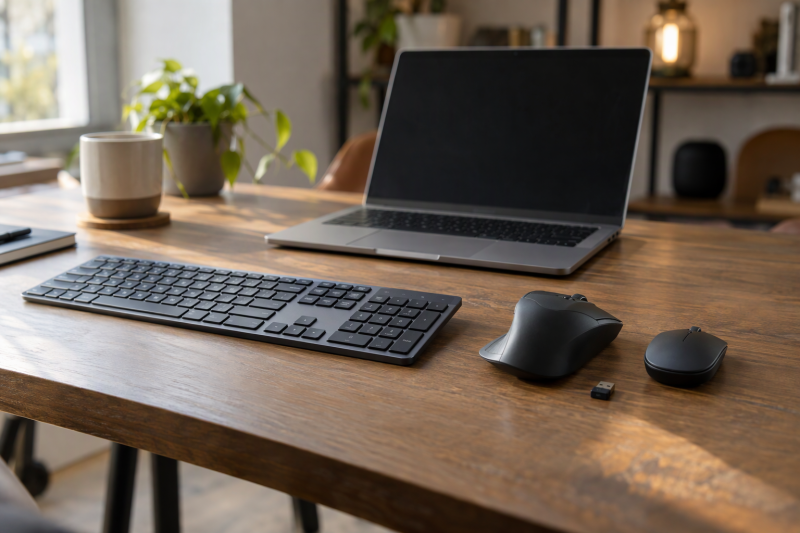
A laptop desk needs a keyboard and a mouse that connect the way the laptop allows. Before you compare any Black Friday offers, decide whether the laptop has a spare USB-A port and whether you switch between computers or want touch gestures.
Five products answer those questions: the Logitech MX Keys S and Pebble Keys 2 K380s keyboards, and the MX Master 3S Bluetooth Edition, G305 and Apple Magic Mouse mice. If the same desk also needs ports, see the USB-C docking-station guide.
Pick the connection first. A USB receiver uses a laptop port, while Bluetooth leaves that port free on the products here that offer it.Keyboard and Mouse Picks Compared
| Image | Product | Details | Check Price |
|---|---|---|---|
 | Logitech MX Keys S | Best fit: Desk that switches among up to three computers Type: Low-profile backlit keyboard Connection: Bluetooth Low Energy or Logi Bolt receiver in the box Key input: Spherically dished keys; backlight lights as hands approach Power: USB-C; up to 10 days, or 5 months with backlighting off (Logitech) | Check Price on Amazon |
 | Logitech MX Master 3S Bluetooth Edition | Best fit: Laptop with no port to spare Type: Wireless mouse Connection: Bluetooth for up to three devices; no receiver in the box Key input: 8,000 DPI sensor, Quiet Clicks, MagSpeed wheel (Logitech) Power: Up to 70 days per charge (Logitech); no charging cable in the box | Check Price on Amazon |
 | Logitech Pebble Keys 2 K380s | Best fit: Desk that gets packed away Type: Slim Bluetooth keyboard Connection: Bluetooth for up to three devices; no receiver in the box Key input: Scooped round keys and 10 Fn keys; no numeric keypad Power: 2 AAA batteries installed; up to 36 months (Logitech) | Check Price on Amazon |
 | Logitech G305 LIGHTSPEED | Best fit: Laptop with a free USB-A port and a light mouse Type: Wireless gaming mouse Connection: LIGHTSPEED USB receiver, stored in the mouse Key input: HERO sensor, 200 to 12,000 DPI; buttons programmable in G HUB Power: One AA battery; up to 250 hours (Logitech G) | Check Price on Amazon |
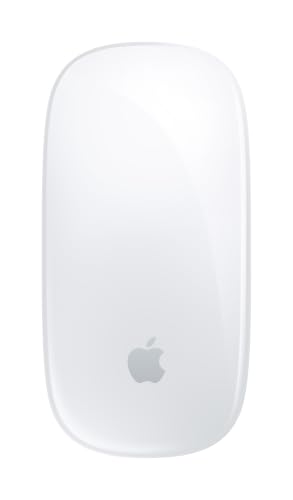 | Apple Magic Mouse (USB-C) | Best fit: Mac on macOS 15.1 or later that uses gestures Type: Wireless Multi-Touch mouse Connection: Bluetooth; USB-C port for pairing and charging Key input: Multi-Touch surface for swiping and scrolling Power: Rechargeable; about a month or more between charges (Apple) | Check Price on Amazon |
1. Logitech MX Keys S — Best Keyboard for Switching Among Three Devices
Logitech MX Keys S suits a desk where one keyboard serves several devices, e.g., a work laptop and a personal computer. Logitech says one key press switches the keyboard among up to three devices. The Amazon listing adds that it pairs by Bluetooth Low Energy or by the Logi Bolt receiver in the box.
For Bluetooth, Logitech’s requirements list Windows 10 or 11, macOS 10.15, Linux, ChromeOS, iPadOS 14 and Android 8. Logitech’s requirements also say the Logi Bolt receiver needs an available USB port and works with Windows, macOS, Linux and ChromeOS.
Logitech describes spherically dished, low-profile keys and a backlight that lights as your hands approach, with duration and brightness set in Logi Options+. Logitech’s spec line lists up to 10 days on a full charge with predefined settings and up to 5 months with backlighting off. The box holds a USB-A to USB-C charging cable. Logitech lists a width of 16.94 inches and a weight of 810 g, and it points buyers who want to save desk space to the smaller MX Keys Mini. See our backlit wireless keyboard guide for how it compares with other lit keyboards.
Our Take Choose MX Keys S when you need one keyboard for several computers and want a low-profile typing feel. Skip it if you want mechanical switches, because Logitech describes dished low-profile keys and does not describe mechanical switches.
- Logitech says one key press switches the MX Keys S among up to three devices, which suits a desk that serves several computers.
- The Amazon listing says the Logi Bolt receiver comes in the MX Keys S box, and Logitech’s box list adds a USB-C charging cable.
- Logitech describes a backlight on the MX Keys S that lights as your hands approach, with duration and brightness set in Logi Options+.
- Logitech lists a 16.94 inch width for the MX Keys S and points buyers who want to save desk space to the MX Keys Mini.
- Logitech rates the MX Keys S at up to 10 days with predefined settings and up to 5 months with backlighting off, so the longer figure depends on turning the backlight off.
- Logitech says the Logi Bolt receiver for the MX Keys S needs an available USB port.
2. Logitech MX Master 3S Bluetooth Edition — Best Bluetooth-Only Precision Mouse
The MX Master 3S Bluetooth Edition is for a laptop with no port to spare. The Amazon listing says the mouse is Bluetooth only and connects to up to three devices. It also says no USB receiver, adapter or charging cable comes with it, and its size field reads “Mouse without USB Receiver.” Logitech’s box list for this edition shows the mouse and its documentation, and labels the Logi Bolt receiver as Standard Edition only.
Logitech lists an 8,000 DPI sensor that is adjustable from 200 to 8,000 in steps of 50 and tracks on glass at least 4 mm thick. It also lists seven buttons, Quiet Clicks with 90% less click noise, and a MagSpeed wheel that scrolls up to 1,000 lines per second. You set up Flow control between computers and button customization in Logi Options+, which Logitech says is available on Windows and macOS. Logitech lists up to 70 days per full charge and three hours of use from a one-minute quick charge. The mouse weighs 4.97 oz (141 g), according to Logitech.
With the MX Master 3S Bluetooth Edition, the USB port stays free, because the Amazon listing says no receiver comes in the box.Our Take Pick this mouse when the laptop connects well over Bluetooth and you want Logitech’s MagSpeed wheel, seven buttons and Logi Options+ customization. Pass if the laptop connects only through a receiver, because none ships with this edition.
- The Amazon listing says the MX Master 3S Bluetooth Edition connects to up to three devices without a USB receiver, so the laptop keeps its USB port.
- Logitech lists an 8,000 DPI sensor for the MX Master 3S, with adjustable sensitivity and tracking on glass.
- Logitech describes Quiet Clicks on this mouse and a MagSpeed wheel that scrolls up to 1,000 lines per second.
- Logitech lists up to 70 days per full charge for the MX Master 3S, and three hours of use from a one-minute quick charge.
- The Amazon listing says no receiver or charging cable comes with the MX Master 3S Bluetooth Edition, and Logitech’s box list shows the mouse and its documentation.
- Logitech says the Logi Options+ app behind Flow and button customization is available on Windows and macOS.
- Logitech’s glass tracking for the MX Master 3S applies to glass at least 4 mm thick.
3. Logitech Pebble Keys 2 K380s — Best Compact Keyboard for a Moving Laptop Desk
Pebble Keys 2 K380s is the keyboard for a desk that gets packed away. Logitech calls it a slim, minimalist Bluetooth keyboard and says its lightweight, portable design slips into a bag. Logitech’s spec table lists 14.64 oz (415 g). Logitech says Easy-Switch buttons move it among up to three devices. Logitech names Windows, macOS, iPadOS, iOS and Android as compatible, while the Amazon listing names Windows, macOS, iPadOS and ChromeOS.
Logitech’s FAQ says the box has no USB receiver, though the keyboard can pair with a Logi Bolt receiver sold separately. The FAQ also says the keyboard has no numeric keypad. The Amazon listing describes scooped round keys and auto-sleep power saving, plus 10 Fn keys that Logi Options+ can personalize. Logitech’s FAQ gives up to 36 months of battery life, and the Amazon listing says 3 years. The keyboard comes with 2 AAA batteries installed.
Pebble Keys 2 K380s is the compact keyboard on this page, and Logitech says it has no numeric keypad.Our Take Choose the K380s for a temporary or shared desk where the keyboard travels in a bag and Bluetooth is enough. Skip it when you need a number pad or a receiver in the box.
- Logitech calls the Pebble Keys 2 K380s slim and portable and lists a weight of 415 g, which suits a desk that gets packed away.
- Easy-Switch buttons move the Pebble Keys 2 K380s among up to three devices, according to Logitech.
- Logitech lists up to 36 months of battery life for this keyboard, and 2 AAA batteries come installed in the box.
- Logitech’s FAQ says the Pebble Keys 2 K380s has no numeric keypad, so a desk that needs a number pad needs another keyboard.
- Logitech’s FAQ says the keyboard ships without a USB receiver, though it can pair with a Logi Bolt receiver sold separately.
4. Logitech G305 LIGHTSPEED — Best Receiver-Based Laptop Gaming Mouse
Logitech G sells the G305 as a gaming mouse that connects through a USB receiver. Logitech G’s page lists LIGHTSPEED wireless with a 1000Hz (1 ms) report rate and a HERO sensor from 200 to 12,000 DPI with a 400 IPS maximum speed. The page also says the USB nano receiver stores inside the mouse. Logitech’s requirements list an available USB port with Windows 7 or later, macOS 10.13 or later and ChromeOS.
Logitech lists up to 250 hours from one AA battery and says battery life varies with user and computing conditions. The Amazon title counts six programmable buttons, while Logitech’s page names a middle click, a DPI button and two side buttons that G HUB can program. The Amazon listing gives the weight as 3.4 oz.
Our Take Buy the G305 when the laptop has an available USB port, or you carry an adapter, and you want a light mouse with button remapping in G HUB. Choose a Bluetooth mouse instead when keeping every port free is more important than the sensor range.
- Logitech G lists a HERO sensor for the G305 that covers 200 to 12,000 DPI.
- The G305’s USB nano receiver stores inside the mouse, according to Logitech G.
- According to Logitech G, one AA battery runs the G305 for up to 250 hours.
- Logitech’s requirements for the G305 list Windows 7 or later, macOS 10.13 or later and ChromeOS.
- Logitech lists an available USB port as a requirement for the G305 receiver, so a laptop with only USB-C ports needs an adapter.
- Logitech lists one AA battery for the G305 and does not list a rechargeable battery.
- The Amazon title and Logitech’s page disagree on the G305’s programmable buttons, six against four.
5. Apple Magic Mouse (USB-C) — Best Gesture Mouse for a Mac Desk
Apple Magic Mouse suits a Mac desk where touch gestures replace extra buttons. Apple’s page lists a Multi-Touch surface, and the Amazon listing says it swipes between web pages and scrolls through documents. Apple lists Bluetooth, wireless operation and a USB-C port. Its system requirements are a Mac with macOS 15.1 or later or an iPad with iPadOS 18.1 or later.
Apple says the rechargeable battery lasts about a month or more between charges, based on its own preproduction testing. The woven USB-C Charge Cable in the box pairs and charges the mouse from a Mac’s USB-C port, and Apple’s product image shows the port on the bottom of the mouse. Apple’s page lists a weight of 0.22 pound and does not list Windows support, a receiver or a button count.
Our Take Pick Magic Mouse for a Mac that runs macOS 15.1 or later when you like swiping to scroll. Pass on it for a Windows laptop, because Apple’s page lists no Windows support.
- Apple lists a Multi-Touch surface for the Magic Mouse, and the Amazon listing describes web-page swipes and document scrolling.
- Apple says the Magic Mouse runs about a month or more between charges, based on its own preproduction testing.
- Apple includes a woven USB-C Charge Cable with the Magic Mouse for pairing and charging from a Mac.
- Apple lists macOS 15.1 or later and iPadOS 18.1 or later as the Magic Mouse requirements.
- Apple’s page does not list Windows support, a receiver or a button count for the Magic Mouse.
- Apple’s product image shows the Magic Mouse USB-C port on the bottom of the mouse.
Buying Guide
Choose Bluetooth or a receiver first
Bluetooth keeps a laptop port free, while a receiver uses one. The Amazon listing says Logitech MX Master 3S Bluetooth Edition is Bluetooth only, Logitech’s FAQ says Logitech Pebble Keys 2 K380s needs no receiver, and Apple lists Bluetooth for Apple Magic Mouse (USB-C).
The G305 ships with a receiver, and it needs a USB port. Logitech lists an available USB port as a requirement for Logitech G305 LIGHTSPEED. Logitech MX Keys S offers a choice, since Logitech lists Bluetooth Low Energy and a Logi Bolt receiver that needs a USB port. No keyboard and mouse pair is on this page, so each device connects on its own.
Match the keyboard to your space and your typing
Check for a number pad before anything else. Logitech says Logitech Pebble Keys 2 K380s has none, and its page for Logitech MX Keys S does not mention one, so confirm the layout in its product photos if you need one. No keyboard on this page is listed with a number pad.
Width and weight separate the keyboards. Logitech lists 16.94 inches and 810 g for Logitech MX Keys S and 415 g for Logitech Pebble Keys 2 K380s, which it calls portable. For a small desk, Logitech’s MX Keys S page points to the MX Keys Mini.
Pick the mouse by the job and the operating system
The three mice differ in sensor range, wheel and gestures. Logitech lists an 8,000 DPI sensor and a MagSpeed wheel for Logitech MX Master 3S Bluetooth Edition, and a 200 to 12,000 DPI sensor for Logitech G305 LIGHTSPEED. Apple lists a Multi-Touch surface for Apple Magic Mouse (USB-C).
Check operating system support before you choose. Apple lists macOS 15.1 or later for Apple Magic Mouse (USB-C), and Logitech lists Windows 7 or later, macOS 10.13 or later and ChromeOS for Logitech G305 LIGHTSPEED. Logitech says Logi Options+, which runs Flow and button customization on Logitech MX Master 3S Bluetooth Edition, is available on Windows and macOS.
Read battery figures with their conditions
Each battery figure comes with its own condition. Logitech gives Logitech MX Keys S up to 10 days with predefined settings and up to 5 months with backlighting off, and gives Logitech G305 LIGHTSPEED up to 250 hours on one AA battery. Apple says Apple Magic Mouse (USB-C) runs about a month or more between charges, based on its own preproduction testing.
The MX Master 3S Bluetooth Edition is rechargeable but ships without a cable. The Amazon listing says no charging cable comes with Logitech MX Master 3S Bluetooth Edition, while Logitech’s box list includes a USB-C cable with Logitech MX Keys S and Apple includes a woven USB-C cable with Apple Magic Mouse (USB-C).
FAQ
Should I choose Bluetooth or a USB receiver?
Choose Bluetooth when ports are scarce. Logitech’s FAQ says Logitech Pebble Keys 2 K380s needs no receiver, and the Amazon listing says Logitech MX Master 3S Bluetooth Edition comes without one.
Choose a receiver when the laptop has an available USB port. Logitech lists an available USB port as a requirement for Logitech G305 LIGHTSPEED.
Do I need a number pad?
Logitech says the Pebble Keys 2 K380s has none, and its MX Keys S page does not mention one. No keyboard on this page is listed with a number pad, so a buyer who enters figures often needs a different keyboard.
With no number pad listed on either keyboard, weight is the next difference. Logitech lists 415 g for Logitech Pebble Keys 2 K380s against 810 g for Logitech MX Keys S.
Can one receiver run a keyboard and a mouse?
Not with the products on this page. Logitech says the Logi Bolt receiver in the Logitech MX Keys S box is not compatible with other Logitech receivers, and the Amazon listing says Logitech MX Master 3S Bluetooth Edition has no receiver.
No keyboard and mouse pair is on this page. Each keyboard and mouse here is a separate purchase with its own connection.
Which mouse suits a Mac?
Magic Mouse for gestures on a recent Mac. Apple lists macOS 15.1 or later for Apple Magic Mouse (USB-C).
The Logitech mice cover older macOS versions. Logitech lists macOS 10.13 or later for Logitech G305 LIGHTSPEED, which needs a USB port, and macOS 10.15 or later for Logitech MX Master 3S Bluetooth Edition over Bluetooth.
What does the MX Master 3S Bluetooth Edition leave out of the box?
It leaves out a receiver, an adapter and a charging cable. The Amazon listing says so, and Logitech’s box list for Logitech MX Master 3S Bluetooth Edition shows only the mouse and its documentation.
Logitech’s spec line lists up to 70 days per full charge. Keep a charging cable of your own ready, because the Amazon listing says none comes with it.
Bottom Line
For one keyboard across several devices, Logitech says Logitech MX Keys S switches among up to three devices. Logitech MX Master 3S Bluetooth Edition fits a Bluetooth mouse that needs no receiver, and Logitech Pebble Keys 2 K380s fits a compact keyboard that travels. Logitech G305 LIGHTSPEED fits a laptop with an available USB port and remappable buttons, and Apple Magic Mouse (USB-C) fits a Mac on macOS 15.1 or later.