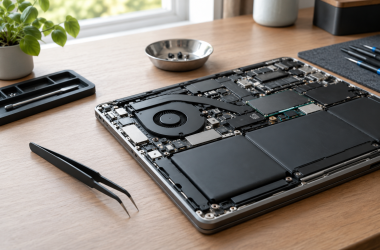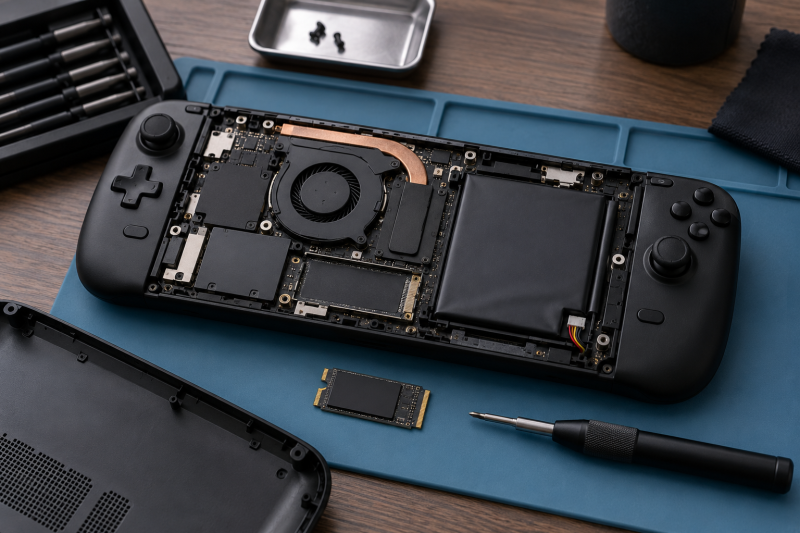
An M.2 2230 SSD is short enough for many compatible handheld PCs, compact laptops and tablets, but 2230 length alone is not compatibility. Confirm the device accepts an M.2 2230 PCIe NVMe drive, check storage limits and follow the device’s opening procedure before buying a replacement.
This guide compares six listed 2230 NVMe drives from 512GB to 2TB. PCIe generation and a maker’s maximum sequential number describe the drive, not the whole handheld. Capacity, heat management, firmware support and the device’s own slot determine the upgrade result.
Back up the original drive before opening a handheld. Do not force an M.2 module into a device that does not document 2230 NVMe support.2230 NVMe SSDs Compared
| Image | Product | Details | Check Price |
|---|---|---|---|
 | Samsung BM9C1 512GB | Capacity: 512GB Form factor: M.2 2230 Interface: PCIe Gen4 x4 Package: OEM new | Check Price on Amazon |
 | SanDisk Optimus GX 7100M | Capacity: 1TB Form factor: M.2 2230 Interface: PCIe 4.0 Read claim: Up to 7,250MB/s | Check Price on Amazon |
 | Micron 2500 | Capacity: 512GB Form factor: 22 x 30mm Interface: PCIe Gen4 x4 Package: OEM new | Check Price on Amazon |
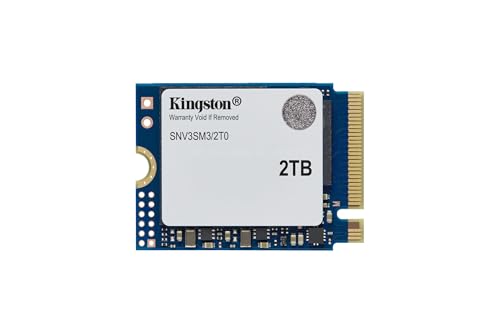 | Kingston NV3 | Capacity: 2TB Form factor: M.2 2230 Interface: Gen 4x4 Read claim: Up to 6,000MB/s | Check Price on Amazon |
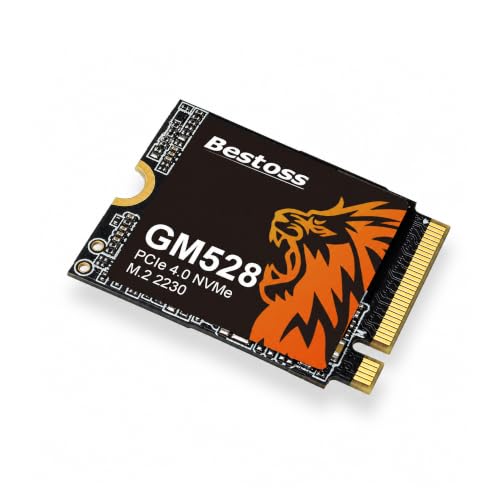 | Bestoss 1TB | Capacity: 1TB Form factor: M.2 2230 Interface: PCIe 4.0 Read claim: Up to 5,000MB/s | Check Price on Amazon |
 | Fikwot FX953 | Capacity: 1TB Form factor: M.2 2230 Interface: PCIe Gen4 x4 Read claim: Up to 5,000MB/s | Check Price on Amazon |
1. Samsung BM9C1 512GB — Best OEM 512GB Replacement
This Samsung listing identifies a 512GB PCIe Gen4 x4 M.2 2230 NVMe SSD and discloses that the exact BM9C1 suffix can vary by batch. The batch variation makes it a sensible choice only when the buyer is comfortable with an OEM listing and checks the received label before installation.
The compact module is intended for compatible laptops, tablets, mini PCs and handhelds. It does not include a promise that every device accepts the drive, so verify the device manual and the handheld’s thermal parts before opening it.
Our Take Buy the BM9C1 if you want a 512GB OEM replacement and the seller’s disclosure of model variation is acceptable. Confirm the physical label and your handheld’s supported interface first.
- 512GB M.2 2230 form factor.
- PCIe Gen4 x4 listed.
- OEM model suffix may vary.
- Device compatibility is separate.
2. SanDisk Optimus GX 7100M — Best High-Spec 1TB Option
SanDisk lists the Optimus GX 7100M as a 1TB PCIe 4.0 M.2 2230 SSD with sequential read and write figures up to 7,250MB/s and 6,900MB/s. Those values are maker maximums and do not establish a handheld’s loading time, heat or battery behavior.
The listing also names SanDisk Dashboard for Windows. A handheld may not run that tool, so do not make software support the reason to choose this drive. Buy it for the capacity and compatible 2230 PCIe interface.
Our Take Buy the SanDisk if you have a confirmed PCIe 4.0 2230 slot and want the high-spec 1TB pick. Treat its sequential values as drive specifications, not handheld measurements.
- 1TB 2230 PCIe 4.0 listing.
- High listed sequential figures.
- Maker figures are not device results.
- Dashboard is Windows software.
3. Micron 2500 512GB — Best Compact 512GB Alternative
The Micron 2500 listing specifies 512GB, PCIe Gen4 x4 and the 22 x 30mm 2230 form factor. It is another choice at the low end of capacity for a compatible device where the buyer does not need a 1TB or 2TB library.
The Micron listing is OEM-new, so check the exact received model and warranty terms. Clone or reinstall the operating system only after a separate backup exists.
Our Take Buy the Micron if you want a basic 512GB 2230 replacement, the device fit is known and OEM packaging is acceptable.
- 22 x 30mm 2230 size listed.
- PCIe Gen4 x4 listed.
- 512GB may be limiting.
- OEM-new listing.
4. Kingston NV3 2TB — Best 2TB Capacity Option
Kingston lists the NV3 as a 2TB M.2 2230 NVMe SSD with Gen 4×4 performance and a maximum sequential figure up to 6,000MB/s. The figure is a maker ceiling for the drive and not a handheld result. Capacity is the main reason to consider it for a compatible handheld with a growing game library.
Larger capacity does not remove the need to check the device’s supported drive height, thermal shield and firmware procedure. Allocate time for moving or reinstalling the original library.
Our Take Buy the Kingston if 2TB is the deciding requirement. Confirm the handheld can physically and thermally support the exact 2230 module.
- 2TB capacity listed.
- 2230 Gen 4×4 design.
- Requires compatible device fit.
- Maximum speed is not a game test.
5. Bestoss 1TB — Best Budget-Spec 1TB Alternative
Bestoss lists a 1TB PCIe 4.0 M.2 2230 SSD with read up to 5,000MB/s and write up to 3,500MB/s. Those numbers are seller claims, so do not use them to predict a particular handheld’s performance.
Its appeal is a 1TB option in the required short form factor. Check warranty terms and make a restorable copy of the original system before installation.
Our Take Buy the Bestoss if a 1TB 2230 alternative fits your budget. Keep the choice based on fit and backup, not a single speed number.
- 1TB 2230 form factor.
- PCIe 4.0 listed.
- Seller speed claim is conditional.
- Check device cooling clearance.
6. Fikwot FX953 1TB — Best Graphite-Labelled Option
Fikwot lists the FX953 as a 1TB PCIe Gen4 x4 2230 SSD with a graphite heat-dissipation sticker and read up to 5,000MB/s. The label is not a substitute for the handheld’s own thermal design, so retain any original shield or pad when the manufacturer directs it.
It is presented for Steam Deck, ROG Ally and Surface Pro use, but compatible form factor is still not a universal fit claim. Follow the exact device guide rather than copying another handheld’s disassembly steps.
Our Take Buy the FX953 if you want a 1TB option for a documented compatible device. Do not assume the graphite sticker solves every thermal or clearance issue.
- 1TB PCIe Gen4 x4 listed.
- Graphite sticker listed.
- Device fit still needs confirmation.
- Seller maximum is not measured here.
Buying Guide
Confirm the physical module before ordering
M.2 2230 means 22 x 30mm, not every M.2 size. A 2280 or 2242 drive will not fit a 2230 slot without a different device layout. Check the handheld’s documentation for supported keying, PCIe generation and single-sided clearance.
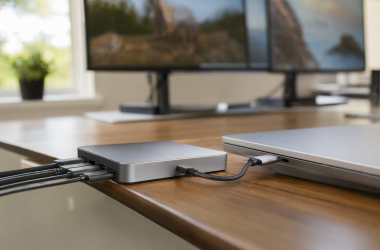
Do not rely on a product title that says handheld. Open the device guide, identify the original drive and compare its length and connector before ordering. Keep screws and thermal parts organized for reassembly. A USB-C hub can help with temporary peripherals after recovery, but it does not change the internal SSD slot.
Choose capacity before chasing a maximum number
512GB, 1TB and 2TB change how much of a game library stays local. A listed sequential number only describes a possible result for the drive interface under a vendor’s conditions. It does not prove game loading or system responsiveness.
Choose the capacity that leaves useful free space after the operating system and your normal library. If the original drive is working, use it to estimate actual storage needs before migrating. Leave room for system updates, game patches and recovery files rather than choosing capacity only from the current occupied figure.
Plan a recoverable installation
Back up before opening the handheld. A clone can preserve the existing layout, while a clean installation needs the device maker’s recovery path. Either route should leave the old drive untouched until the replacement has booted and your files are present.
Use the exact device instructions for battery disconnects and thermal shielding. An external SSD can hold a temporary backup, but it is not the same as a confirmed system recovery image. Keep the old drive labelled until the replacement has survived a reboot, a recovery check and a normal library launch.
Keep the original thermal arrangement intact
Many compact handhelds use a shield, pad or cover around the original SSD. Thickness and placement affect the fit because the closed shell leaves limited room around the drive. Reuse only the parts the device maker directs you to reuse, and avoid stacking extra pads without clearance information.
Do not judge temperature from the SSD product page. Install the replacement according to the device instructions, then watch for abnormal heat or instability during normal use before treating the upgrade as finished. Keep the original screws, cover and drive in a labelled anti-static bag for recovery.
Frequently Asked Questions
Will every 2230 SSD work in every handheld PC?
No. The 2230 length is only one requirement. The device needs a compatible M.2 NVMe slot, physical clearance and a supported installation path.
Check the manufacturer documentation before opening the handheld. A compatible drive can still require a recovery image or a particular thermal pad arrangement.
Does PCIe Gen4 make a handheld faster by itself?
Not by itself. The device interface, firmware, storage workload and heat all affect results. A vendor’s maximum sequential rating is not a measurement of a specific handheld.
Use the listed interface as a compatibility and comparison detail. Back up first, then validate the upgraded system with your own normal files and games.
Bottom Line
Pick Kingston NV3 when 2TB capacity is your priority, SanDisk Optimus GX for a high-spec 1TB option or Samsung BM9C1 for a 512GB OEM replacement. Confirm the exact handheld slot and preserve the old drive until recovery is proven.