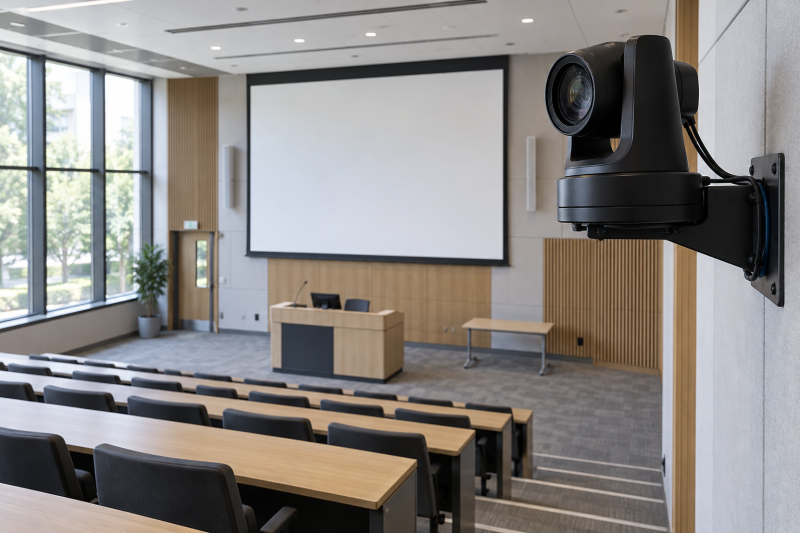
A lecture camera must show a speaker while keeping a board in reach. A PTZ camera recalls framing without an operator at the back of the room. Choose optical zoom for the camera-to-lectern distance, then check the recorded output resolution. A 4K sensor does not mean every SDI, NDI, USB or HDMI feed delivers 4K.
These five cameras were selected from Amazon US listings with active New offers; availability can change. They include a camera for short classrooms, 30x reach and two 20x installation options. Tracking, low-light quality and compatibility were not independently tested.
Measure the longest shot first, then prove the camera, control path, cable and recorder work together at the required output format.Optical-Zoom PTZ Lecture Cameras Compared
| Image | Product | Details | Check Price |
|---|---|---|---|
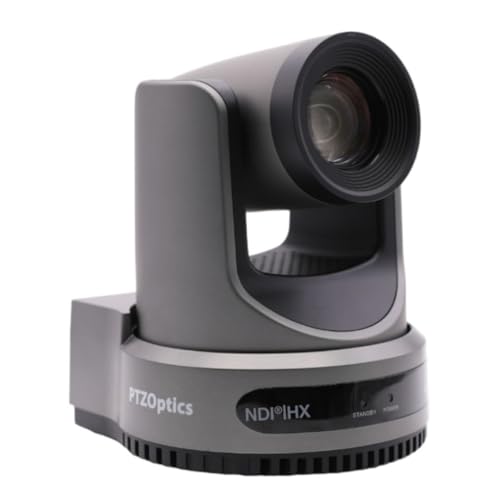 | PTZOptics Move 4K 30x | Optical zoom: 30x Video: 4K up to 60fps listed Connection: NDI, USB, IP, SDI or HDMI per variant Buyer fit: Long lecture room | Check Price on Amazon |
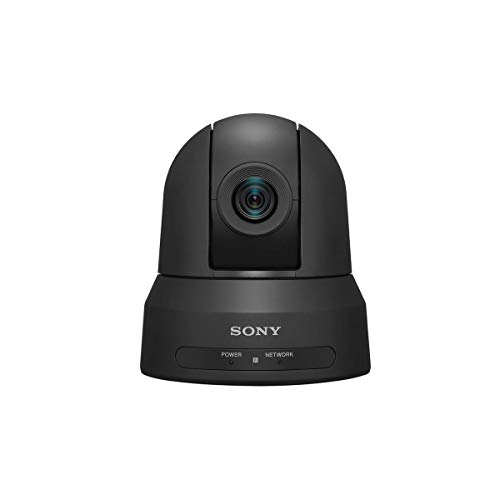 | Sony SRG-X120 | Optical zoom: 12x Video: HD listing; do not assume 4K Connection: Network camera with PoE+ Buyer fit: Smaller classroom | Check Price on Amazon |
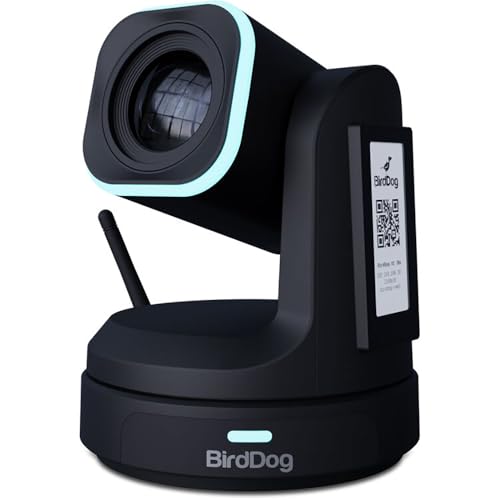 | BirdDog X1 30x | Optical zoom: 30x Video: 1080p60 listed Connection: NDI HX3, HDMI, USB, PoE Buyer fit: Networked long-room HD | Check Price on Amazon |
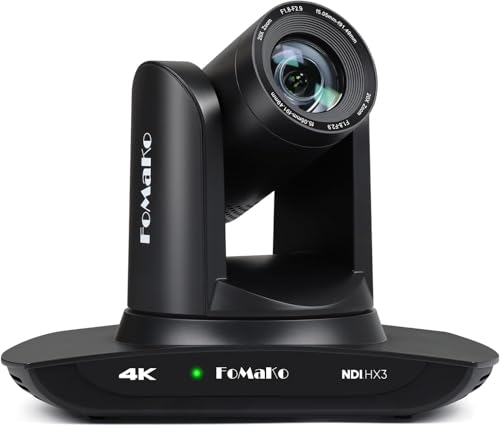 | FoMaKo K20UH | Optical zoom: 20x Video: 4K30 HDMI listed Connection: NDI HX3, USB, HDMI, PoE Buyer fit: Network and HDMI lecture feed | Check Price on Amazon |
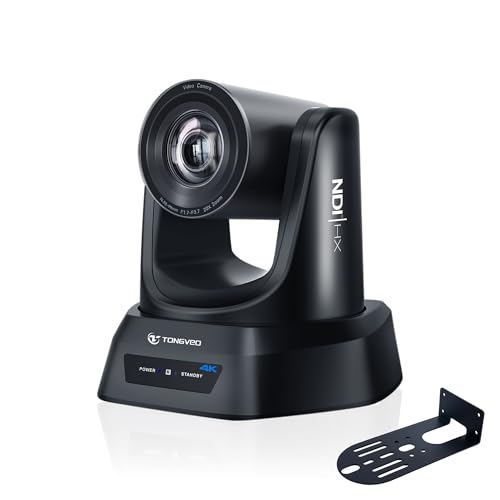 | TONGVEO 20x NDI PTZ | Optical zoom: 20x Video: 4K30 HDMI/USB; IP/NDI up to 1080p listed Connection: HDMI, SDI, USB, IP, PoE Buyer fit: SDI lecture installation | Check Price on Amazon |
1. PTZOptics Move 4K 30x — Best for a Long Lecture Room
PTZOptics lists the Move 4K 30x with 30x optical zoom and built-in auto-tracking. The exact gray-camera offer describes up to 4K60 capture and control by network, serial, web interface or remote. The long optical range is a good fit for a camera at the rear of a deeper teaching space, provided it can also widen enough to show the room or board. You get the range from a 30x label, not the usable field of view at your particular mounting point.
Its listing mentions NDI, USB and IP alongside either SDI or HDMI. The exact physical outputs should be checked for the variant delivered. Build the signal plan before ordering. If the room already uses an SDI multiviewer, verify the supported video mode and connectors rather than assuming any 4K camera will enter the current monitor chain. A separate microphone feed also needs a synchronization path at the recorder.
Auto-tracking cannot know whether a lecturer wants to show a slide, whiteboard or object. Save lectern, board and wide presets, then rehearse the handoff when someone leaves the tracking zone. Verify the mount, cable route and IT-approved control access.
Our Take Choose the Move 4K 30x when the back-of-room shot needs long optical reach. Confirm the exact output variant and rehearse auto-tracking against board and demonstration shots before treating it as a one-person production.
- 30x optical zoom for longer rooms.
- 4K60 capture listed.
- Tracking and multiple control routes described.
- Output variant must match the installed signal chain.
- Tracking still needs tested manual presets.
2. Sony SRG-X120 — Best for an HD Classroom
The Sony SRG-X120 exact offer identifies an HD network PTZ camera with 12x optical zoom and PoE+. Sony’s own product page places it in classroom and meeting-room settings. Given that placement, it is a sensible fit for a smaller teaching room whose camera position is relatively close to the lectern. The 12x range is not a substitute for measuring how large a lecturer appears in the actual room, but you don’t pay for reach that a compact room will never use.
Do not buy this listing on the assumption that it supplies 4K. One Amazon feature refers to a possible optional license at an unspecified future date. The exact offer is sold as an HD camera. If the course requires a 4K master, verify a current, delivered capability in writing or choose another camera. HD can still be appropriate for livestreams and lecture archives when the frame is stable and slides are recorded separately.
PoE+ simplifies installation only if the switch has the power budget and network access. Check whether operators need access by browser, joystick or capture controller. A managed PoE switch supports a predictable port plan but does not replace traffic and access tests.
Treat the SRG-X120 as an HD purchase unless the exact delivered package proves a current 4K path.Our Take Choose Sony’s 12x HD camera for a compact room with a planned PoE+ network. It is a poor choice if the purchase decision depends on an unconfirmed future 4K license.
- 12x optical framing for a smaller room.
- PoE+ network-camera offer.
- Sony documents classroom use.
- Exact offer is HD, not confirmed 4K.
- 12x may be short for a deep hall.
3. BirdDog X1 30x — Best for a Networked HD Lecture Feed
BirdDog’s exact X1 offer names the 30x optical-zoom version, not the original 20x X1. Its listed output is 1080p60 with NDI HX3 support, HDMI, USB/UVC and PoE. BirdDog’s technical sheet distinguishes the X1 30x lens from the 20x and Ultra variants. This camera suits a production team that works over a network and needs long room reach, while keeping the delivery target at HD.
Mind the resolution limit. A 30x optical lens can bring a distant presenter into the frame without digital crop, but it cannot turn the 1080p feed into a 4K master. The camera may be exactly right when a campus AV team already routes NDI into a hardware streaming encoder or software switcher. Check the actual receiver’s NDI HX3 support, network capacity and latency before placing it on a shared classroom subnet.
The offer mentions auto framing and a small E-Ink display, but neither is a substitute for a practical preset test. The long lens may make small pan movements look abrupt when zoomed in. Rehearse lecturer movement, whiteboard transitions and a wide safety shot at the intended mount height. Confirm the exact regional model and firmware if a control protocol or video mode is mission-critical.
This offer is the 30x X1 with a listed 1080p60 feed, not a 4K camera and not the standard 20x X1.Our Take Choose the X1 30x when long optical reach and an HD NDI workflow match the room. Verify the exact 30x unit and receiver compatibility before designing the entire lecture chain around it.
- Exact 30x optical version identified.
- NDI HX3, HDMI, USB and PoE listed.
- HD output matches common lecture streams.
- 1080p60, not a 4K master.
- Long-zoom motion and network fit need rehearsal.
4. FoMaKo K20UH — Best for a 20x HDMI and NDI Setup
The FoMaKo K20UH exact offer lists 20x optical zoom, 4K30 over HDMI and NDI HX3 network output. It is a candidate for the middle ground when 12x is too short but a 30x camera is unnecessary. Its seller describes PoE, USB, web control and adjustable auto-tracking modes. Those features are useful on paper for a lecture room with both a local display or capture card and a production desk that uses IP.
Treat the output modes as separate checks. The listing clearly states 4K30 on HDMI, but do not assume NDI, USB and HDMI all deliver the same frame size or timing. Test the exact receiver, camera firmware and combination of simultaneous outputs you intend to use. A PTZ joystick controller may be useful for a human operator, but verify the control protocol and preset behavior before buying it as an accessory.
The seller also describes region and subject tracking. In a lecture, slide changes, a person crossing the front row or a lecturer walking behind the lectern can confuse unattended tracking. Save a wide preset and decide who can take manual control. Check the supplied mount and PoE standard against facilities requirements.
Our Take The FoMaKo K20UH is a candidate when you need 20x reach and both HDMI and NDI. Require a short test of the exact output mode, tracking behavior and network control before treating its long feature list as a finished installation.
- 20x optical zoom listed.
- 4K30 HDMI and NDI HX3 offer claims.
- PoE and several control paths described.
- NDI resolution and simultaneous modes need verification.
- Tracking quality has not been independently tested.
5. TONGVEO 20x NDI PTZ — Best for an SDI Lecture Installation
TONGVEO’s exact offer names a 20x optical lens with HDMI, USB, SDI, IP and PoE. Its own bullet separates the formats. 4K30 is described for HDMI and USB, while IP/NDI is described as up to 1080p. With that split, it is a plausible fit for a room with a local 4K capture path and an existing HD SDI or network distribution chain. Do not treat the headline’s 4K wording as applying to every port.
SDI can be attractive for a longer fixed cable run to the control room, but check the exact SDI format supported by both camera and switcher. A 3G-SDI path is normally planned around HD signals. The seller does not establish a 4K SDI output. If your system uses a video switcher, test the incoming format before installing permanent cabling. PoE also depends on the correct switch budget and approved network segment.
The seller lists presenter and auto-framing modes, with a caution that it tracks one person and is not for high-speed motion. A teacher walking between board, demonstration table and lectern may need preset calls instead. Run a complete rehearsal as long as a class, not only a thirty-second demo. Verify who receives the HDMI/USB 4K feed and who receives the HD IP/NDI feed so editors do not discover a lower-resolution recording afterward.
Our Take Consider this 20x model when the room needs SDI, PoE and a separate local HDMI or USB feed. Its value depends on confirming each port’s actual signal and making the 4K/HD split explicit in the production plan.
- 20x optical zoom and SDI listed.
- HDMI, USB, IP and PoE options.
- Seller clearly states an IP/NDI resolution limit.
- IP/NDI is limited to 1080p in seller bullets.
- Exact SDI format and tracking need a system test.
Buying Guide
1. Measure the room and choose optical reach
A 12x, 20x or 30x label is not a room plan. Measure the camera-to-lectern distance and the width of the subject at the tightest intended shot. Check the published focal range and field of view for the exact camera variant. A long lens can frame a speaker at the far end of a hall, but the same camera must also make a usable wide shot if the class moves to a board or table.
Test camera motion at the long end of the lens. Small pan or tilt changes look larger at 30x, and tracking can overshoot a speaker who pauses or turns. Save a wide safety preset, a lectern preset and one board preset. Rehearse moving among them while a lecture is recorded. An operator or a planned control cue may give a more watchable class than automatic tracking alone.
2. Trace the signal from camera to recording file
Resolution belongs to an output, not merely to a camera name. Sony’s exact offer is HD, BirdDog X1 30x lists 1080p60, and TONGVEO’s own bullet says its HDMI/USB and IP/NDI modes differ. Verify the frame size and frame rate at the recorder, livestream encoder and any lecture capture platform. Read the resulting file’s properties. A 4K menu on the camera is not proof that the archive stored 4K.
Budget power, network and cabling together. PoE or PoE+ switches need spare watts and a permitted port configuration. NDI HX3, USB, HDMI and SDI receivers each have different distance, latency and compatibility constraints. A managed PoE switch can make a classroom AV network easier to maintain, but have the IT team check multicast/unicast behavior and security. Keep video and audio time alignment in the test recording.
3. Plan a repeatable lecture workflow
A camera does not replace a production checklist. Assign someone to check focus, exposure, white balance, audio and framing before students arrive. A large window or projected slide can change exposure when the speaker moves. Lock or tune settings where possible, then test under the teaching room’s actual lights. If the instructor presents small physical objects, add a close document camera rather than expecting a distant PTZ to show tiny labels.
Keep control recoverable. Document camera IPs, preset names and the approved operator account. Test what happens when tracking loses the subject or the network drops. A wired local output or stored wide preset can help preserve a usable shot, but only if the recorder can switch to it. Review a full lesson sample before ordering several identical cameras for multiple rooms.
FAQ
Is 30x optical zoom automatically better for a lecture hall?
No. Long optical reach helps when the camera is far from the lectern, but wide-angle coverage, sensor size, lighting and smooth control also count. At 30x, small movements can become distracting. A shorter lens may be enough in a compact classroom and may make a wide board shot easier.
Measure the room and draw the tightest and widest framing required. Test both positions at the planned mount height. Choose the least complicated camera that covers both shots with acceptable image quality.
Can a 4K PTZ camera always send 4K over NDI or SDI?
No. The camera’s sensor or HDMI mode does not establish every interface’s output. TONGVEO’s exact listing limits IP/NDI to 1080p while advertising 4K30 for HDMI/USB. Sony SRG-X120 is sold as HD. BirdDog X1 30x is listed at 1080p60.
Check the exact camera model’s port and mode table, then verify the receiver and resulting recording. Keep that tested signal path with the room’s setup notes so a later operator does not unknowingly switch to a different resolution.
Does auto-tracking remove the need for an operator?
Not necessarily. Tracking may follow a single lecturer across a predictable area, but it cannot choose when the lesson needs a slide, board, audience question or table demonstration. Obstructions and changing lighting can cause a camera to lose the target.
Rehearse the actual presentation and save a wide safety shot. Decide who can take manual control and when to use it. A usable uninterrupted recording is better than a technically clever shot that misses the key demonstration.
Bottom Line
PTZOptics Move 4K 30x has long optical reach and a listed 4K workflow. Sony SRG-X120 is the pick for a smaller HD classroom, while BirdDog X1 30x pairs long reach with a 1080p network feed. FoMaKo K20UH and TONGVEO 20x NDI PTZ are 20x alternatives for different output plans. The winner is the exact camera that covers both your room and your recorder’s input.