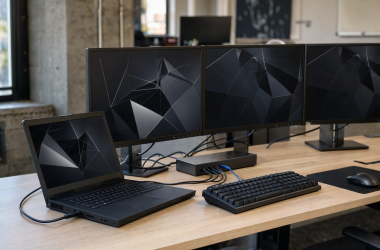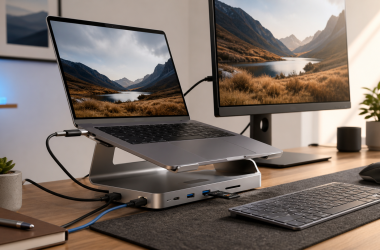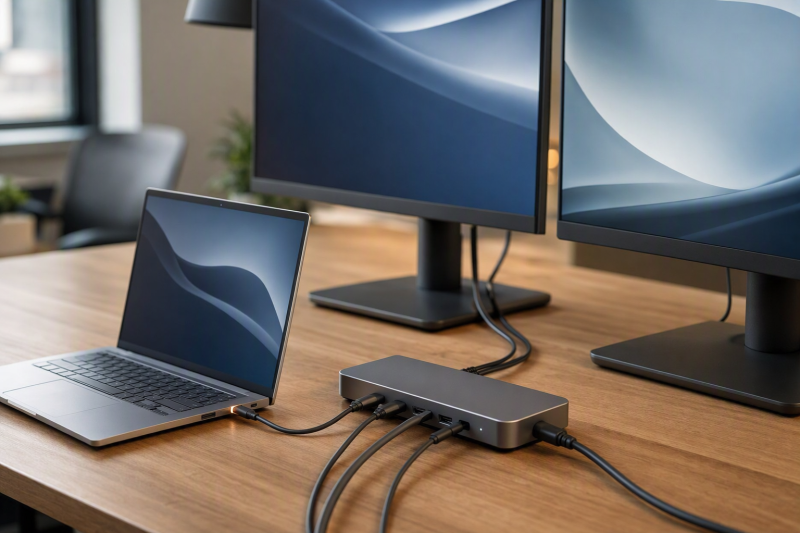
Our best DisplayLink dock with 100W or more laptop charging is the Anker Prime DL7400 A83B3, whose manufacturer-documented host path can reach 140W when the laptop supports USB PD 3.1 and no more than one device is connected to the front USB-C ports. In the same power class, the StarTech QUAD-USB-DP-ADAPT is the compact four-DisplayPort alternative. Where a qualified up-to-100W path is enough, Plugable, VisionTek, and Targus fit better. Our main DisplayLink dock guide covers display count and desk-I/O decisions beyond charging.
Read every wattage label as a ceiling. Dock input, included power-supply wattage, and power delivered to the host are three different figures. What lands at the laptop depends on the laptop, dock, charger, host cable, peripherals, and USB Power Delivery negotiation. A USB-A host connection cannot charge a USB-C laptop, even when the same dock can deliver 100W through USB-C. DisplayLink software and the exact display topology remain separate qualification steps.
Quick picks
- Anker Prime DL7400 A83B3: Best conditional up-to-140W DisplayLink dock.
- StarTech QUAD-USB-DP-ADAPT: Best compact up-to-140W four-DisplayPort adapter.
- Plugable UD-6950PDZ: Best hybrid triple-display dock with an up-to-100W path.
- VisionTek VT4600DL: Best dual-display dock for USB-C and USB-A fleets, with charging on USB-C only.
- Targus QV4K DOCK570USZ: Best enterprise quad-display dock with up to 100W over USB-C.
Compare high-power DisplayLink docks
| Image | Product | Details | Check Price |
|---|---|---|---|
 | Anker Prime DL7400 A83B3 | DisplayLink role: Triple-output DL7400 desk dock Manufacturer host ceiling: Up to 140W Power condition: PD 3.1 host; no more than 1 front USB-C device USB-A behavior: USB-A is downstream, not host charging Buyer check: Dock budget and negotiation still control | Check Price on Amazon |
 | StarTech QUAD-USB-DP-ADAPT | DisplayLink role: Compact four-DisplayPort workstation adapter Manufacturer host ceiling: Up to 140W under stated conditions Power condition: Confirm charger, cable, host, and pass-through path USB-A behavior: USB-A host paths do not charge laptop Buyer check: Input label is not laptop output | Check Price on Amazon |
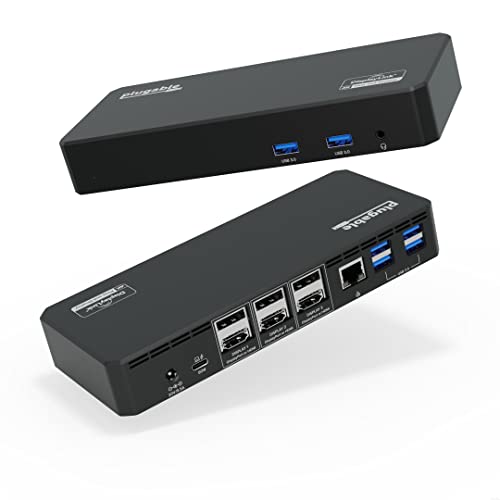 | Plugable UD-6950PDZ | DisplayLink role: Hybrid native + two-DisplayLink triple dock Manufacturer host ceiling: Up to 100W Power condition: Negotiated USB-C PD and host support USB-A behavior: USB-C/USB4/TB host product path Buyer check: Native group also requires DP Alt Mode | Check Price on Amazon |
 | VisionTek VT4600DL | DisplayLink role: Dual-display DisplayLink dock Manufacturer host ceiling: Up to 100W Power condition: USB-C host only; negotiated PD USB-A behavior: USB-A host provides no laptop charging Buyer check: 134W dock adapter is not host-output proof | Check Price on Amazon |
 | Targus QV4K DOCK570USZ | DisplayLink role: Quad-display dual-DL-6910 dock Manufacturer host ceiling: Up to 100W PD 2.0 Power condition: Compatible USB-C host required USB-A behavior: Included USB-A adapter cannot charge laptop Buyer check: 180W dock adapter is not host-output rating | Check Price on Amazon |
1. Anker Prime DL7400 A83B3 — best conditional up-to-140W DisplayLink dock
Anker documents DisplayLink DL7400, one DisplayPort 1.4 output, two HDMI 2.1 outputs, three downstream USB-C ports, three USB-A ports, 2.5GbE, audio, SD, and TF, with Windows 10 and 11 in the retained manufacturer scope. The host-power path can reach 140W, which puts this first in line for a compatible high-power laptop that also needs DisplayLink display expansion.
That 140W ceiling arrives with two explicit conditions: the host must support USB PD 3.1, and no more than one device can be connected to the front USB-C ports. On the display side, the captured manufacturer record does not preserve a complete simultaneous three-display matrix, so neither per-port maxima nor a catalog triple-display headline can stand in for the exact combination. Check Anker’s published table for the host, three screens, cables, and required charger before buying.
Our Take
Choose Anker when a qualified PD 3.1 laptop and a conditional 140W path outrank having the simplest display matrix. Every front-port and display condition is part of the purchase, not fine print.
- Conditional manufacturer ceiling of up to 140W
- Three DisplayLink-era display connectors
- 2.5GbE, broad USB, audio, and card readers
- 140W requires exact PD 3.1 and front-port conditions
- Complete simultaneous display matrix is not frozen
2. StarTech QUAD-USB-DP-ADAPT — best compact up-to-140W DisplayPort adapter
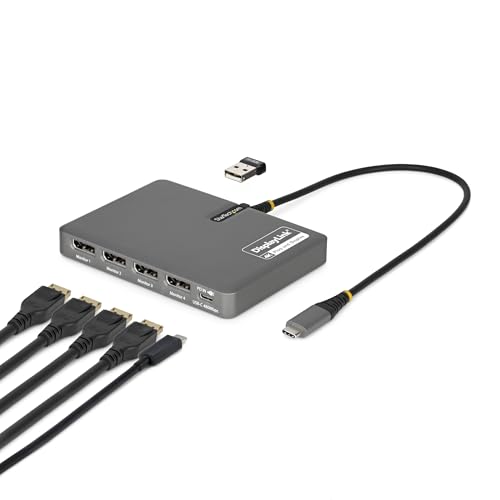
StarTech’s manufacturer record establishes genuine DisplayLink graphics, four external DisplayPort paths, and an up-to-140W host-power role under the manufacturer’s stated conditions. This is a compact workstation adapter rather than a full peripheral dock, which makes it a focused choice for a four-DisplayPort desk whose Ethernet, storage, audio, and other USB needs already live elsewhere.
The frozen evidence does not retain the complete simultaneous-resolution matrix, exact OS list, charger requirement, cable specification, USB-C power conditions, or a detailed peripheral inventory. Treat those unknowns as buying checks rather than blanks to fill from the product name. The charging path does not apply through USB-A, and a 140W label does not prove that every laptop will accept that amount. Read StarTech’s exact data sheet and the laptop’s own USB PD input specification side by side.
Our Take
Buy this StarTech model when four DisplayPort outputs and a qualified high-power USB-C host path top the list. Where Ethernet and peripheral expansion must live in the same box, take a full dock instead.
- Four manufacturer-documented DisplayPort paths
- Conditional up-to-140W host role
- Compact adapter form avoids duplicate dock I/O
- Not a full USB and Ethernet dock
- Exact mode and power conditions require data-sheet confirmation
3. Plugable UD-6950PDZ — best hybrid triple-display up-to-100W dock

Plugable gives the UD-6950PDZ three video groups, each selectable as HDMI or DisplayPort. Group 1 uses the host’s native DP Alt Mode. Groups 2 and 3 use DisplayLink DL-6950 USB graphics and require compatible software. Alongside the video, the dock carries six USB-A ports, Gigabit Ethernet, audio, and an up-to-100W negotiated host-charging path.
Plugable advertises up to triple 4K60 only when its complete matrix qualifies. The native group needs a DP 1.4 host route for 4K60; a DP 1.2 route limits that group to 4K30. The two DisplayLink groups list HDCP as unsupported, and Plugable cautions against graphics-heavy, editing, gaming, and full-screen-video use. Managed systems can require administrator approval for DisplayLink software. Charging and the three display paths therefore need separate checks.
Our Take
Choose the UD-6950PDZ when 100W covers the laptop and an explicit one-native plus two-DisplayLink topology suits an office desk. Products that never label each route are far harder to qualify.
- Clear native and DisplayLink group assignments
- Up to 100W negotiated USB-C charging
- Six USB-A ports and Gigabit Ethernet
- Native display ceiling depends on host DP version
- DisplayLink groups retain HDCP and workload limits
4. VisionTek VT4600DL — best USB-C and USB-A dual-display fleet dock
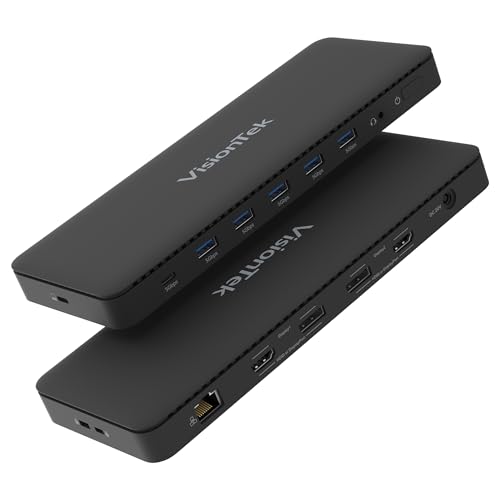
VisionTek documents genuine DisplayLink graphics and up to two active 4K60 displays. The dock provides two DisplayPort 1.2 sockets and two HDMI 2.0 sockets, though only two video outputs are active at once. It supports USB-C and USB-A host connections and adds five USB-A 5Gbps ports, one USB-C 5Gbps port, Gigabit Ethernet, and audio, with a retained OS scope covering Windows 7 through 11, macOS, and ChromeOS.
Charging here is path specific. According to VisionTek, a compatible USB-C host can receive up to 100W under USB PD negotiation; a USB-A host receives no laptop power. The manufacturer’s included 134W dock adapter is not evidence that 134W reaches the laptop. Part of that budget supports the dock and attached devices, and the USB-C host negotiates only the supported amount. Confirm the exact two-display connector combination rather than reading four sockets as four active screens.
Our Take
Choose VisionTek for a mixed USB-C and USB-A fleet that needs dual DisplayLink screens. Write the no-charge USB-A behavior into the deployment plan so older hosts keep their own chargers.
- USB-C and USB-A host options
- Up to two active 4K60 displays
- Up to 100W charging on qualified USB-C hosts
- USB-A host path cannot charge the laptop
- Four display sockets still mean only two active outputs
5. Targus QV4K DOCK570USZ — best enterprise up-to-100W quad-display dock
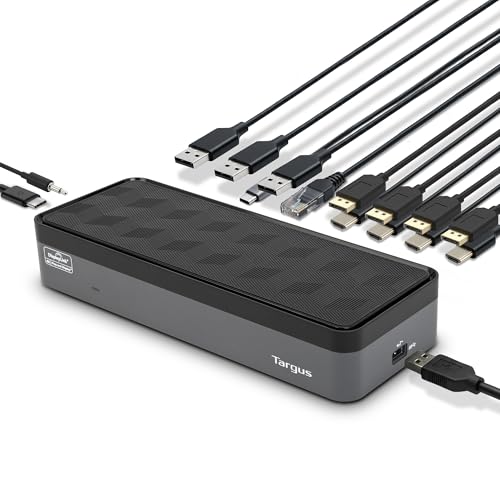
Targus uses two DisplayLink DL-6910 chips and documents four active outputs across four DisplayPort and four HDMI sockets. The dock also supplies four USB-A ports, one USB-C port, Gigabit Ethernet, audio, and an up-to-100W USB PD 2.0 charging path for compatible USB-C hosts. Its included 180W adapter powers the dock system; it is not a claim that 180W reaches the laptop.
A USB-A host adapter comes in the box as well, and USB-A cannot charge the laptop. For displays, work from the conservative retained modes: four DisplayPort screens at 4K60 or four HDMI screens at 4K50. A later Targus marketing line conflicts by saying HDMI 4K60, so do not promote that higher result without clarification. The exact DisplayLink software, OS, cables, and monitor inputs still control the deployment.
Our Take
Choose Targus when four office displays and enterprise I/O both matter and 100W PD 2.0 meets the laptop’s needs. For a single-screen desk that only needs charging, it is far more dock than the job requires.
- Four manufacturer-documented active outputs
- Up to 100W on compatible USB-C hosts
- USB, Gigabit Ethernet, and audio for enterprise desks
- USB-A hosts receive no laptop charging
- Conflicting HDMI wording requires a conservative 4K50 ceiling
How to qualify a 100W or 140W DisplayLink desk
Separate the three power numbers
Dock input is what the product accepts. Power-supply wattage is the adapter’s total capacity. Host output is what the dock can negotiate toward the laptop. Those three values are never interchangeable. Targus includes a 180W adapter but advertises up to 100W to the host; VisionTek’s 134W adapter likewise does not establish a 134W laptop path.
Check the laptop’s accepted USB PD profile
No dock can force 100W or 140W into a laptop. The host has to accept the relevant profile through the chosen USB-C port, and Anker explicitly requires USB PD 3.1 for its 140W ceiling. Check whether the laptop uses a proprietary fast-charge route or accepts its maximum only through a particular port. Where the dock’s supported ceiling sits below the laptop’s sustained requirement, keep the original laptop charger.
Include the charger, cable, and dock load
A pass-through device may require a separately purchased charger. The host cable has to support the negotiated power level, and the dock keeps back power for its own electronics and attached USB devices. Anker also ties 140W to front USB-C occupancy. Every stated condition belongs in the system you are planning, not in a footnote. Our USB-C dock guide covers broader power and port tradeoffs.
Keep USB-A hosts on their own chargers
On products that explicitly support it, USB-A can carry data and DisplayLink graphics, and it still cannot deliver USB-C laptop charging. VisionTek and Targus both offer USB-A host options carrying that limitation. Label those fleet desks clearly, so nobody mistakes a working display connection for a charging failure.
Qualify displays independently
A dock that charges correctly has validated nothing about a display mode. Map native and DisplayLink paths, install supported software, obtain administrator approval where required, and match the simultaneous manufacturer table. Our dual-monitor dock guide explains why connector count does not equal active-display count. DisplayLink should not be assumed to provide protected-content support, color accuracy, gaming performance, or any unlisted refresh mode.
For a simpler desk decision, see docks versus hubs before paying for display and power features you will not use.
Final recommendation
The Anker Prime DL7400 A83B3 is the best high-power choice when a USB PD 3.1 host and Anker’s front-port condition qualify the 140W path, and StarTech is the compact four-DisplayPort adapter in the same class. After those, one requirement picks each remaining dock: Plugable for an explicit hybrid triple-screen topology, VisionTek for USB-C and USB-A dual-display fleets, Targus for four enterprise screens. Whichever you buy, verify host output separately from adapter input, hold the no-charge USB-A rule, and qualify the DisplayLink topology on its own.