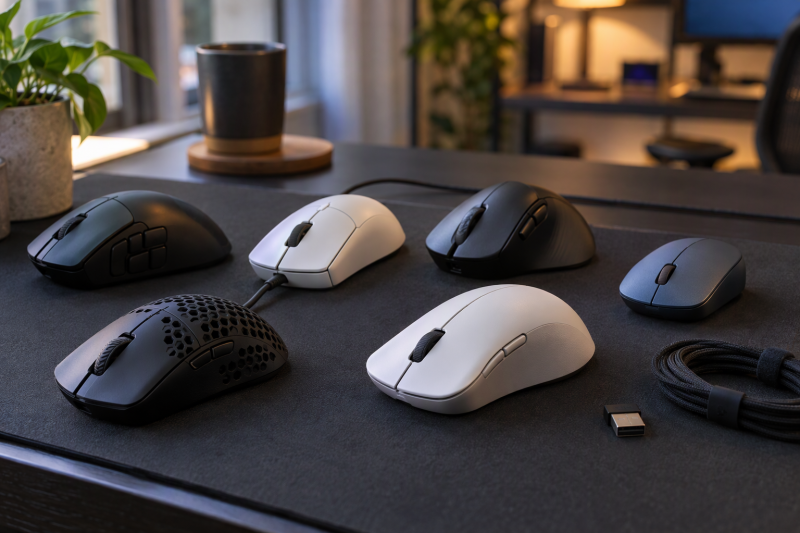
A gaming mouse comes down to three decisions: how much weight you want to move, how many buttons your thumb needs, and whether a cable or a battery suits your desk. The six mice below are compared on those decisions, and the sensor’s DPI ceiling counts as headroom, not as the deciding figure.
Each pick below names the player it suits and the limit to check first. The weight, sensor, report rate, button and battery figures come from the makers’ pages, and the Amazon listing covers what a maker page leaves out.
Sort by weight, button count and connection first, and treat the sensor ceiling as headroom.Gaming Mice Compared by Weight, Sensor and Connection
| Image | Product | Best fit | Weight and sensor | Connection | Controls and battery | Watch-outs | Check Price |
|---|---|---|---|---|---|---|---|
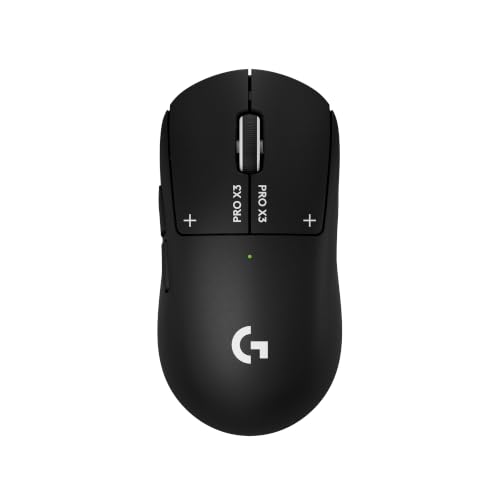 | Logitech G PRO X3 SUPERSTRIKE | Players who want adjustable click points | Logitech lists 59 g; HERO 2, 100 to 48,000 DPI | LIGHTSPEED wireless or USB-C, up to 8 kHz per Logitech | Logitech lists 10 actuation points; 135 hours (varies with use) | Logitech says advanced features need G HUB; no button count given | Check Price on Amazon |
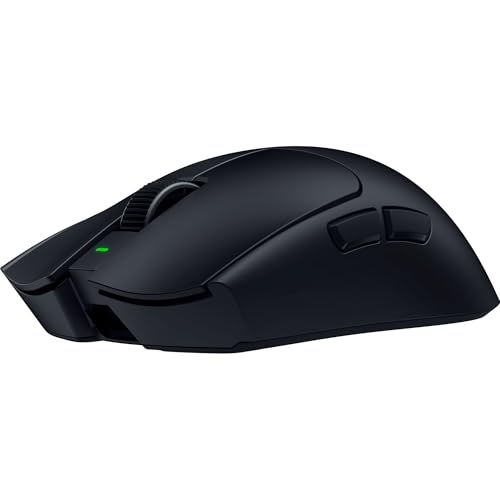 | Razer Viper V4 Pro | Fast-shooter players who want the lowest stated weight | Razer lists under 49 g excluding cable and dongle; Focus Pro 50K | HyperSpeed Wireless Gen-2 or wired, up to 8,000 Hz per Razer | Razer lists six buttons; up to 180 hours at 1,000 Hz, 45 hours at 8,000 Hz | Six programmable buttons; battery falls at 8,000 Hz | Check Price on Amazon |
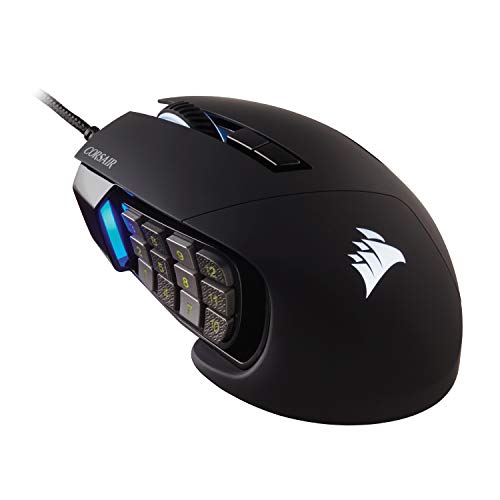 | CORSAIR Scimitar RGB Elite | MMO and MOBA players who want a movable side panel | Corsair lists PMW3391, 18,000 DPI; weight given with no unit | Wired, 1.8 m braided cable per Corsair | Corsair lists 17 programmable buttons, 12 on the side panel | Wired only; no gram weight stated | Check Price on Amazon |
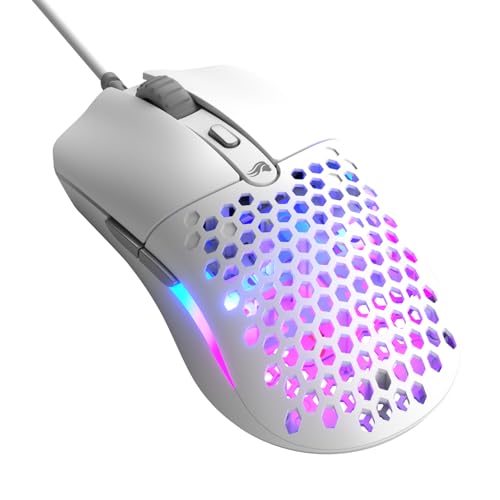 | Glorious Model O Eternal | Players who want a light wired mouse | Glorious lists 55 g plus or minus 4 g; 12K sensor | Wired, 2 m PVC cable per Glorious | Glorious lists six programmable buttons; 1,000 Hz maximum polling | Wired only; plug type not named | Check Price on Amazon |
 | Logitech G305 LIGHTSPEED | Players who want a wireless mouse on one AA battery | Logitech lists 99 g; HERO, 200 to 12,000 DPI | LIGHTSPEED wireless with receiver storage per Logitech | Logitech lists one AA battery, up to 250 hours; four programmable buttons named | Bluetooth not mentioned; heavier than the Viper V4 Pro | Check Price on Amazon |
 | Razer Naga V2 HyperSpeed | Wireless MMO players who want Bluetooth | Razer lists 95 g excluding cable and dongle; Focus Pro 30K | HyperSpeed Wireless or Bluetooth per Razer | Razer lists 19 programmable buttons; up to 250 hours on HyperSpeed, 400 on Bluetooth | No polling rate given; heavier than the Viper V4 Pro | Check Price on Amazon |
1. Logitech G PRO X3 SUPERSTRIKE — Best for Adjustable Click Points
Logitech’s page lists the G PRO X3 SUPERSTRIKE at 2.08 oz (59 g), with a HERO 2 sensor that covers 100 to 48,000 DPI. Logitech states a maximum report rate of 8 kHz over both wired USB-C and LIGHTSPEED wireless, so the cable does not unlock a faster mode than the wireless link.
The click system is what separates this mouse from the other five. Logitech replaces ordinary switches with its Haptic Inductive Trigger System and says the main keys have 10 actuation points and 5 rapid-trigger reset points. Logitech lists 135 hours of constant-motion battery life, notes that it varies with use, and says the mouse recharges over USB-C or on a POWERPLAY pad sold separately. Logitech lists five buttons, while the Amazon listing (model 910-007876) gives no button count.
Check first: Logitech says its advanced features, including the 8 kHz report rate, require G HUB software.Our Take Buy the SUPERSTRIKE if you want to set how far a click travels before it registers and keep a wired fallback. Skip it if you want many programmable buttons, since Corsair and Razer list 17 and 19 on the mice further down.
- Logitech gives a weight of 59 g for the SUPERSTRIKE on its own product page.
- Logitech says the main keys have 10 actuation points and 5 rapid-trigger reset points, which lets you set how far a click travels.
- Logitech states an 8 kHz maximum report rate over both USB-C and LIGHTSPEED, so the cable does not unlock a faster mode than the wireless link.
- Logitech says the SUPERSTRIKE needs G HUB software for its advanced features, including the 8 kHz report rate.
- Logitech lists five buttons for the SUPERSTRIKE, and the Amazon listing gives no count.
2. Razer Viper V4 Pro — Lowest Stated Weight
Razer lists the black Viper V4 Pro at under 49 g, excluding cable and dongle, and no other page here states a lower weight. Razer also lists a Focus Pro 50K Gen-3 optical sensor, six programmable buttons, optical Gen-4 switches that it rates for 100 million clicks, a right-handed symmetrical shape and no RGB lighting.
Razer lists HyperSpeed Wireless Gen-2 and a wired mode, with up to 8,000 Hz reporting in both. The battery claim depends on that setting: up to 180 hours at 1,000 Hz and up to 45 hours at 8,000 Hz. The Amazon listing says the box holds grip tape, the HyperSpeed dongle and a USB-A to USB-C cable.
Our Take Buy the Viper V4 Pro if you play fast shooters and want the lowest stated weight with 8,000 Hz reporting. Skip it if you bind many actions to the mouse, because Razer lists six programmable buttons.
- Razer lists the Viper V4 Pro at under 49 g, excluding cable and dongle, the lowest weight stated here.
- Razer states up to 8,000 Hz in both wireless and wired modes, so the mouse keeps its top report rate on the cable.
- The Amazon listing says the box holds grip tape, the HyperSpeed dongle and a USB-A to USB-C cable.
- Razer lists six programmable buttons for the Viper V4 Pro, so it suits you less if you bind many actions to the mouse.
- Razer’s battery claim for the Viper V4 Pro falls from up to 180 hours at 1,000 Hz to up to 45 hours at 8,000 Hz.
3. CORSAIR Scimitar RGB Elite — Best for MMO and MOBA Side Buttons
Corsair lists 17 fully programmable buttons, and 12 of them sit on a side panel. Corsair’s Key Slider control system moves that panel to fit your hand. The sensor is a custom PixArt PMW3391 with a native 18,000 DPI ceiling, adjustable in 1 DPI steps, and Corsair rates the Omron switches for 50 million clicks.
Corsair lists the Scimitar as wired only, with a 1.8 m braided cable, three onboard memory profiles, a palm grip, a medium hand size and a right-side finger rest. Corsair’s spec table gives a weight of 0.14833 with no unit, so this page states no gram figure for it.
Check the fit: Corsair lists a palm grip, a medium hand size and a right-side finger rest, so confirm they suit your hand before you commit to a side-button panel.Our Take Buy the Scimitar if you play MMO or MOBA games and want 12 side buttons on a panel that moves to fit your hand. Skip it if you want a wireless or low-weight mouse, because Corsair lists a cable and gives no weight in grams.
- Corsair lists 17 fully programmable buttons, 12 of them on the side panel.
- Corsair’s Key Slider control system repositions the side panel to fit your hand.
- Corsair lists three onboard memory profiles.
- Corsair lists wired connectivity only, with a 1.8 m braided cable, so a cable has to fit your desk.
- Corsair’s spec table gives the Scimitar a weight with no unit, so it cannot be ranked by weight here.
4. Glorious Model O Eternal — Best Light Wired Mouse
Glorious lists the Model O Eternal at 55 g plus or minus 4 g with a wired connection, a 12K optical sensor that covers 100 to 12,000 DPI, and six programmable buttons. The Amazon listing is for the matte white model. Glorious lists a 1,000 Hz maximum polling rate, a 2 m PVC cable and three custom onboard profiles.
Glorious lists a right-handed symmetrical shape with palm, claw and fingertip grips. Glorious rates its switches for 80 million clicks and lists dual-zone RGB lighting. The CORE software is optional, and Glorious’s page notes that CORE supports Windows only, while it lists Windows, macOS and Linux for the mouse itself. Neither Glorious nor the Amazon listing names the plug on the cable, so check the connector against your laptop’s ports.
Glorious states 55 g with a tolerance of 4 g either way, so a single mouse can fall anywhere from 51 g to 59 g.Our Take Buy the Model O Eternal if you want a light wired mouse with six buttons and no battery to manage. Skip it if you want a wireless link, since Glorious lists a wired connection only.
- Glorious lists the Model O Eternal at 55 g plus or minus 4 g and states the tolerance.
- Glorious lists six programmable buttons and three custom onboard profiles, which suits a player who keeps most binds on the keyboard.
- Glorious rates its switches for 80 million clicks and lists palm, claw and fingertip grips.
- Glorious lists a wired connection only, with a 2 m PVC cable.
- Neither Glorious nor the Amazon listing names the plug type on the cable, so check the connector against your laptop’s ports before you buy.
5. Logitech G305 LIGHTSPEED — Best AA-Powered Wireless Mouse
Logitech’s page lists the G305 at 3.49 oz (99 g), with a HERO sensor covering 200 to 12,000 DPI, a 1,000 Hz (1 ms) LIGHTSPEED wireless report rate and a single AA battery. Logitech also lists built-in storage for the USB nano receiver.
Logitech lists up to 250 hours on one AA battery. The Amazon listing adds that Endurance mode, set in G HUB, extends battery life to up to 9 months. Logitech’s page headlines six programmable buttons but names four that G HUB can program: the middle click, the DPI button and two side buttons.
Our Take Buy the G305 if you want a wireless gaming mouse that runs on one AA battery, and your laptop has a USB port or hub for the receiver. Skip it for low weight, because Logitech’s 99 g compares with Razer’s under 49 g for the Viper V4 Pro.
- Logitech lists up to 250 hours on one AA battery, a battery you can swap rather than recharge.
- Logitech describes built-in storage for the USB nano receiver.
- Logitech lists a 1 ms wireless report rate.
- Logitech lists the G305 at 99 g, against Razer’s under 49 g for the Viper V4 Pro, so it is a poor fit for a low-weight setup.
- Neither Logitech’s page nor the Amazon listing mentions Bluetooth.
6. Razer Naga V2 HyperSpeed — Best Wireless MMO Mouse with Bluetooth
Razer lists 19 programmable buttons, a Focus Pro 30K optical sensor, a tilt scroll wheel and mechanical Gen-2 switches rated for 60 million clicks. Razer lists a right-handed shape and a weight of 95 g excluding cable and dongle. The Amazon listing gives the model number RZ01-03600100-R3U1.
Razer lists two wireless links, HyperSpeed Wireless on 2.4 GHz and Bluetooth, with up to 250 hours on HyperSpeed and up to 400 hours on Bluetooth. It is the only one of the six whose maker page or listing names Bluetooth. Razer’s page and the Amazon listing give no polling rate for it.
Our Take Buy the Naga V2 HyperSpeed if you want MMO buttons without a cable and a Bluetooth option for a second computer. Skip it for fast shooters, since Razer lists 95 g against under 49 g for the Viper V4 Pro.
- Razer lists 19 programmable buttons for the Naga V2 HyperSpeed, which suits an MMO player.
- Razer lists up to 250 hours on HyperSpeed Wireless and up to 400 hours on Bluetooth.
- Razer lists both 2.4 GHz HyperSpeed Wireless and Bluetooth, which gives you a second link for a second computer.
- Razer lists the Naga V2 HyperSpeed at 95 g excluding cable and dongle, against under 49 g for the Viper V4 Pro, so it is a poor fit for fast shooters.
- Razer’s page and the Amazon listing give no polling rate for the Naga V2 HyperSpeed, so confirm it with Razer before you buy.
Buying Guide
1. Use weight to sort the list, then check how it was stated
Makers state weight on different terms. Razer lists the Viper V4 Pro at under 49 g and the Naga V2 HyperSpeed at 95 g, both excluding cable and dongle. Glorious lists the Model O Eternal at 55 g plus or minus 4 g, Logitech lists the G PRO X3 SUPERSTRIKE at 59 g, and Logitech lists the G305 at 99 g.
Corsair’s spec table gives the Scimitar RGB Elite a weight with no unit, so it cannot be ranked by weight here. Weight is not a measure of fit. Glorious lists palm, claw and fingertip grips for the Model O Eternal, while Corsair lists a palm grip for the Scimitar, so match the shape to your hand before you chase a lower number.
2. Treat sensor DPI as headroom, then read the button count
Logitech lists up to 48,000 DPI for the HERO 2 sensor in the SUPERSTRIKE, Razer lists 50,000 for the Viper V4 Pro and 30,000 for the Naga V2 HyperSpeed, and Corsair lists 18,000 for the Scimitar. Glorious and Logitech list 12,000 DPI for the Model O Eternal and the G305. A DPI ceiling is not a measure of comfort or tracking, so set your sensitivity in the game and judge the mouse on your own pad.
Button counts differ more than sensor ceilings. Razer and Glorious list six programmable buttons for the Viper V4 Pro and the Model O Eternal, Corsair lists 17 for the Scimitar, and Razer lists 19 programmable buttons for the Naga V2 HyperSpeed. Logitech names four programmable buttons on the G305 and gives no count for the SUPERSTRIKE.
3. Pick a connection around your ports and your charging habits
Two of the six mice are wired. Corsair lists a 1.8 m braided cable for the Scimitar and Glorious lists a 2 m PVC cable for the Model O Eternal, so a cable or a receiver has to fit your desk either way. If your laptop is short on ports, a USB-C hub or the right USB-C cable can give a receiver or a charging cable a place to connect.
Logitech uses LIGHTSPEED and Razer uses HyperSpeed for their 2.4 GHz links, and the Naga V2 HyperSpeed is the only mouse here that names Bluetooth. Razer lists up to 180 hours at 1,000 Hz for the Viper V4 Pro, Logitech lists 135 hours of constant motion for the SUPERSTRIKE, and Logitech lists up to 250 hours on one AA battery for the G305.
4. Choose a polling rate your games and battery can use
Polling rate is how often the mouse reports its position. Logitech states a maximum of 8 kHz for the SUPERSTRIKE over USB-C and LIGHTSPEED, Razer lists up to 8,000 Hz for the Viper V4 Pro in wireless and wired modes, and Glorious lists 1,000 Hz as the Model O Eternal’s maximum. Logitech lists a 1 ms report rate for the G305.
Razer’s own battery figures for the Viper V4 Pro show the cost. They fall from up to 180 hours at 1,000 Hz to up to 45 hours at 8,000 Hz. Logitech’s page gives one 135-hour figure for the SUPERSTRIKE and says it varies with use, so it does not split that figure by report rate.
5. Match the button count to the games you play
A mouse with six programmable buttons, like the Viper V4 Pro or the Model O Eternal, suits a player who keeps most binds on the keyboard. In an MMO or MOBA, dedicated buttons can hold abilities, targeting and items, and Corsair and Razer list the highest button counts stated here, on the Scimitar RGB Elite and the Naga V2 HyperSpeed.
Corsair’s movable 12-button side panel comes with a cable, while Razer’s 19 buttons come with HyperSpeed Wireless and Bluetooth. The sensor ceiling comes last, because every mouse here lists at least 12,000 DPI.
FAQ
Is a lighter gaming mouse always better?
No. Razer lists the Viper V4 Pro at under 49 g. Comfort and shape decide whether a mouse works for you, and Glorious lists palm, claw and fingertip grips for the 55 g Model O Eternal.
Button needs can outweigh weight. Corsair lists 17 programmable buttons for the Scimitar and Razer lists 19 for the Naga V2 HyperSpeed, and both suit games where the mouse carries many binds.
Do I need more than 1,000 Hz polling?
Not necessarily. Glorious lists 1,000 Hz as the maximum for the Model O Eternal, and Logitech lists a 1 ms wireless report rate for the G305.
Logitech states an 8 kHz maximum for the SUPERSTRIKE and Razer lists up to 8,000 Hz for the Viper V4 Pro. Razer’s battery figures show the trade. They run up to 180 hours at 1,000 Hz against up to 45 hours at 8,000 Hz.
Is an AA-powered wireless mouse a good choice?
Yes, if you accept more weight. Logitech lists up to 250 hours on one AA battery for the G305. The Amazon listing adds that Endurance mode, set in G HUB, extends battery life to up to 9 months.
The trade is weight. Logitech lists the G305 at 99 g, while Razer lists the rechargeable Viper V4 Pro at under 49 g and Logitech lists the rechargeable SUPERSTRIKE at 59 g.
Should I choose Bluetooth or a 2.4 GHz receiver?
Choose Bluetooth for the longer battery figure Razer lists and for pairing a second computer, and the 2.4 GHz link for the low latency the Amazon listing describes.
Razer lists up to 250 hours on HyperSpeed Wireless and up to 400 hours on Bluetooth for the Naga V2 HyperSpeed. The Amazon listing describes HyperSpeed as the low-latency link and Bluetooth as the option for longer gaming hours.
Are very high DPI ratings important?
No. Logitech lists up to 48,000 DPI for the SUPERSTRIKE and Razer lists 50,000 for the Viper V4 Pro, but Glorious and Logitech list 12,000 DPI for the Model O Eternal and the G305.
Corsair lists 18,000 DPI for the 17-button Scimitar, and that ceiling does not make it a worse choice than a six-button mouse with a higher DPI figure.
Bottom Line
The Razer Viper V4 Pro is the pick for the lowest stated weight, with Razer listing under 49 g and 8,000 Hz in both modes. The Logitech G PRO X3 SUPERSTRIKE suits a player who wants adjustable click points, and the Glorious Model O Eternal is the light wired choice at 55 g plus or minus 4 g, as Glorious lists it.
For commands, the CORSAIR Scimitar RGB Elite adds Corsair’s 17 programmable buttons on a cable, and the Razer Naga V2 HyperSpeed adds Razer’s 19 buttons with Bluetooth. The Logitech G305 is the AA-powered option, and Logitech lists it at 99 g.