We compared manufacturer specifications, aggregated expert benchmark data, and cross-referenced thousands of user reviews across every current 5K monitor to find the best options for Mac users, creative professionals, and productivity-focused setups. The 5K monitor market has expanded dramatically in the past two years, and choosing the right display now depends on more than resolution alone.
5K resolution means 5120 pixels across the horizontal axis — either 5120×2880 on 27-inch panels (which delivers 218 pixels per inch, matching Apple’s Retina density target) or 5120×2160 on ultrawide and 40-inch panels. Both formats offer significantly more working space than 4K while maintaining razor-sharp text that eliminates the need to scale up the UI. If you spend hours each day reading, editing images, or working with dense spreadsheets, the sharpness difference over 4K is immediately apparent.
This guide covers seven monitors spanning 27-inch standard displays, 40-inch curved productivity panels, and 39-inch gaming-class OLED ultrawide screens.
Table of Contents
Recently Updated
May 2026: Added the LG 39GX950B (first 39-inch 5K2K OLED from LG), updated Apple Studio Display entry to reflect the 2026 model with Thunderbolt 5 and A19 chip. Replaced the ASUS XG27JCG (no confirmed Amazon availability) with the LG UltraFine 5K as our budget 5K pick.
Quick Picks
- Best overall: Dell UltraSharp U4025QW — 40-inch 5K2K curved, IPS Black, 120Hz, 140W power delivery
- Best 27-inch: Samsung ViewFinity S9 — matte 5K IPS, Thunderbolt 4, 90W charging, built-in 4K webcam
- Best for Mac: Apple Studio Display (2026) — Thunderbolt 5, 96W charging, six-speaker system, A19 chip
- Best Thunderbolt 4 value: ViewSonic VP2788-5K — 100W PD, 99% DCI-P3, Pantone Validated, daisy chain
- Best new release: BenQ PD2730S — nano matte panel, 98% P3, 90W TB4, KVM, 2000:1 contrast
- Best ultrawide OLED: LG 39GX950B — 39-inch 5K2K OLED, 165Hz, 0.03ms, AI upscaling
- Best budget 5K: LG UltraFine 27MD5KL-B — Thunderbolt 3, 500 nits, DCI-P3 99%, proven reliability
| Image | Product | Details | Check Price |
|---|---|---|---|
 | Dell UltraSharp U4025QW | Size: 39.7-inch curved 5K2K (5120x2160) Panel: IPS Black, 2000:1 contrast Refresh Rate: 120Hz VRR Connectivity: Thunderbolt 4 (140W EPR) | Check Price on Amazon |
 | Samsung ViewFinity S9 | Size: 27-inch 5K (5120x2880) Panel: IPS, 600 nits, 99% DCI-P3 Refresh Rate: 60Hz Connectivity: Thunderbolt 4 (90W) | Check Price on Amazon |
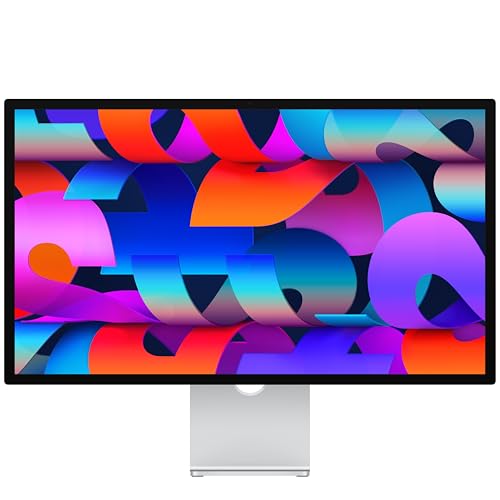 | Apple Studio Display (2026) | Size: 27-inch 5K (5120x2880) Panel: IPS, 600 nits, P3 wide color Refresh Rate: 60Hz Connectivity: Thunderbolt 5 (96W) | Check Price on Amazon |
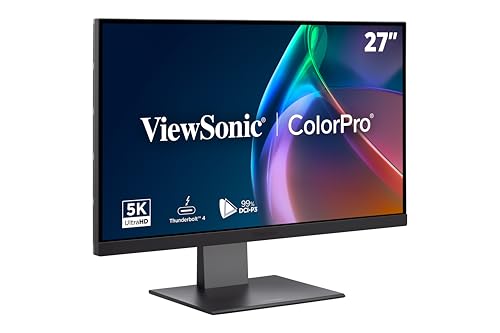 | ViewSonic VP2788-5K | Size: 27-inch 5K (5120x2880) Panel: IPS, 500 nits, 99% DCI-P3 Refresh Rate: 60Hz Connectivity: Thunderbolt 4 (100W) | Check Price on Amazon |
 | BenQ PD2730S | Size: 27-inch 5K (5120x2880) Panel: IPS Nano Matte, 98% P3, 2000:1 Refresh Rate: 60Hz Connectivity: Thunderbolt 4 (90W), KVM | Check Price on Amazon |
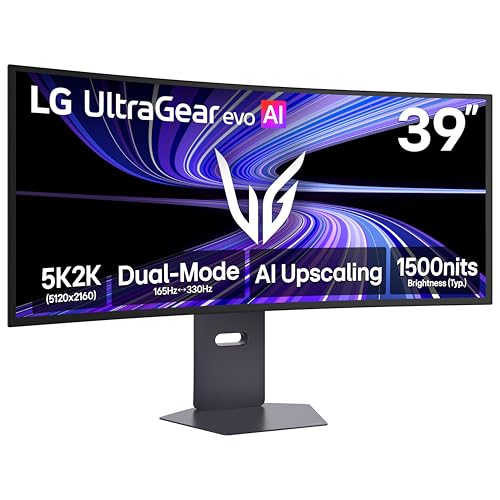 | LG UltraGear 39GX950B | Size: 39-inch curved 5K2K (5120x2160) Panel: Tandem OLED, True Black 500 Refresh Rate: 165Hz / 330Hz Dual Mode Connectivity: DP 2.1, USB-C (90W) | Check Price on Amazon |
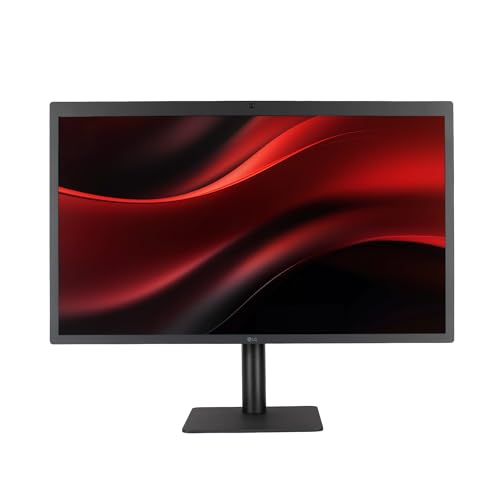 | LG UltraFine 5K 27MD5KL-B | Size: 27-inch 5K (5120x2880) Panel: IPS, 500 nits, 99% DCI-P3 Refresh Rate: 60Hz Connectivity: Thunderbolt 3 (94W) | Check Price on Amazon |
1. Dell UltraSharp U4025QW — Best Overall
The Dell U4025QW is the most capable productivity monitor in this roundup and, depending on your workflow, one of the best monitors you can buy at any resolution. Dell rates it at 5120×2160 across a 39.7-inch curved (2500R) IPS Black panel with 120Hz refresh rate and a static contrast ratio of 2000:1 — that last figure is exceptional for IPS technology and means blacks look genuinely dark, not the washed-out gray you see on conventional IPS panels.
The real story here is the hub built into the display. Dell includes a Thunderbolt 4 upstream port capable of 140W Extended Power Range (EPR) charging — enough to charge a MacBook Pro 16-inch at full speed while running the display. Alongside that you get USB-A, USB-C downstream ports, an SD card reader, a 3.5mm audio jack, and KVM switching, so a single Thunderbolt cable genuinely replaces the entire dock for most laptop users. See our full roundup of Thunderbolt monitors for more context on how this compares to the dock-monitor alternatives.
At 120Hz with VRR support, the U4025QW also handles gaming respectably — it is not a dedicated gaming monitor, but it is far more capable than the 60Hz 5K panels. Dell states 99% DCI-P3 coverage with Delta E less than 2 factory calibration out of the box.
The downsides are the size (39.7 inches is a lot of screen; your desk needs to be at least 60 inches wide to use it comfortably) and the price, which positions it firmly at the premium end. But if you want the single best all-day productivity display with built-in 5K2K resolution, 120Hz, and a full hub, nothing else comes close.
Our Take
The Dell U4025QW is the best 5K monitor for most professionals. The combination of 120Hz, IPS Black contrast, 140W Thunderbolt 4, and a full USB hub makes it a monitor-dock combo that genuinely earns its price. We recommend this as the default choice for anyone who wants to step up from a standard 27-inch 5K setup without giving up refresh rate or connectivity.
- 2000:1 contrast IPS Black panel looks dramatically better than standard IPS
- 140W EPR Thunderbolt 4 charges any laptop at full speed
- 120Hz with VRR handles gaming alongside creative work
- Full built-in hub eliminates the need for a separate dock
- Factory Delta E <2 calibration from Dell
- 39.7 inches is too large for desks under 60 inches wide
- Premium pricing places it well above 27-inch alternatives
- 5K2K (21:9) ultrawide content requires adjustment period
Key Specs: 39.7-inch curved 5K2K (5120×2160) | IPS Black | 120Hz VRR | 2000:1 contrast | 99% DCI-P3, Delta E <2 | Thunderbolt 4 (140W EPR) | HDMI 2.1 | KVM switch | USB hub | HDR600
2. Samsung ViewFinity S9 — Best 27-Inch 5K Monitor
The Samsung ViewFinity S9 is our top pick for the 27-inch format. Samsung rates the panel at 5120×2880 resolution on a 27-inch IPS display with 600 nits brightness, 99% DCI-P3 color gamut, and factory calibration to Delta E less than 2. What sets it apart from competing 27-inch 5K displays is the matte anti-glare coating, which Samsung calls Matte Display — a genuine anti-reflection treatment that performs like a nano-texture glass coating without the premium upcharge Apple charges for the same feature.
Thunderbolt 4 connectivity supports 90W laptop charging and 40Gbps data transfer. Samsung also includes three downstream USB-C ports and a DisplayPort input, giving you flexibility for PC users who want to connect via DP rather than USB-C. The built-in 4K SlimFit Camera (3840×2160, 30fps, 90-degree field of view) attaches magnetically to the top of the panel and includes gesture recognition for hands-free commands.
The smart TV features (Samsung Gaming Hub, AirPlay 2, built-in apps) are genuinely useful if you connect it to a streaming device or Apple TV, though most professional users will run it as a standard Thunderbolt monitor and ignore the smart layer entirely.
The one limitation worth noting: the S9 refreshes at 60Hz only. If you want 5K at 27 inches with a higher refresh rate, the market does not currently have a better option. For image editing, color grading, video review, and general office work, 60Hz is entirely adequate. Our monitor buying guide explains when refresh rate actually matters for your workflow.
Our Take
The ViewFinity S9 is the 27-inch 5K monitor to beat. Its matte display panel solves the glare problem that plagues competing glossy 5K screens, the 4K webcam is better than anything built into a monitor at this size, and 90W Thunderbolt 4 handles any current laptop at full charge speed.
- Matte anti-glare coating dramatically reduces reflections versus glossy 5K panels
- Built-in 4K SlimFit webcam is the best in-monitor camera available
- 99% DCI-P3 with factory Delta E <2 calibration
- Samsung Smart TV layer adds AirPlay 2 and streaming apps
- 90W Thunderbolt 4 single-cable connectivity
- 60Hz refresh rate only — no high-refresh option
- Smart TV features add complexity some users will never want
Key Specs: 27-inch 5K (5120×2880) | IPS | 60Hz | 600 nits | 99% DCI-P3, Delta E <2 | Thunderbolt 4 (90W) | DisplayPort | 3x USB-C downstream | 4K SlimFit camera included | HDR10
3. Apple Studio Display (2026) — Best for Mac
The 2026 Apple Studio Display is a meaningful upgrade from the 2022 original. Apple updated the upstream connection to Thunderbolt 5 (replacing Thunderbolt 3), added a second Thunderbolt 5 port for daisy chaining or high-speed accessories, and switched to a 12MP Center Stage camera with Desk View support. The A19 chip handles camera processing and the system-level integrations with macOS that make Studio Display work so seamlessly with Apple silicon Macs.
The six-speaker system remains one of the most impressive built into any monitor at any price — Apple rates the acoustic performance at a level that replaces a dedicated studio monitor setup for most users. Spatial Audio with Dolby Atmos is supported, and the three-microphone array with directional beamforming performs well enough for conference calls without a dedicated headset.
Apple states 600 nits of sustained brightness on the standard glass model, with nano-texture glass available as an upgrade that reduces reflections by an additional significant margin. 96W host charging via the Thunderbolt 5 Pro cable means even a MacBook Pro 16-inch charges at a reasonable rate during use. The two additional USB-C ports (10Gbps) handle peripherals and iPhone charging.
The Studio Display is optimized for Mac. Windows and Linux machines work with it, but Center Stage, Desk View, and the microphone array require Apple’s drivers to function fully. If your primary machine is not a Mac, the Samsung S9 or ViewSonic VP2788-5K will serve you better.
Our Take
For Mac users, the Studio Display is the reference-quality 5K monitor. The 2026 update brings Thunderbolt 5, a better camera, and Desk View — making it genuinely competitive with every rival at the 27-inch 5K price tier. If you are in the Apple ecosystem, this is the monitor to get.
- Thunderbolt 5 upstream — fastest single-cable connection of any 5K monitor
- Six-speaker system with Spatial Audio matches standalone studio monitors
- Center Stage and Desk View work natively with macOS
- A19 chip handles camera AI without burdening the host Mac
- 96W charging supports MacBook Pro 16-inch during use
- Full feature set requires a Mac — Windows/Linux users miss Center Stage and Desk View
- 60Hz refresh rate, no VRR
- Height-adjustable stand costs significantly more than the base tilt-only stand
Key Specs: 27-inch 5K (5120×2880) | IPS | 60Hz | 600 nits | P3 wide color | Thunderbolt 5 (96W, 120Gbps) | 2x USB-C 10Gbps | 12MP Center Stage camera | Six-speaker Spatial Audio | A19 chip
4. ViewSonic VP2788-5K — Best Thunderbolt 4 Value
The ViewSonic VP2788-5K is the best-value 5K monitor on the market right now for users who need professional color accuracy but cannot justify the Apple Studio Display or Samsung S9 prices. ViewSonic states 100W Thunderbolt 4 power delivery — the highest of any Thunderbolt 4 5K monitor — along with 99% DCI-P3 coverage, 100% sRGB, and Pantone Validated certification for color-critical creative work.
The daisy chaining capability is a practical differentiator: ViewSonic supports connecting a second VP2788-5K via the downstream Thunderbolt 4 port, giving you a dual 5K setup from a single cable to your laptop. Most users will run only one, but for those who need two identical calibrated 5K panels, this eliminates the need for a dock or docking station entirely. Our Thunderbolt 4 monitor roundup covers the full range of options at this connectivity standard.
The IPS panel measures 27 inches with 5120×2880 resolution (218 PPI), native 60Hz refresh rate, 500 nits brightness, and 2000:1 static contrast ratio. Connectivity includes the upstream Thunderbolt 4, HDMI 2.1, DisplayPort 1.4, a downstream Thunderbolt 4, a 15W USB-C port, and two USB-A downstream ports. The ergonomic stand covers height, tilt, and swivel, matching the flexibility you get from higher-priced displays.
The VP2788-5K launched in late 2025, positioning it as a fresh alternative to the Samsung S9 with competitive specs at a lower entry price. See our best USB-C monitors guide for broader context on value picks at this connectivity tier.
Our Take
The ViewSonic VP2788-5K punches well above its price. The 100W Thunderbolt 4, professional color credentials, and dual-monitor daisy chain support make it the most capable sub-premium 5K monitor available today. It is the one to buy if you want Apple Studio Display quality without Apple Studio Display pricing.
- 100W Thunderbolt 4 — highest PD of any TB4 5K monitor
- Pantone Validated and 99% DCI-P3 for professional color work
- Dual 5K daisy chain via downstream TB4 port
- HDMI 2.1 and DP 1.4 for Windows and Linux compatibility
- 2000:1 contrast ratio, above-average for IPS
- Glossy panel — no matte option available
- 60Hz native (75Hz via scalar processing, ViewSonic notes consistency issues)
Key Specs: 27-inch 5K (5120×2880) | IPS | 60Hz | 500 nits | 99% DCI-P3, 100% sRGB, Pantone Validated | Thunderbolt 4 (100W) | HDMI 2.1 | DP 1.4 | Dual 5K daisy chain | HDR400
5. BenQ PD2730S — Best New Release
The BenQ PD2730S arrived in 2025 and immediately became one of the most talked-about 5K monitors in the professional creative community. BenQ’s distinguishing feature here is the Nano Matte panel — a coating that reduces reflections aggressively without introducing the haze or color shift that cheaper matte coatings produce. The result is a panel that handles ambient light far better than glossy 5K displays while maintaining the color fidelity that BenQ rates at 98% P3 coverage.
BenQ states a 2000:1 static contrast ratio, which is substantially better than the 1000:1 to 1200:1 standard for most IPS monitors, and closer to what you expect from premium IPS Black technology. The Thunderbolt 4 upstream port provides 90W charging and 40Gbps data transfer, with a second Thunderbolt 4 port downstream for daisy chaining.
The built-in KVM switch is a standout feature for professionals who run two computers — you can control two machines from a single keyboard and mouse while switching audio and display signals simultaneously. For photographers who run a Mac for creative work and a Windows PC for business software, this eliminates the need for a separate KVM box. Daisy chaining support lets you drive two PD2730S displays from a single laptop Thunderbolt port.
The 60Hz refresh rate and 5ms GtG response time position this firmly as a productivity and creative monitor rather than a gaming display. Height, tilt, and swivel adjustment are included in the base stand.
Our Take
The BenQ PD2730S is the best choice for creative professionals who run two computers and need a premium 5K display with practical workflow features. The KVM, nano matte panel, and 98% P3 accuracy combine into a package that no competing 27-inch 5K monitor fully matches.
- Nano Matte panel handles ambient light without color haze
- Built-in KVM switch works with two computers simultaneously
- 2000:1 contrast — best in class for 27-inch IPS 5K panels
- Dual Thunderbolt 4 daisy chain for two-monitor setups
- 98% P3 and precise factory uniformity compensation
- 60Hz only — not suitable for gaming or fast video playback
- 90W charging slightly below the 100W ViewSonic offers
Key Specs: 27-inch 5K (5120×2880) | IPS Nano Matte | 60Hz | 400 nits | 98% P3, 2000:1 contrast | Thunderbolt 4 (90W) | HDMI 2.1 | DP 1.4 | KVM switch | Daisy chain | HDR400
6. LG UltraGear 39GX950B — Best Ultrawide OLED 5K
The LG 39GX950B is a different category of product from the other monitors in this roundup. Where the 27-inch panels are pure productivity tools, the 39GX950B is LG’s flagship gaming and creative display — the world’s first 39-inch 5K2K OLED monitor, using LG’s 4th Generation Tandem OLED panel with DisplayHDR True Black 500 certification and 0.03ms GtG response time.
LG rates the 39GX950B at 5120×2160 resolution at up to 165Hz in its native 5K2K mode, with Dual Mode that drops to QHD at 330Hz for competitive gaming where maximum frame rate matters more than resolution. G-Sync compatibility and AMD FreeSync Premium Pro are both certified. The 1500R curve matches the natural field of view at typical desktop viewing distances.
The LG AI Upscaling processor inside the 39GX950B handles 5K2K resolution enhancement without requiring extra GPU processing — LG describes it as the world’s first display-side 5K AI upscaler, meaning lower-resolution content from streaming or older games gets upscaled on the monitor itself. The AI Sound feature processes audio into a virtual 7.1.2-channel output through the built-in 7Wx2 speakers or connected headphones.
Connectivity includes one DisplayPort 2.1 UHBR20, two HDMI 2.1 ports, and one USB-C with DisplayPort Alt Mode and 90W power delivery. For Mac users, the 90W USB-C allows single-cable use with a MacBook Pro. Windows users get the same via DP 2.1 or HDMI 2.1 at full 165Hz. Our best OLED monitors guide covers the full range of OLED panel options across sizes and price points.
Our Take
If you want the best possible ultrawide 5K experience — for creative work, entertainment, and gaming combined — the 39GX950B is the answer. The Tandem OLED panel, 165Hz, True Black 500, and on-panel AI upscaling make it a generational product. It is expensive and not a Thunderbolt 4 hub display, but for pure display quality, nothing else in this roundup approaches it.
- 4th Gen Tandem OLED — best panel technology available in any 5K monitor
- 165Hz at 5K2K native, 330Hz in Dual Mode QHD for gaming
- On-panel AI upscaling enhances lower-resolution content without GPU overhead
- DisplayHDR True Black 500 with 0.03ms response time
- 90W USB-C supports MacBook Pro single-cable use
- No Thunderbolt 4 — connectivity is USB-C with DP Alt, not full TB4
- At 39 inches, requires substantial desk depth for comfortable viewing
- OLED burn-in risk with static UI elements over years of use
Key Specs: 39-inch curved 5K2K (5120×2160) | Tandem OLED | 165Hz / 330Hz Dual Mode | 0.03ms GtG | DisplayHDR True Black 500 | DP 2.1 UHBR20 | 2x HDMI 2.1 | USB-C (90W) | G-Sync + FreeSync Premium Pro | AI Upscaling
7. LG UltraFine 5K 27MD5KL-B — Best Budget 5K Monitor
The LG UltraFine 5K 27MD5KL-B is the monitor that defined the modern 5K display category, and it remains one of the better-value options in 2026 — especially if you find it below its original retail price, which happens regularly as stock moves through retailers. LG rates it at 5120×2880 resolution on a 27-inch IPS display with 500 nits brightness, 99% DCI-P3 color gamut, 218 PPI, and 60Hz refresh rate.
Thunderbolt 3 connectivity delivers 94W laptop charging and supports a single-cable setup for MacBook users. The UltraFine 5K was co-developed with Apple and Apple sold it directly through its own store until the Studio Display launched — that heritage means macOS integration is seamless, with automatic resolution and brightness adjustment when you connect. Four Thunderbolt 3 / USB-C ports on the back (three downstream) handle accessories and daisy chaining.
What you give up relative to newer displays: the Thunderbolt 3 connection caps at 40Gbps (versus Thunderbolt 4’s same bandwidth but improved certification requirements), and there is no HDMI or DisplayPort input, making Windows connectivity awkward. The glossy panel reflects ambient light more than the Samsung S9’s matte coating. LG does not manufacture this model anymore, so you are buying from existing inventory — it is available on Amazon in new condition, but supply is finite.
For Mac users on a budget who want 218 PPI sharpness and professional DCI-P3 color without the premium pricing of newer models, the UltraFine 5K still makes sense. Read our Thunderbolt 3 vs 4 vs 5 breakdown if you are unsure whether Thunderbolt 3 connectivity will limit you.
Our Take
The LG UltraFine 5K is not the most modern display on this list, but it offers 218 PPI sharpness, professional DCI-P3 color, and seamless Mac integration at the lowest price of any legitimate 5K monitor. If budget is your primary constraint and you use a Mac, buy this before stock runs out.
- Lowest entry price for a 5K display with full DCI-P3 coverage
- Seamless macOS integration — automatic resolution and brightness adjustment
- 99% DCI-P3, 500 nits, 218 PPI — reference quality specs for the price
- Three downstream USB-C ports for peripherals
- Thunderbolt 3 only — no HDMI or DisplayPort for non-Mac users
- Glossy panel with no matte option
- Discontinued — limited new-condition inventory remaining
Key Specs: 27-inch 5K (5120×2880) | IPS | 60Hz | 500 nits | 99% DCI-P3 | Thunderbolt 3 (94W) | 3x USB-C downstream | Built-in camera and microphone | 218 PPI
How to Choose a 5K Monitor: Buying Guide
What Is a 5K Monitor and Who Needs One?
5K monitors occupy the space between 4K (3840×2160) and 8K (7680×4320) in terms of pixel density. On a 27-inch panel, 5K resolution produces 218 pixels per inch — the same density Apple targets with its Retina displays on MacBooks. At this density, individual pixels become invisible at normal desktop viewing distances, meaning text renders with the same crispness as printed paper.
You need a 5K monitor if you spend your working day reading dense text, working with high-resolution photography or video, doing color-critical graphic design, or running multiple application windows side by side at legible sizes without scaling. The sharpness benefit over 4K is most pronounced at 27 inches — at larger panel sizes, 4K and 5K converge because the pixels per inch difference shrinks as the panel grows.
The 5K ultrawide format (5120×2160 on 34-inch to 40-inch panels) adds horizontal workspace. If your workflow involves keeping a browser, a code editor, and a communication app visible simultaneously without virtual desktops, the extra horizontal pixels of a 5K ultrawide effectively replace a two-monitor setup in a single curved display.
Who does not need a 5K monitor: gamers who prioritize frame rate above all else, users who run their display at a distance of more than three feet (at that distance the pixel density advantage decreases), and anyone whose primary application is video or productivity software that scales well at 4K.
5K vs 4K: Is the Extra Resolution Worth It?
The answer depends almost entirely on how you use your monitor. The pixel count difference is significant: a 27-inch 5K display has 14.7 million pixels versus a 27-inch 4K display’s 8.3 million pixels. That is 77% more pixels packed into the same physical area.
For text-heavy work (coding, writing, document review, reading), the jump from 4K to 5K at 27 inches is immediately visible. 4K at 27 inches produces 163 PPI, which looks excellent at standard 1.5x scaling but still shows pixel structure in fine type at 100% zoom. 5K at 27 inches at 2x scaling gives you a logical resolution of 2560×1440 with genuinely smooth rendering at every text size.
For image editing and color grading, 5K lets you see finer detail in high-resolution source material — a 20-megapixel RAW file displayed at 5K reveals texture and noise patterns that a 4K panel compresses out. For video editors working with 5K or higher resolution source footage, the native resolution preview matters for accurate evaluation.
For gaming, the picture is different. Most Thunderbolt 4 monitors top out at 60Hz for 5K, and driving 14.7 million pixels at high frame rates requires GPU power that most consumer cards cannot provide. The LG 39GX950B at 165Hz is the exception, but it requires a very capable GPU to run 5K2K at that refresh rate.
27-Inch 5K vs 40-Inch 5K2K Ultrawide: Which Format Is Better?
The two formats serve genuinely different needs. A 27-inch 5K display (5120×2880, 16:9) is a single-screen replacement that works equally well with Mac and PC, keeps a manageable footprint, and delivers maximum pixel density. Everything you open fills the screen at full sharpness.
A 40-inch 5K2K display (5120×2160, 21:9) trades some vertical resolution for significantly more horizontal workspace. At 40 inches and 143 PPI, the pixel density is lower than a 27-inch 5K — noticeable in tiny text but fine for most application-level viewing. The ultrawide format lets you split your workspace into thirds without window management stress. Two full-width application windows side by side on a 40-inch 5K2K give each roughly the equivalent of a 21-inch monitor.
The Dell U4025QW in this roundup represents the ultrawide approach at its best: you trade the 218 PPI sharpness of a 27-inch 5K for a much wider working canvas, 120Hz, and the built-in hub. If you run a single monitor and want the most working space possible, the ultrawide is the right call. If you want maximum sharpness for photo or video work at close viewing distance, a 27-inch 5K is the better tool.
What Cables and Ports Do You Need for 5K?
Driving a 5K display requires significant bandwidth. Here is what works and what does not:
Thunderbolt 3 or 4: Fully capable of driving 5K at 60Hz with 40Gbps bandwidth. The only cable spec that also carries charging power (up to 140W with EPR on Thunderbolt 4) and data simultaneously. This is the single-cable solution all the 27-inch 5K monitors in this roundup use.
Thunderbolt 5: Available on the 2026 Apple Studio Display. 120Gbps bandwidth, though for 5K at 60Hz the extra bandwidth is not needed — it primarily benefits daisy chaining and high-speed data transfers alongside display output.
DisplayPort 1.4: Capable of 5K at 60Hz. Supported by the Dell U4025QW, ViewSonic VP2788-5K, and BenQ PD2730S as an alternative input for Windows and Linux users who lack USB-C video output.
DisplayPort 2.1 UHBR20: Required for 5K2K at 165Hz (the LG 39GX950B). DP 2.1 is not yet present on most laptops but is available on current AMD and NVIDIA discrete graphics cards.
HDMI 2.1: Supports 5K2K at 60Hz. The Dell U4025QW includes HDMI 2.1 as an alternative to Thunderbolt 4. HDMI 2.1 does not carry power.
USB-C without Thunderbolt certification: May or may not work. Bandwidth requirements for 5K mean you need either Thunderbolt or a cable explicitly rated for DisplayPort Alt Mode at the required bandwidth. See our Thunderbolt 4 cable guide to avoid underspec’d cables that throttle your display connection.
HDMI 2.0 or DisplayPort 1.2: Do not work at 5K resolution. These older standards cap out below what 5K requires.
Can Your Mac or PC Drive a 5K Monitor?
Any Mac with Apple silicon (M1 or later): Yes, all models support external 5K displays via Thunderbolt 3 or Thunderbolt 4. The Mac mini, MacBook Air, MacBook Pro, iMac, and Mac Studio all drive 5K at 60Hz over a single Thunderbolt cable. Apple silicon Macs also support 6K and 8K displays where applicable.
Older Intel Macs: Thunderbolt 3-equipped models (MacBook Pro 2016 and later, MacBook Air 2018 and later, Mac mini 2018 and later) support 5K over Thunderbolt 3. Some 2015 and earlier MacBooks with Thunderbolt 2 do not support 5K.
Windows laptops with Thunderbolt 4: Fully support 5K at 60Hz via the Thunderbolt 4 port. Current Intel Core Ultra and AMD Ryzen AI 9 laptops with Thunderbolt 4 all handle 5K without issue.
Windows laptops with USB-C DisplayPort Alt Mode but no Thunderbolt: This depends on the DisplayPort version. DP 1.4 over USB-C Alt Mode handles 5K at 60Hz. DP 1.2 does not. Check your laptop’s USB-C specification carefully.
Windows desktops with discrete GPU: Use DisplayPort 1.4 (for 60Hz) or DisplayPort 2.1 (for the LG 39GX950B at 165Hz). Most current NVIDIA RTX 4000 and 5000 series cards and AMD RX 7000 and 9000 series cards include DP 1.4 or DP 2.1. Our Thunderbolt 5 specs guide explains what the bandwidth numbers mean in practice for display output.
FAQ
Are 5K Monitors Worth It?
For the right user, yes — unambiguously. If you spend the majority of your working hours reading text, editing photos, working in dense applications, or doing color-critical design, the sharpness advantage of 218 PPI over 163 PPI (4K at 27 inches) is immediately apparent and does not become invisible over time. Text looks like it was printed on the screen rather than rendered on a grid of pixels.
For general web browsing and video streaming, 5K is harder to justify because most web content and streaming video tops out at 4K or lower resolution. The display renders it sharply, but you are not seeing source material at native 5K. The calculus changes if you shoot and edit your own 5K video or work with very high-resolution source photography.
5K monitors also cost more than their 4K equivalents. The premium is largest at the 27-inch size, where 5K panels require Apple-developed technology and command a significant price over 4K. At 40 inches, the premium is smaller because the pixel density advantage narrows.
Why Are 5K Monitors So Rare?
5K monitors require substantially more bandwidth to drive than 4K, which limits which interfaces can handle them. The combination of 5120×2880 resolution at 60Hz requires approximately 18 Gbps of display bandwidth, which eliminates HDMI 2.0, DisplayPort 1.2, and USB-C connections without Thunderbolt certification. Until Thunderbolt 3 became widely available in laptops (around 2016-2018), there was no practical single-cable solution.
Manufacturing 5K panels is also more expensive than 4K. The panel substrate, driving electronics, and binning requirements for a quality 27-inch 5K IPS display are more demanding than 4K, and market volume is lower, so manufacturers cannot spread tooling costs as broadly. The market remains small relative to 4K because most users who want a 27-inch display buy 4K at 165Hz for gaming or 4K at 60Hz for productivity — 5K is a specific professional use case rather than a mass-market category.
The good news is that the market has expanded. In 2022, 5K was essentially two products (Apple Studio Display and LG UltraFine 5K). In 2026, there are seven serious options across multiple form factors and price points.
Can a MacBook Drive a 5K Monitor?
Yes. All current MacBooks (MacBook Air and MacBook Pro with M1, M2, M3, and M4 chips) support a single external 5K display via Thunderbolt 3 or Thunderbolt 4. The MacBook Air M1 and M2 support one external display (they require a display mirror workaround for two external displays). The MacBook Pro supports up to three external displays on M3 Max and M4 Max chips.
The connection is straightforward: plug a Thunderbolt 3 or Thunderbolt 4 cable from the monitor into any Thunderbolt port on the MacBook. The display negotiates the resolution and refresh rate automatically. All monitors in this roundup work with current MacBooks. The Apple Studio Display 2026 additionally activates Center Stage, Desk View, and the spatial audio system automatically when connected to a Mac with macOS Sequoia or later.
Older Intel MacBooks with Thunderbolt 3 (2016-2021 models) also work with all the Thunderbolt 3 and Thunderbolt 4 monitors in this list. Thunderbolt 3 and 4 are backward compatible.
What Is the Difference Between 5K and 5K2K?
Both names describe 5120 pixels of horizontal resolution, but the vertical resolution differs. Standard 5K (5120×2880) is a 16:9 aspect ratio at 218 PPI on a 27-inch panel — the format used by Apple Studio Display, Samsung ViewFinity S9, ViewSonic VP2788-5K, BenQ PD2730S, and LG UltraFine 5K.
5K2K (5120×2160) is a 21:9 ultrawide format with lower vertical resolution, used on the Dell U4025QW (40-inch) and LG 39GX950B (39-inch). The “2K” in 5K2K refers to the vertical resolution being roughly 2000 pixels, similar to 2K in broadcast terminology. At 40 inches, 5K2K produces 143 PPI, which is lower density than 27-inch 5K but still well above 4K ultrawide (3440×1440 at 34 inches, which delivers 110 PPI).
Both look excellent in use. The 5K ultrawide format gives you significantly more horizontal workspace at the cost of some pixel density. Our ultrawide aspect ratio guide explains the 21:9 format in detail if you are new to ultrawide monitors.
Do You Need Thunderbolt for a 5K Monitor?
For single-cable convenience and laptop charging, yes. Thunderbolt is the only interface that carries full 5K display output, high-speed data, and up to 140W power delivery over a single cable. Without Thunderbolt, you need separate cables for display and power.
For desktop users with a discrete GPU, Thunderbolt is not required. DisplayPort 1.4 handles 5K at 60Hz, and DisplayPort 2.1 handles the LG 39GX950B at 165Hz. The Dell U4025QW, ViewSonic VP2788-5K, and BenQ PD2730S all include DisplayPort 1.4 inputs specifically for desktop and non-Thunderbolt laptop users.
HDMI 2.1 works at 5K2K (21:9) resolutions at 60Hz and is also available on the Dell U4025QW. HDMI 2.0 does not support 5K resolution at all. If your computer only has HDMI 2.0, you need a different monitor or a USB-C to DisplayPort adapter that supports DP 1.4.
How We Research and Select 5K Monitors
We do not manufacture these monitors, nor do we have controlled lab testing equipment to run independent measurements. What we do: compare manufacturer-stated specifications, aggregate expert benchmark data from RTINGS, TFTCentral, PCWorld, and other specialist publications, cross-reference thousands of verified Amazon and retailer reviews to identify patterns in real-world performance, and maintain a close watch on the 5K monitor market as new products launch and old ones are discontinued.
For this roundup, we evaluated every 5K monitor (5120×2880 and 5120×2160) with confirmed Amazon availability in the US as of May 2026. We eliminated products with incomplete or contradictory manufacturer specs, monitors that had been discontinued without available new-condition inventory, and models where third-party reviews identified systematic calibration errors not disclosed by the manufacturer.
Our selection criteria prioritize: panel technology and color accuracy, single-cable convenience for laptop users, verified manufacturer power delivery specifications, port diversity for Mac and PC compatibility, and real-world value based on features per dollar rather than specs on paper.
We update this guide when new models launch or existing monitors are discontinued. The Apple Studio Display entry was updated in March 2026 to reflect the 2026 model with Thunderbolt 5 and A19 chip. The LG 39GX950B was added in May 2026 when it became available on Amazon.
Honorable Mentions
LG UltraFine 27MD5KA-B: The previous generation LG UltraFine 5K with Thunderbolt 3, essentially identical in specs to the 27MD5KL-B but with an older industrial design. If you find it at a lower price than the KL-B variant, it performs the same. LG UltraFine 5K 27MD5KA-B
Dell U3224KB: A 31.5-inch IPS Black monitor from Dell at 6K resolution (6144×3456) that overlaps with 5K use cases. At 6K and 218 PPI on a larger panel, it targets the same Mac professional audience as the Apple Studio Display but with more screen area. The connectivity is Thunderbolt 4 with 90W charging. For users who want the Dell build quality and ecosystem at a larger size without going ultrawide, this is worth investigating. Dell UltraSharp 31.5-Inch 6K Monitor
Apple Pro Display XDR: The reference-class display for Apple’s professional ecosystem. Priced far above everything in this roundup, but the XDR Extreme Dynamic Range performance (1000 nits sustained, 1600 nits peak), reference mode calibrations, and professional signal chain make it the right answer for mastering-grade video and high-end photography review. Not on this list because the price positions it differently, but worth knowing exists. Apple Pro Display XDR